
Before you leave Search Atlas, you'll want to know what happens to everything OTTO changed, and its help center gives two different answers. One article says OTTO's fixes are "injected into the page as it loads in your visitors' browsers, rather than being hard-coded into your CMS," and that they're "removed automatically if you uninstall the OTTO Pixel."
Read another and the story flips: "changes are written directly to your website's content or code," so they stay after you cancel. Then its own footnote takes that back: "without Deepfreeze activated, Otto's changes may be removed from your site once your plan ends."
I call fixes like these rented fixes. They live in a vendor's script instead of your CMS, so they last only as long as that script keeps loading. Most of the work in leaving Search Atlas is turning them into owned fixes before you uninstall anything.
I checked Search Atlas's help center and refund policy on September 26, 2026, plus its pricing page, and the details below come from those. The guide assumes your AI search work is moving to RankControl. If you haven't decided yet, we compared the two head to head in RankControl vs Search Atlas.
What you keep when you switch from Search Atlas
Some of your work is safe already. Articles you published through Content Genius went into your CMS as normal posts, so they stay on your site whatever you do next.
Your rank history and site audits are a different story, and so is your LLM Visibility data. All of it lives inside Search Atlas, so export it while the account is still active. Then there's OTTO. Its changes to your titles, meta descriptions, schema and internal links need real thought, because on most installs they only exist while the OTTO Pixel keeps serving them.
Before going further, decide how much that site-wide layer matters to you. OTTO rewrites the titles and schema on pages you already have, and their links too, and RankControl doesn't do that kind of technical work across a site. If you want to keep what OTTO did, the next section covers it.
Make OTTO's fixes your own
You can't keep changes you haven't found, so start by checking. Open a few important pages and compare the title in the browser tab with the one in view-source (the page source, not the inspector). If they don't match, the pixel is serving the browser version and your CMS still holds the old one.
Search Atlas's answer is OTTO Deep Freeze, which used to be a paid add-on per site and is now free on every plan. It keeps deployed fixes live after you cancel, as long as the OTTO Pixel stays installed through a Cloudflare Worker or a CMS connector. A frozen project turns read-only, and the site slot is released 14 days after you freeze it. Sites built with Search Atlas's Website Studio can't use Deep Freeze at all.
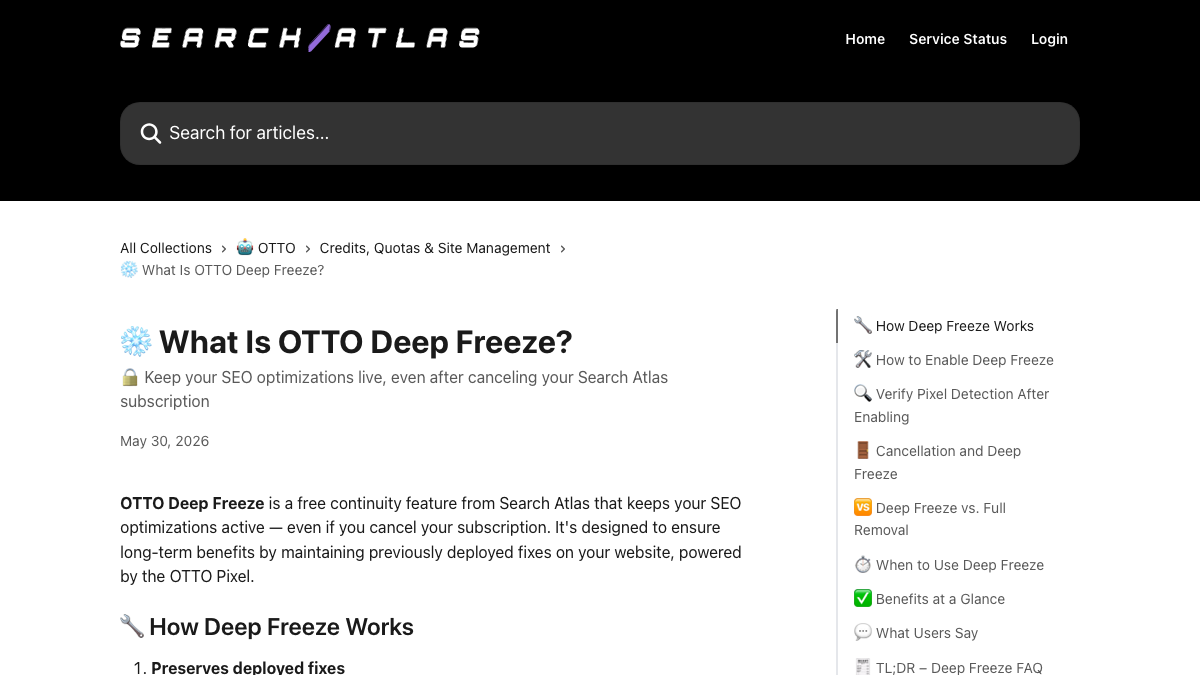
I wouldn't stop there, because a frozen fix is still a rented one: every page load still depends on Search Atlas's script. The route I'd take moves the fixes into your CMS. OTTO's on-page table sits under Content, then Onpage Audit, and it exports a CSV with one row per URL. Each row holds the meta title, meta description and focus keyword, and Search Atlas documents importing the file into Rank Math on WordPress.
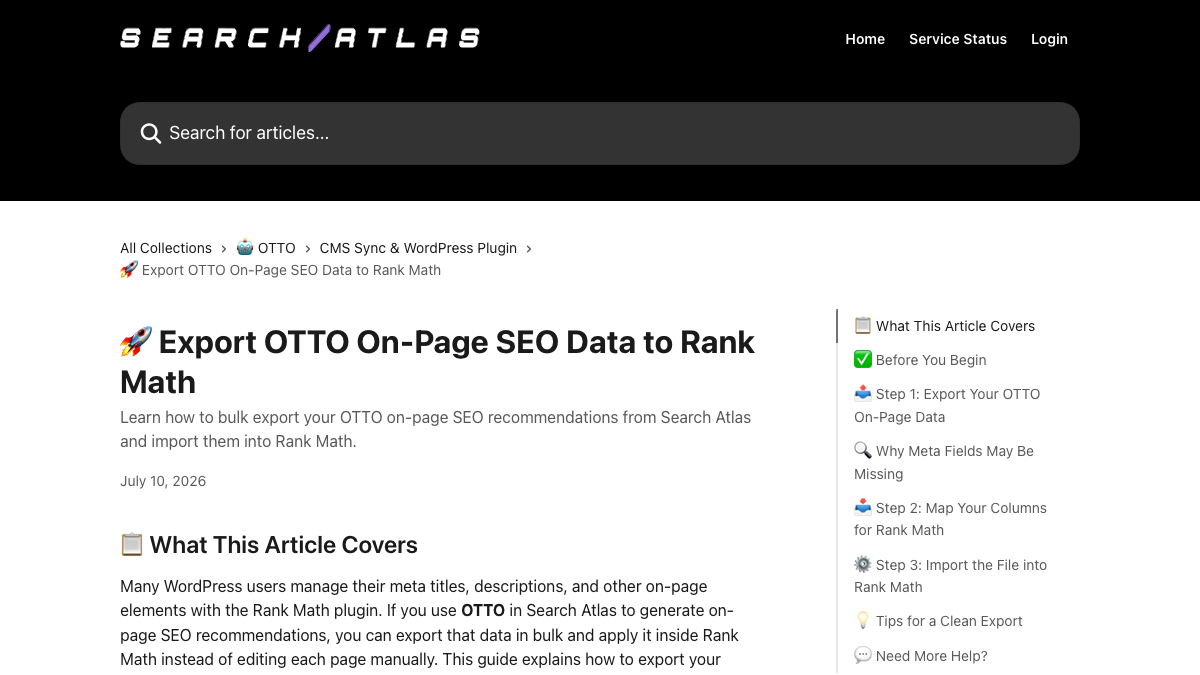
Read the file before you import it. The help article has its own section on why meta fields may come out missing. One Reddit reviewer also described OTTO leaving meta descriptions blank and placing an H1 twice in their first month, partly because of their theme. Filter out rows with empty fields first.
The CSV won't carry everything, either. According to the same article, a full-site schema export "is not yet available," and I couldn't find a documented export for internal links or alt text, so copy the important ones by hand. Search Atlas's WordPress plugin can write meta changes straight into Rank Math, but WordPress.org closed it on September 23, 2026, "pending a full review," so new installs can't use that route for now.
Owning your fixes also matters for AI crawlers. A 2024 study by Vercel and MERJ found that none of the major ones render JavaScript, and that list includes GPTBot, ClaudeBot and PerplexityBot. A title the pixel swaps in after the page loads may never reach them, while the same title saved in your CMS does.
How to export your data from Search Atlas
Your plan decides what you can take with you. PDF exports work on every plan, but CSV exports of keyword, ranking and audit data need Growth or higher, and Starter has no API access. Keyword exports go up to 2 million rows per file, more than most sites will need.
If you've tracked AI answers, slow down at the LLM Visibility export. Its CSV holds topic-level data only, and a help article confirms the tracked queries under each topic "are not included in the export at this time." Those queries are the part you want, since they become your first tracked queries in RankControl, so copy the list out of the app by hand.
Save the monthly reports your clients or leadership expect, too. Report Builder now exports Excel as well as CSV and PDF. Anything the self-serve buttons don't cover goes through support as a full account export, so ask before you cancel. And don't assume your data waits for you afterwards. The help center gives no fixed number of days it's kept, only that retention "follows your contract terms."
AI search traffic grew 835% this year. Is your content ready?
RankControl generates 26 content formats optimized for ChatGPT, Claude, and Perplexity. Published on your domain, matched to your brand.

Cancel, and mind the refund window
The cancel button is easy to find. Click your avatar, then Settings, then Billing or Subscription, and choose Cancel Subscription. You keep access until the paid period ends.
Still inside Search Atlas's 7-day trial? The same button reads Cancel Trial. The help center says you won't be charged if you cancel before the trial ends, and you keep the paid features until day seven, which leaves time for the exports.
It's easy to assume that freezing your sites also ends the plan, but Deep Freeze and cancelling are separate steps. A help article updated this month says freezing all your sites "does not cancel your OTTO subscription and does not stop future charges." Cancel the plan itself before your next billing date, and don't expect a downgrade to happen automatically either. If you change your mind later, resubscribing takes the project out of Deep Freeze and brings back its OTTO history and settings.
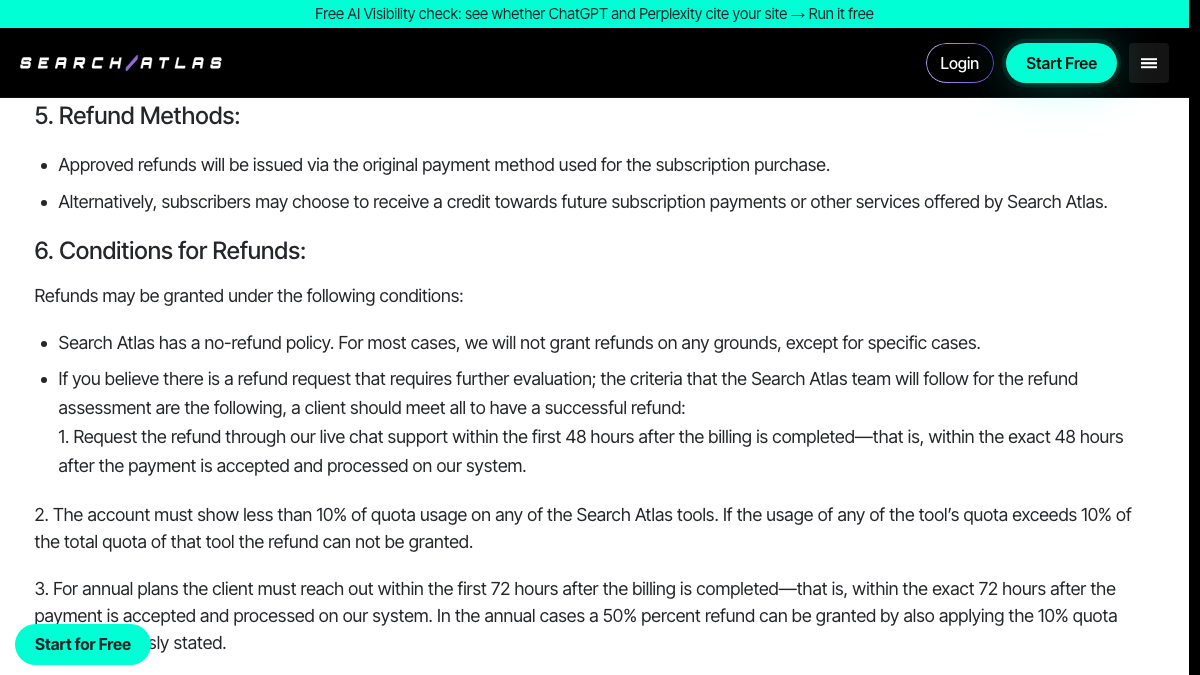
The refund policy opens with "Search Atlas has a no-refund policy," and the exceptions after it leave little room. A monthly plan can ask through live chat within 48 hours of billing, but only if every tool shows under 10% of its quota used. Annual plans get 72 hours and at most half their money back, and add-ons and discounted plans are excluded. If you're near a renewal, check the date before you start the exports.
Where things land in RankControl
RankControl has no import tool, so your exports become reference material rather than data you load. Here's where each piece goes:
| From Search Atlas | Into RankControl |
|---|---|
| Content Genius articles | Stay in your CMS; RankControl writes new ones |
| LLM Visibility queries (copied by hand) | Up to 50 tracked queries, checked weekly on six AI engines |
| Rank history and audits (CSV or PDF) | Your archive; RankControl reports Google and Bing positions for its own articles' keywords |
| OTTO meta fixes | Your CMS or SEO plugin, via the CSV export |
| Competitors | Up to 10 competitors in your share of voice |
| Link building | Link Control finds prospects and drafts outreach |
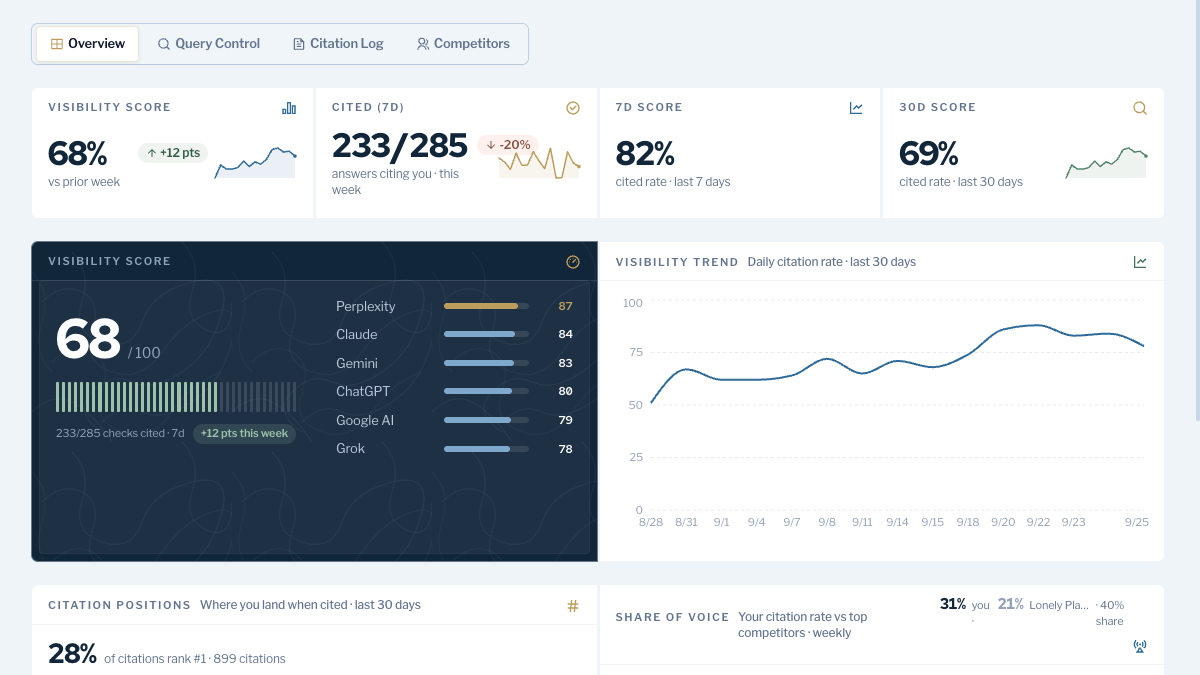
The two tools split AI tracking differently. Search Atlas ties engines to plans: Growth covers ChatGPT, Gemini and Google AI Mode, and Pro adds Copilot and Perplexity. RankControl's AI visibility tracking checks six engines on its one plan, with Claude, Grok and Google AI Mode among them. Setup starts with Brand Control, which reads your site and drafts your voice, products, buyers and competitors for you to correct.
From there, the content engine plans articles from your tracked queries and, once you approve them, publishes them to your CMS through one of nine destinations. Link Control finds link prospects for each new article and drafts outreach from your own mailbox, which for most small teams replaces the credit-based link building.

Built by the team that got cited in 48 hours.
Content generation, backlink building, AI visibility tracking, and Google rankings. One platform, zero guesswork.
The switch from Search Atlas, step by step
Here's the order I'd work in, with rough times:
- Check your billing date, and ask support for anything you need beyond the self-serve exports: 15 minutes.
- On your top pages, compare the title in the browser with the one in the page source, and note what OTTO changed: 30 minutes.
- Export OTTO's on-page CSV and import it into your SEO plugin, then copy important schema and internal links by hand: 1 to 3 hours, depending on site size.
- Export rankings, audits and reports as CSV or PDF, and copy your LLM Visibility queries: 30 to 60 minutes.
- Start RankControl, correct the brand draft, and add tracked queries and competitors: about an hour.
- Connect your CMS and Search Console in RankControl: 20 minutes.
- Cancel in Settings, then remove the OTTO Pixel once the fixes you need live in your CMS.
That's roughly four to six hours, and the OTTO step takes most of it. The AI search work carries on after the switch, though. Done by hand, someone turns tracked queries into articles, then publishes and pitches them. Somebody also has to check six engines every week. RankControl can run that loop every month for $400, with a 7-day free trial, while your team decides which technical fixes to keep.
If you're still comparing options, our list of Search Atlas alternatives covers six of them on price and engines.
See your first AI citation report in under 5 minutes.
No setup calls. No onboarding meetings. Connect your domain and see where AI mentions your brand right now.