
If you plan to switch from Advanced Web Ranking, its pricing FAQ describes three dates that follow a cancellation, and only one of them matters. Your account stays active to the end of the billed period. Login stays open for "an additional 30 days, after which login is also disabled," and the data "will be completely deleted from our systems after 90 days."
We call that middle date the login cliff. Deletion at 90 days sounds like plenty of time, but once login closes at day 30 you can't export anything yourself. AWR's terms of service add a wrinkle: they describe an archive of 6 months before permanent removal. The two pages don't agree, so plan around the 30-day login and treat everything after it as out of reach.
This guide covers how to switch from Advanced Web Ranking without losing the history that matters. Everything in it comes from AWR's pricing page, help center and terms, checked on September 26, 2026. It assumes you're moving your AI search work to RankControl.
What moves when you switch from Advanced Web Ranking
Ranking history is the part you can't recreate, since no tool can go back and check where you ranked last spring. AWR says it stores "your complete ranking history for as long as you're a customer, with no data retention limits on higher plans." That wording leaves room for limits on the entry Pro plan, so check with AWR support what your plan actually holds before you start.
The rest is easier: keyword lists and tags, report templates, and any AI Search or AI Brand Intelligence data if you've been tracking AI answers in AWR. Those are worth saving as reference, and none of them is hard to rebuild.
One point to settle first. AWR tracks rankings across more than 4,000 search engines, including YouTube and Amazon, with daily or on-demand updates, and RankControl isn't built to do that. If a large daily rank report is part of your job, keep a rank tracker for it and move only the AI search work. We compare the two tools head to head in RankControl vs Advanced Web Ranking.
How to export your data from Advanced Web Ranking
AWR's help center keeps it simple: from any report, click Export in the upper-right corner and pick a format. PDF gives you a report you can share, and CSV or XLSX gives you the raw rows.
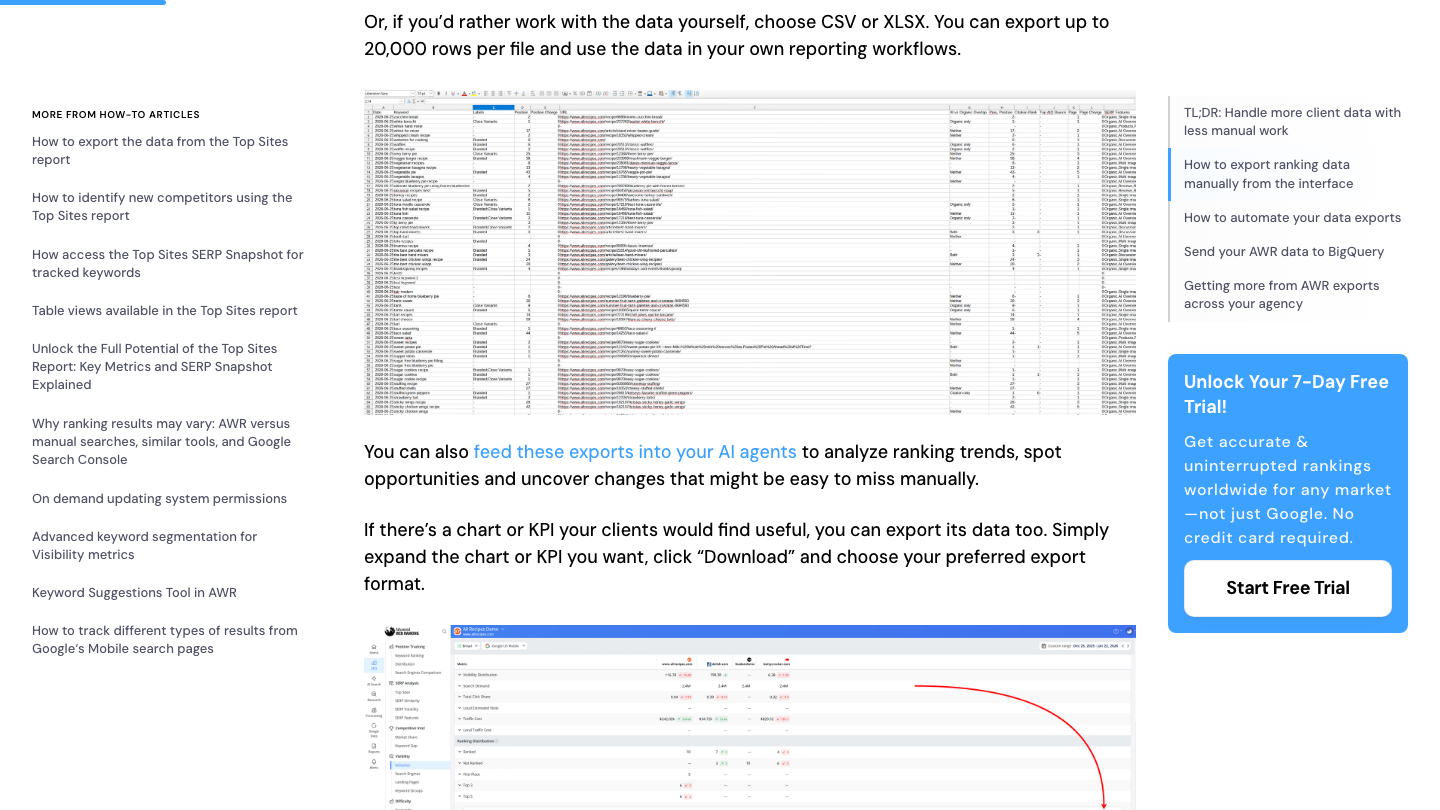
The limit to plan around is in the same article: "You can export up to 20,000 rows per file." A large project with a long history passes that quickly, so export one project at a time and split long histories by date range. Check the first and last date in each file before you move on.
For big accounts, the automated exports save hours, but they depend on your plan. Scheduled exports to Google Sheets in Drive need an Agency plan or any yearly plan, FTP needs Enterprise or a yearly plan, and the BigQuery connector comes with Enterprise. On Pro billed monthly, the Export button is what you have, so budget the extra time.
If your plan does include a Sheets or BigQuery export, set it up while the account is active. The history then lands somewhere you own, which is the safest place for it once the login cliff passes.
AI search data and reports
If you've used AWR's AI Search tracking, export those reports the same way, and copy the prompt or keyword list you were tracking into a document. Those become your first tracked queries in RankControl.
AWR's AI tracking covers different engines on different pages. Its AI Search product lists Google's AI Overviews and AI Mode alongside ChatGPT, Perplexity and Gemini. The separate AI Brand Intelligence product lists ChatGPT, Claude, Gemini and Perplexity instead. Note which one your data came from, so the before-and-after comparison is fair.
AWR's own data makes a decent case for the move. Its newest ranking metric is AI vs Organic Overlap, which sorts each tracked keyword by whether you rank, get cited, both or neither. The write-up that launched it says the overlap between top-10 rankings and AI Overview citations "has collapsed from 75% to under 38% in barely a year," citing an Ahrefs study of 863,000 keywords. If that holds, your rank history records one channel, and the AI answers need tracking of their own.
Save your report templates as PDFs too. They won't import anywhere, but they're a quick reminder of what your clients or leadership expect to see each month.

Your competitors are getting cited by AI. You're not.
Every day without citation tracking is a day your competitors pull ahead in ChatGPT, Perplexity, and Claude.
If you've connected AWR to Claude
AWR runs an MCP server with 48 tools on Agency plans and higher, and some teams ask Claude or ChatGPT about their rankings instead of opening reports. That connector sits in your AI assistant's settings, and it's tied to your paid AWR plan. Remove it after the last export, so nobody on the team gets empty answers without knowing why.
RankControl has its own MCP server with more than 80 tools, at https://api.rctrl.com/mcp or locally through npx rankcontrol mcp. It covers the AI search side: tracked queries, citations, content plans and publishing. Publishing from a chat stays a dry run until you confirm it, so a stray prompt can't put an article live.
Cancel, and mind the login cliff
AWR only accepts cancellations made inside the account. Its help center points to Settings, then General Settings, where the subscription owner or an administrator can cancel. Its terms name a "Cancel my account" option under Subscription Details and state that "an email or phone call to Caphyon is not sufficient to cancel" (Caphyon is the company behind AWR).
The same settings page offers a pause of 7 days, a month or three months. A pause stops fresh rankings but keeps history visible, then resumes and charges automatically when it ends, and AWR allows it only once per subscription. It doesn't help if you're leaving.
After you cancel, you keep full access to the end of the billed period. Then ranking and reporting stop, and login stays open for 30 days. Finish every export before that window closes. If you need more time, the automated Sheets or BigQuery exports you set up earlier are the backup.
What the refund policy covers
AWR's terms offer a 30-day money-back guarantee from the initial subscription date, refunding the full amount minus bank transfer costs, usually within 7 business days. After those first 30 days, the terms say cancelling mid-term doesn't earn a partial refund.
Renewal is automatic. The terms say you might not get a reminder and should check the Subscription and Billing page for your renewal date, so look that up before you plan the exports.
Where things land in RankControl
RankControl has no import tool, and your AWR exports become reference rather than data to load. Here's where each piece goes:
| From Advanced Web Ranking | Into RankControl |
|---|---|
| Ranking history (CSV or Sheets) | Your archive and before-picture; RankControl reports Google and Bing positions for its own articles' keywords |
| AI Search or Brand Intelligence prompts | Up to 50 tracked queries, checked weekly on six AI engines |
| Competitors in your projects | Up to 10 competitors in your share of voice |
| Report templates | A reference for what your weekly and monthly reports should show |
| Search Console connection | Connect it again in RankControl for clicks and impressions |
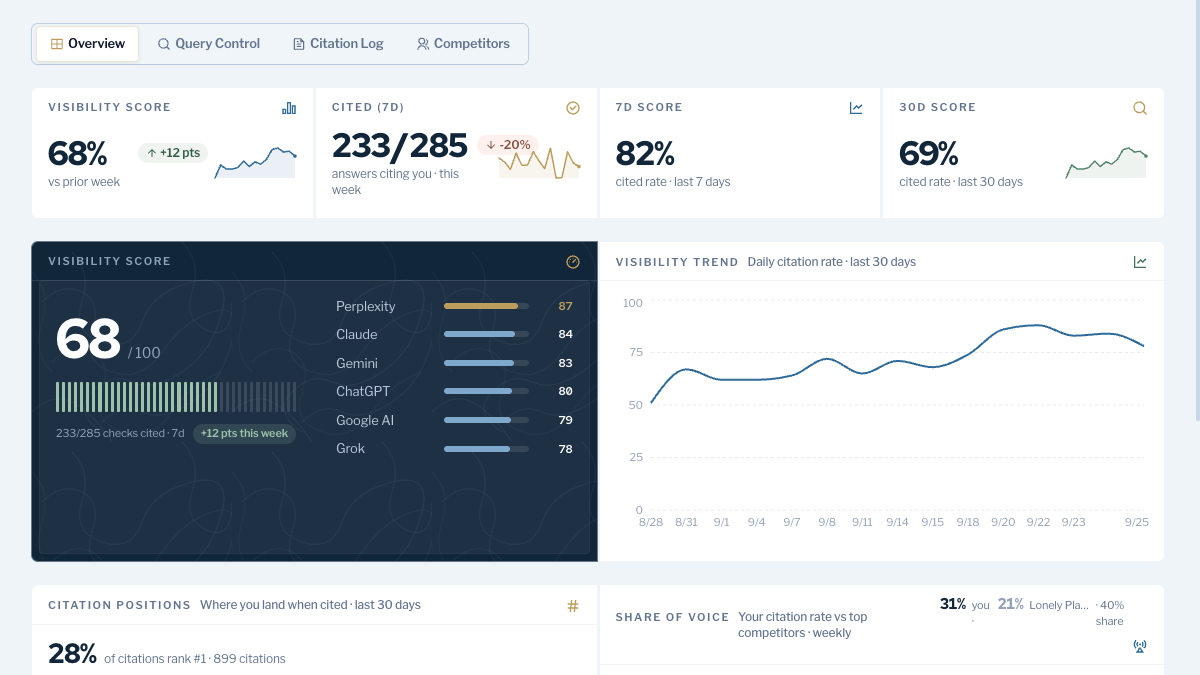
Start with the prompts. Rewrite any keyword-style entries as the full questions buyers ask. Then add them to AI visibility tracking, which checks each one weekly on six engines, including Claude, Grok and Google AI Mode. Brand Control reads your site and drafts your voice, products, buyers and competitors, and you correct the draft.
From there, the content engine plans articles from your tracked queries and publishes them to your CMS through one of nine destinations once you approve, and Link Control finds link prospects for each article and drafts outreach. AWR measures where you rank; this is the part that changes it.
200+ SaaS teams already track their AI citations.
They know exactly when ChatGPT mentions their brand, and when it stops. Do you?
The switch from Advanced Web Ranking, step by step
- Check your renewal date on the Subscription and Billing page, and ask support how much history your plan keeps: 15 minutes.
- If your plan includes them, set up Google Sheets or BigQuery exports for your main projects: 20 minutes.
- Export ranking history as CSV, one project and date range at a time under the 20,000-row cap: 30 to 60 minutes.
- Export AI Search reports, save report templates as PDFs and copy your prompt list: 20 minutes.
- Start RankControl, correct the brand draft, and add tracked queries and competitors: about an hour.
- Connect your CMS and Search Console in RankControl: 20 minutes.
- Cancel in AWR's settings, then finish any remaining exports before the 30-day login window closes.
That's about three hours, and most of it is exports. You can keep doing the AI search work by hand after the switch: someone turns tracked prompts into articles, publishes and pitches them, and re-asks six engines every week. Or RankControl can run that loop every month for $400, with a 7-day free trial, while your team keeps whatever rank tracker it trusts.
How often does ChatGPT mention your brand?
Most founders have no idea. The answer might surprise you.