
Before you touch a single AccuRanker export, read the terms of service. The termination section asks for at least 14 days' notice before your subscription period ends, and a few lines later it puts a limit on your data, which "will not be retained by Supplier beyond 30 days after the User's subscription has been terminated and the subscription period has ended."
I'd plan the whole switch backwards from those two dates. While you're still paying, getting data out is easy: reports download as CSV, Excel, Sheets or PDF, and the API handles bulk pulls. I checked AccuRanker's help docs on September 26, 2026, along with its terms and refund policy.
Why teams move off AccuRanker
A web agency posted in r/localseo about a client who ranked first for a primary keyword and still watched organic traffic fall. Above that first-place listing sat an AI Overview and a block of ads, so the top ranking was no longer the first thing a searcher saw.
Has Ranking #1 Become Less Important Since AI Overviews?
A client ranked #1 for one of their primary keywords, but organic traffic still declined. After digging deeper, it felt like the search results page had become much more crowded: AI Overviews answering the query directly Ads taking up the t...
That thread sums up the first reason teams leave: a position no longer tells you what happened to your traffic. Ahrefs measured the gap in a March 2026 study of 863,000 keyword results. Only 37.1% of the URLs that Google's AI Overviews cited also ranked in the top ten for the same query, so a daily top-ten report misses most of the pages the AI answer cites.
AccuRanker itself is a rank tracker that has updated Google positions daily from Aarhus, Denmark, since 2013. AI answers live in a separate product, AccuLLM, which tracks each prompt across ChatGPT, Perplexity, AI Overviews and AI Mode. The two are priced separately:
| AccuRanker product | Plan | Price | What it covers |
|---|---|---|---|
| Rank tracking | Professional | $224 a month | 2,000 keywords |
| AccuLLM | LLM Lite | adds $206 a month | 100 prompts and one brand |
Coverage is the next problem, since AccuLLM's four surfaces leave Claude, Gemini and Grok out. The last gap comes after the report. AccuRanker tells you where a page ranks and which sources AI answers cite, and then writing the page that would move either number falls to your team.
What comes with you when you switch from AccuRanker
Nearly all of it, as long as you export before the account closes. Your Search Console and Google Analytics data never lived in AccuRanker, so it stays in your Google accounts.
Everything else sits in the account and has to be exported. The keyword list comes out with its tags, locations, devices and landing pages, plus the rank history for every keyword and domain. AccuLLM's prompts come with their history and the sources each answer cited. Competitor lists and share-of-voice history can leave too, and so can your report templates and any Looker Studio or Google Sheets reports.
How to export your data from AccuRanker
While the subscription runs, the terms promise you access to your historical data, and the help center documents each export.
Rank history from the report screen
Exports start from a domain's keyword list. Choose the dates you want to compare and any filters, click Download Report, and pick a format (CSV, Excel, Sheets or PDF) with a template and a language. The help doc splits that into four steps, and the screenshot shows the first.
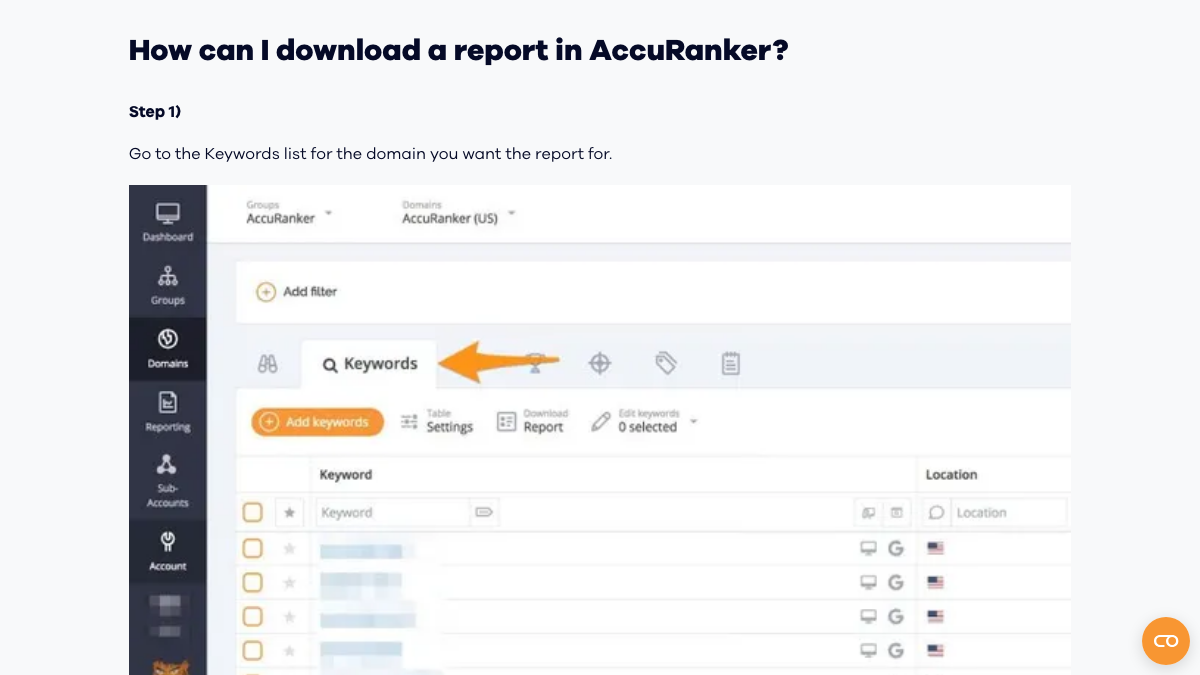
Run it twice for each domain. The first pass takes the widest date range on offer, which gets you the long history, and the second covers only the last month, in full detail. I'd archive the Excel versions and save the CSVs for loading into other tools.
Bulk pulls through the Read API
Agencies with many domains should skip the clicking. AccuRanker's API page says Read API calls are unlimited at no extra cost, so a short script that loops over your domains and saves each one's rank history does the job faster. Looker Studio is easy to overlook, though. Its connector pulls from your AccuRanker account, so expect those dashboards to stop updating once the account closes, and copy the data underneath them into Google Sheets first.
AccuLLM prompt history and its sources
If you save one thing from AccuLLM, make it the Prompt History export, because its cited sources show which pages AI engines already trust in your category. It arrived in a January 2026 release and lives in the Prompt History view. Run it once for each brand. Widgets can be saved as images from the menu in their top right corner, and some also give you their data as a CSV. To pull prompt data over the API, your AccuLLM plan needs API access enabled.
Treat the file as a record and a shortlist, since another tool probably won't load it. AccuRanker ran into this itself. When it added a CSV importer for prompts, its release log said the importer skips prompt history, because prompt structures vary so much between tools that moving the data "is not always straightforward."
Tags, competitors and settings
Screenshot your tag structure and competitor lists, and write down which landing page each important keyword points to. Then open the rank export and confirm those fields are in it.
200+ SaaS teams already track their AI citations.
They know exactly when ChatGPT mentions their brand, and when it stops. Do you?

Mind the two dates
Start with the renewal date, because that's the one with money attached. AccuRanker renews each subscription automatically for another term as long as the current one, so an annual customer who misses the notice window has signed up for a further year. The notice window itself comes from the termination section. You can cancel whenever you like, provided you give at least 14 days' notice before the current period ends, and only through your account page or an email to [email protected].
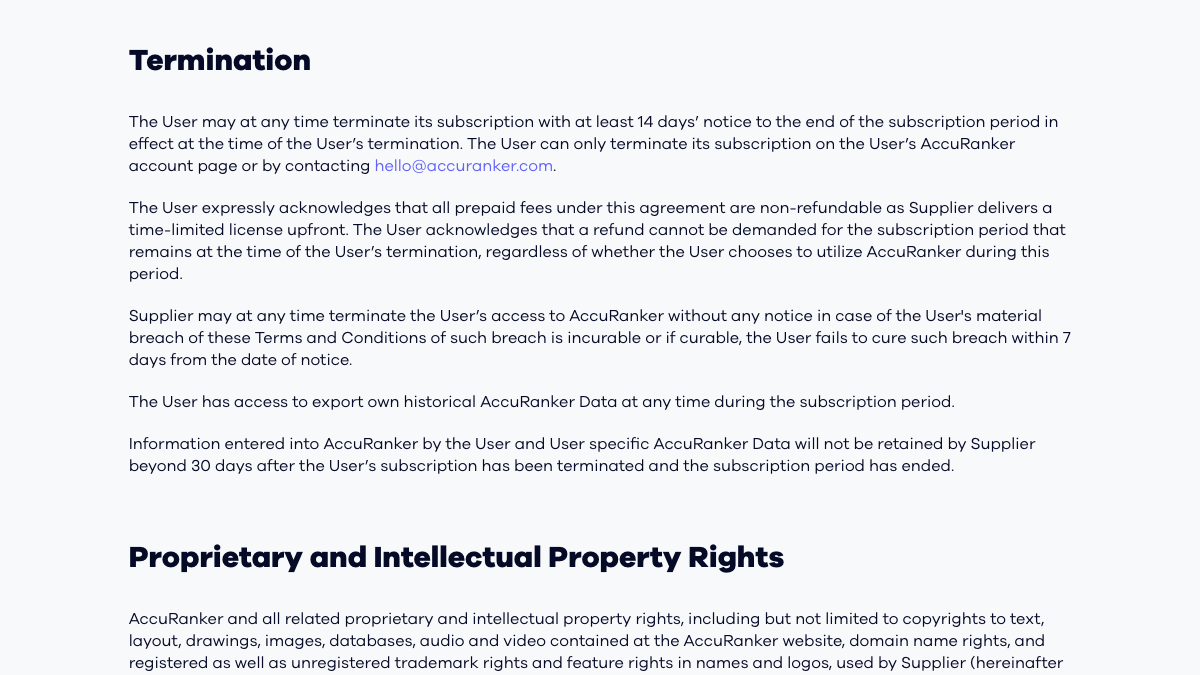
Don't count on a refund to fix a late cancellation. The terms call prepaid fees non-refundable and say nothing comes back for time left in a period, used or not. The one exception favors new customers: the refund policy gives a full refund within 14 days of your first purchase.
The safe order is to finish the exports, then send notice with at least two weeks to spare. In the term's last week, run the exports again and open each file, since the data no longer exists 30 days after the period ends.
What changes when you move
There's one thing you give up. AccuRanker checks thousands of keywords every day across locations and devices, and you can refresh on demand, while RankControl checks Google and Bing positions once a week for the pages it publishes.
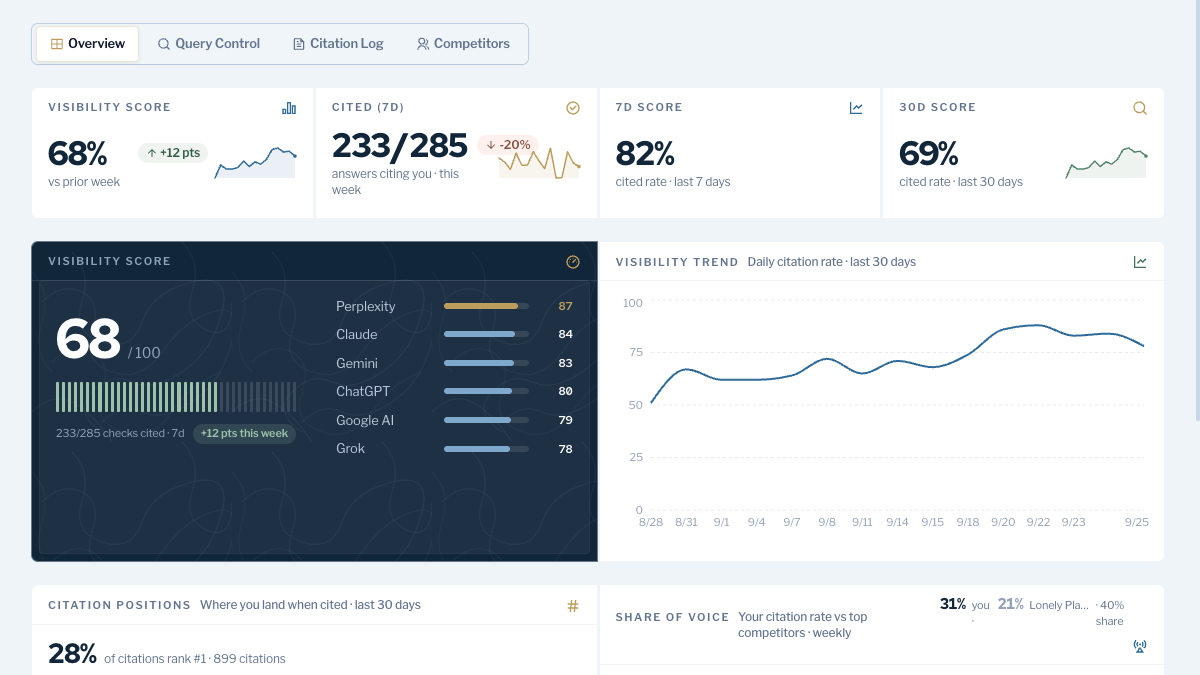
In return, RankControl's content engine plans titles from the questions your buyers ask and writes each article against the pages already ranking for its keyword. Articles you approve go out as native posts through the CMS you connect. Then AI visibility tracking checks 50 of your buyer questions each week on six engines, including Claude, Gemini and Grok.
Once a week sounds slow next to daily ranks, but for AI answers I think it's the right pace. In r/SEO_Experts this month, a marketer said their boss considered AI tracking a waste, so they wanted defensible trend data instead of a vague score. One reply said the way AI answers describe a brand tends to shift about once a week, so daily checks add little. That's one commenter, but the reasoning holds up.
How are you handling SEO rank tracking and AI visibility without manually checking prompts every week?
Our SEO rankings and CTR have been slipping and I brought up adding proper rank tracking plus AI visibility tracking at work. My boss thinks the AI side is mostly a waste of time and money, so I need actual data if I'm going to make the cas...
Where everything lands in RankControl
Almost everything has a counterpart, and the last row is the work AccuRanker never did.
| In AccuRanker | In RankControl |
|---|---|
| Daily Google rank tracking | Google and Bing positions checked weekly for each page RankControl publishes |
| AccuLLM prompts on four AI surfaces | 50 buyer questions checked weekly on ChatGPT, Perplexity, Claude, Gemini, Grok and Google AI Mode |
| AccuLLM cited sources | Citation history per engine, with the sources AI answers cite |
| Share of voice | Share of voice in AI answers against up to 10 competitors |
| PDF, CSV, Sheets and Looker Studio reports | The Reports screen and a weekly email of new citations and ranking gains |
| Read API and AccuRanker MCP | API, CLI and an MCP server with 80+ tools |
| No content production | Articles written and published to your CMS, up to 100 pages a month |
How often does ChatGPT mention your brand?
Most founders have no idea. The answer might surprise you.

Turning a keyword list into 50 questions
Expect to cut hard. AccuRanker accounts often hold thousands of keywords, while RankControl tracks 50 questions, so most of your export will stay in the archive.
Your AccuLLM prompts, if you have them, go in first, since they're already phrased the way people ask AI engines. Fill the rest from the keyword export by filtering it down to terms with commercial intent and a landing page that sells something, then rewriting each survivor as the question a buyer would type into ChatGPT. A keyword like "crm small agency" turns into "What's the best CRM for a small agency?"
Our guide to tracking AI visibility across six engines covers how to pick a set whose trend lines mean something. Adding them is quick, since the CLI's query-add takes one question per call and a short loop over your shortlist handles the lot. Still weighing prices and engines? Our RankControl vs AccuRanker comparison puts them side by side.
The switch from AccuRanker, step by step
Step one is only a calendar reminder, and it's what keeps you from renewing by accident.
- Look up your renewal date and set a reminder for 14 days before it.
- Download rank history for every domain as CSV and Excel, using the API for anything large.
- For each brand, export AccuLLM's prompt history and cited sources.
- Copy your Looker Studio data into Sheets, and screenshot your tags and competitor lists.
- Start RankControl's 7-day trial. Connect your CMS, let RankControl build a brand profile from your site, and name up to 10 competitors.
- Add your 50 questions, beginning with AccuLLM prompts and commercial keywords.
- Send notice from your account page before the 14-day cutoff, and re-export during the final week.
What your month looks like afterwards
Your job changes from reading rank reports to approving pages. Planned titles appear on a calendar and each article waits for your review. Once you approve it, it goes live on your site as a native post, and auto-publish stays off until you switch it on.
By hand, a month of 20 articles eats real time. Researching, writing, linking and publishing them takes 40 to 60 hours. Checking 50 questions on six engines adds about five hours a week. Both figures are rough, and neither job is something a rank tracker does for you. If you'd rather keep doing it yourself, your AccuRanker exports make a good map. The other route is letting RankControl's agents run that loop every month while you approve pages.
15 hours a week manually. Or 15 minutes with RankControl.
Track citations, monitor competitors, and fix content gaps across every AI search engine. Automatically.