
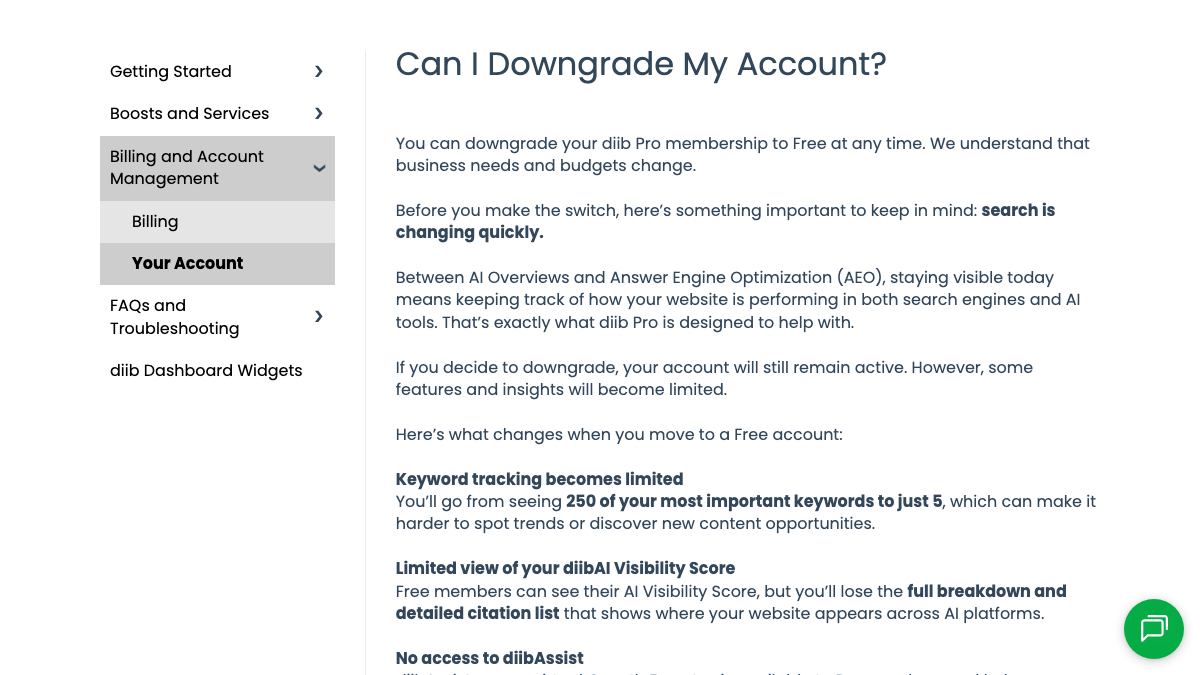
I went through Diib's knowledge base and pricing page on September 26, 2026, looking for a way to export data, and found no article on it. So the way out of Diib runs through a spreadsheet, a few screenshots and your inbox. What the help center does cover is the downgrade from Pro to Free.
It spells out the losses. Keyword tracking falls from your 250 most important keywords to 5, and while the AI Visibility Score survives, the "full breakdown and detailed citation list" behind it doesn't. That citation list is the thing I'd most want to keep when leaving Diib. Most of this move is copying it and a few other pieces before your plan changes. The emails Diib sends you every week cover the rest.
Why teams move off Diib
This week a Shopify store owner described the problem in r/shopify. They'd asked ChatGPT for the best pour-over set under $80, phrased several different ways, and a near-identical competitor came up every time while their own store never did. The replies that rose to the top steered them away from their own pages and toward what other sites say about the brand.
ChatGPT keeps recommending a competitor store and never ours
We do ceramic pour over sets, two years on Shopify. Theres another store in the same space, pretty much same products same prices, also on Shopify, you can tell from the checkout. Saw someone bring this up somewhere so I asked ChatGPT for b...
Diib is built for small businesses that want to understand their website without learning SEO, and it can point at that kind of gap. It connects to Google Analytics, Google Maps, YouTube and Facebook. From that data it scores your site daily and benchmarks you against similar businesses, and what you get out of it is an action plan. Pro is $30 a month, and the free plan stays free.
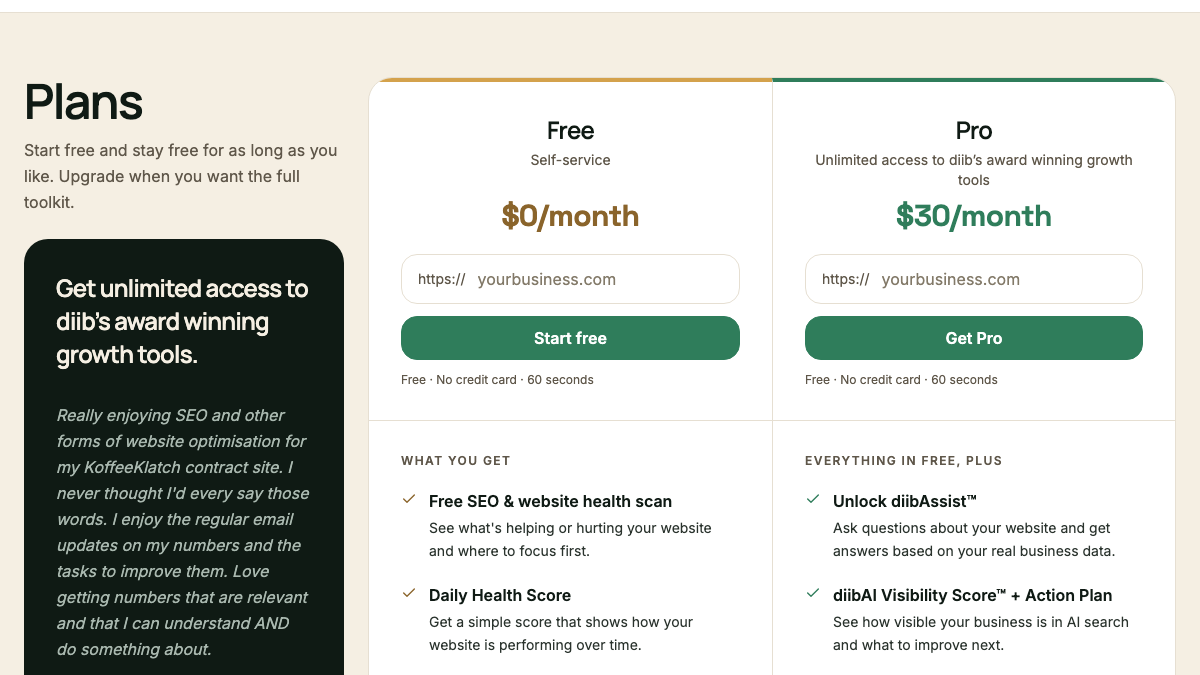
That action plan is where the first complaint starts, because it's still a list of work for you. Diib shows which keywords are within reach and which AI answers name your competitors, and its AI Visibility Score "tells you what to publish to get cited next." Somebody on your side still has to write that page and put it live.
What Diib tracks is the other sticking point. According to its homepage, it follows 50+ prompts per industry every week on ChatGPT, Gemini and Perplexity. Those prompts belong to your industry, so they aren't the exact questions your own buyers type, and Diib's help doc notes that the citation list sometimes shows sites that seem unrelated to your industry. Claude and Grok aren't covered.
What comes with you when you switch from Diib
Diib builds most of its dashboard from data that lives in other accounts: Google Analytics, Google Business Profile, YouTube and Facebook. None of that was ever Diib's to keep, and it stays where it is after you leave.
The parts worth saving are the ones Diib made for you. Your tracked keywords come first, up to 250 on Pro, with their positions, and then the AI Visibility Score with its citation list. Your backlink list and industry benchmarks deserve a copy as well, along with months of Weekly Snapshot emails. If you paid for a Boost, keep a record of anything it set up, such as local listings.
How to export your data from Diib
With no export to lean on, plan to capture everything by hand while you still have Pro.
Keywords and positions
Open a spreadsheet and copy in your tracked keywords with their current positions. On Pro that can mean up to 250 rows, so do the keywords tied to what you sell first. Give the ranking page its own column, too, because those pages are where your new content starts.
The AI Visibility Score and citations
A downgrade to Free keeps the score but strips out the detailed citation list behind it, which makes the list the first thing you lose. Capture it before you touch your plan. I'd screenshot the score so its date shows, then copy each prompt Diib lists and whether you were cited for it. After that, list the competitor sites and other sources that were cited instead of you. Watch for directories and review sites in there, since they show where AI engines look for businesses like yours.
Weekly Snapshot emails
Your inbox already holds the closest thing Diib has to an export. Every Weekly Snapshot reported your growth, rankings and problems, so search for them, move them into one folder and save the latest few as PDFs. Together they give you a week-by-week history of the account.
Boosts and listings
Paid Boosts need their own notes. If you bought a LocalBoost, CityBoost or diib Handshake, write down what was set up and where. The local listings and profiles those services create usually live on the directories themselves, so hold on to the logins or the listing links.
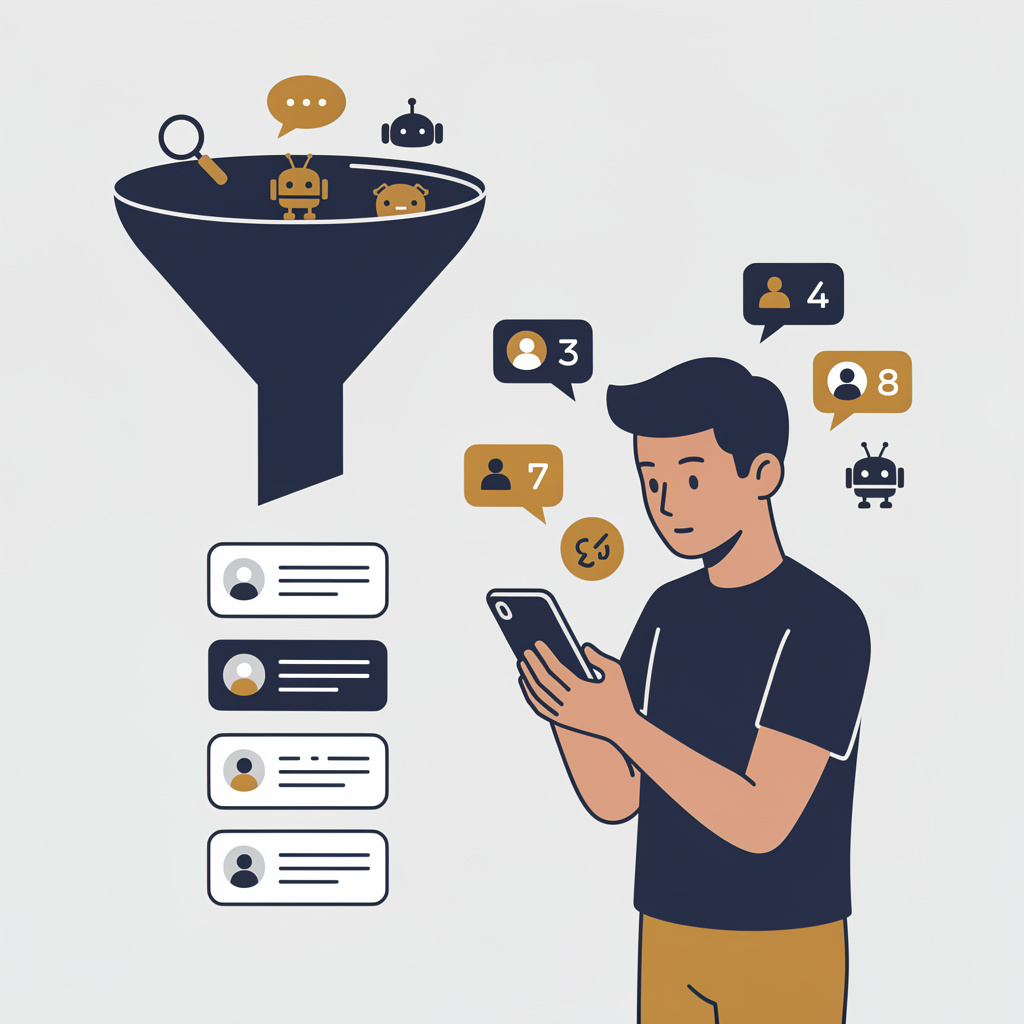
You're getting AI traffic. But do you know where it comes from?
RankControl credits every visit to the assistant that sent it: ChatGPT, Perplexity, Claude, Gemini, Copilot, or Grok. Full source attribution, next to your Google traffic.
Cancel on the right day
Diib doesn't lock you into a long-term contract, and it doesn't refund unused time either. Its help doc says that if you cancel before your subscription period ends, the remaining time is non-refundable, and the subscription ends on the next scheduled payment date. So finish the capture first, then cancel a few days before that payment.
Cancelling starts at My Account in the top right corner. From there it's Billing, then Account Details, and the prompts take you the rest of the way. If you pay through PayPal, you cancel somewhere else: in your PayPal settings, where the pre-approved payment for diib lives. And if you want your information gone entirely, email [email protected] and ask them to delete your account. A team member confirms once it's done.
What changes when you move
You'll lose Diib's benchmarking. It compares your site with similar businesses across 614 industries and brings Google Maps, YouTube and Facebook data into the same dashboard, and RankControl has neither industry benchmarking nor social analytics. If you'd like the two compared on engines, prompts and cost, our RankControl vs Diib comparison does that.
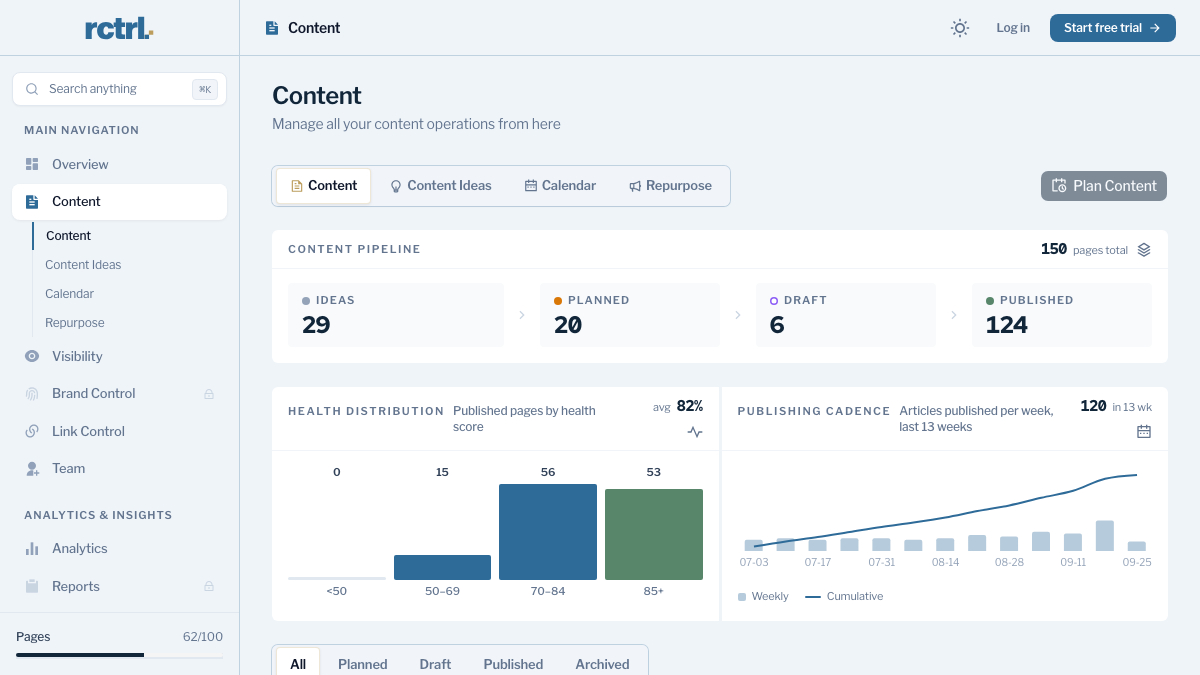
What you get instead is the work itself. RankControl's content engine plans titles from the questions your buyers ask and writes each article against the pages already ranking for its keyword. Approved articles go out as native posts through the CMS you connect, whether that's WordPress, Shopify, Wix or another platform. Meanwhile AI visibility tracking checks your own 50 buyer questions every week on six engines, Claude and Grok among them.
Where everything lands in RankControl
The row to read twice is the action plan, since that's where the work changes hands.
| In Diib | In RankControl |
|---|---|
| AI Visibility Score on industry prompts | 50 of your own buyer questions checked weekly on ChatGPT, Perplexity, Claude, Gemini, Grok and Google AI Mode |
| Citation list | Citation history per engine, with the sources AI answers cite |
| Action plan and "what to publish" | Articles planned, written and published for you, up to 100 pages a month |
| Keyword tracking | Google and Bing positions for each page RankControl publishes |
| Competitor benchmarking | Up to 10 named competitors, with share of voice in AI answers |
| Backlink monitoring | Link Control: outreach for each article drafted from your own mailbox |
| diibAssist | An MCP server and CLI for asking questions about your data from Claude or a terminal |
| Weekly Snapshot email | A weekly email with new citations and ranking gains |
We'll show you exactly where your brand stands in AI search.
No commitment. $0 due today, cancel anytime. See how ChatGPT, Perplexity, Claude, Gemini, Grok, and Google AI Mode talk about your brand today.

Picking your 50 questions
If you can, start with the exact words a customer used. In r/smallbusiness this month, an owner posted that a new client had found them through ChatGPT, and one reply suggested simply asking that client what they typed. It's usually a specific, local, buyer-type question, the commenter said, rather than the business name. A handful of those makes a strong first set of tracked questions.
Recommended by ChatGPT
I received a new client today that recommended us by name on ChatGPT. I am mildly amused by this and thought it was a bit surprising as our client list grows by word of mouth. Our marketing effort is non-existent. We are a very niche busine...
Your Diib capture fills the rest. Keywords stuck on page two and prompts where a competitor got cited both turn into good tracked questions, and RankControl can plan and publish an article for each one.
The switch from Diib, step by step
The whole move fits in seven steps, and only the last one touches your Diib plan.
- Write down your next payment date.
- Copy keywords, positions and ranking pages into a spreadsheet.
- Before any downgrade, capture the AI Visibility Score, its prompts and the citation list.
- Gather your Weekly Snapshot emails in one folder.
- Start RankControl's 7-day trial. Connect your CMS, let it build your brand profile from your site, and name up to 10 competitors.
- Add your 50 questions, beginning with the ones real customers typed.
- A few days before the payment date, cancel Diib in Billing, and email support if you want the account deleted.
What your month looks like afterwards
Instead of checking a score, you'll spend your time approving pages. Planned titles show up on a calendar and articles arrive for review. Whatever you approve publishes to your site as a native post, and auto-publish stays off until you turn it on.
For a small business, doing that by hand is a lot. Even eight solid articles take 16 to 24 hours to write and publish. Checking 50 questions on six AI engines adds about five hours a week. Both figures are rough, and a monitoring tool like Diib leaves both jobs with the owner.
Your Diib notes make a decent map if you'd rather keep doing it yourself. Otherwise RankControl's agents can run the work every month, and your part is approving the pages.
Know exactly what AI says about your competitors.
RankControl's Recon Agent monitors competitor citations across ChatGPT, Perplexity, Claude, Gemini, Grok, and Google AI Mode. See where they show up and you don't.