
seoClarity's FAQ has a line most enterprise SEO vendors would never publish: one million rows of data are available for instant download from the platform, cost-free, because it's your data. That makes a switch from seoClarity easier than leaving most platforms in its class.
The catch sits in an older post on seoClarity's blog about historical data. Ranking history comes out of Rank Intelligence 14 days at a time, for one device and one search engine per download. Two years of daily rankings on Google desktop, Google mobile and Bing works out to roughly 150 downloads, so this migration is mostly a scheduling job. Start the exports weeks before your renewal date.
This guide covers what to export and in which order, the ClarityAutomate check most teams skip, how to give notice, and where each piece lands in RankControl. If you're still deciding whether to move, our RankControl vs seoClarity comparison covers ArcAI, pricing and the verdict. seoClarity's pages were checked on September 26, 2026.
What comes with you when you switch from seoClarity
Nearly everything you'd want to keep can leave in a file. Before the contract ends, get these onto your own drive:
- Ranking history from Rank Intelligence, per device and search engine
- Keyword lists with the groups and tags your team built
- ArcAI prompt lists and visibility reports, if you track AI search there
- Content briefs for pages you haven't written yet
- Site audit issue lists you still plan to fix
- A written list of every live ClarityAutomate rule
Your Google Search Console and GA4 data never lived in seoClarity. Those stay in Google's accounts, so you reconnect them rather than export them. Search Console only keeps 16 months of history, which is the one reason to save the GSC views you rely on for year-over-year reports.
How to export your data from seoClarity
You export seoClarity ranking data from Rank Intelligence for free, 14 days per file, and anything longer goes through a support ticket. Warehouse extracts, ArcAI history and ClarityAutomate rules each need their own route, so work through them in this order, with the slowest first.
Ranking history from Rank Intelligence
Downloads come from Rank Intelligence in 14-day windows, one device and one search engine per file, per seoClarity's own guide. If you need a longer range in a single bulk file, the same guide says to open a ticket and its Technical Support team will pull it. Open that ticket first, because it runs in parallel with everything else.
Check what your files will contain. The comparison table on seoClarity's pricing page lists ranking extracts of the top 30 results on its entry package and the top 100 on higher ones. A keyword you ranked 45th for may not appear in your export at all, depending on the package in your order form.
Warehouse and API extracts
Some teams already pipe rankings into BigQuery or Redshift through seoClarity's ranking data API or its scheduled custom extracts. If yours does, that copy is already yours. Confirm the last scheduled run lands before the term ends, note its date, and switch off any job that will start failing once the credentials expire.
ArcAI, briefs and audits
ArcAI's pricing page describes prompt tracking that starts at 500 prompts, but it doesn't describe an export for prompt history. Ask your Client Success Manager in writing which format the prompt list and visibility history come out in, and get the answer before you give notice. seoClarity says its content tool can create and download a brief in seconds, so download the briefs for any page still on your roadmap. Export the audit issues you intend to fix, too.
The ClarityAutomate check
seoClarity sells ClarityAutomate as a way to fix on-page issues, such as canonicals and schema, without waiting for a developer. One independent review describes it as a layer that rewrites a page's HTML before it reaches visitors and bots, without changing your code base.
If your team shipped fixes that way, find out what happens to them when the contract ends. List every active rule, sort by the traffic of the pages it touches, and have a developer move the important ones into your templates before your last day. Export the list itself, too, because it's the only record of those changes.
200+ SaaS teams already track their AI citations.
They know exactly when ChatGPT mentions their brand, and when it stops. Do you?

Give notice the way seoClarity expects
seoClarity sells commitments rather than month-to-month plans. Its FAQ is plain about the ending: at the end of the commitment, you let your Client Success Manager know you don't wish to renew. There's no cancel button to look for.
Find the renewal date and any notice window in your order form before anything else, then send the notice by email and keep the reply. Your access runs to the end of the term, so the exports above can keep going after notice is given.
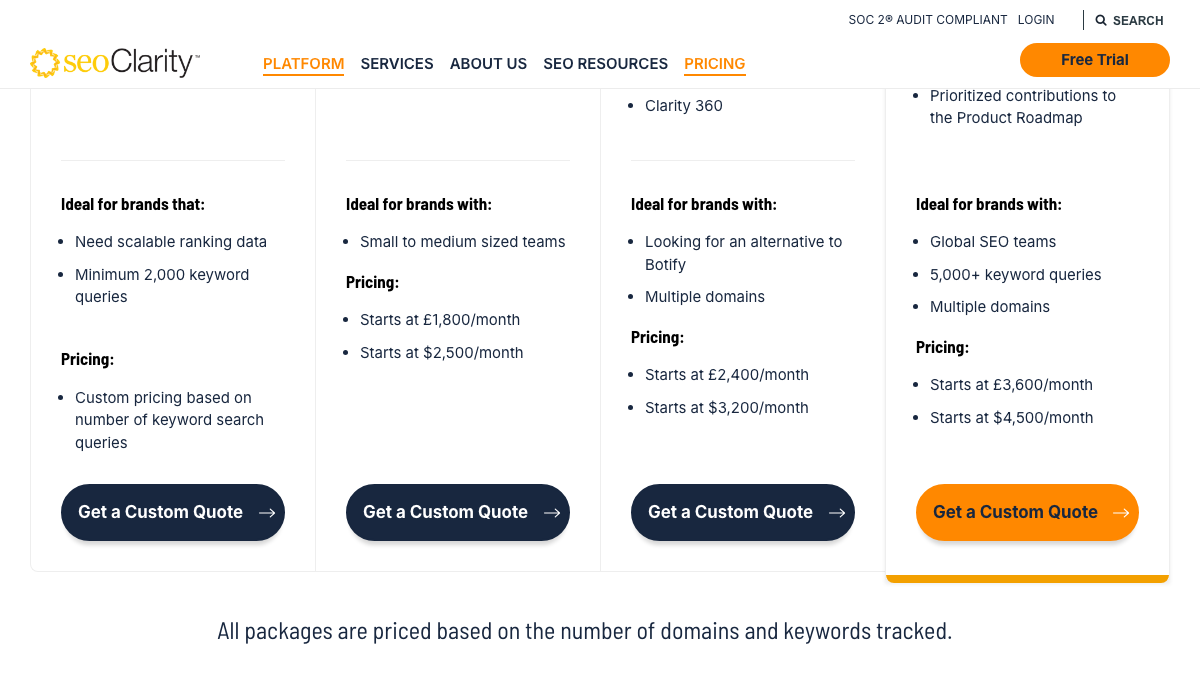
Prices are worth a look while you have the contract open. seoClarity's pricing page starts its packages at $2,500 a month for Research & Content and runs to $4,500 for Enterprise, all quoted by domain and keyword count. A footnote says those figures are representative as of October 11, 2022, so your renewal quote is the number that counts.
Choosing 50 queries out of thousands
seoClarity is built for a volume RankControl doesn't try to match: its rank tracking starts at 2,000 keyword queries, and ArcAI follows prompts across nine AI engines and surfaces, Grok and DeepSeek among them. RankControl checks 50 queries a week on six AI engines and tracks positions for the pages it publishes.
That changes how you pick queries. Out of thousands of tracked keywords, choose the 50 buyer questions closest to revenue, the ones where being named in an AI answer would bring you a sales conversation. Our guide to tracking AI visibility across six engines walks through how to choose them.
Where everything lands in RankControl
The table below maps each seoClarity job to where it lives after the switch.
| In seoClarity | In RankControl |
|---|---|
| Rank Intelligence keyword tracking | Google and Bing positions for every page RankControl publishes, with Search Console data beside them; your export stays the long-term archive |
| ArcAI prompt tracking | 50 queries checked weekly on ChatGPT, Perplexity, Claude, Gemini, Grok and Google AI Mode, with a citation history per engine |
| Competitive insights | Up to 10 competitors tracked for share of voice in AI answers |
| Content briefs and drafts | Articles written against the pages already ranking for each keyword, scored for how easily AI engines can quote them, and published to your CMS |
| Link Seeker internal links | Internal links added inside each article RankControl writes |
| Backlink analysis | Outreach drafted from your own mailbox for every published article |
| Bot log analysis | An AI crawler log naming 12 bots, including GPTBot and ClaudeBot, for the pages RankControl publishes |
| ArcAI MCP server and API | MCP server, CLI and API with 80+ tools, included in the plan |
| Unlimited users | 5 seats |
The biggest change is in the content row. seoClarity's content agents work inside Google Docs, Word or your CMS editor through MCP and API, and your team finishes and ships the page. RankControl's content engine plans titles from the questions buyers ask and writes each article in your brand's voice. Then it publishes the article as a native post through the destination you connect, whether that's WordPress, Webflow, Shopify or a headless site. Auto-publish is off by default, so you approve each article until you trust the output.
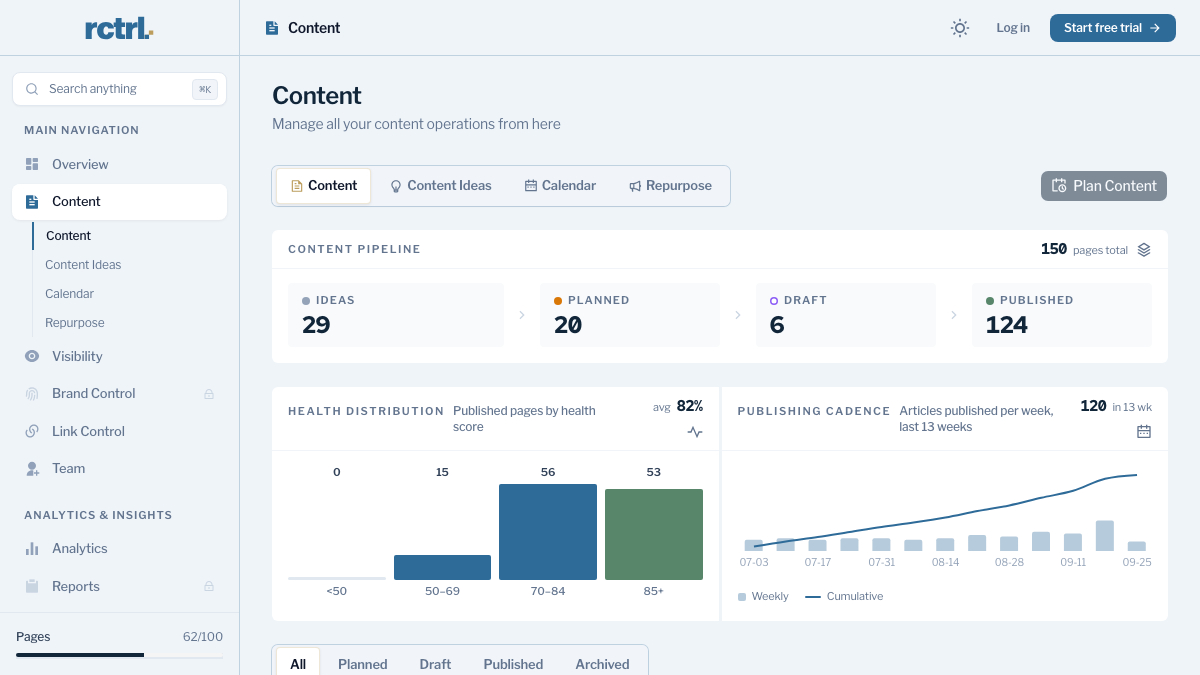
AI visibility tracking then checks your 50 queries every week. A new citation sends a notification, and a lost one shows in the dashboard's citation history. For the off-site half, Link Control finds prospects and contacts for each published article and drafts outreach that goes out from your mailbox, with follow-ups only when nobody replies.
How often does ChatGPT mention your brand?
Most founders have no idea. The answer might surprise you.

The switch from seoClarity, step by step
Count back from your renewal date. The plan below assumes eight weeks, which leaves room for a slow support ticket.
- Eight weeks out, find the notice window in your order form, open the bulk-history ticket, and start listing ClarityAutomate rules.
- Seven weeks out, send your non-renewal notice to your Client Success Manager and ask how ArcAI prompt history exports.
- Weeks six to four, run the 14-day ranking downloads for every device and engine, and download briefs and audit issue lists.
- Four weeks out, start RankControl's 7-day trial. Connect your CMS, let RankControl build the brand profile from your site, add your 50 queries, and name up to 10 competitors.
- Two weeks out, move the important ClarityAutomate fixes into your templates and confirm the last warehouse extract landed.
- On the last day, check that every file opens and store the set somewhere your team can find it next year.
The query step is faster than it sounds. There's no import button, so you add queries in the dashboard or through the CLI, where query-add takes one query per call and a short loop over your shortlist adds all 50. The MCP server does the same from Claude or Cursor.
What does the exit cost in hours? Roughly 150 ranking downloads at two or three minutes each come to five to eight hours. The ClarityAutomate audit takes a day or two of developer time, and setup in RankControl takes an afternoon. Budget about three working days in total, spread across the eight weeks.
What your month looks like afterwards
The work that used to sit between the dashboard and the published page moves into the pipeline. Titles land on a calendar from buyer questions, articles arrive for review, and approved ones publish to your site. The weekly check shows which engines started citing which page, and the Analytics screen puts AI referrals and crawler hits beside your Google positions.
Done by hand, that month is heavy. Reading 300 AI answers a week for 50 queries on six engines takes about five hours. Twenty researched, linked and published articles take another 40 to 60 hours a month once the first drafts exist. Teams moving off an enterprise suite often find that production, not data, was the gap all along; our Conductor migration guide covers the same shift from another platform.
You can run the whole loop manually with your exports as the map. Or RankControl's agents can run it every month, from the query list to the published page to the weekly citation check, while your team works on the product.
15 hours a week manually. Or 15 minutes with RankControl.
Track citations, monitor competitors, and fix content gaps across every AI search engine. Automatically.