
AirOps' terms of service have one sentence every departing customer should read. Data entered during a free trial "may be permanently lost at the end of the trial period" unless you subscribe or export it first. Paid accounts get no firmer promise. The privacy policy says AirOps keeps your information while the account is active and "for a reasonable time thereafter."
So the order of a switch matters: export first, cancel last. This guide covers moving from AirOps to RankControl, what comes out cleanly, what you'll copy by hand, and where each piece lands. Every AirOps detail below comes from its docs, terms and pricing page, checked on September 26, 2026.
What comes with you when you switch from AirOps
AirOps is a workflow platform, so a lot of what you built there is configuration. Some of it exports and some of it doesn't.
| In AirOps | Can you take it? | Where it lands in RankControl |
|---|---|---|
| Articles published to your CMS | Already native posts on your site | Link targets, found by a sitemap scan |
| Grids | Yes, as CSV | Reference for topics and tracked queries |
| Insights data (mention rate, citations, prompts) | Through the API, as JSON | Your tracked queries and before-picture |
| Brand Kits | No export documented; copy by hand | Brand Control |
| Knowledge Bases | No export documented; keep your source files | Brand Control and style references |
| Workflows and Playbooks | No export documented | Not needed; the pipeline replaces them |
The first three rows are easy. The Brand Kit takes an hour of copying, and the workflows are the part you can let go of.
How to export your data from AirOps
Grids
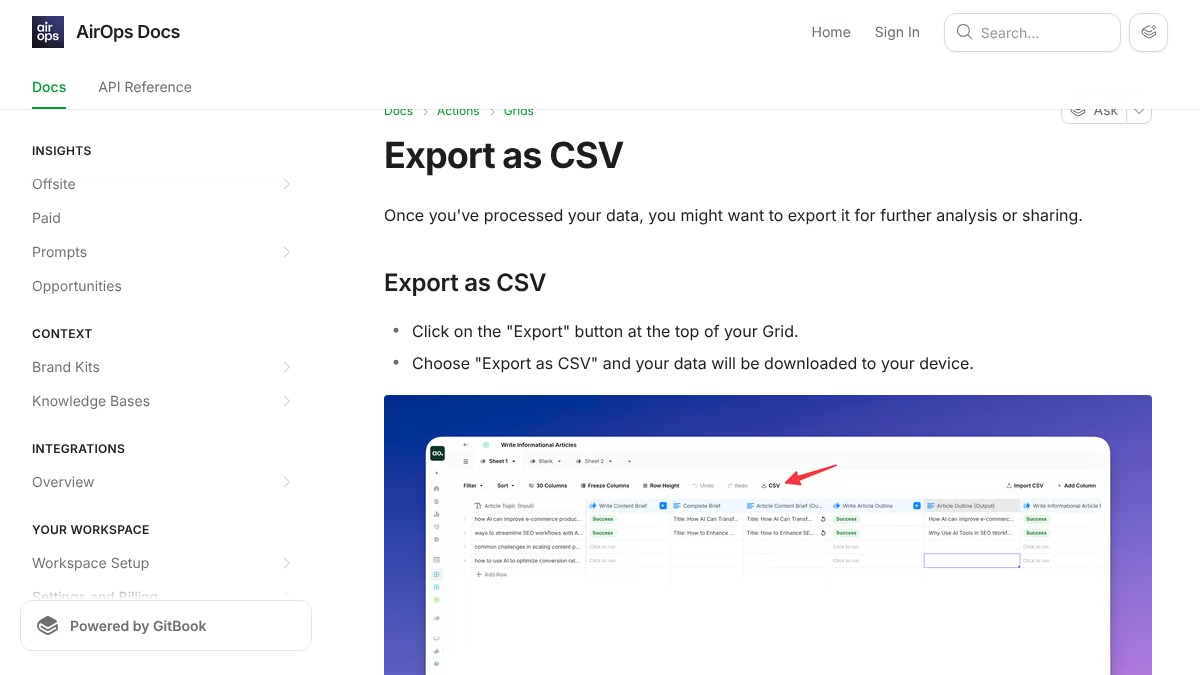
Open each Grid you want to keep, click Export at the top, and choose Export as CSV. The file downloads straight to your device, one Grid at a time.
Insights
There's no Export Insights button in the docs. The route is the AirOps API: create a key under Workspace Settings, then API Key, and pull from the Analytics, Citations and Prompts endpoints. Analytics returns up to 1,000 rows a request, and the docs note the Brand Kit must have AEO enabled for the API to work.
The Web Pages endpoint is worth a pull too. It puts AI visibility next to Search Console clicks and GA4 sessions for each page, which is the closest thing AirOps has to a page-by-page history. If nobody on your team writes code, screenshot the Visibility and Citations tabs for your top prompts instead.
Brand Kits and Knowledge Bases
AirOps' docs don't mention an export for either. A Brand Kit holds your voice and writing rules, your product lines and your audience notes, and none of it has a download button. Copy those sections into a document. For Knowledge Bases, the files you uploaded are still yours, so find the original PDFs and docs rather than trying to pull them back out.
Workflows and Playbooks
Workflows may be the hardest thing to move. In an r/seogrowth thread about AirOps alternatives, one early adopter wrote that "over time they also removed things like exporting workflows between projects." If a workflow holds a prompt you're proud of, copy the prompt text before you leave.
Airops alternatives?
Hey, we've been using an agency and recently started to evaluate a workflow took called Airops. Its supposed to be the new thing - they let you build some AI based workflows the write and refresh content automatically... Does anyone has exp...
Know exactly what AI says about your competitors.
RankControl's Recon Agent monitors competitor citations across ChatGPT, Perplexity, Claude, Gemini, Grok, Google AI Mode, and Google AI Overviews. See where they show up and you don't.

Cancel on AirOps' notice period
AirOps subscriptions renew automatically. Its terms say either side can stop the renewal by giving notice "at least thirty (30) days before the end of a Subscription Period." Payment obligations are non-cancelable, and fees paid are non-refundable except where the agreement says otherwise. If you're on an annual contract, put the notice date in your calendar now.
Downgrading to the Free plan is a softer stop. AirOps' billing docs say it turns off scheduled workflows, Playbooks, Grid actions and syncs, but keeps their settings in case you come back. To have your personal data deleted, email [email protected].
Disconnect the integrations
Before you cancel, take AirOps' access back:
- Your CMS: remove the AirOps connection or API credentials from WordPress, Webflow, Shopify or wherever it published.
- Search Console and GA4: remove AirOps' access, since Page360 pulls from both.
- Claude or another AI assistant: remove the AirOps connector if you added its MCP server.
- Model keys: if you gave AirOps your own OpenAI, Anthropic or Gemini keys, rotate them with the provider.
That last one is easy to miss. A key you pasted into AirOps keeps working until you revoke it at the source.
Where everything lands in RankControl
There's no import tool, and you won't need one. Your articles are already live, and RankControl doesn't run on workflows you configure. We run one pipeline: plan, write, publish, track.
Start with Brand Control. Brand Control reads your live site and drafts your voice, products, buyers and competitors, and you correct what the draft got wrong. The rules from your AirOps Brand Kit go into Brand Control's guideline rules, and up to three of your best articles can go in as style references.
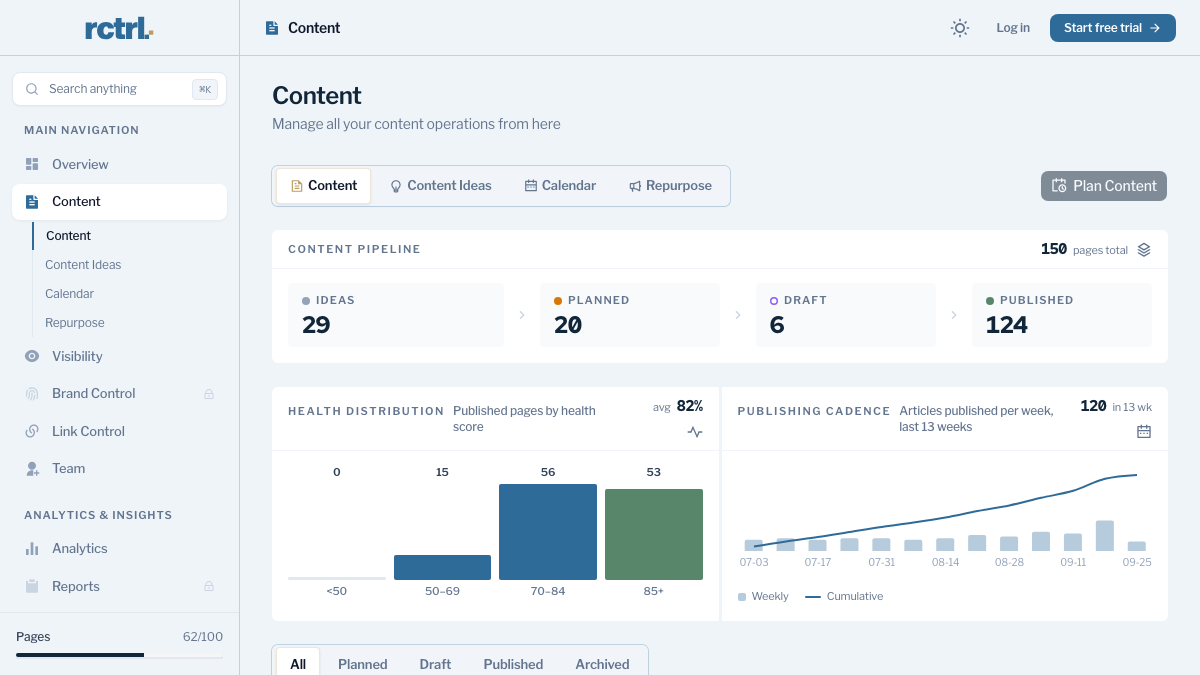
Next, turn the prompts you tracked in AirOps Insights into tracked queries, up to 50. AI visibility tracking checks each one every week on ChatGPT, Perplexity, Claude, Gemini, Grok, Google AI Mode and Google AI Overviews. Claude costs the same as the rest there, where AirOps' billing docs say Claude answers "debit four times as many units as a standard provider." Add up to 10 competitors while you're there.
Then connect a publishing destination and run the sitemap scan, so new articles link into the ones AirOps published. RankControl publishes natively to nine destinations, including WordPress, Webflow and Shopify. If you published to Contentful, Sanity or HubSpot through AirOps, you'd connect those through a webhook or the Content API. The content engine then plans titles from the questions your buyers search, and auto-publish stays off until you turn it on.
For links, Link Control finds prospects for each published article and drafts outreach from your own mailbox. If you used AirOps Offsite's managed service, the closest match is Managed Backlinks: five links a month from DR 25+ sites for $350.
26 content formats. Published on your domain. Matched to your brand.
Guides, comparisons, listicles, case studies, and more. RankControl generates content that gets cited by ChatGPT, Perplexity, Claude, Gemini, Grok, Google AI Mode, and Google AI Overviews.

Keep your before-picture comparable
The numbers you pull out of AirOps won't line up one for one with RankControl's. AirOps Insights reports rates across thousands of answers: mention rate, share of voice, citation rate and average position. RankControl reports, for each tracked query, which engines cited you that week and where competitors got cited instead.
So compare the facts underneath the rates. For each prompt you tracked in AirOps, note which engines named you and which of your pages they quoted. That's a yes-or-no record you can set next to RankControl's first weekly check.
Keep the wording of your queries close to your AirOps prompts for the first month too. A small rewording can change which brands an engine names, and you want the first few weeks to measure the switch alone.
The switch from AirOps, step by step
- Export every Grid you want as CSV: 15 to 30 minutes.
- Pull Insights through the API, or screenshot the key tabs: 30 to 60 minutes.
- Copy Brand Kit rules and gather your Knowledge Base files: about an hour.
- Start RankControl's 7-day free trial and let setup read your site: about 15 minutes.
- Correct the brand draft, add guideline rules and style references: 30 to 45 minutes.
- Add up to 50 tracked queries and up to 10 competitors: about 30 minutes.
- Connect your CMS and run the sitemap scan: about 20 minutes.
- Disconnect AirOps, rotate any model keys, and send your non-renewal notice.
That's four to five hours, done once. Keep your AirOps readings from step 2 next to RankControl's first weekly check, so you can see a trend from week one.
What changes after the switch
The biggest change is how you pay. AirOps sizes its plans in tasks, 35,000 a month on Solo and 100,000 on Pro, and only specific workflow steps count toward them. Its pricing page doesn't list a monthly price for either plan, and the one dollar figure on it is an overage rate of $0.025 per extra task on Solo. RankControl is one plan at $400 a month or $4,000 a year. The plan includes 100 pages, 50 tracked queries on seven engines and five seats.
The other change is who builds the machine. In AirOps, your team designs the workflows and Playbooks. In RankControl, the pipeline already exists, and your job is to correct the brand profile and pick which planned titles go on the calendar.
If your team ran AirOps from Claude or Cursor through its MCP server, you won't lose that habit. RankControl has an MCP server and CLI too, with 80+ tools, included in the plan, and anything that publishes runs as a dry run until you confirm it.
You can run this by hand: write the pages, publish them, pitch the links and check seven engines every week. Or RankControl's agents can run it every month while you focus on your product. For a head-to-head look, see RankControl vs AirOps, or compare more options in our AirOps alternatives list.
Not sure where you stand in AI answers today? Run a free check of your brand before you cancel anything.

Your competitors are getting cited by AI. You're not.
Every day without citation tracking is a day your competitors pull ahead in ChatGPT, Perplexity, and Claude.