
We went looking for SEOptimer's help center while writing this guide and found a support address that loads a notice saying the help center is closed. SEOptimer's how-to documentation lives in dated posts on its blog instead. That's fine for learning the tool, but it makes the question of what happens to your data when you switch from SEOptimer harder to answer than it should be.
The most useful line we found sits in a post about white-label report templates. Quick Audits, the one-off reports you run from the top of your account, are not saved, and SEOptimer's guide says plainly that they can't be retrieved later. If you've been running Quick Audits for prospects and assuming they'd be there next month, download the ones you need before you do anything else.
This guide covers what exports and in which format, what you'll lose if you skip a step, and how to cancel without surprises. Then it maps each piece onto RankControl. If you're still deciding whether to move at all, our RankControl vs SEOptimer comparison covers prices, the GEO Audit and the verdict. Everything here was checked on SEOptimer's site on September 26, 2026.
What comes with you when you switch from SEOptimer
Pages you've already published are safe, since they live on your own site and cancelling SEOptimer touches none of them. Most of the data inside SEOptimer exports too, but it comes out in two very different shapes.
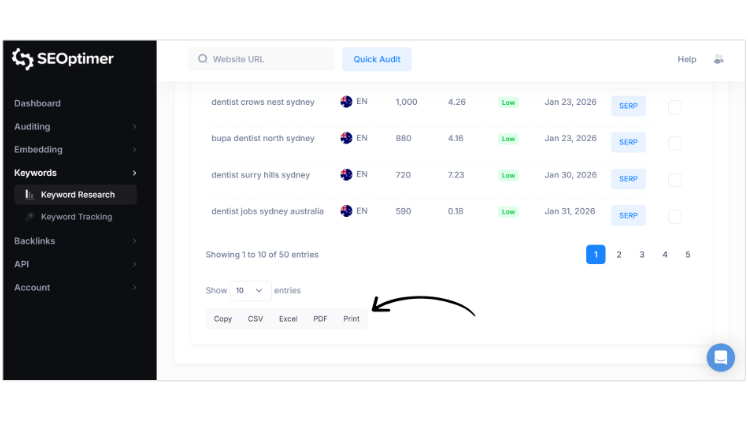
Anything that looks like a table exports cleanly. Keyword research, keyword tracking, backlink monitoring and each table in the site crawler have buttons for CSV, Excel and PDF. Anything that looks like a report is PDF only, and that includes SEO audits, GEO Audits, Local SEO audits and Google Business Profile audits. The only ways to get audit findings out as data are Bulk Reporting's CSV and the paid audit API.
How to export your data from SEOptimer
These paths come from SEOptimer's feature pages and its guide posts. Menus move, so check the labels in your account as you go.
| What | How to get it out | Format |
|---|---|---|
| Saved audits (White Label Reports tool) | Report list, then PDF | |
| Quick Audits | Download when you run them; they aren't saved | |
| Many audits at once | Bulk Reporting, then Prepare PDF Archive and Prepare CSV | ZIP of PDFs, 96-column CSV |
| Keyword research and keyword tracking | Buttons under each table | CSV, Excel, PDF |
| Backlink monitoring | New, lost or all changes, up to 12 months back | CSV, Excel, PDF |
| Site crawler | Export on each table you view | CSV, Excel, PDF |
| GEO, Local SEO and GBP audits | Report download | |
| Leads from the embedded audit form | Leads dashboard export, Zapier or a webhook | Formats not listed |
| AI Writer articles | Download on each article | PDF, Word, HTML, Markdown |
| Audit data in bulk | SEO Audit API, sold separately | JSON, PDF |
Two gaps are worth planning around. SEOptimer doesn't say how far back a keyword tracking export goes, so pull it now and check the oldest date in the file. The crawler exports one table at a time, so a full crawl means several downloads, one per table you care about.
If you run white-label audits for clients, Bulk Reporting's CSV is the file to keep. It's the only export that turns audit findings into columns you can sort, and 96 columns is plenty for a before-and-after comparison later.
The parts that stay behind
Some things don't come out at all. Report templates stay behind, and the only copy you'll have is whatever you screenshot, so grab the settings for any template a client relies on. The white-label report domain is just a DNS record pointing at SEOptimer. Delete it or point it somewhere else once the last report has gone out. One-off backlink lookups had no export we could find, and Quick Audits you didn't download are already gone.
The embedded audit form needs the most care. SEOptimer documents no behavior for embedded forms after cancellation, and we couldn't find anything on its terms, privacy policy or lead-generation pages about it. Export your leads first, then take the form off your site and any client sites yourself. SEOptimer offers a WordPress plugin as one way to install the form, so check each site's plugin list as well as its page code.

Your competitors are getting cited by AI. You're not.
Every day without citation tracking is a day your competitors pull ahead in ChatGPT, Perplexity, and Claude.
Cancel last, and keep the confirmation
SEOptimer's pricing FAQ says to use the Cancel Subscription button at the bottom of the My Account screen, and adds that support will do it for you if you can't find it. Its terms of service point the other way: "An email or phone request to cancel your account is not considered cancellation." Those two lines don't agree. We'd click the button ourselves and screenshot the confirmation page rather than trust a support ticket.
Refunds are narrow. You get one only if you ask support within 7 days of a payment, and only as part of cancelling. Partial months aren't refunded. The terms never mention annual plans on their own, which makes the renewal date the natural time to leave an annual plan. The GEO, Local SEO and API add-ons bill the day you buy them, and we found no separate refund terms for those.
Cancelling doesn't delete anything. SEOptimer's privacy policy says it keeps your data "for as long as SEOptimer deems it necessary" unless you ask for deletion, which you request through the live chat widget or the support email. One more detail surprised us. Audit results pages at addresses like seoptimer.com/yourdomain.com are cached public pages, and the policy doesn't say they disappear when an account closes.
Where everything lands in RankControl
There's no import tool, and you won't miss one. Most of what you keep from SEOptimer becomes reference material, and the parts that matter get typed in once.
| From SEOptimer | Into RankControl |
|---|---|
| Tracked keywords | Up to 50 tracked queries, checked weekly on six AI engines, plus Google and Bing positions for every page RankControl publishes |
| Competitors you watch | Up to 10 competitors in your share of voice |
| GEO Audit PDFs | Your before-picture, to set beside the first weekly check |
| SEO audit and crawl exports | A fix list for your existing pages, which RankControl doesn't audit |
| Published posts | Link targets, found by a sitemap scan |
| AI Writer drafts | Keep them; RankControl writes new articles from your tracked queries |
| Backlink exports | Reference only; outreach finds its own prospects for each new article |
| White-label reports, embed form | No equivalent |
Give the keyword list a second look before it goes in. SEOptimer tracks the short strings people type into Google, and those don't map neatly onto AI answers, where buyers ask full questions like "what's the best audit tool for a small agency". Rewrite your top keywords that way as you add them to AI visibility tracking. RankControl also suggests queries from its own buyer research, and you can switch any of them to tracked.
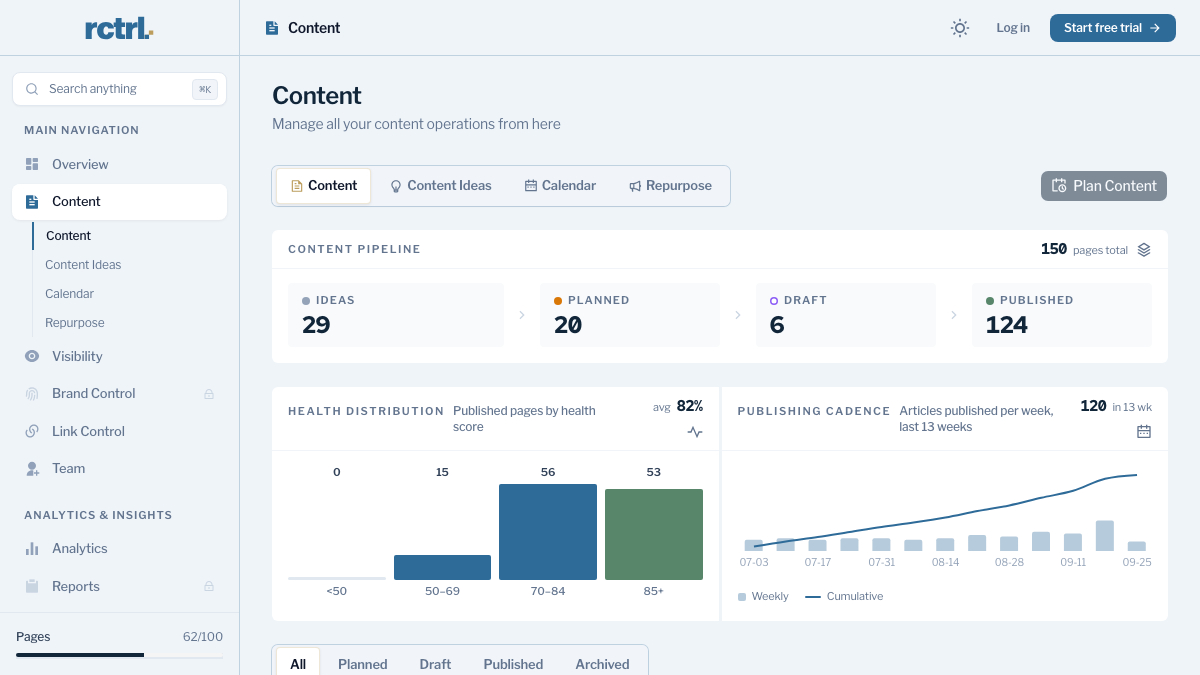
Brand setup is the one part SEOptimer never held, so there's nothing to carry over. Brand Control reads your live site and drafts your voice, products, buyers and competitors, and your job is to fix what it got wrong. Guideline rules go in there too, along with up to three of your best articles as style references.
A word on that backlink row: RankControl can't load a prospect list, so your SEOptimer backlink CSV stays a reference file. Link Control looks for prospects and contacts for each article RankControl publishes, then drafts outreach that goes out from your own mailbox.
200+ SaaS teams already track their AI citations.
They know exactly when ChatGPT mentions their brand, and when it stops. Do you?

The switch from SEOptimer, step by step
- Download every Quick Audit you still need, then run Bulk Reporting's PDF archive and CSV: 30 to 45 minutes.
- Export keyword tracking, backlink monitoring and the crawler tables you use: about 30 minutes.
- Export leads and remove the embedded form from your site and client sites: 20 to 40 minutes.
- Start RankControl and let setup read your site: about 15 minutes.
- Correct the brand draft, then add guideline rules and style references: 30 to 45 minutes.
- Add your tracked queries and competitors from the SEOptimer exports: about 20 minutes.
- Connect your CMS through a publishing destination and scan your sitemap: about 20 minutes. Auto-publish is off by default, so nothing goes live until you approve it.
- Cancel SEOptimer from My Account. If you're inside 7 days of a payment, ask support for a refund the same day, and request deletion if you want the data gone.
That's three to four hours of work, done once. Judge the move by the trend over the next few months, since specific queries tend to earn citations within weeks and broader ones take longer.
What your week looks like afterwards
Your week changes more than your tool list does. On SEOptimer it revolved around running audits and reading grades, and the GEO Audit added one reading of four AI models on the day you ran it. On RankControl the same 50 queries go to six engines every week, so by the end of the first month you're looking at a trend. Doing that by hand would mean reading 300 AI answers every week, about five hours at a minute each.
The bigger change is who does the work the audit used to list. RankControl's content engine plans articles from your tracked queries, writes them in your brand's voice and publishes them to your site. Each one comes with a score for how easily AI engines can quote it, plus a fix list.
You can keep doing all of this by hand: run the audits, write and publish the pages, pitch sites for links, then check the AI answers every week. Or RankControl's agents can do it every month while you get back to your product. It's $400 a month with a 7-day free trial, so you can run it for a week alongside your last SEOptimer billing cycle and compare.
How often does ChatGPT mention your brand?
Most founders have no idea. The answer might surprise you.