
I typed "switch from Jasper" into Google while researching this guide. Most of page one was rocker switches and door hardware from a brand that happens to be called Jasper. Not one result explained how to move your work out of jasper.ai.
So here's the boring, useful version. If you're planning to switch from Jasper, this covers what exports cleanly, what you have to copy by hand, what the cancel page doesn't tell you, and how to set up RankControl so nothing you built gets lost. The whole move fits in an afternoon. If you haven't picked a replacement yet, our Jasper alternatives list compares six options for AI search work.
The trigger is often small. One Reddit user noticed a Jasper charge on their card, realized they'd been paying since 2022 while also paying for ChatGPT and Gemini, and asked if they were "just too lazy to cancel." Honestly? That's the most relatable thing I read all week. Across the threads I went through for this guide, the math behind that feeling barely changed: $69 a month for Jasper Pro, sitting next to a $20 chatbot plan.
Is Jasper still a thing to write for SEO?
I just noticed a credit card charge from Jasper. I've been using them since 2022 but now I realized I have subscriptions to ChatGPT and Gemini plus free 1 year Perplexity. Curious if anyone here still uses Jasper and if there's any sense to...
What Comes With You When You Switch From Jasper
Short answer: published work is already safe, and documents export in a few clicks. Your brand setup is the part you copy by hand, and it's the only part that takes real care.
Already yours. Every post you published from Jasper lives on your own site. Cancelling touches none of it.
Exportable. Canvas documents, Grid outputs, GEO Agent artifacts, usage logs and invoices all have an export path (details below).
Copy by hand. Brand Voice, Style Guide, Audiences, Visual Guidelines and custom agents built in Jasper Studio. Jasper's help center documents no download for any of them, and chat history only leaves one saved reply at a time. For what it's worth, that's the part people forget, and it's the part that took the most work to build.
How to Export Your Data From Jasper
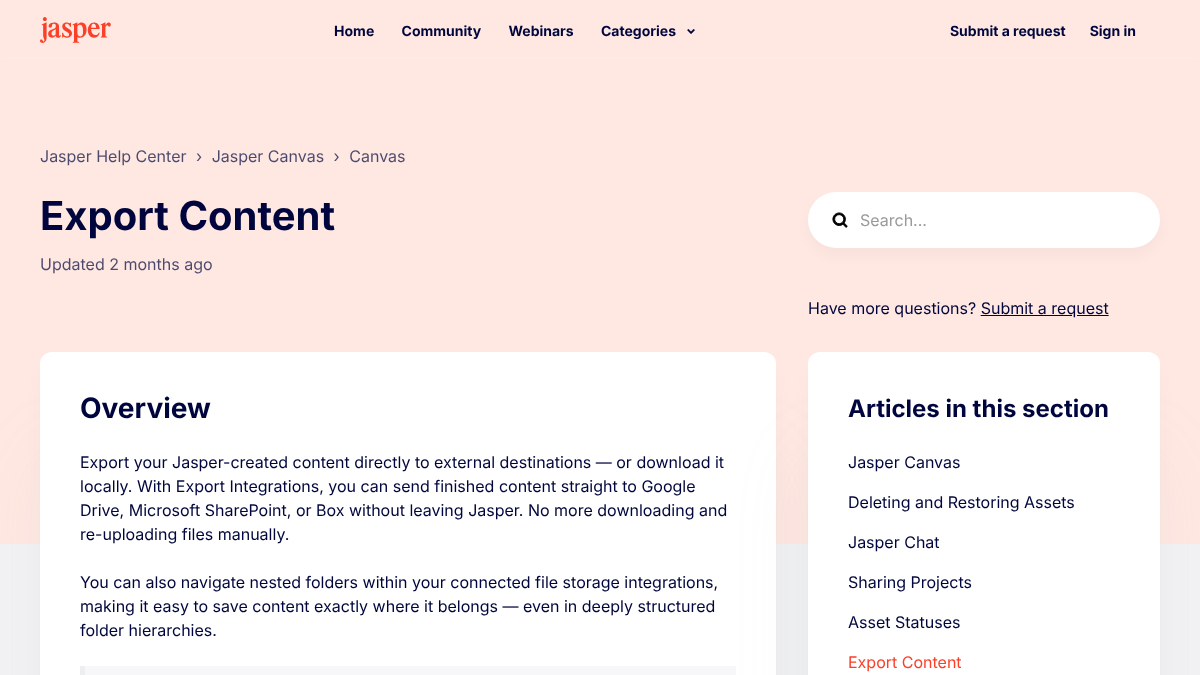
These paths come from Jasper's own help center articles, as they read in late September 2026. Menus move, so check the in-app labels as you go.
| What | How to get it out | Format |
|---|---|---|
| One document | "..." menu at the top right of the asset, then Download | .docx, .pdf, .txt, .md |
| Many documents | Switch the project to Table View, tick Select All, then Export selected assets | Same as above |
| A whole section | Right-click the section, then Export Section | Same as above |
| Grid outputs | "..." menu or the download button on a finished Grid | CSV or XLSX |
| GEO Agent drafts and briefs | Artifacts tab in GEO Hub, then download | File download |
| Usage logs (Business admins) | Workspace Settings, then Usage, then Export on each log | CSV, last 12 months |
| Invoices | Workspace Settings, then Plans, then View Billing History |
Two extras exist on the Business plan only: Export Integrations that push documents to Google Drive, SharePoint or Box, and API access. If you're on Pro, the Download menu is your whole toolkit.
Knowledge Base assets are the odd one. Uploaded documents can be downloaded, text uploads can only be copied, and URL uploads can't be downloaded or edited at all. Keep a list of those URLs. Most are your own product and docs pages, and you'll want them again when you fill in RankControl's product library.
200+ SaaS teams already track their AI citations.
They know exactly when ChatGPT mentions their brand, and when it stops. Do you?

The Brand Voice Problem
Here's the thing: Brand Voice is one of the main reasons people keep paying for Jasper, and it has no export button.
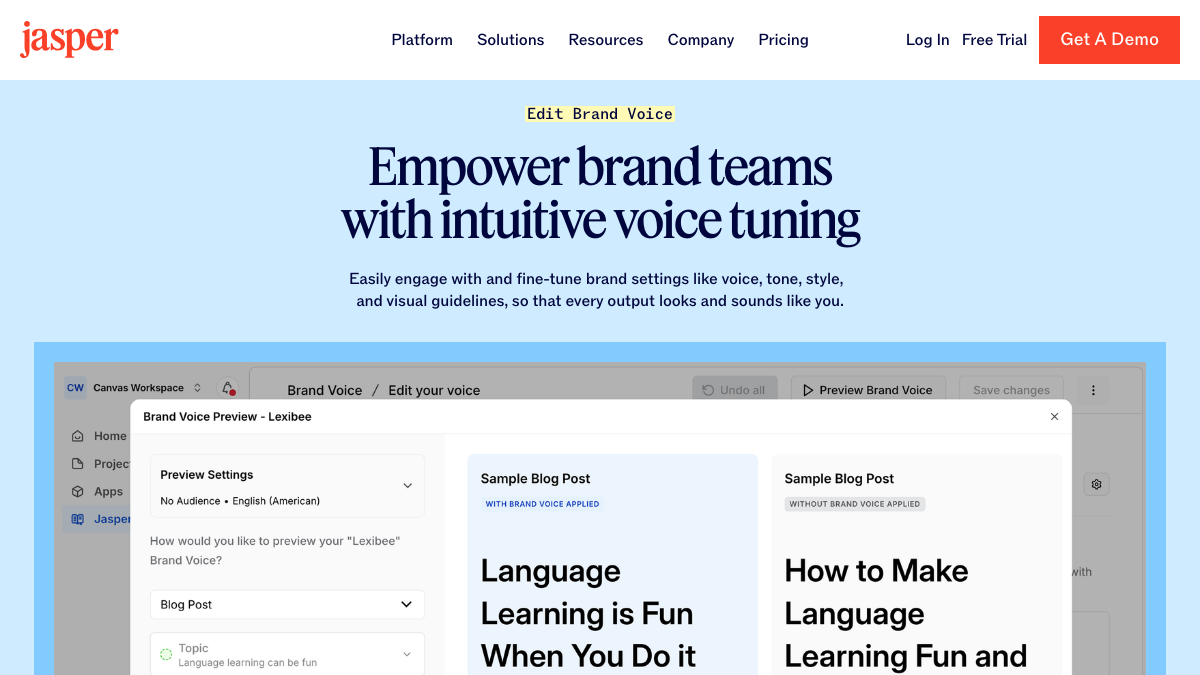
Open each Brand Voice, your Style Guide and every Audience. Paste the text into one document. Pro plans cap you at two Brand Voices and three Audiences, so for most teams this takes 30 to 45 minutes. Grab the terminology rules too (the "always say X, never say Y" lines), because those are the easiest to lose and the most annoying to rediscover.
Actually, before I get into where all of this goes, one warning about old voice documents. They describe the company you were when you wrote them. A saved voice profile from 2023 often talks about a product you've since repositioned. Treat the pasted text as notes, and let your current website be the base.
That's how Brand Control works in RankControl. Setup reads your live site and drafts your voice, products, buyers and competitors. Then you correct the draft against your Jasper notes. Your "never say" lines become guideline rules, and you can point the writer at up to three of your best published articles as style references.
Tone drift is also a recurring complaint about Jasper itself. One r/SaaS poster tested the free and paid plans for website articles and said the output "didn't align with my tone or SEO goals," even with custom prompts.
My experience using Jasper for website content (free + paid): not worth it
I’ve tested both the free and paid versions of Jasper for generating articles for my website. Unfortunately, I didn’t get the results I expected — the content often lacked structure, readability, and keyword focus. Even with customized prom...
Cancel Last, and Read the Fine Print First
On Pro, cancelling is self-serve: click your workspace name at the top left, open Workspace Settings, go to Plans, scroll to the bottom and hit Cancel. It takes effect at the end of your billing cycle, and Jasper offers a 30, 60 or 90 day pause on the way out.
Fair warning though: refunds need an email. The 7-day money-back guarantee only applies if you write to support within 7 days of a charge, and after that window an annual plan runs its full 12 months. Business plans start with a 12-month commitment and have no self-serve cancel article at all, so time your move to the renewal date.
And the one that surprised me: the cancel article says nothing about your documents. No retention window, no "download first" warning. Full deletion runs through a privacy request only the workspace admin can file. So export first and check the files open. Cancel last.
Where Everything Lands in RankControl
You won't need an import tool. Each piece of your Jasper setup has a home, and most of it gets typed or pasted once.
| From Jasper | Into RankControl |
|---|---|
| Brand Voice, Style Guide | Guideline rules (avoid this, write that), typed by you or learned from your edits, plus up to 3 style reference links |
| Knowledge, Product IQ | Products & Services: features, pricing, why each one wins |
| Audiences | Buyer Profiles: pain points, objections, buying triggers, channels |
| Keyword sheets, campaign briefs | Up to 50 tracked queries, plus topics that steer planning |
| Templates and apps | 26 content formats, from how-tos to comparisons |
| Published posts | Site pages the writer links to from new articles, found by a sitemap scan |
| Webflow push, Drive export | Native publishing to WordPress, Webflow, Shopify, Ghost, Notion, Wix, Framer, webhooks or a headless API |
| Jasper inside Claude | RankControl's MCP server in Claude's connectors, included in the plan |
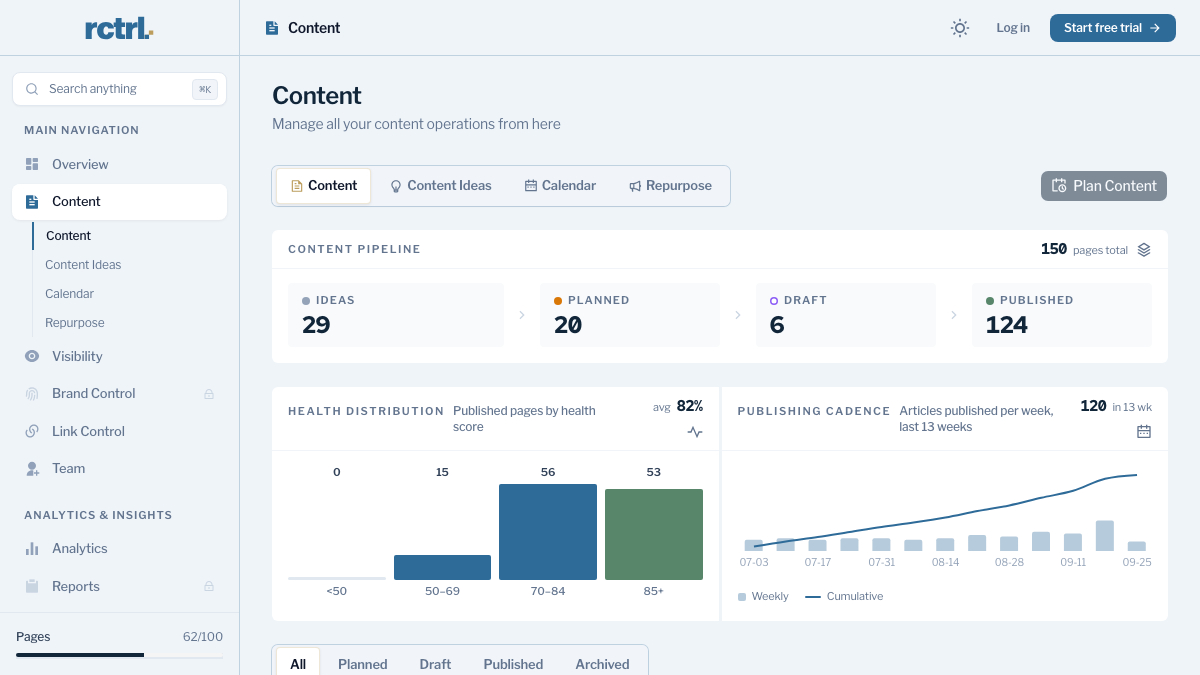
That published-posts row matters more than it looks. Your Jasper-era articles don't move anywhere. They stay at their URLs and start getting internal links from everything new you publish.
How often does ChatGPT mention your brand?
Most founders have no idea. The answer might surprise you.

Jasper Has a GEO Hub Now. Here's What's Different.
To be fair, Jasper moved into AI search this year. In July 2026 it launched GEO Hub and a GEO Agent, which score brand visibility and draft fixes. So why switch?
Look at where it sits. Per Jasper's help center, GEO Hub is a Business-plan feature, with report runs billed in credits on top of seat pricing. It tracks four AI engines: ChatGPT, Gemini, Claude and Perplexity. Rankings come in through Semrush or Search Console integrations, and direct CMS publishing covers Webflow, currently in beta.
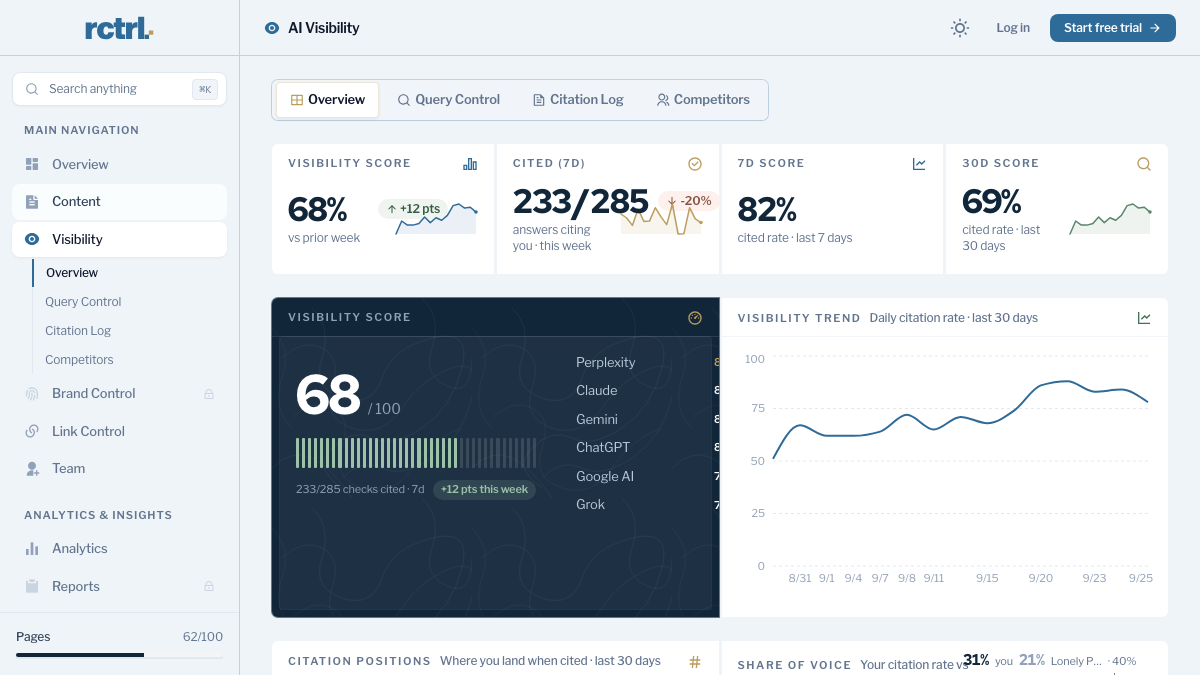
RankControl is built the other way around, with the scoreboard at the center. It plans titles from what buyers actually search, writes each article against the pages already ranking, scores it for how easily AI engines can quote it, and publishes natively to your CMS. Then it checks your tracked queries every week on six engines (ChatGPT, Perplexity, Claude, Gemini, Grok and Google AI Mode) plus Google and Bing rankings. One flat plan covers all of it.
Where Jasper is stronger: campaign copy for a whole marketing team, with ads and emails under one governed brand kit and a translation agent that covers 27 languages. RankControl writes long-form articles for search and AI answers, so ad copy stays wherever you make it today.
The hard part comes after the first citation: knowing when it stops working. Checking 50 queries on six engines by hand means reading 300 AI answers every week. RankControl runs those checks weekly and sends a notification for each new citation. The per-query history in the AI visibility dashboard shows you the ones that slipped.
The Switch From Jasper, Step by Step
- Export documents (60 minutes). Table View, Select All, export. Open a few files to make sure they're intact.
- Copy the brand setup (45 minutes). Brand Voice, Style Guide, Audiences, terminology rules and your Knowledge URL list, all into one document.
- Start RankControl and let setup read your site (15 minutes). It drafts your voice, products, buyers and competitors.
- Correct the draft against your Jasper notes (45 minutes). Add guideline rules, buyer profiles and three style references.
- Connect your CMS and scan your sitemap (20 minutes). Old posts become link targets. Auto-publish is off by default, so nothing goes live until you approve it.
- Add your tracked queries (20 minutes). Pull them from old Grid sheets and briefs. The first weekly check becomes your baseline.
- Cancel Jasper. Only after the exports open and the first articles are planned.
Total: about three and a half hours, once. Specific queries usually earn their first citations within a few weeks, and broader ones take months, so judge the switch by the trend, not the first check.
You can do every step of the ongoing work by hand: plan topics from search data, write, publish, and re-check 300 answers a week. Or RankControl's agents can do it every month while you focus on your product. It's $400/mo for everything, with a 7-day free trial, so you can run it alongside your last Jasper billing cycle and compare.
15 hours a week manually. Or 15 minutes with RankControl.
Track citations, monitor competitors, and fix content gaps across every AI search engine. Automatically.