
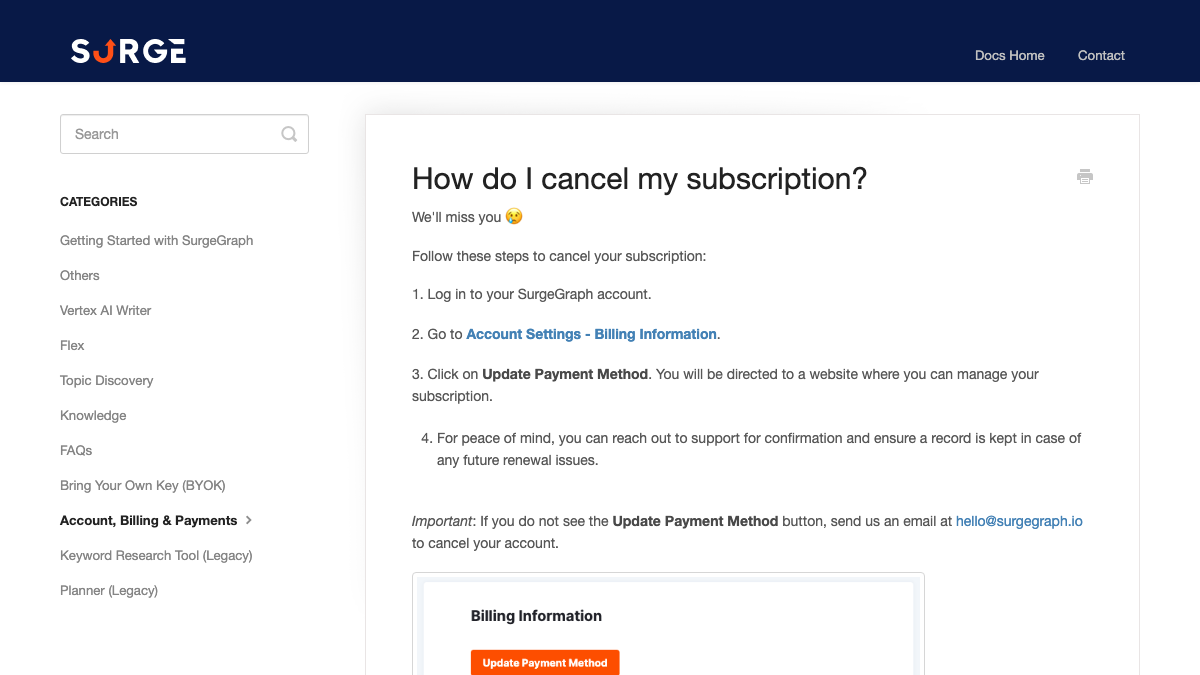
SurgeGraph's help article on cancelling has four steps, and the fourth is the one worth reading twice. "For peace of mind, you can reach out to support for confirmation and ensure a record is kept in case of any future renewal issues." The button that ends the subscription, meanwhile, is labelled Update Payment Method.
None of that is hard, but it rewards doing things in order. This guide covers what SurgeGraph lets you download, the credits and API key to deal with before you leave, how to cancel and when a refund applies, and where each SurgeGraph feature lands in RankControl. SurgeGraph's site, help center and release notes were checked on September 26, 2026.
Why teams move off SurgeGraph
SurgeGraph is the old LSIGraph, now pitched as an AEO tool for agencies. It writes articles on monthly credits and tracks how brands show up in AI answers, on plans from $39 to $129 a month.
The first reason teams leave is coverage. The engines you see depend on the plan you pay for. Spark checks ChatGPT and Google AI Overviews every five days, and Gemini and Google AI Mode only arrive on Signature. Claude and Grok aren't on any plan's list.
The second is where the articles go. SurgeGraph publishes to WordPress and nowhere else, so a Webflow or Shopify site gets a file to paste in by hand.
Then there's what we'd call the second bill. Bulk generation, Flex and Knowledge all need your own AI provider key. If you've connected one, the Vertex writer also switches to it once plan credits run out. That usage shows up on the AI provider's invoice rather than SurgeGraph's.
A founder in r/SaaS who built a bring-your-own-key app wrote that the key setup is where users bail. One reply came from someone with keys "for nearly everything" who still picked the hosted option every time. Pasting a key takes 30 seconds, they said, but BYOK "hands me a second bill to reconcile" and "another card that can quietly expire."
BYOK sounded fair. The API key setup is where users actually bail.
I thought the pitch was simple: pay $19.99 once, bring your own Deepgram key, and pay around 30¢ for an hour of transcription instead of $15 every month. On paper, it is clearly cheaper. There is no middleman and no markup on usage. The par...
What comes with you when you switch from SurgeGraph
Articles you've already published to WordPress stay on your site, since SurgeGraph pushed them there as ordinary posts through a WordPress application password. The rest needs a download or a request:
- Drafts and finished articles that never went to WordPress
- AI visibility reports for each project
- Topic Discovery results, including the low-hanging fruit list
- The source files behind your Knowledge libraries and the writing samples you gave Author Voice
- Data from the old keyword research tool and Planner
- Your AI provider key, which needs removing rather than exporting
How to export your data from SurgeGraph
SurgeGraph has an export for most of this, spread across different screens.
Articles and drafts
Each document downloads as HTML, Word, PDF, plain text or Markdown, or copies to your clipboard. Markdown or HTML keeps headings and links intact for your next CMS. Since the July 3 release, WordPress exports arrive as native Gutenberg blocks, which helps if you're moving drafts onto a WordPress site by hand.
AI visibility reports
SurgeGraph's help doc on downloading reports gives three steps. Click Export in the upper right, choose Export as PDF, and pick (None) from the dropdown for a white-labeled copy. Save one PDF of the AI Visibility Report for each project.
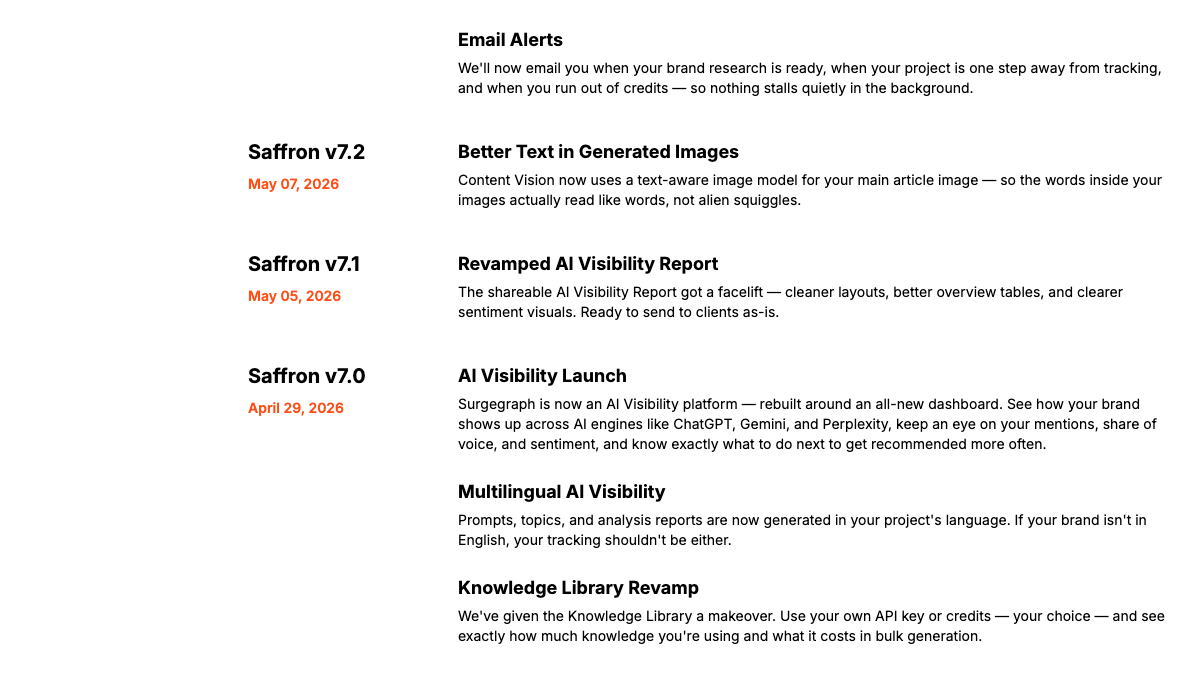
Don't expect a long history in those PDFs. SurgeGraph's release notes date its AI visibility launch to April 29, 2026, when the product was "rebuilt around an all-new dashboard," so the history in that dashboard goes back about five months at most.
Topic Discovery
Topic Discovery exports either all topics or only the low-hanging fruit. Take both. The short list is your first month's brief, and the full list is useful later.
Knowledge libraries and Author Voice
Keep the original files you uploaded to Knowledge and the writing samples you trained Author Voice on. Those are the inputs, and they're what you'd reuse anywhere else.
Old keyword research data
SurgeGraph retired Keyword Research, Bulk Keyword Research and the Planner on September 30, 2025. Its help center says you "can still request a copy of your previous data" by emailing [email protected] or using the chat. If you've used the tool since its LSIGraph days, ask before you cancel.
Know exactly what AI says about your competitors.
RankControl's Recon Agent monitors competitor citations across ChatGPT, Perplexity, Claude, Gemini, Grok, and Google AI Mode. See where they show up and you don't.

Spend your credits, then remove your key
SurgeGraph's credits article is clear about timing. Plan credits refresh on the first day of each month and "do not roll over." Credits you bought in the app don't expire and do roll over, but we found nothing on what happens to them after you cancel. Time the move so you've used what you paid for, and don't top up in your last month.
The key is the step people forget, and a key left in a tool you've stopped using can still run up charges on your card. Go to Organization Settings, open LLM Provider API Keys, and remove it. Then delete or rotate the key itself in the OpenAI, Gemini or OpenRouter dashboard, and set a monthly spending limit while you're there.
Cancel in the right order
SurgeGraph's help center says "all plans incur recurring charges on default," so a plan keeps renewing until you cancel it. The steps are short:
- Log in and go to Account Settings, then Billing Information.
- Click Update Payment Method. It opens the page where you manage the subscription.
- Cancel there. If the button isn't showing, email [email protected] or use the chat.
- Ask support to confirm the cancellation in writing, as the help article suggests.
On refunds, the 14-day money-back guarantee applies "only to new subscriptions within the first 14 days and not to subscription renewals." If you're months in, cancel before the next renewal date rather than after it.
We found no help article on what happens to your projects and documents once the plan ends. Treat cancellation as the last moment you can count on downloading anything.
What changes when you move
SurgeGraph's Content Optimizer does something RankControl doesn't. It pulls existing pages from WordPress, scores them and pushes fixes back, while RankControl works on the articles it writes.
The bigger change is who does the work after the draft. RankControl's content engine plans titles from the questions your buyers ask, writes each article in your brand's voice, and publishes it as a native post through the destination you connect. There are nine to choose from, WordPress, Webflow and Shopify among them, and auto-publish stays off until you turn it on.
AI visibility tracking checks 50 of your buyer questions every week on six engines: ChatGPT, Perplexity, Claude, Gemini, Grok and Google AI Mode. Google and Bing positions are recorded for your tracked questions and every page RankControl publishes. Link Control drafts backlink outreach from your own mailbox. None of it asks for an AI provider key.
26 content formats. Published on your domain. Matched to your brand.
Guides, comparisons, listicles, case studies, and more. RankControl generates content that gets cited by ChatGPT, Perplexity, Claude, Gemini, Grok, and Google AI Mode.

Where everything lands in RankControl
| In SurgeGraph | In RankControl |
|---|---|
| Vertex writer on monthly credits | 100 pages a month on one plan |
| Bulk generation on your own OpenAI key | Included, no key needed |
| AI Visibility, engines set by plan | 50 questions weekly on six engines, Claude and Grok included |
| Topic Discovery and Topic Coverage | Ideas from your tracked questions and up to 10 competitors |
| Author Voice and Knowledge | Brand profile built from your own site |
| WordPress publishing, files for other sites | Native posts on nine destinations |
| White-label PDF reports | Reports screen and a weekly email of gains |
| Content Optimizer | Not offered |
Turning your exports into a first month
Your exports make a better brief than a blank calendar. Open the Topic Discovery low-hanging fruit list and pick the topics your buyers would actually ask an AI engine about. Then open the last AI visibility PDF and note the prompts where competitors were named and you weren't.
Rewrite each of those as the question a buyer would type into ChatGPT, and add them as tracked questions in RankControl. It plans titles from them, writes the articles against the pages already ranking, and checks the same questions every week so you can see which ones start citing you. Our RankControl vs SurgeGraph comparison covers the plan gates and credit math in more depth.
The switch from SurgeGraph, step by step
- Download every draft and unpublished article as Markdown or HTML.
- Export the AI visibility report for each project as a PDF.
- Export Topic Discovery, both the full list and the low-hanging fruit.
- Save your Knowledge source files and Author Voice samples, and email support for old keyword data.
- Use up this month's plan credits, then remove your API key and delete it at the provider.
- Start RankControl's 7-day trial. Connect your CMS, let it build your brand profile from your site, and add your first tracked questions.
- Cancel SurgeGraph from Billing Information before the renewal date, and get the confirmation in writing.
What your month looks like afterwards
The work moves from running credits and keys to approving articles. Titles land on a calendar and drafts arrive for review. Each one you approve goes live on your site, WordPress or not. Every week, the same questions are checked again on six engines.
Done by hand, that month is heavy. Writing and publishing eight solid articles takes 16 to 24 hours, and checking 50 questions on six AI engines takes about five hours a week. Those are rough estimates. On SurgeGraph, the publishing hours stay with you on any site that isn't WordPress.
You can keep running the loop yourself, with your SurgeGraph exports as the map. Or RankControl's agents can run it every month on one bill while you approve the pages.

Your competitors are getting cited by AI. You're not.
Every day without citation tracking is a day your competitors pull ahead in ChatGPT, Perplexity, and Claude.