
NeuronWriter is a content editor first. You type a keyword, it analyzes the pages ranking for it, and it scores your draft on how well it covers the terms those pages use. Most of what a team builds there is a pile of queries and drafts, and when you switch from NeuronWriter, those come out cleanly if you know which door to use.
The catch is that NeuronWriter's exports work one article at a time in the interface, and the only bulk route is its API, which starts on the $69 Gold plan. Its newer AI visibility module has no documented export at all.
This guide covers each export, the order to do them in, how cancelling and refunds work, and where your work lands in RankControl. I read NeuronWriter's pricing page, help FAQs, API docs and terms on September 26, 2026. Our RankControl vs NeuronWriter comparison covers the product differences.
Why teams look past NeuronWriter
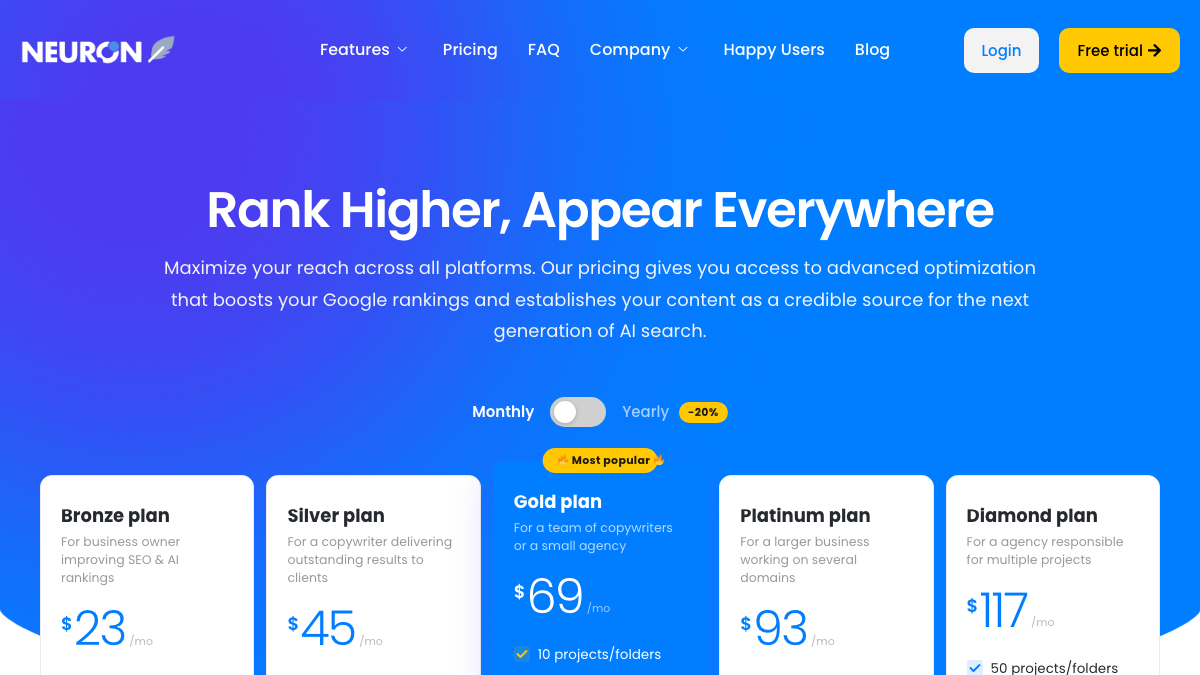
The price is the draw. Bronze costs $23 a month for 25 content analyses, Gold $69 for 75, and Diamond $117 for 150, and Gold drops to $57 a month on yearly billing. What teams outgrow is the scope. NeuronWriter scores and shapes drafts, but the publishing calendar, the link building and most of the AI search tracking stay with you.
The content score itself gets questioned too. In an r/WebsiteSEO thread from April, a marketer weighing Surfer and NeuronWriter asked whether chasing a content score had become a trap. One of the top replies pointed out that a page can score well on SEO and still be hard for an AI answer to quote.
Is Surfer SEO worth it, or content score trap?
I’m torn on going back to Surfer, Neuronwriter etc. I get the value of a structured content brief, but I’ve also seen people “optimize” a page into unreadable keyword soup. I was an early user years ago when Mathew Woodward was pushing it h...
The score can also create busywork. One user posted in February that NeuronWriter docks the coverage score when a term goes past its suggested maximum. With 22 terms over the limit in one draft, they had a round of manual fixes ahead before the number came back up.
back at it again, Neuronwriter penalizes duplicates if a term has max. 5 usage and you use it 6 times it reduces your terms coverage %, total 22 terms are over used currently so gonna fix that next. manually fixed duplicates and it scores 89% https://t.co/mUnS7KaVFB
 Juggernaut@TheHumanBotFeb 23, 2026
AI visibility arrived later and is small by comparison. NeuronWriter's plans include between 5 and 20 monitored questions on Google's AI surfaces, and ChatGPT and Perplexity come through a separate add-on that starts at $9 a month for 10 more questions.

You're getting AI traffic. But do you know where it comes from?
RankControl credits every visit to the assistant that sent it: ChatGPT, Perplexity, Claude, Gemini, Copilot, or Grok. Full source attribution, next to your Google traffic.
What moves when you switch from NeuronWriter
Anything already published stays where it is. NeuronWriter publishes to WordPress through WordPress's own REST API, so a post it sent to your site is a normal WordPress post with nothing of NeuronWriter's attached.
What needs work is the material that only lives inside NeuronWriter: drafts you haven't published, your list of queries and their term recommendations, your content plan, and your AI visibility history.
How to export your data from NeuronWriter
NeuronWriter's help FAQs describe the exports, and most of them live in the content editor.
| What | Where NeuronWriter puts it | Format |
|---|---|---|
| An article | Content editor, Export button next to Save | Raw, minimal or custom HTML, DOCX, formatted text, Markdown |
| Suggested terms | Optimization tab, Term Coverage, three-dot menu, Copy | Copied to the clipboard |
| Every article in bulk | Neuron API (Gold and up) | JSON with HTML, title and meta description |
| Content plan | Management section | No export documented |
| AI visibility data | Dashboard only | No export documented |
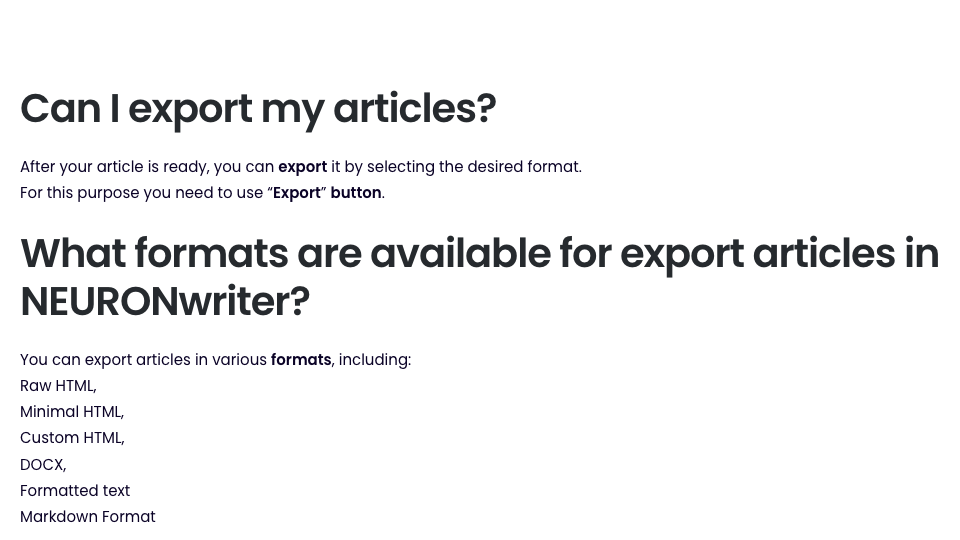
For a handful of drafts, the Export button is enough; Markdown or raw HTML keeps headings and links intact. For more than a few dozen, the API is the better route. Its documented sequence lists your projects, lists every query in each project, and fetches the last saved content for each query, with its title and meta description.
The Gold door
I call this the Gold door: on the monthly plans, the bulk way out of NeuronWriter only opens on Gold or higher. The API, the WordPress and Search Console integrations and the content plan's idea generator all start at $69 a month. If you're on Bronze or Silver with a large library, a month on Gold to run the API pull can cost less than an afternoon of clicking Export.
The MCP server is a second door, also on Gold or higher. NeuronWriter added it on May 29, 2026, with a server address in your profile, and its documented tools include fetching your saved editor content and a query's recommendations. Connected to Claude, it lets you ask for each saved draft and save the results yourself.
AI visibility is the one area neither door reaches. The module's help pages walk through each of its five views in detail, and none of them mention an export. Neither do the API docs or the MCP tool list. Screenshot the trend and write down your monitored questions and where you stand on each before your plan ends.
Keep your AI visibility baseline fair
Check which engines your NeuronWriter numbers came from before you compare them with anything. Its help pages say every plan includes a Standard tier that watches Google AI Overviews and Google AI Mode, and ChatGPT and Perplexity only show up if you paid for the Advanced add-on. A share of voice built on Google's answers alone won't line up with a score that also counts ChatGPT, Claude or Grok.
So carry the questions over and leave the percentages behind. Copy your monitored questions word for word into RankControl, let them run through four weekly checks before you change anything on the site, and compare each engine against itself. Google AI Mode is the one engine both tools check on every plan, so start the comparison there.
Cancel, refunds and your account
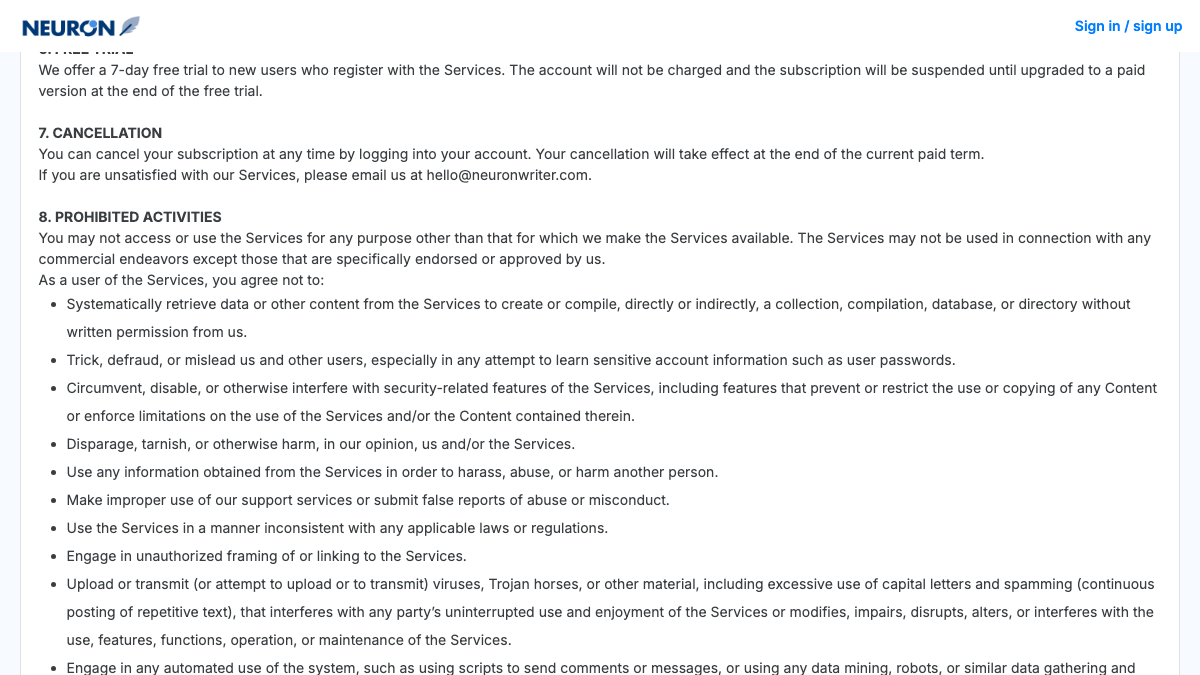
Section 7 of NeuronWriter's terms is short: "You can cancel your subscription at any time by logging into your account. Your cancellation will take effect at the end of the current paid term." The terms don't name a menu path, and they suggest emailing [email protected] if you're unhappy.
Refunds sit on a separate FAQ page rather than in the terms, which have no refund clause at all. The FAQ offers "a 1-month refund policy from the date of purchase for new users," requested by email or chat, and says nothing about renewals or yearly plans. AI credits don't roll over from month to month, though credit packs you bought separately stay usable for 12 months.
Cancelling doesn't delete anything. NeuronWriter's Privacy Policy says it keeps your data "until you decide to delete your account," which you request by email. If you delete a project by mistake, its help pages say support can restore it within 14 days.
Lifetime-deal holders are a special case. NeuronWriter sold a lifetime deal on AppSumo, and its AppSumo listing showed every tier as sold out when I checked. It now also sells lifetime plans on its own site, at $179, $537 and $895, and even the $179 plan lists API access. Nothing in the terms or FAQs explains how cancellation or data work for those accounts, so ask support before you rely on either.
Disconnect NeuronWriter from your stack
NeuronWriter's integrations live in your own accounts, so clean them up after the exports. In WordPress, delete the application password named "contadu-neuron" from the connected user's profile. For Search Console, use the Disconnect button in the project's Search Visibility section, then check Google's own third-party access page for anything left over.
Remove any OpenAI or Anthropic key you added under External API keys in your NeuronWriter profile, and switch off any script or Zapier flow that uses your Neuron API key. If you used the Chrome extension or connected the MCP server to Claude, remove those too.
Where things land in RankControl
RankControl has no import tool, so your exports become reference material while your published articles stay put.
| From NeuronWriter | Into RankControl |
|---|---|
| Published WordPress posts | Stay as they are; new articles publish alongside them |
| Draft exports | Reference while the planner builds your calendar |
| Queries and their keywords | A starting list for up to 50 tracked buyer questions |
| Content plan | Replaced by titles planned from the questions you're losing |
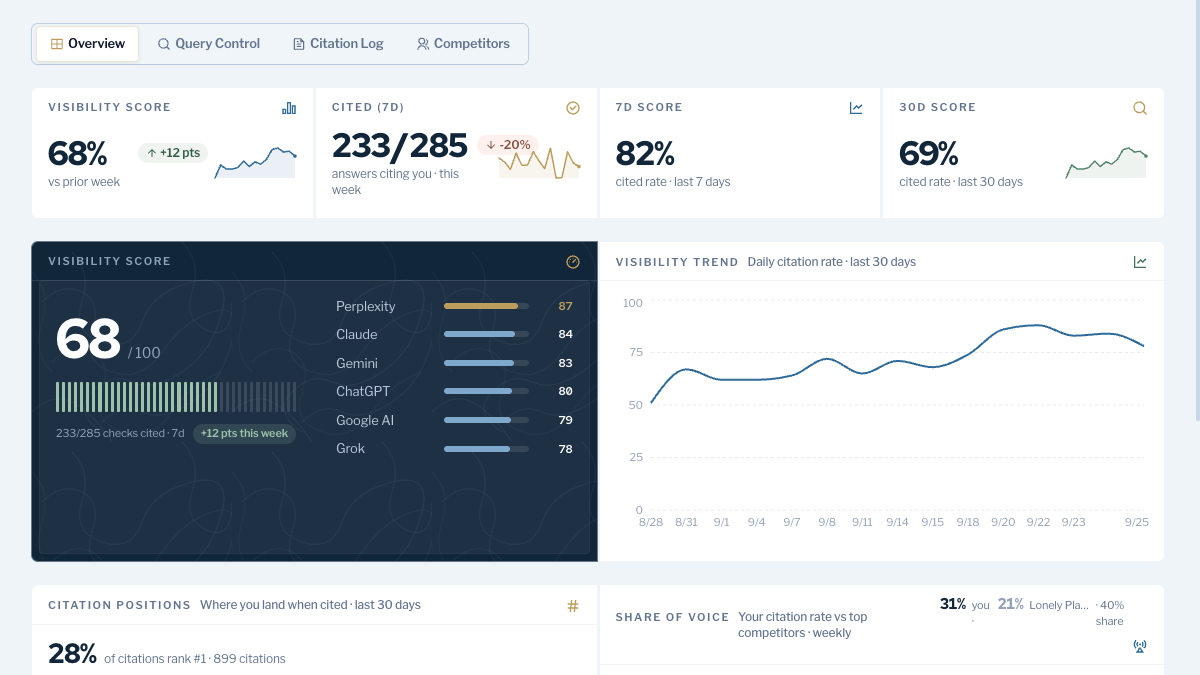
| AI visibility screenshots | Your before-picture for weekly tracking on six engines |
The biggest change is in the editor. RankControl doesn't give you a live term-coverage score while you type. Its content engine writes each article against the pages already ranking for its keyword, scores it for how easily AI engines can quote it, and publishes it through one of nine destinations, with auto-publish off by default.
AI visibility tracking checks six engines every week on the one plan, including ChatGPT, Claude and Google AI Mode. Link Control sends outreach from your own mailbox after you approve it, and the MCP server lets you run it all from Claude.
We'll show you exactly where your brand stands in AI search.
No commitment. $0 due today, cancel anytime. See how ChatGPT, Perplexity, Claude, Gemini, Grok, and Google AI Mode talk about your brand today.

The switch from NeuronWriter, step by step
- Note your renewal date and whether you're on a monthly, yearly or lifetime plan.
- Export unpublished drafts, or upgrade to Gold for a month and pull everything through the API.
- Screenshot your AI visibility views and list your monitored questions.
- Start the RankControl trial, connect your CMS and add up to 50 tracked questions.
- Cancel NeuronWriter from your account, and email support if you want the account deleted.
- Revoke the WordPress application password, disconnect Search Console and remove any API keys.
Moving the drafts is the quick part. The slower work is publishing pages that answer your buyers' questions and getting other sites to mention them. You can run that by hand after the switch, or RankControl's agents can run it every month for $400, with a 7-day free trial. Before you start, the free AI visibility check shows who ChatGPT cites for three questions from your market.
Know exactly what AI says about your competitors.
RankControl's Recon Agent monitors competitor citations across ChatGPT, Perplexity, Claude, Gemini, Grok, and Google AI Mode. See where they show up and you don't.