
BlogSEO's docs answer a question every Hosted Blog customer should read before cancelling. "If your subscription enters cancelled or payment_failed, your hosted blog is scheduled to go offline 7 days later."
If BlogSEO publishes to your own WordPress, Webflow or Shopify site, that doesn't apply to you. Your articles are native posts, and they stay. But if BlogSEO runs your blog on a subdomain like blog.yourcompany.com, you have a week after cancelling before those pages go dark. This guide covers both cases, for moving from BlogSEO, the autopilot SEO blog tool at blogseo.io, to RankControl. We checked every BlogSEO detail below against its site, docs, terms and refund policy on September 26, 2026. For the product differences, see our RankControl vs BlogSEO comparison.
What comes with you when you switch from BlogSEO
| In BlogSEO | Can you take it? | Where it lands in RankControl |
|---|---|---|
| Articles published to your own CMS | Already native posts on your site | Link targets, found by a sitemap scan |
| Articles on BlogSEO's Hosted Blog | Export as Markdown and move before you cancel | Your new CMS, then link targets |
| Keyword lists and starred keywords | Copy by hand | Tracked queries and title planning |
| AI visibility prompts and history | Copy prompts; screenshot results | Tracked queries (up to 50) |
| Backlinks placed on other members' sites | Stay after you cancel | Nothing to carry |
| Article, backlink and AI Brain credits | Don't carry over after cancelling | Nothing to carry |
If BlogSEO hosts your blog, move it first
BlogSEO's Hosted Blog is built for sites with "no usable publishing API," like Squarespace or most page builders. You point a subdomain at BlogSEO with one DNS record, and it serves your articles with SSL, a sitemap and structured data. That's convenient, until you leave.
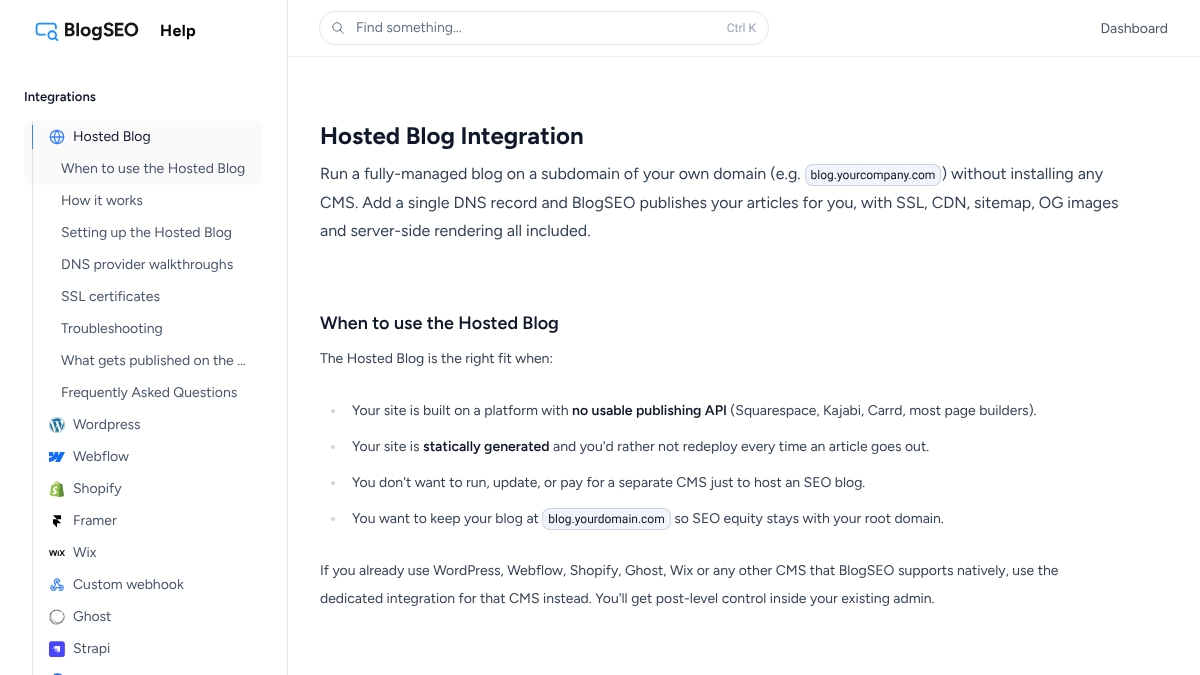
The same docs page explains the way out. "You own your articles in BlogSEO. Export them at any time as Markdown." Then you delete the Hosted Blog integration and repoint your subdomain. Do it in this order:
- Set up a CMS for the subdomain. Ghost, WordPress and Webflow all work, and all three are RankControl destinations.
- Export every article from BlogSEO as Markdown.
- Import the articles into the new CMS, keeping each article's slug so every URL stays the same.
- Check the new blog has a sitemap, titles and meta descriptions for each post.
- Repoint the subdomain's DNS record to the new CMS, and load a dozen old URLs to confirm they work.
- Submit the new sitemap in Search Console.
Keeping the slugs is the part that protects your rankings. If a URL has to change, add a 301 redirect from the old one. Give yourself a few days of overlap. Move the blog, confirm it works, and only then cancel, so the seven-day clock never touches live pages.
Time it around your credits and refunds
BlogSEO's billing docs say unused credits "roll over from month to month" while you're subscribed. Its terms say backlink credits "do not roll over upon cancellation, downgrade, or expiry." So use your article and backlink credits before your last billing cycle ends.
Refunds are short-window. The billing docs say you can request a full refund "within 36 hours of a payment." The refund policy page describes a 48-hour window for first-time subscribers. Either way, ask fast if you need one, and ask by email.
If you're unsure about leaving, BlogSEO lets you pause instead of cancelling. That stops billing while keeping your account and articles.
Save your work before you cancel
Work through this list while your plan is active:
- Copy your keyword list, including starred keywords, since the keywords docs don't mention an export.
- Copy your AI visibility prompts and competitor list.
- Take screenshots of your latest AI visibility results. Don't delete prompts first, because the docs say deleting a prompt "deletes its answer history permanently."
- Save any custom instructions you gave the writer.
- Download invoices from the billing portal.
15 hours a week manually. Or 15 minutes with RankControl.
Track citations, monitor competitors, and fix content gaps across every AI search engine. Automatically.

Check the links in your articles
BlogSEO's backlink exchange works by placing members' links inside other members' articles. The docs say it "automatically inserts contextual links to your site in their articles." That also means articles BlogSEO published on your site may contain links to other members' sites.
Those links stay in your posts after you leave, unless you edit them. Open a sample of your BlogSEO articles, look at the outbound links, and decide which ones you want to keep. The links BlogSEO placed for you on other sites stay live too, per its docs.
Disconnect BlogSEO
On WordPress, BlogSEO connects either through its plugin or through an application password. If you used the plugin, deactivate and delete it. If you used an application password, revoke it in your WordPress user profile. Remove BlogSEO's access in any other CMS you connected, turn off custom webhooks, and remove the BlogSEO MCP server from Claude, ChatGPT or Cursor if you added it.
Take a baseline before you switch
BlogSEO's AI visibility tracks up to 30 prompts. It covers five AI assistants, Copilot among them, plus Google's AI Overview and AI Mode. Each answer is refreshed at least every three days. RankControl checks weekly on ChatGPT, Perplexity, Claude, Gemini, Grok and Google AI Mode. Copilot and AI Overview aren't on that list, so screenshot your last BlogSEO readings for those two.
Cancel
Go to Dashboard, then Settings, then Billing, and click Manage subscription. A paid plan stays active until the end of the billing cycle, so your credits and Hosted Blog keep working until then. Take a screenshot of the confirmation. If you used the Hosted Blog, make sure your subdomain already points at the new CMS.
Where everything lands in RankControl
Start with Brand Control. It reads your live site and drafts your voice, products, buyers and competitors, and you correct what it got wrong. Add your old writing instructions as guideline rules and up to three of your best articles as style references.
Next, connect a publishing destination. RankControl publishes natively to nine, including WordPress, Webflow, Shopify, Ghost and Wix. It doesn't host blogs, so every article lands in a CMS you own. Run the sitemap scan so new articles link into the ones BlogSEO wrote.
The content engine plans titles from your buyers' questions and writes each article against the pages already ranking for it. It covers 26 content formats, and auto-publish stays off until you turn it on.
Then move your prompts in as tracked queries, up to 50. AI visibility tracking checks each one weekly on six engines and shows which competitors got named instead of you. For links, Link Control finds prospects for each article and drafts outreach from your own mailbox. Managed Backlinks adds five links a month from DR 25+ sites for $350.
BlogSEO goes further on reach and price. It connects to more than a dozen CMS platforms plus its Hosted Blog, refreshes AI answers every few days, and bundles a backlink exchange into a $97 plan.
AI search traffic grew 835% this year. Is your content ready?
RankControl generates 26 content formats optimized for ChatGPT, Claude, and Perplexity. Published on your domain, matched to your brand.

The switch from BlogSEO, step by step
- Use your remaining article and backlink credits.
- If you use the Hosted Blog, move articles to your own CMS and repoint DNS: 3 to 5 hours.
- Copy keywords, prompts and instructions, and screenshot results: 30 to 45 minutes.
- Review outbound links in a sample of articles: about 30 minutes.
- Start RankControl's 7-day free trial and let setup read your site: about 15 minutes.
- Correct the brand draft and add guideline rules: 30 to 45 minutes.
- Add tracked queries and competitors, then connect your CMS: about 45 minutes.
- Disconnect BlogSEO and cancel before renewal.
That's three to four hours on your own CMS, or a day with a Hosted Blog move.
What changes after the switch
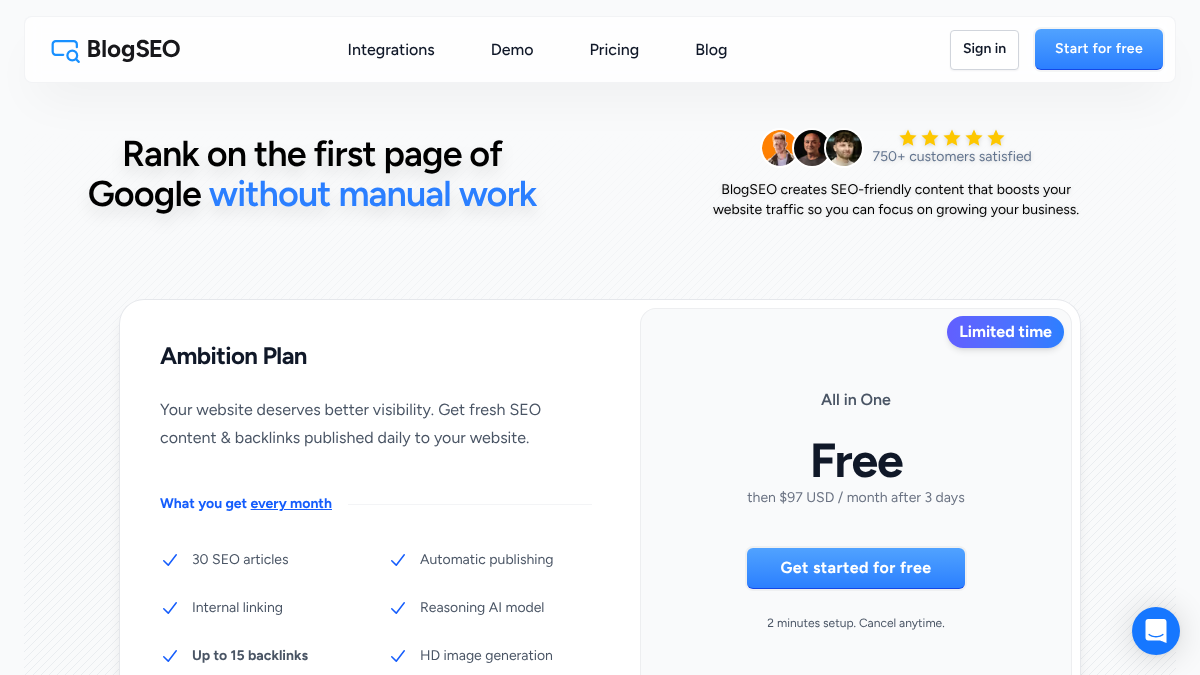
The pricing model changes. BlogSEO's Ambition Plan is $97 a month, shown as a limited-time price against $194, for 30 articles plus credits. RankControl is one plan at $400 a month or $4,000 a year, with 100 pages, 50 tracked queries on six engines and five seats.
Where your content lives changes too. Every RankControl article is a native post in a CMS you control, so leaving any tool later never takes your blog offline. A weekly email sums up new citations, ranking moves and visits from AI answers.
You can run this loop by hand: write the pages, publish them, pitch the links and check six engines every week. Or RankControl's agents can run it every month while you focus on your product.
Want a baseline before you start? Run a free check of your brand in AI answers.

Built by the team that got cited in 48 hours.
Content generation, backlink building, AI visibility tracking, and Google rankings. One platform, zero guesswork.