
Sight AI's own documents give three different answers to what happens to your content after you cancel. The billing docs say "your data and existing articles are preserved." The terms say "your content may be deleted after 30 days." The privacy policy says account data is kept "up to 90 days post-cancellation."
When a vendor's pages disagree, plan for the shortest one. This guide covers moving from Sight AI, the AI visibility and blog-writing platform at trysight.ai, to RankControl, with everything you need out before the 30-day mark could apply. We checked every Sight AI detail below against its pricing page, docs, terms and privacy policy on September 26, 2026. Our RankControl vs Sight AI comparison covers the product differences.
What comes with you when you switch from Sight AI
| In Sight AI | Can you take it? | Where it lands in RankControl |
|---|---|---|
| Articles published to your CMS | Already native posts on your site | Link targets, found by a sitemap scan |
| Autopilot articles saved as CMS drafts | Already in your CMS as drafts | Review and publish, or reference |
| Articles kept only in Sight AI | Export or copy before you cancel | Reference while you plan titles |
| AI visibility data | Export to CSV | A baseline to compare against |
| Tracked prompts and competitors | Copy the list, or keep the CSV | Tracked queries (up to 50) |
| AI credits | Tied to your plan | Nothing to carry |
Export your visibility history
This part is easy, so do it first. Sight AI's AI visibility dashboard exports to CSV, and its docs say the file "includes all metrics, prompt details, and response data" for whatever filters and dates you pick.
We'd widen the date range to your whole history and clear the filters before exporting, one quarter at a time if the file comes out large. Hold on to the CSV after you've moved, since it's the before-the-switch record for every engine Sight AI tracked.
Deal with Autopilot articles
How much work this takes depends on how Autopilot was set up, and its docs describe two modes. With auto-publish on, articles "are published immediately after generation," which means they're live on your site already. Draft mode keeps them "saved as drafts in your CMS for manual review," which puts them in your CMS too, waiting.
The articles we'd worry about are the ones that never left Sight AI. According to the Autopilot docs, "if no CMS is connected, articles are generated and saved in Sight AI for manual export." Yet the content editor docs describe just two actions, Save & Publish and Preview. Find out how export works in your account before you cancel, and copy out anything you want to keep.
Then switch Autopilot off from the Planner sidebar so it doesn't start new articles in your last billing period. Read the draft-mode articles before publishing them, because Autopilot wrote them on its own schedule and a date, a price or a product name may have gone stale.
Time it around your renewal
The date to plan around is your next renewal. Sight AI's terms say "fees are non-refundable except where required by law," and subscriptions renew automatically unless you cancel first, so a late cancel pays for a period you won't use.
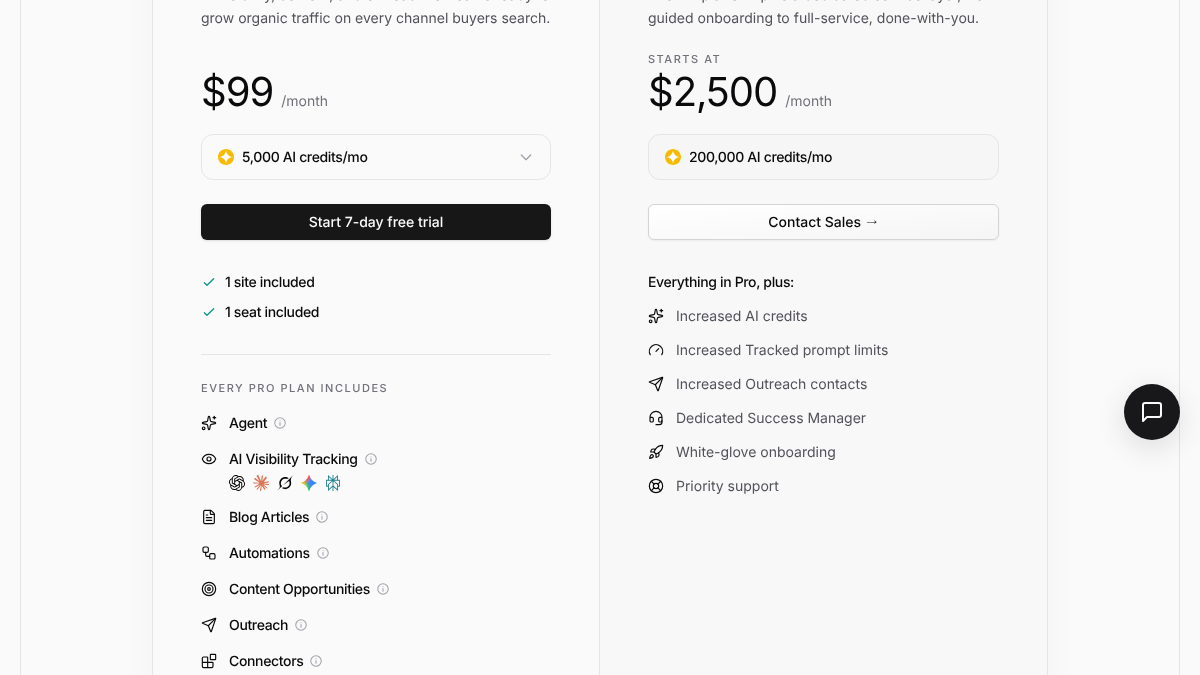
Here's the pricing page's lineup:
| Sight AI plan | Price | What you get |
|---|---|---|
| Pro, default size | $99 a month | 5,000 AI credits a month, one site, one seat, 500 tracked prompts |
| Largest credit size | $999 a month | 65,000 AI credits a month, 10,000 tracked prompts per its llms.txt (its docs say 500 on every plan) |
| Billed yearly | $79 to $799 a month | The same credit sizes |
| Extra site | $59 a month each | |
| Enterprise | From $2,500 a month |
Paying yearly? Then a missed date costs you a year rather than a month, and the terms won't hand it back.
So cancel just before your renewal date, once you've exported and moved everything. You keep full access until the period ends.
See your first AI citation report in under 5 minutes.
No setup calls. No onboarding meetings. Connect your domain and see where AI mentions your brand right now.

Save your setup
Some of what you set up in Sight AI can't be rebuilt from your website, so save it while the plan is active. The visibility CSV for your full date range is the obvious one. Less obvious are your tracked prompts, with the models each one runs on and your competitor list. So are the custom instructions and brand settings you gave the writer. Note the keywords Autopilot was working through, too, or you lose its plan, and download your invoices from the billing page.
For a full copy of your account data, the privacy policy says to email [email protected]. It isn't a self-serve button, so send that request early.
Disconnect Sight AI
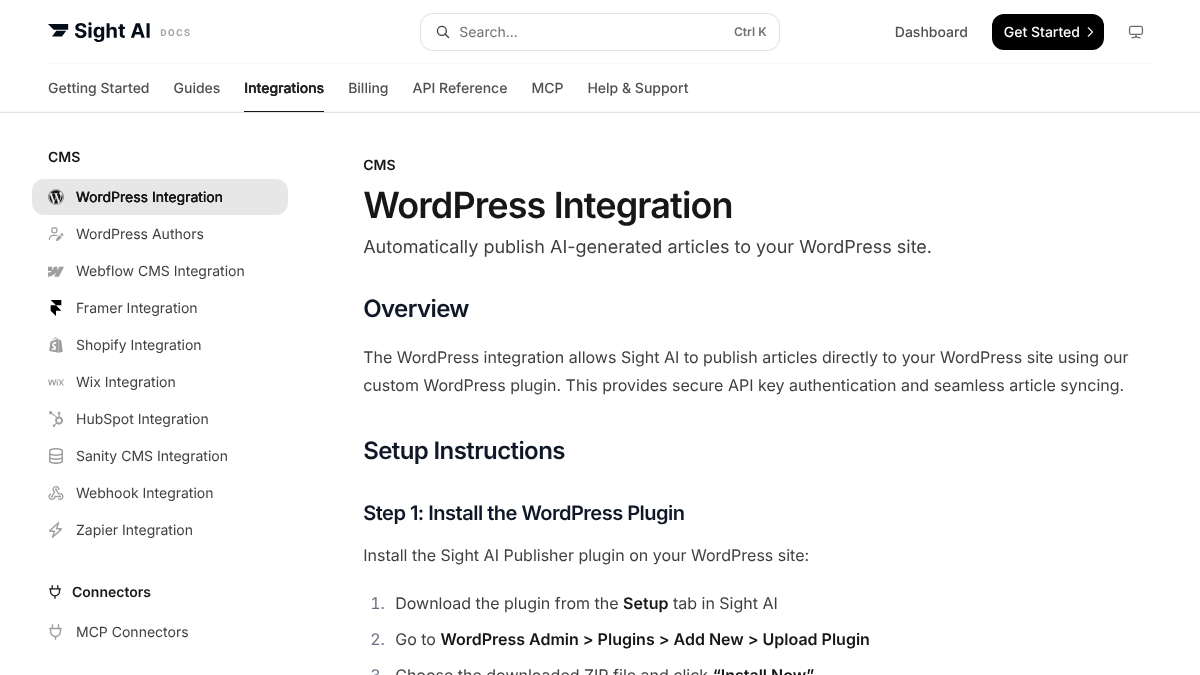
Once the last draft is published or copied, cut Sight AI's connections. Each lives somewhere different:
| Connection | Where you remove it |
|---|---|
| Sight AI Publisher plugin, Sight AI's route into WordPress | WordPress: deactivate it, then delete it |
| Any other CMS you connected | That CMS's access settings |
| Webhooks and Zapier zaps | Turn them off |
| The MCP connector | The AI assistant you linked it to |
| Search Console | Your Google account: revoke the access |
Leave the plugin until the drafts are dealt with, since it's how Sight AI publishes to WordPress. Search Console is the easiest to overlook, because that access sits in your Google account.
Take a baseline before you switch
You can bring up to 50 prompts into RankControl, so the CSV has a second job: choosing them. Sort it by movement over the last quarter. Prompts that swung hardest either way tend to be the ones buyers ask, and a prompt where you've never shown up is a page you haven't written yet. Those are the keepers.
The file is also your before-picture. Sight AI tracks five engines, ChatGPT, Claude, Gemini, Perplexity and Grok, and its docs put the default setup at "31 credits per prompt across all five platforms," since every scheduled recheck spends credits. RankControl checks the same five every week, plus Google AI Mode, so your first readings there sit right next to your last Sight AI export, and AI Mode starts its own history from week one.
Cancel
When everything's out, go to Settings, then Billing, click Cancel Subscription and confirm, and screenshot the confirmation. After the billing period ends the account is restricted, with no new articles and no publishing. If you won't be back, email [email protected] to request deletion instead of waiting out the retention windows.
Where everything lands in RankControl
Start with Brand Control. It reads your live site and drafts your voice, products, buyers and competitors, and you correct whatever it got wrong. Your Sight AI custom instructions go in as guideline rules, with up to three of your best articles as style references.
Next, connect a publishing destination. RankControl publishes native posts to nine, WordPress and Shopify included, along with Webflow, Framer and Wix. HubSpot and Sanity have no connector, so if you publish there, talk to your developer about RankControl's webhooks and Content API. Then run the sitemap scan so new articles link into the ones Sight AI already published.
Your most important prompts move in as tracked queries, up to 50. AI visibility tracking checks each one weekly on six engines, the five above plus Google AI Mode, and spends no credits per check. You see which competitors were named instead of you and which sources were quoted.
The content engine picks up where Autopilot left off. It plans titles from your buyers' questions and writes each article against the pages already ranking for it, across 26 content formats, with auto-publish off until you turn it on. On links, Link Control finds prospects for each article and drafts outreach from your own mailbox, and Managed Backlinks adds five links a month from DR 25+ sites for $350.
Sight AI goes further on tracking volume and entry price, which starts at $99 a month. Its prompt limits in the pricing table above run far past RankControl's 50, and it can recheck daily.
Your competitors are building backlinks while you read this.
Organic outreach, social mentions, and citations from Editorial Circle member sites, with managed backlinks available as an add-on. Grow your domain authority without running the campaign yourself.

The switch from Sight AI, step by step
| When | Step | Time |
|---|---|---|
| In Sight AI, before you cancel | Export AI visibility data to CSV | About 15 minutes |
| Check Autopilot articles, publish or copy the ones still in Sight AI, then turn Autopilot off | 30 to 60 minutes | |
| Copy prompts, competitors and custom instructions | About 30 minutes | |
| In RankControl | Start the 7-day free trial and let setup read your site | About 15 minutes |
| Correct the brand draft and add guideline rules | 30 to 45 minutes | |
| Add tracked queries and competitors, then connect your CMS | About 45 minutes | |
| Last | Remove the plugin and connectors, then cancel before renewal |
That's three to four hours, easiest spread around your renewal date: the Sight AI half while the plan is paid for, the RankControl half during the trial.
What changes after the switch
The pricing model is the big change. In Sight AI, articles, outreach drafts and every visibility recheck draw on one balance of credits, which puts tracking in competition with writing. Fifty prompts checked weekly on all five platforms works out to roughly 6,700 credits a month at the 31-credit default in the tracked-prompts doc. That's more than the 5,000 in the entry size, though another Sight AI doc says the default is 8 credits, so check the rate your account uses.
RankControl is one plan, $400 a month or $4,000 a year, with no balance to watch. It covers 100 pages and 50 tracked queries on six engines, with five seats.
A weekly email sums up new citations, ranking moves and visits from AI answers. You can run the loop by hand, writing the pages, publishing them, pitching links and checking six engines every week, or RankControl's agents can run it every month while you focus on your product.
Want a baseline before you start? Run a free check of your brand in AI answers.

You're getting AI traffic. But do you know where it comes from?
RankControl credits every visit to the assistant that sent it: ChatGPT, Perplexity, Claude, Gemini, Copilot, or Grok. Full source attribution, next to your Google traffic.