
In July, a blogging intern asked r/Blogging what makes people close a post right away, and the thread drew 100 comments. Several answers made the same complaint. If a post reads like AI wrote it, they're gone, and one reader said the whole site loses its credibility at that point.
What's one thing that instantly makes you stop reading a blog post?
I recently started a blogging and journalism internship, and it's made me notice how quickly people decide whether to keep reading or leave. Personally, I lose interest when a post feels like it's trying to sound smart instead of being clea...
That's useful, but it's still a feeling. Creating engaging content gets a lot easier once "engaging" is a number you can check. Google's top results for this phrase on October 19, 2026 were mostly social media advice from names like Hootsuite and Instagram, and none of the top three pages put a number on engagement.
This guide is about articles, not social posts. It starts with the number Google Analytics uses, then gives five steps from dated reading studies and the limits on rankings and AI citations. Sources were checked on October 19, 2026.
What engaging content means in GA4
GA4 has an exact definition, and it's lower than most people guess. Google's help page on engagement rate says a session counts as engaged if it lasts longer than 10 seconds, has a key event or has two or more page or screen views. Engagement rate is the share of sessions that are engaged, and bounce rate is the rest.
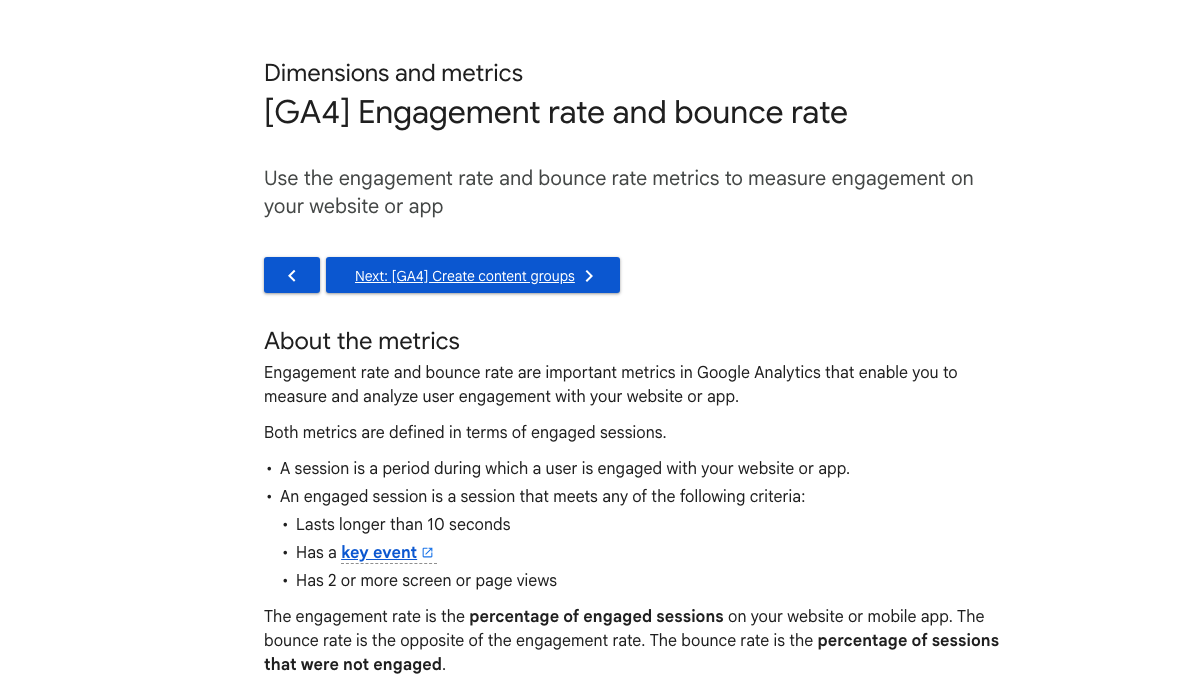
The page shows no update date, so treat this as Google's wording as of October 2026. A key event is the newer name for what GA4 used to call a conversion event.
Ten seconds is a low bar. A reader who skims your intro and leaves on second eleven still counts as engaged. I call this the 10-second floor. It flags a page that fails outright, but it can't tell you whether anyone reached step four.
So use engagement rate to compare posts of the same type on your own site, and treat the other two conditions as the real goals. A key event means the reader did something you care about, and a second page view means they wanted more from you.
Step 1. Write a title the page can keep
The 10-second floor starts with the title, since that's what the reader is checking the page against. BuzzSumo's study of 100 million headlines, published in 2023 from 2020 data, found the emotional, quiz-style headlines that did well in its 2017 study had dropped off sharply. Plain, useful framing took their place, with phrases like "you need to" and "need to know" doing best on Facebook.
That's sharing data from six years ago, not search data, so read it as direction only. The lesson for articles is to make the title say plainly what the reader will get.
Check your title against your first paragraph. If the title promises a number, a list or a fix, the first paragraph should start giving it.
Step 2. Put the answer in the first two screens
People still give most of their attention to the top of a page. Nielsen Norman Group's 2018 scrolling study tracked 120 people across more than 130,000 eye fixations. They spent about 57% of their viewing time above the fold, down from 80% in NN/g's 2010 study, and 74% within the first two screens.
People scroll more than they used to, but the first two screens still get three quarters of the looking. I think of it as the second-screen rule. If the answer to your title isn't visible by the end of the second screen, most of the reader's attention has already been spent.
The study used desktop screens at 1920 by 1080, and a phone's first two screens hold far less text, so on mobile the answer has to show up even sooner.
In practice that means a short intro, then the answer, then the detail. Our blog post outline template puts the answer line above the first heading for this reason.
Step 3. Cut the words nobody reads
Readers read less than writers hope. In "How Little Do Users Read?", from 2008, Jakob Nielsen found people read at most 28% of the words on an average page visit, and closer to 20% in practice. Each extra 100 words bought only about 4.4 more seconds of attention.
That data is old. It was collected in 2005 from 25 users and 45,237 page views, and the group wasn't typical, with several university staff in it. One commenter in that r/Blogging thread put the modern version plainly, saying they close the tab when a post could have said the same thing in half the words.
Length isn't the goal either way. Backlinko found the average top-10 Google result runs about 1,447 words, with no direct link between word count and position. That's an average across very different topics. The typical post is a bit shorter, at 1,312 words in Orbit Media's 2026 survey.
So write to the reader's questions, then cut. Delete any sentence that only repeats the heading above it or sets up the next sentence.
Step 4. Sound like a person who did the work
The AI complaint was the loudest one in that thread, though one reader said they don't mind AI help at all, as long as the writer edits it and adds their own voice.
Orbit Media's 2026 blogging survey of 1,042 content marketers points the same way. Only 13.9% reported strong results, six points under the survey's previous low. Bloggers with a formal human editor beat that benchmark by nearly two times, while those who left editing to AI came in below it.
Two more findings are easy to act on. Publishing original research raised the odds of strong results by about 50%, and posts with two or three images did best. The survey is self-reported, and "strong results" means whatever each person decided, so read it as a signal and not as proof.
Original doesn't have to mean a survey. A screenshot of a real setting, a number from your own account or a line from a customer call can't come from a model. Add one per section, then hand the draft to an editor whose job is to cut.
How often does ChatGPT mention your brand?
Most founders have no idea. The answer might surprise you.

Step 5. Give every reader a next click
Look at the GA4 definition again. A second page view makes a session engaged no matter how short it was, so the end of each section is a chance to earn one.
Link to the page a reader would want next, with an anchor that says where it goes. Put the key event where the reader is ready for it, such as a signup box after the answer. If too few people reach the page at all, that's a different job, covered in our guide to increasing blog traffic.
Does engagement help Google rankings?
Probably, but nobody outside Google can tell you how much. Backlinko's analysis of 11.8 million Google results found the average time on site for a page-one result was 2.5 minutes. Each extra 3 seconds of time on site lined up with ranking about one position higher.
That study needs three caveats. It's a correlation, and the authors say long visits may just reflect better pages. The page was last updated in April 2025, but its methods file dates from 2020. And Backlinko belongs to Semrush, which sells SEO tools.
Newer data muddies things. Contentsquare's 2026 benchmark report compared Q4 2024 with Q4 2025 across more than 6,500 sites and 99 billion sessions, and found engagement fell 10% while bounce rate improved by 5%. Contentsquare reads that as visitors arriving better informed, but it sells an analytics product, so that reading is its own.
The clearest sign that Google watches clicks came from a courtroom. As our Google ranking factors roundup describes, Google VP of Search Pandu Nayak testified in the DOJ antitrust trial that Navboost is one of Google's most important signals. It re-ranks results using about 13 months of click data, sorted into good clicks, bad clicks and the "last longest" click.
Someone in r/SEO hit the practical side of this in July. Their client's readers wouldn't read long posts, but they'd heard Google was hitting thin content, so the team put a TL;DR above a normal 2,000-word post. The top reply said Google judges how your readers behave more than the content itself.
Writing for humans or google ?
So i'm working on a client where the clients are lazy and have low education, so we found that writing long content is useless because they won't read it and they also can't understand it. However we recently saw in the SEO world Google pen...
That plan fits the second-screen rule. Readers who want the short answer get it up top, and the rest keep scrolling.
15 hours a week manually. Or 15 minutes with RankControl.
Track citations, monitor competitors, and fix content gaps across every AI search engine. Automatically.

What engagement can't do for AI citations
For AI answers, the effect is small. In October 2026, Mahe Chen and Nick Koudas at the University of Toronto studied 158,099 AI answers and 468,037 citations over 90 days. Within one website, page-level features such as FAQ blocks, structured data and summary boxes explained only about 2.8% of the difference in which pages got cited.
Which pages the engine's own search step pulled up explained about 32%. In other words, the engine has to find the page before any of your writing counts.
One finding does favor good writing. Pages whose title or best paragraph matched the user's question more closely got about 14% to 16% more citations for each step of better match. The cited passage also sat at a median of 45% of the way down the page, so the middle of your article has to hold up as well as the top.
The paper collected answers through engine APIs on smaller models, such as GPT-5.4 nano and Gemini 3.1 Flash Lite, and it isn't peer-reviewed. Our SEO copywriting checklist covers the copy checks that help with that match between question and page.
A weekly engagement check
Here's a short routine for your most important posts, using tools you already have.
| Check | What to look at | What a weak result usually means |
|---|---|---|
| Engagement rate by page | Posts of the same type, side by side | The title promises something the intro doesn't give |
| Second page views | Sessions with two or more pages | The links at the end of sections aren't earning clicks |
| Key events | Signups or demo clicks per post | The ask comes too early or doesn't fit the post |
| Rankings | Position for the target keyword, week on week | Read it next to engagement before you rewrite |
| AI answers | Whether engines name or cite you for your questions | The engine's search may not be finding the page |
As a rough estimate, the GA4 part takes about 20 minutes a week for ten posts, and checking AI answers by hand on several engines adds an hour or two. Homepage and pricing pages follow other rules, covered in our guide to website copywriting.
Doing it yourself or handing it off
RankControl's content engine writes each article against the pages already ranking for its keyword and publishes it on your own site. Auto-publish is off by default, so you can review and edit each one before it goes live, which is where your own numbers and voice go in. AI visibility tracking then checks your buyer questions every week on seven AI engines.
We offer one flat plan at $400 a month with a 7-day free trial. Expect traffic from Google first, with citations following slowly as other sites link to and mention you.
You can run every step here by hand with GA4 and a good editor. Or RankControl can write, publish and check the articles every week while you add the parts only you know.
AI search traffic grew 835% this year. Is your content ready?
RankControl generates 26 content formats optimized for ChatGPT, Claude, and Perplexity. Published on your domain, matched to your brand.