
Type "blogging tools" into Google and you'll land in the wrong aisle. I checked the US results on October 19, 2026, and the People Also Ask box asked "What equipment do you need for blogging?" and "How long does it take to make $500/month blogging?" Every related search pointed at free blog platforms and side-income guides.
None of that is what a company blog needs. It isn't chasing a personal following or ad pennies. Its job is pulling buyers in from Google, and increasingly, from AI answers.
That's the frame this list uses: publish, research, write, edit, design and measure, the stages a business blog actually runs through. Call it the search-first stack if you like a name for it, since every tool here has to earn its spot by helping a post get found, not by being popular. Every price below is pulled straight from the vendor's own page, checked on October 19, 2026. None of these tools were put through their paces by us; this is a pricing-and-fit comparison, not a hands-on review.
Almost every tool sells AI now
Checking nine pricing pages for this list, I kept running into the same banner. Seven of them led with an AI feature, right on the page where they list what you get for your money.
| Tool | AI on the pricing page |
|---|---|
| Webflow | Webflow AI and "AEO agents" |
| Semrush | An AI Visibility column |
| Ahrefs | Tracked AI prompts on every plan |
| Grammarly | AI prompts as a headline feature |
| Hemingway Editor | AI sentence rewrites as the lead feature |
| Canva | An AI usage allowance on each plan |
| Google Search Console | A Generative AI report in beta |
| WordPress.com | Not on the pricing page |
| Ghost | Not on the pricing page |
Having an AI feature stopped telling you anything useful a while back. The question worth asking is narrower: which job does this tool actually do well, and does that job matter for your blog?
The quick comparison
Here's the same ten tools lined up by the one job each is built for, with where free ends and paid begins.
| Tool | Job | Free option | Paid from |
|---|---|---|---|
| WordPress | CMS | Self-hosted software | $4/mo, renews at $5 |
| Webflow | CMS | Starter plan | $15/mo billed yearly |
| Semrush | Research | Limited free plan | $139/mo |
| Ahrefs | Research | Limited free tier | $129/mo |
| RankControl | Plan, write, publish, track | 7-day trial | $400/mo |
| Grammarly | Editing | Free plan | $12/seat/mo yearly |
| Hemingway Editor | Readability | 2-week trial | $8.33/mo yearly |
| Canva | Images | Free plan | US$144/yr |
| Google Search Console | Search data | Free | Free |
| Google Analytics 4 | Site analytics | Free | Analytics 360, custom |

Your competitors are getting cited by AI. You're not.
Every day without citation tracking is a day your competitors pull ahead in ChatGPT, Perplexity, and Claude.
Publish
1. WordPress
WordPress remains the default, and it earns that spot. The software costs nothing to run on your own hosting, no other CMS has as many plugins and themes, and virtually every SEO tool plugs into it without a fight. If you'd rather skip hosting altogether, WordPress.com runs the hosted version for you.
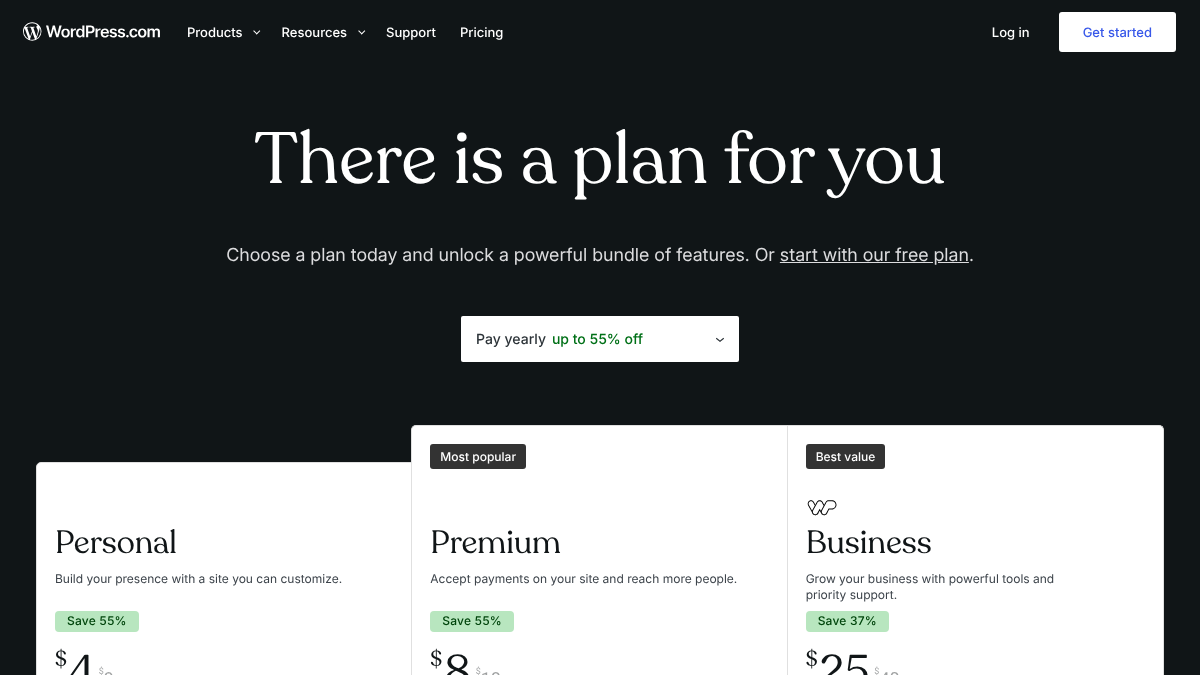
On WordPress.com, Personal lists at $4 a month, Premium at $8 and Business at $25, all billed yearly as first-term prices. Read the fine print and they renew higher, at $5, $9 and $28. You'll need the Business tier before plugins even become an option. Go the self-hosted route instead and you take on your own hosting, security and plugin updates, which is the real cost nobody puts on a pricing page.
Not every blogger agrees it's worth the trade. In an r/Blogging thread where full-time bloggers compared their stacks, several were running WordPress with SEO plugins layered on top, while one called it "archaic" and pointed people toward Ghost instead.
For the full time bloggers: what's your blogging stack
I was curious to know what tools and platforms are those generating an income from their blog maybe to the point of only working part time or even just doing blogging full time what tools and platforms do you use like what does your tech st...
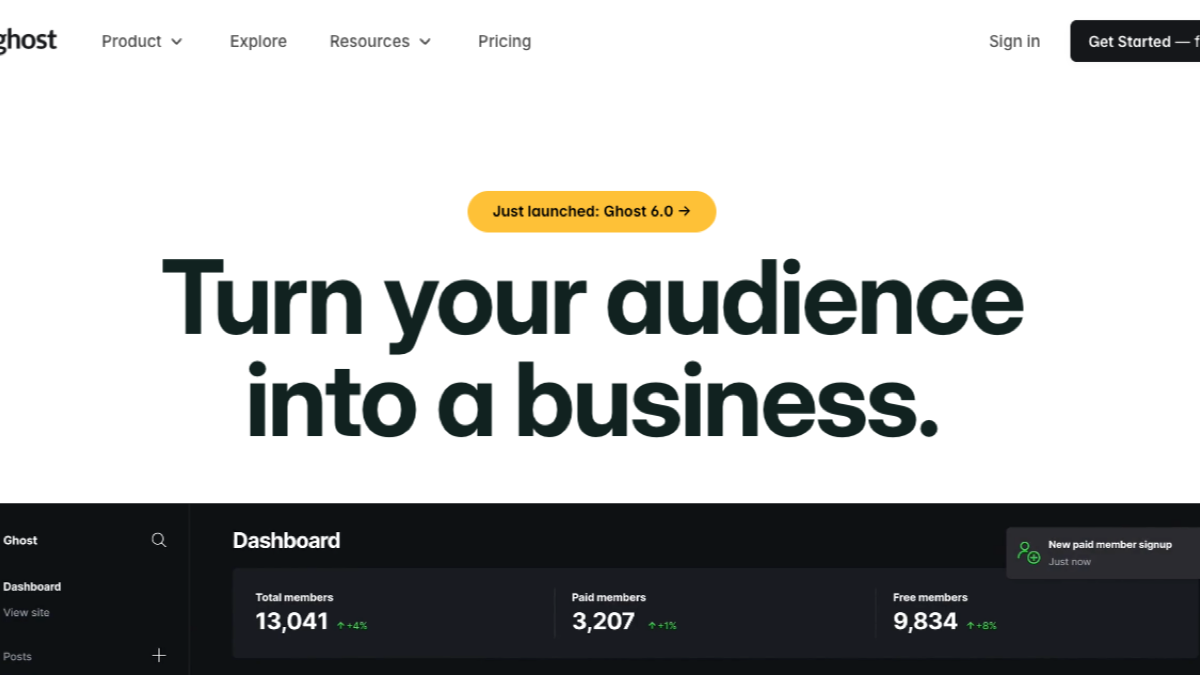
Ghost is that lighter alternative, built with newsletters and paid memberships from the start. Its tiers run Starter at $18 a month billed yearly, Publisher at $29, and Business at $199.
2. Webflow
Webflow takes a different approach: a visual site builder with its own CMS baked in. Design-led companies gravitate to it because the blog can match a polished marketing site without pulling in a developer for every tweak.
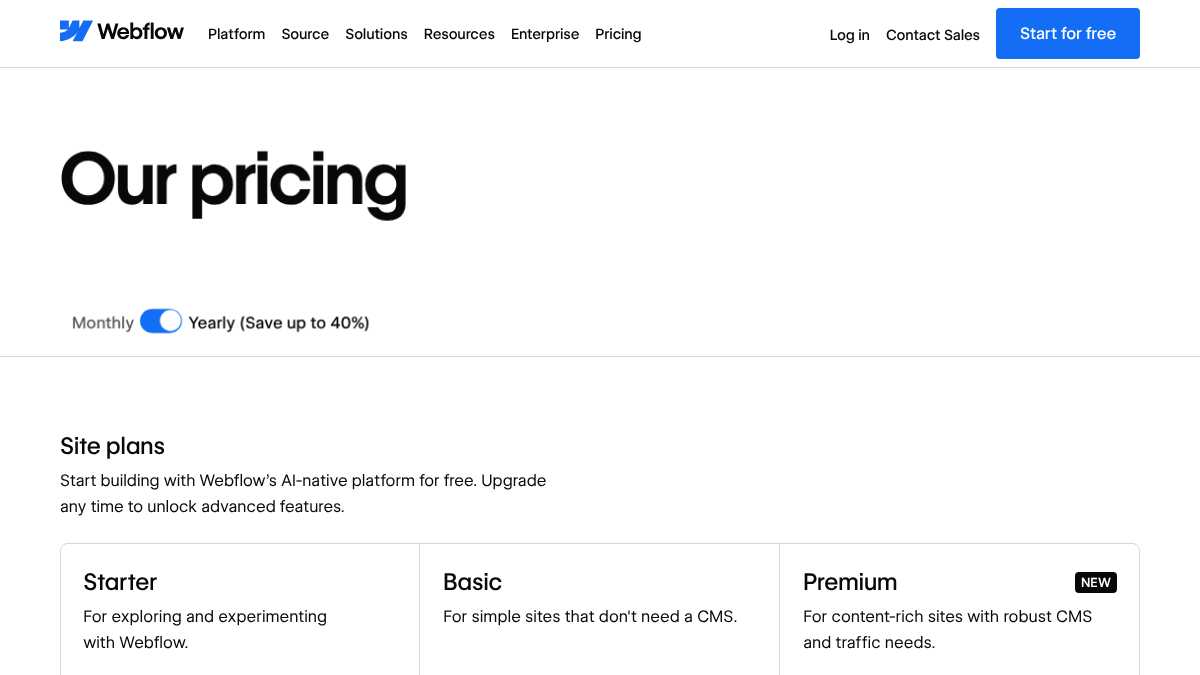
The free Starter plan gives you two static pages, which isn't a blog yet. Basic, at $15 a month billed yearly, still skips the CMS. You need Premium, at $25 a month billed yearly, before you get the content management a real blog runs on. Past that, Team jumps straight to $2,500 a month on an annual contract, with nothing in between to ease the climb.
Research
Before spending anything, open Google Keyword Planner. It costs nothing, though you do need a Google Ads account with billing already set up just to get in the door. Past that free start, two research suites do most of the heavy lifting.
3. Semrush
Semrush packs keyword research, competitor data, site audits and AI visibility tracking onto one pricing page, which is either efficient or overwhelming depending on how much of it you'll actually use.
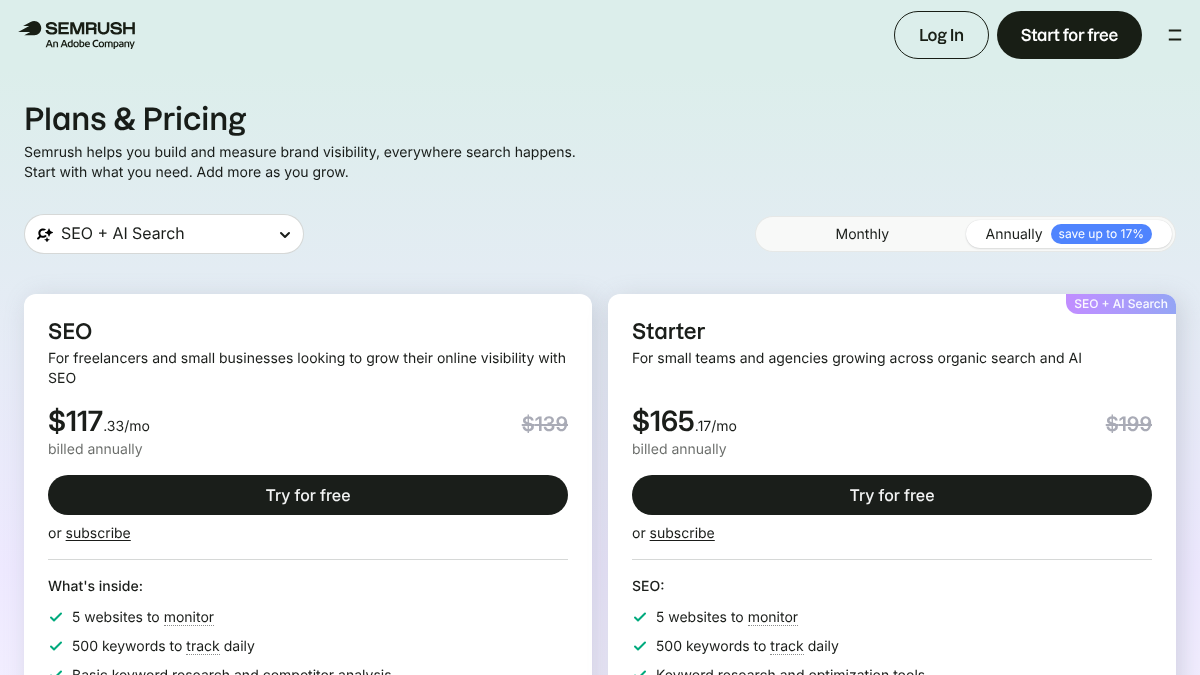
The free plan caps you at 10 reports a day. SEO lists at $139 a month, or $117.33 billed yearly, and a 7-day free trial covers it. Starter steps up to $199 a month and adds AI prompt tracking, Pro+ runs $299, and Advanced is priced by request. For a small blog, that's a lot of tool to buy, and the price climbs fastest right where the AI visibility features live.
4. Ahrefs
Ahrefs built its name on backlink and competitor data, and its keyword tools now sit close enough to Semrush's to call it a toss-up. Every plan, even the cheapest, comes with some tracked AI prompts included.
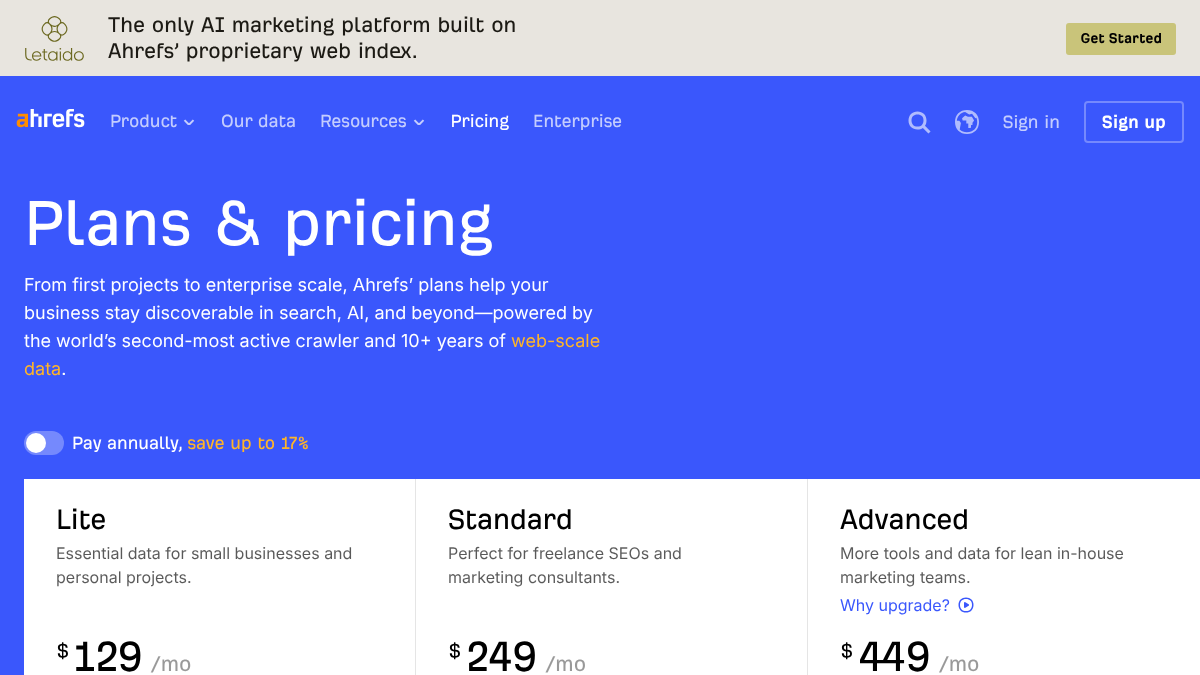
Lite starts at $129 a month for 750 tracked keywords and 5 tracked AI prompts. Standard climbs to $249, Advanced to $449. A lighter Starter plan sits at $29 a month, and there's a limited free tier if you just want to poke around. What you won't get anywhere on this ladder is a free trial, and the AI prompt allowance on the lower plans is thin enough that you'll outgrow it fast.
For a deeper comparison of research tools, see our roundup of SEO tools for small marketing teams.
200+ SaaS teams already track their AI citations.
They know exactly when ChatGPT mentions their brand, and when it stops. Do you?

Write
5. RankControl
RankControl plays a different role altogether, covering the stages most of this list splits across several tools. We find the questions your buyers are actually typing, plan titles around them, and write each article against the pages already ranking for that keyword, scored for how easily AI engines can quote it. From there, each article publishes as a native post on your own site, through WordPress, Webflow, Shopify, Ghost, Notion, Wix and a handful of others.
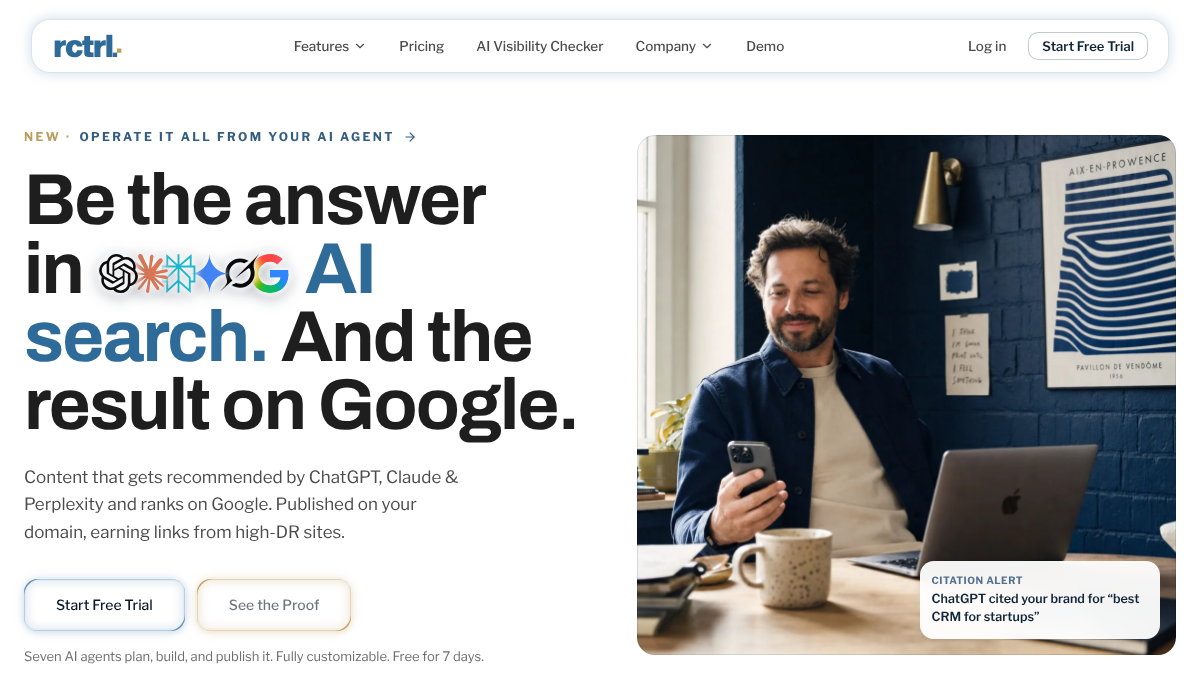
Publishing isn't where RankControl stops. Every week we check up to 50 buyer questions across ChatGPT, Perplexity, Claude, Gemini, Grok, Google AI Mode and Google AI Overviews, alongside your Google and Bing rankings, and a new citation lands as a notification.
One plan covers it: $400 a month, or $4,000 a year, with a 7-day free trial and up to 100 pages a month included. What it isn't is a keyword research suite on the order of Semrush or Ahrefs, and it won't design a graphic for you either. Most teams still run a CMS, Search Console and an image tool alongside RankControl.
If you'd rather write with an AI assistant yourself, our list of AI content writers compares the drafting tools.
Edit
6. Grammarly
Grammarly checks grammar, spelling and tone inside most editors and browsers you already use, and it now rewrites whole sentences with AI on request.
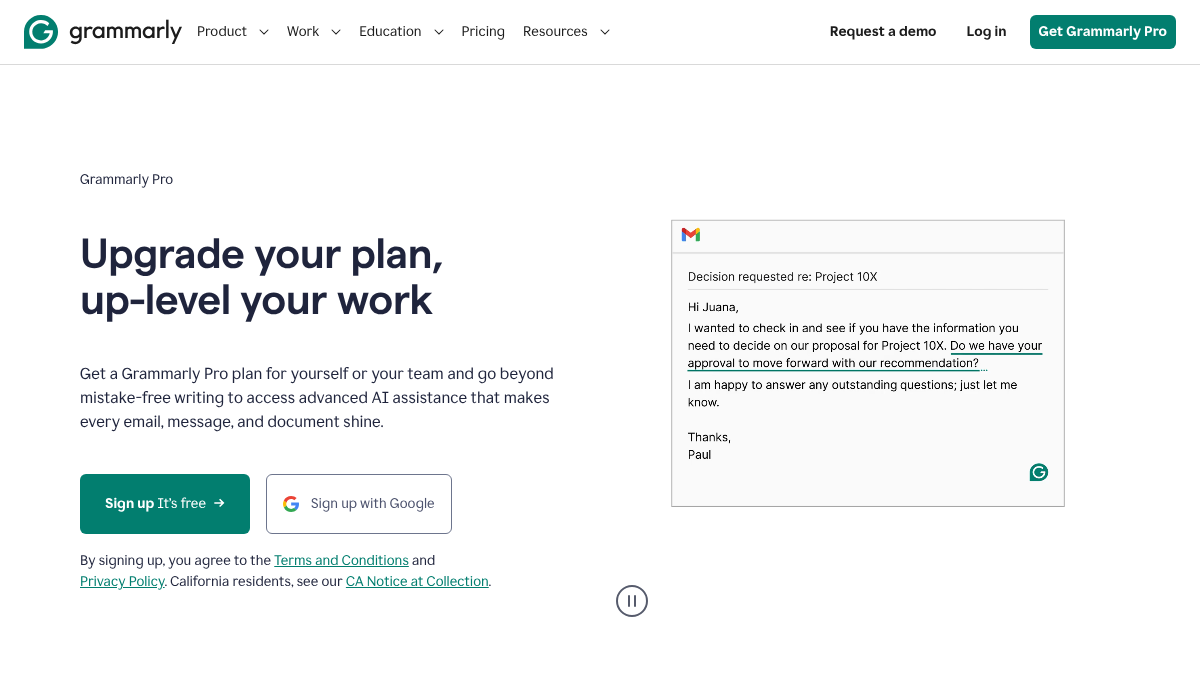
The free plan covers basic corrections and 100 AI prompts. Pro runs $12 a seat per month billed yearly, or $30 month to month, and raises that to 2,000 AI prompts. Enterprise pricing is custom.
Long-time users aren't all sold on where it's headed. An r/Grammarly thread asking whether the tool had gotten worse pulled in several commenters who said it now flags their own writing as AI-generated and feels noticeably slower than it used to. LanguageTool and Antidote both came up as the alternatives people were trying instead.
Did Grammarly become worse? Any alternatives?
I had used Grammarly pro for an English paper in high school around 4-5 years ago (2020/2021). It was great back then, helped me a lot, but I didn't need it after. Now I'm in my final year of uni and I have to write 2 papers in English and...
7. Hemingway Editor
Hemingway takes the opposite angle from Grammarly: it scores how easy your writing is to read, flagging long sentences, passive voice and wordy phrases, and it's added AI rewrites on top of that.
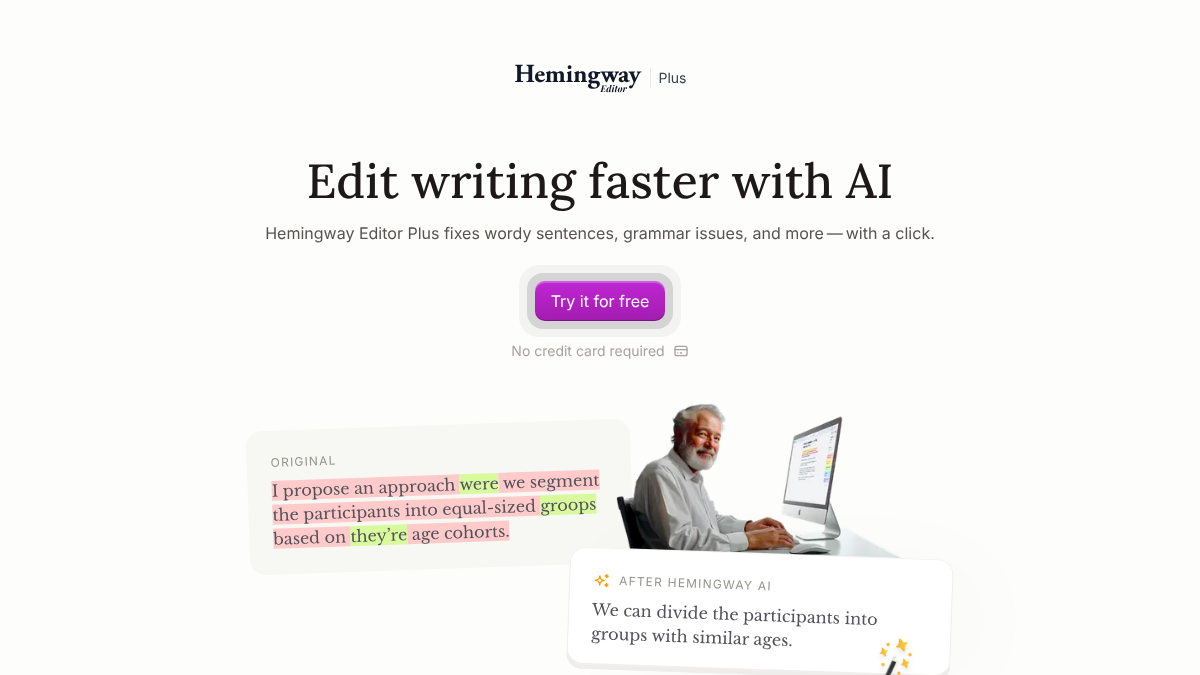
The site now leads with Hemingway Editor Plus, and you get a two-week free trial with no card required. From there it's $8.33 a month billed yearly, $100 for the year, for 5,000 AI rewrites a month, or $12.50 a month, $150 for the year, for 10,000. It stays narrow on purpose, working sentence by sentence on readability and wording. It won't tell you what to write about, and it has no opinion on whether the finished post will rank.
Design
8. Canva
Canva is still the fastest route to blog graphics, featured images and social versions of a post, with no designer required.
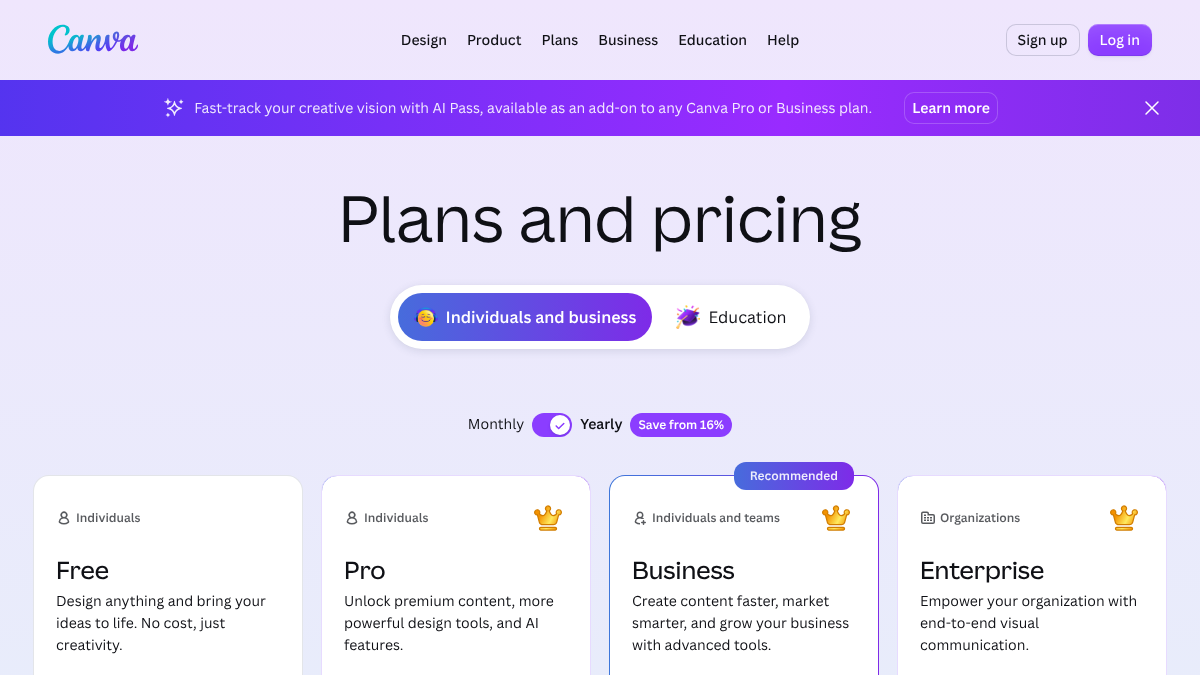
Free gets you templates and 20 AI uses. Pro runs US$144 a year for one person, Business US$250 a year per person, and Enterprise is priced on request. The catch is that template graphics tend to look like template graphics. For a business blog, an original screenshot or chart usually does more work than another stock-style design, since a real screenshot of a pricing page or dashboard shows readers something they can go check for themselves.
Measure
9. Google Search Console
Search Console costs nothing and shows exactly which searches your posts appear for, how often people click through, and where you rank for each one. It now includes a Generative AI report, still in beta.
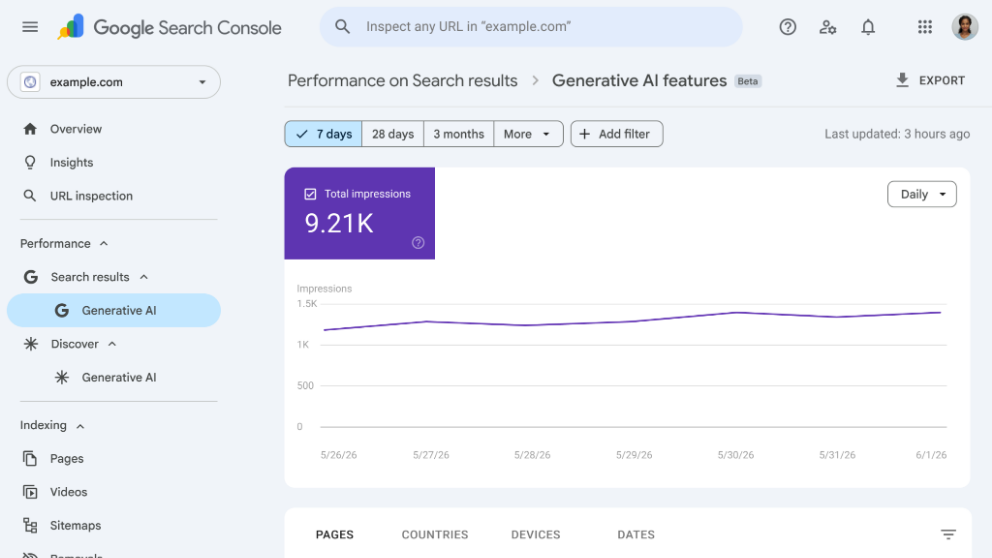
It's free, full stop. Its blind spot is everything past Google. It has nothing to say about what a visitor does once the click happens.
10. Google Analytics 4
GA4 picks up where Search Console leaves off, showing what visitors actually do once they land, which posts turn into signups or sales, and where they came from, chatbots included.
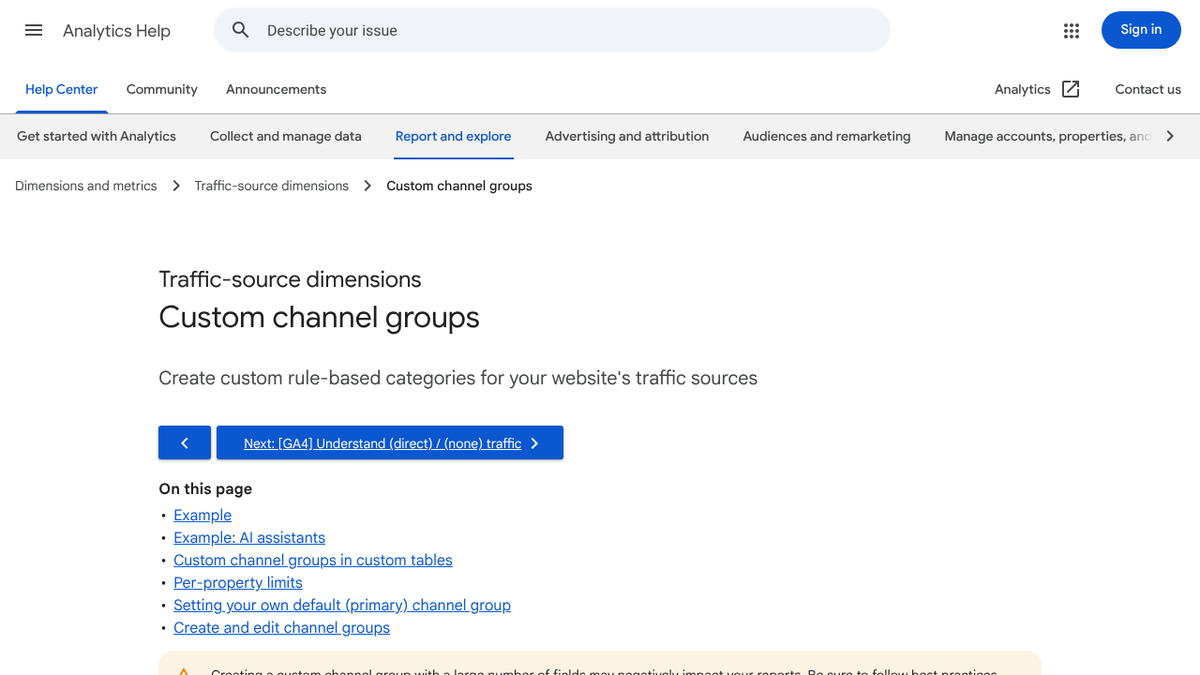
It's free as well, with Analytics 360, the enterprise tier, priced only on request. Set it up and leave the defaults alone, though, and a lot of AI traffic quietly lands in the referral or direct bucket instead of showing up as what it really is. You need a custom channel group to catch it.
What a business blog stack costs
Add up three common setups and the software itself turns out to be the smaller number.
| Setup | Tools | Monthly cost |
|---|---|---|
| Free | WordPress (self-hosted, plus hosting), Search Console, GA4, free Grammarly and Canva | Hosting only |
| Lean paid | WordPress.com Business, Grammarly Pro, Canva Pro, Hemingway Plus | About $57 in the first term, then about $60 |
| With research | The lean stack plus Semrush SEO, billed yearly | About $175 |
| Done for you | RankControl, plus a CMS, Search Console and GA4 | $400, plus the CMS |
The real cost is hours, not dollars. Orbit Media's 2026 survey of 1,042 content marketers put the average time to write one post at 3 hours and 20 minutes, and that's before research, editing, images and publishing even start. Four posts a month adds up to a couple of full working days, no matter which row of that table you pick.
So pick tools that save you the hours you genuinely can't spare. A research suite pays for itself when research is your bottleneck. An editor won't fix a bottleneck that's actually about writing time.
How to pick
| If you need | Start with |
|---|---|
| A CMS with the most options | WordPress |
| A CMS for a design-led site | Webflow |
| Keyword and competitor research | Semrush or Ahrefs |
| Articles written and published for you | RankControl |
| Cleaner drafts | Grammarly |
| Easier-to-read posts | Hemingway Editor |
| Graphics without a designer | Canva |
| Free search and site data | Search Console and GA4 |
A lean starting stack doesn't cost anything: WordPress or Webflow's free plan, Search Console, GA4, Grammarly's free plan and Canva's free plan. Layer paid tools on as you publish more. For keyword research on a tight budget, our guide to ecommerce keyword research walks through a free method that works for any business, and our guide to SERP analysis covers reading the results before you write a word. For full content pipelines, see our list of content automation platforms. Our content marketing tools list rounds out the social and email tools, plus what AI engines themselves tend to recommend.
Doing it yourself or handing it off
One person, armed with the right tools, can genuinely run a business blog. What none of these tools do is the hardest part: someone still has to pick the topics, write the posts, edit them and get them published every single week.
You can run all of that yourself with the stack above. Or RankControl can plan, write and publish the articles for you, then watch how they perform on Google and in AI answers. Traffic from Google tends to show up first, with AI citations following more slowly as links and mentions accumulate.
How often does ChatGPT mention your brand?
Most founders have no idea. The answer might surprise you.