
An online store has two ways to show up when someone searches. Its products can appear as listings, with prices, images and review stars. Or its pages can rank and get cited for the questions buyers ask before they're ready to buy. Most ecommerce marketing tools only help with one of those, and plenty help with neither, because they're built for email or ads.
So this list sticks to tools that bring search traffic. It covers ten: Google Merchant Center, Semrush, Ahrefs, RankControl, DataFeedWatch, Yoast SEO, Judge.me, Yotpo, Trustpilot and Schema App. We checked each one on October 18, 2026 against its pricing page and docs. They work on any ecommerce platform, though if you're on Shopify, our list of Shopify SEO tools covers the App Store apps.
The short verdicts:
- For product listings, use Google Merchant Center, because it's free and puts products across Google.
- For keyword and competitor research, use Semrush, or Ahrefs if links matter most.
- For articles that bring search traffic, use RankControl, because it writes and publishes them to your store.
- For feeds, use DataFeedWatch, once your catalog is large.
- For reviews, use Judge.me on a budget, or Yotpo as you grow.
Why most ecommerce tool lists miss search
When we pulled Google's top results for "ecommerce marketing tools" on October 18, an AI Overview sat above everything. Below it, the top results were mostly about email automation and general growth stacks. None was organized around what actually brings search traffic to a store.
That traffic tends to come from four places. Products need clean data so Google can list them. Pages need content that answers buyer questions. Reviews need to exist and be visible. And structured data helps Google and AI engines read all of it correctly.
We call this the four-shelf stack. A store needs something on each shelf, and the cheapest version of the stack costs almost nothing.
How often does ChatGPT mention your brand?
Most founders have no idea. The answer might surprise you.

The quick comparison
| Tool | What it does for search | Starting price | Free plan or trial | Works on |
|---|---|---|---|---|
| Google Merchant Center | Free product listings | Free | Free | Any platform |
| Semrush | Keyword and competitor research | $139/mo | Free plan, 7-day trial | Any platform |
| Ahrefs | Backlink and keyword research | $29/mo | Free tier | Any platform |
| RankControl | Writes and publishes articles, tracks AI answers | $400/mo | 7-day trial | Shopify, WordPress, Wix and more |
| DataFeedWatch | Product feed cleanup and sync | $64/mo | 15-day trial | Most platforms |
| Yoast SEO | On-page SEO and schema | Free, Premium $118.80/yr | Free plugin | WordPress and WooCommerce |
| Judge.me | Reviews and Google star sync | Free, $15/mo | Free plan | Shopify, WooCommerce, Wix, Squarespace |
| Yotpo | Reviews and UGC sync | $89/mo | Free up to 50 orders/mo | Shopify, BigCommerce, WooCommerce and more |
| Trustpilot | Third-party reviews | $99/mo per domain | Free, 50 invites/mo | Any platform |
| Schema App | Managed structured data | Custom quote | None | Any platform |
Prices are monthly unless marked, checked on October 18, 2026 against each vendor's pricing page and docs.
1. Google Merchant Center
Merchant Center is where every store should start. It takes your product data and shows it across Google Search, the Shopping tab, Images, Maps and YouTube. In Google's words, "creating a Merchant Center account and showing your products on Google is free of cost."
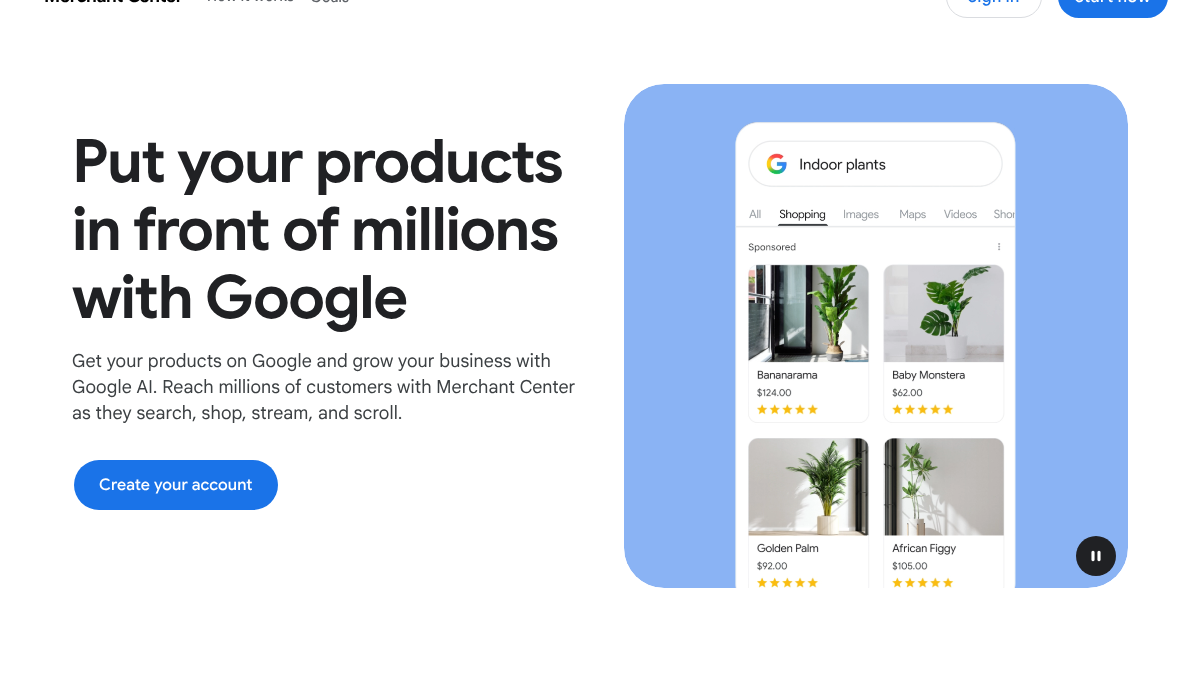
Most platforms connect to it directly, so setup can take under an hour for a small catalog. Paid Shopping ads run through Google Ads and are optional.
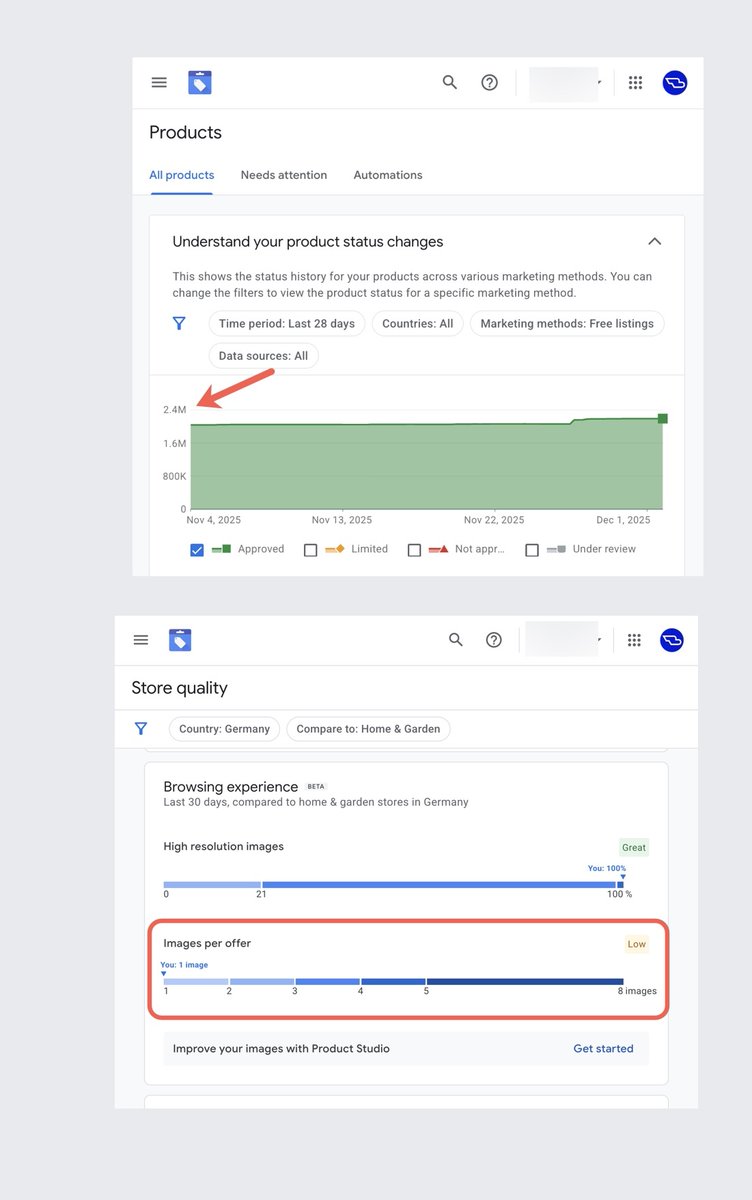
The catch is that Merchant Center only shows what you send it. If your feed is thin or wrong, your listings will be too. One SEO auditing a large ecommerce account on X found about 8 million product images that were on the site but missing from the Merchant Center feed. Across more than 2 million products, the feed averaged about one image each.
Ecommerce SEO: This store is missing ~8 million product images in Google Merchant Center. Not on the site. In the feed. 2M+ products in the account. Average image count: 1. Each location carries ~116K products (incl. variants). Multiply that across every country in a global https://t.co/wvBf1egWrj
 Brodie Clark@brodieseoOct 5, 2026
Price: free. Best for: every store, before paying for anything.
2. Semrush
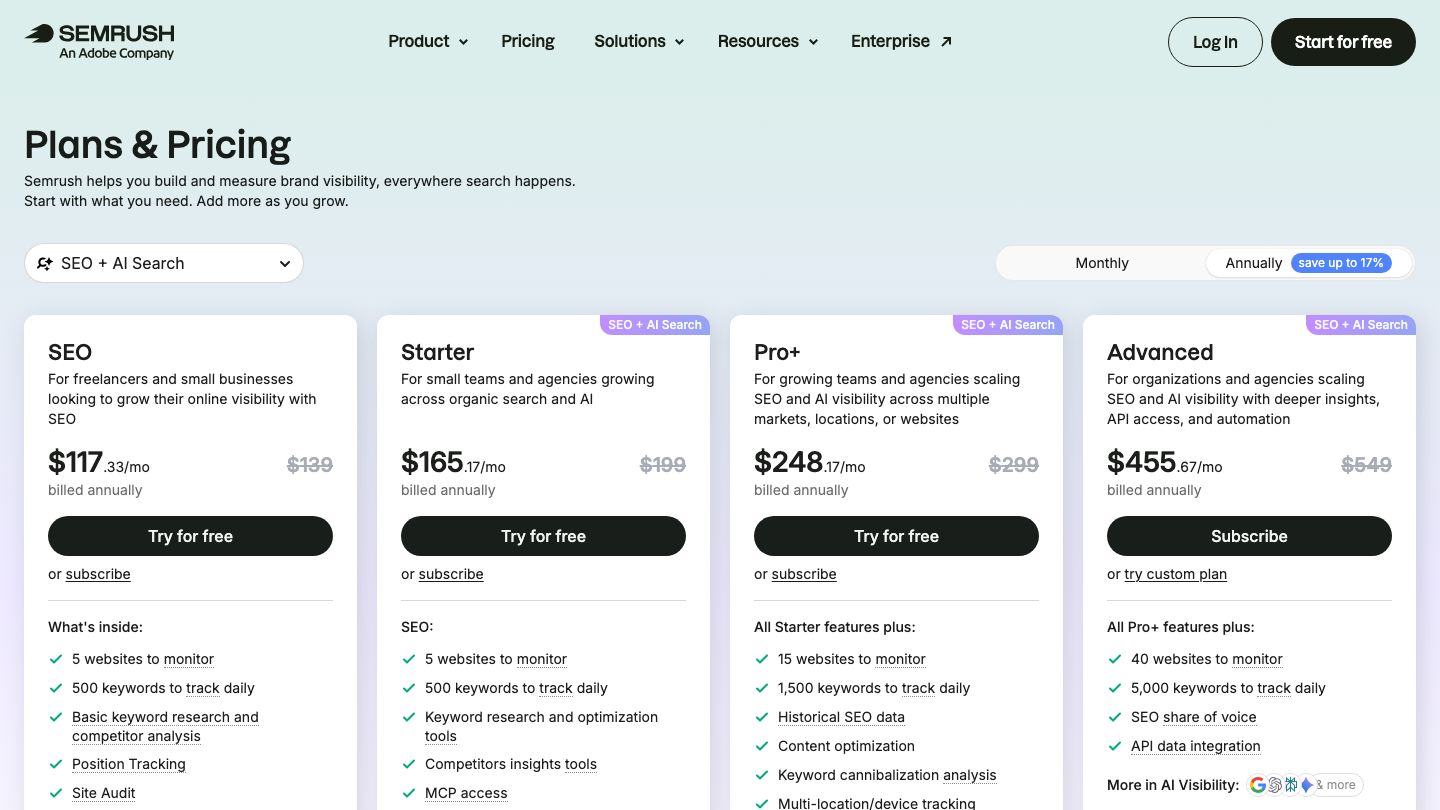
Semrush is the research suite most stores grow into. It covers keyword volumes, competitor rankings, site audits and position tracking, and its higher plans add AI visibility tracking. The SEO plan costs $139 a month, Starter $199 and Pro+ $299, with yearly billing about 16% cheaper.
For a store, the useful jobs are finding the questions buyers search, seeing which competitors rank for your product categories, and spotting technical problems. It has no product-feed or review features, so it sits alongside the other tools here, not instead of them. There's a free plan and a 7-day trial.
Price: from $139/mo. Best for: one research suite.
3. Ahrefs
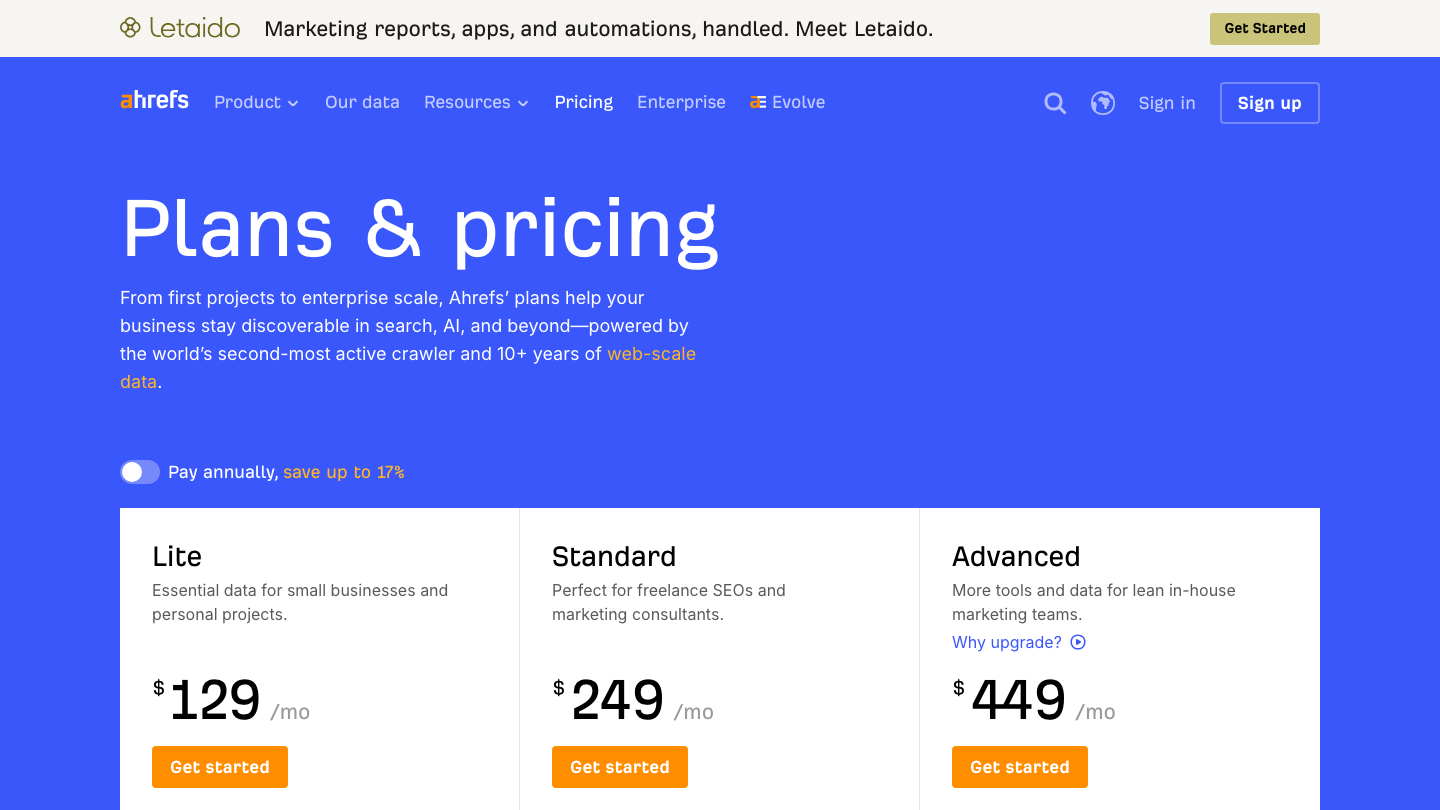
Ahrefs is the stronger pick when links are the problem. Its backlink index shows who links to your competitors, which is where most link ideas come from. Plans run from a $29 Starter plan to Lite at $129, Standard at $249 and Advanced at $449.
Like Semrush, it has nothing built for feeds or reviews. The jump from Lite to Standard is steep, so most small stores start on Lite. Ahrefs offers a free tier with limited access for sites you own.
Price: from $29/mo. Best for: link and competitor research.
4. RankControl
RankControl is ours. It does the job the research tools leave to you, which is writing the pages. It writes each article against the pages already ranking for its keyword, matched to your brand voice, and scores it for how easily AI engines can quote it, with a list of fixes. Then it publishes to your store natively, on Shopify, WordPress, Wix and several other platforms.

Its AI visibility tracking checks up to 50 buyer questions every week across seven AI engines, including Google AI Mode and Google AI Overviews. It records whether each answer mentioned you, cited you or both. Expect Google and AI search traffic to grow first, with citations following more slowly as other sites link to and mention your pages.
It doesn't touch your product feed or collect reviews, so it works alongside the tools around it. It's one plan at $400 a month, with 100 pages a month and a 7-day trial.
Price: $400/mo. Best for: stores short on writing time.
15 hours a week manually. Or 15 minutes with RankControl.
Track citations, monitor competitors, and fix content gaps across every AI search engine. Automatically.

5. DataFeedWatch
DataFeedWatch cleans up product feeds and sends them to many channels at once, including Google, Meta, Bing and Pinterest. You can fix titles, fill missing fields and map categories without editing every product by hand.
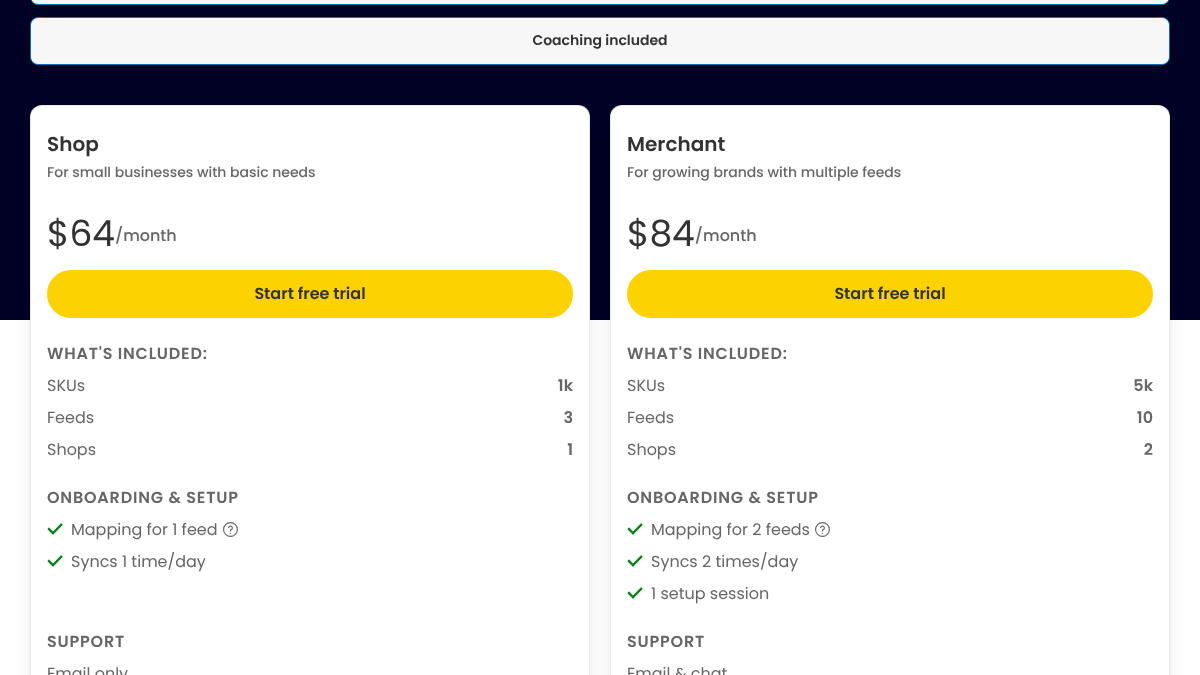
The Shop plan is $64 a month for 1,000 products and three feeds. Merchant is $84 for 5,000 products and ten feeds, and Agency is $239. There's a 15-day free trial. Price climbs with product count, so it makes the most sense for large catalogs or stores selling on several channels.
Price: from $64/mo. Best for: catalogs with messy feeds.
6. Yoast SEO
For stores on WordPress and WooCommerce, Yoast is the familiar SEO plugin. The free core plugin has more than 10 million active installs. It handles titles, meta descriptions, schema and technical basics inside the editor you already use.
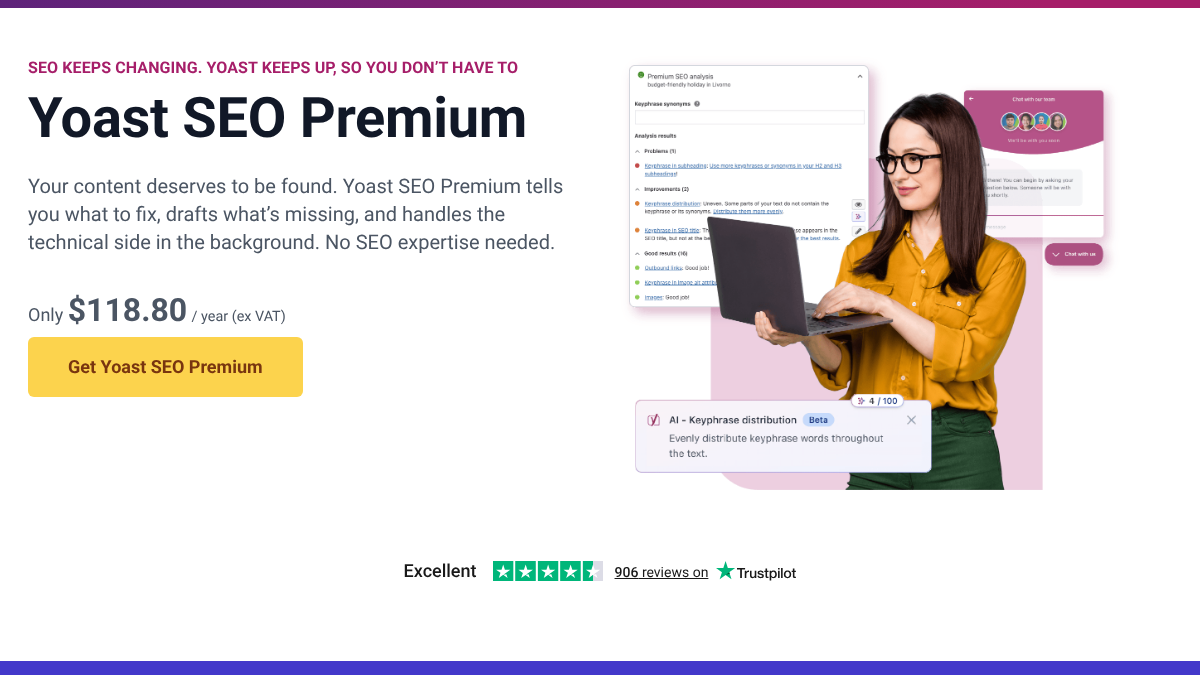
Premium costs $118.80 a year for one site, and Yoast also sells a separate WooCommerce SEO add-on with product-specific markup. It only works on WordPress. In an r/localsearch thread comparing it with Rank Math, opinions were split. One user said Yoast had been more stable, while another said Rank Math had more features.
Price: free, Premium $118.80/yr. Best for: WooCommerce stores.
7. Judge.me
Judge.me is the cheapest serious reviews app. The free plan includes unlimited product and store reviews and Google rich snippets. The Awesome plan, at a flat $15 a month, adds AI review summaries and replies, social sharing and sync of review stars to Google Shopping.
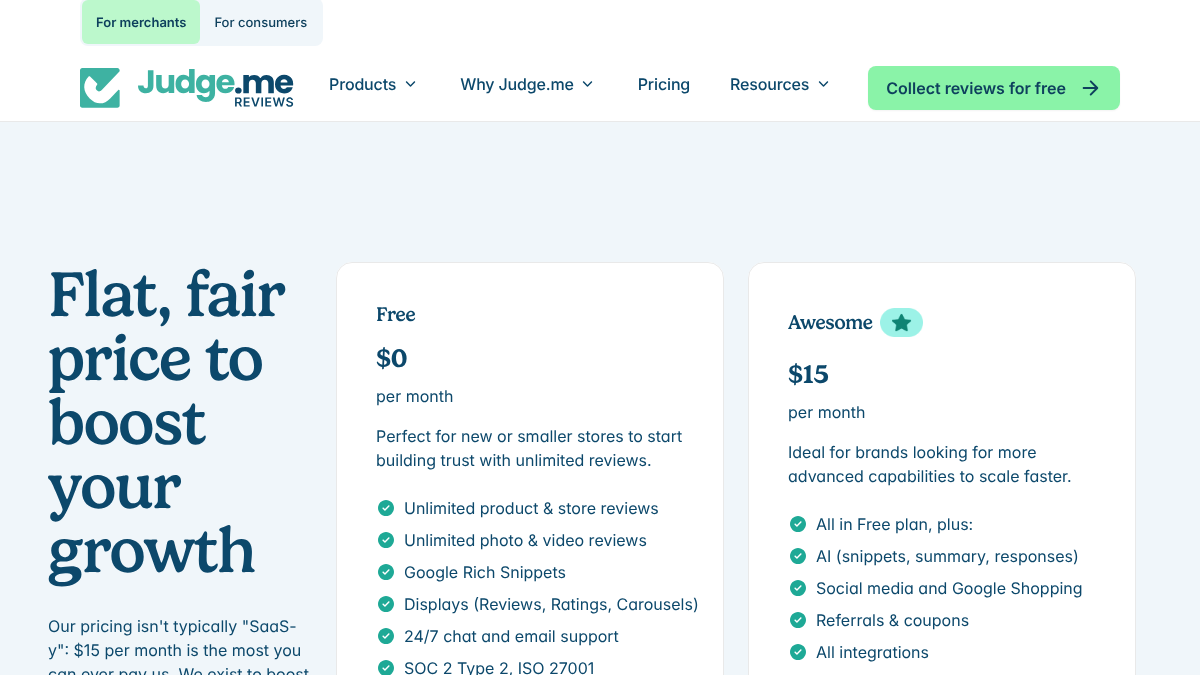
It's built mainly for Shopify, and its pricing page also names WooCommerce, Wix and Squarespace. Pricing isn't tied to order volume, which keeps costs flat as you grow.
In an r/shopify thread asking whether to use Google reviews or Judge.me, replies were mixed. One merchant said to stick with Google reviews or Judge.me, since Google reviews show in Maps and search results. Another said they'd moved from Judge.me to a different app over Google certification for store reviews.
Store reviews: Google or Judge.me?
We’re a small specialty coffee roastery and I wanna start collection store reviews. We decided against product reviews as our catalog is regularly changing. For store reviews I’m torn between judge.me, Google Business Profile Reviews and Go...
Price: free, $15/mo. Best for: small stores that want reviews cheaply.
8. Yotpo
Yotpo is the reviews platform for stores that have outgrown the basics. It collects reviews and customer photos and syncs them to Google Shopping and social. It works with Shopify, BigCommerce, WooCommerce, Adobe Commerce and others.
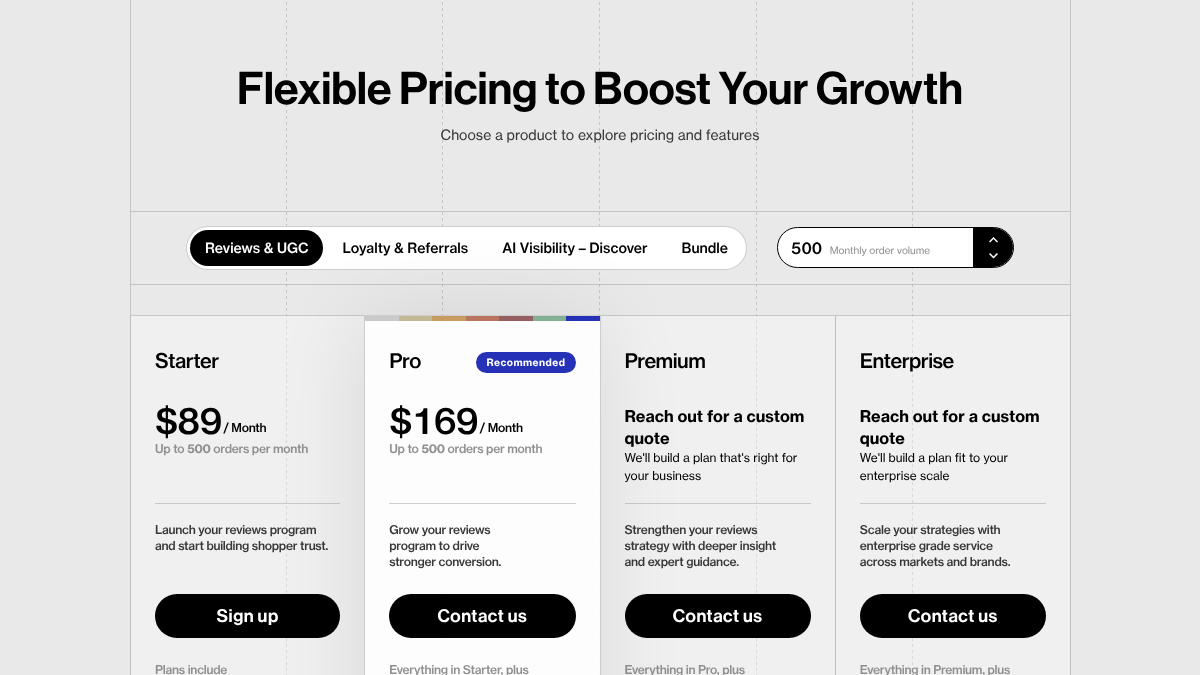
The free plan covers up to 50 orders a month. Starter is $89 and Pro is $169, both for up to 500 orders a month, with custom quotes above that. That order cap is the thing to watch, since a busy month can push you into a quote.
Price: from $89/mo. Best for: growing DTC brands.
9. Trustpilot
Trustpilot is different from the two apps above. It's a third-party review site, so your reviews live on Trustpilot's domain as well as yours. That makes them an independent signal for buyers, and for search engines and AI answers that look for outside opinions.
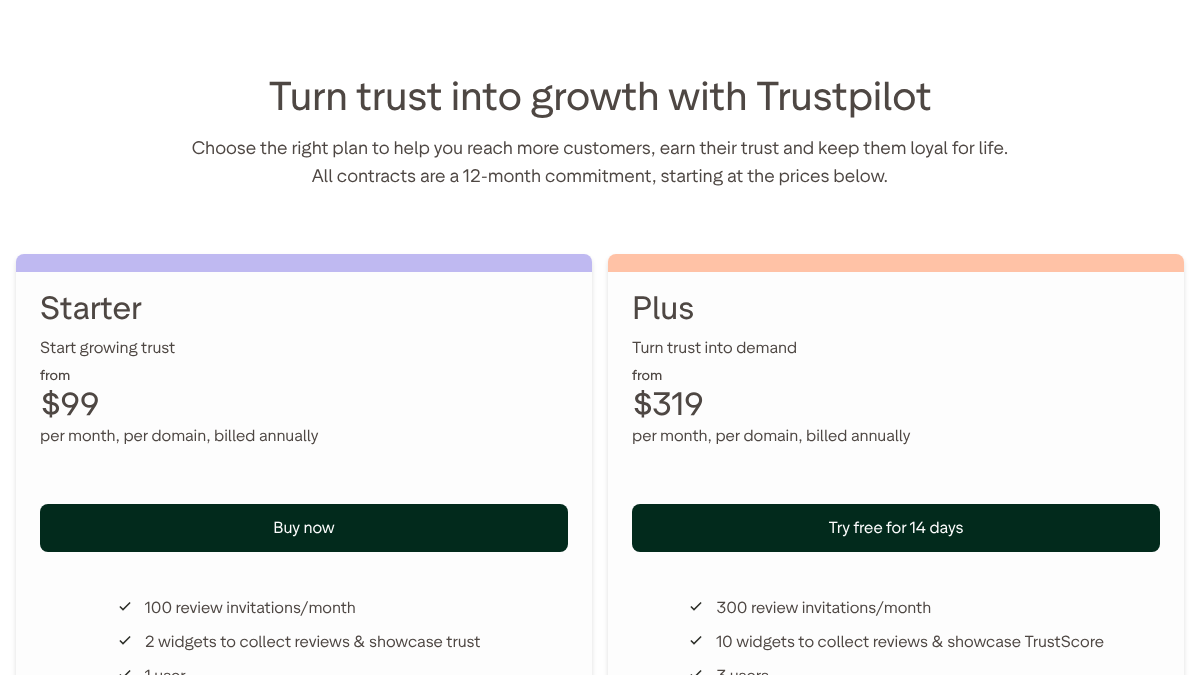
The free plan allows 50 review invitations a month. Starter is from $99 a month per domain, Plus from $319 and Premium from $799, all billed yearly on 12-month contracts. That commitment is the main drawback for a small store.
Price: free, paid from $99/mo per domain. Best for: brands that want independent trust signals.
10. Schema App
Schema App builds and manages structured data at scale across product, review and FAQ pages. Its pitch is that this helps "search engines and AI systems represent your brand accurately."

It's an enterprise service with no public price. Every plan is a custom quote on a 12-month minimum, with a one-time onboarding fee, and its pricing page says it doesn't offer free trials. For most small stores, the schema built into their platform or a plugin like Yoast is enough.
Price: custom quote. Best for: large catalogs with an enterprise budget.
How to build a stack on a budget
You don't need all ten. Here's a sensible order for a small store.
- Turn on Merchant Center and fix any feed errors it reports.
- Add a free reviews app and ask recent buyers for a review.
- Write a handful of articles that answer what buyers search before they buy, like comparisons and how-to guides.
- Add a research tool once you're publishing regularly and need to know what to write next.
- Add a feed tool only when your catalog or channel count makes manual fixes painful.
For the AI side, our guide to how AI engines recommend ecommerce products explains why reviews and clean product data matter so much there. And for ChatGPT's product answers specifically, our AEO for Shopify guide covers the feed route.
Doing it yourself or handing it off
The listings and reviews shelves mostly run themselves once set up. Content is the shelf that takes ongoing time. A good store article, with real product detail and a clear answer, takes about three hours to write and publish, so four a month is a working day and a half.
You can keep that in-house with a research tool and a writer. Or RankControl can write and publish the articles to your store at up to 100 pages a month, on Shopify and other platforms, while you focus on products and customers.
AI search traffic grew 835% this year. Is your content ready?
RankControl generates 26 content formats optimized for ChatGPT, Claude, and Perplexity. Published on your domain, matched to your brand.