
Claude's help center has a line that sets the terms for doing SEO in Claude on a budget: "Free users are limited to one custom connector." Pro and Max have no stated cap, but the limit is a useful exercise even if you pay. If you could plug only one server into Claude for SEO, which one would it be?
We call that the one-connector test, and most of this guide is our answer to it. SEO in Claude comes down to four jobs: finding what to write, writing it, getting it onto your site and seeing whether it worked. Full disclosure: we make RankControl, whose MCP server shows up in the last two. Everything was checked against Anthropic's own help center and docs on September 26, 2026.
What Claude does for SEO before you connect anything
Claude already searches the web. Anthropic's help center says web search is available on every plan, including Free, and that "every response includes citations." You turn it on from the plus button in a chat. The deeper Research mode, which sends out many searches at once and takes minutes rather than seconds, is on paid plans only.
That's enough to read a search results page, summarize what the top five articles cover and spot a gap. It won't give you search volumes or a view of your own Search Console, though, and it can't put a page on your site.
One detail surprised us. When you add a custom connector, Claude connects to the server "from Anthropic's cloud infrastructure, rather than from your local device," even in Claude Desktop. A server that only lives behind your company VPN won't work as a connector.
Connecting a server takes a minute
Adding one on claude.ai takes about a minute. The option sits under Customize, then Connectors, behind a plus button labeled "Add custom connector," and it asks for the server's URL and then a sign-in. Team and Enterprise plans work differently, because an Owner has to add the connector under Organization settings before anyone else can connect to it.
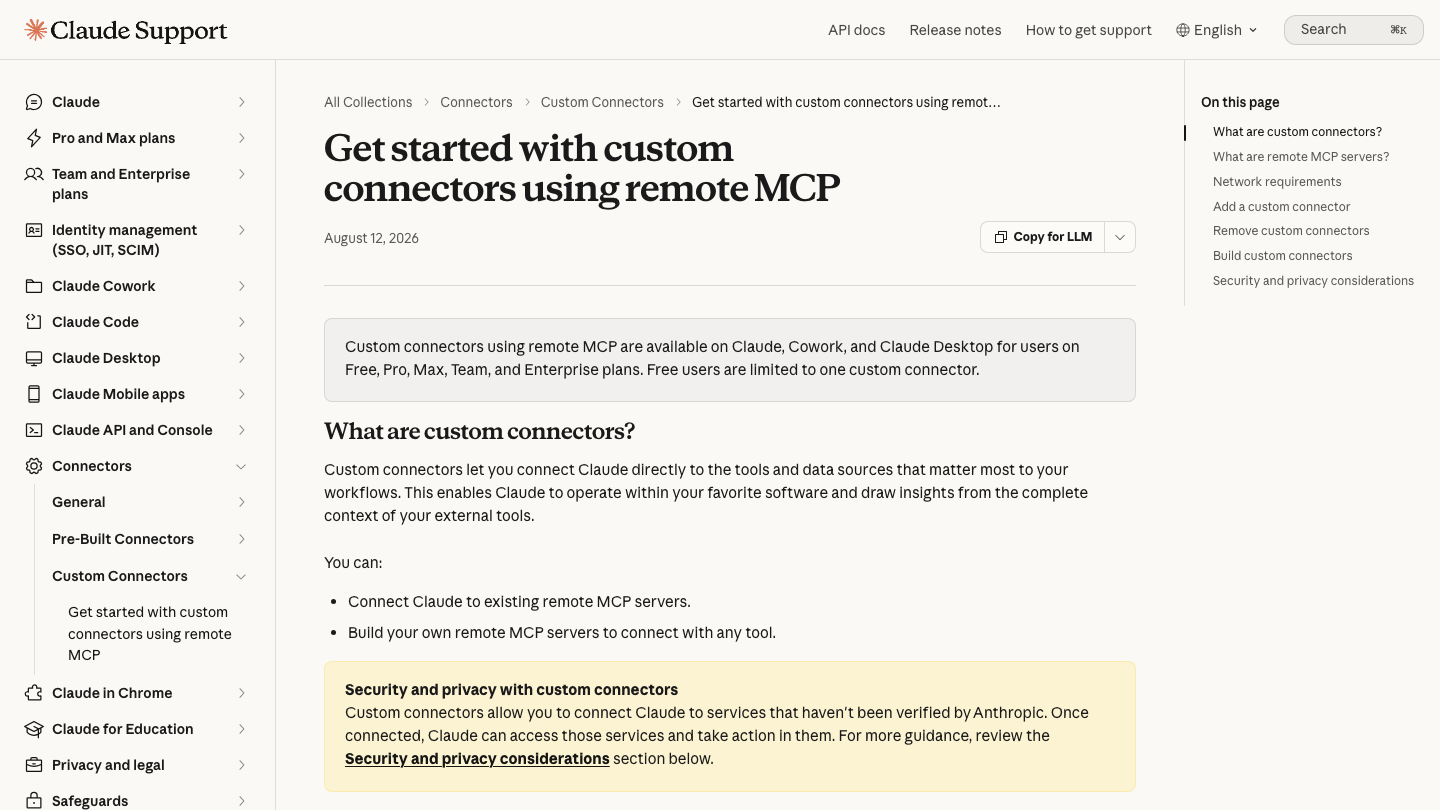
Plenty of SEO tools are already listed in Claude's directory, and our list of Claude connectors for SEO and content marketing covers the useful ones. Claude Code skips the menus entirely. Anthropic's Claude Code MCP docs call remote HTTP servers "the recommended option," added with claude mcp add --transport http <name> <url>. Local servers use claude mcp add <name> -- <command>. Claude Desktop now installs local servers as desktop extensions rather than hand-edited config files, a change Anthropic's help article marked as updated on the day we checked.
Research starts in Search Console
The most common SEO routine we found on Reddit this summer was a weekly Search Console pass. People connect their data and ask Claude where they're being seen but not clicked. The usual follow-ups are pages whose position rose while clicks fell, two pages competing for one query and questions with no page that answers them. One founder who runs it every week said it turns up 10 to 15 concrete fixes each time.
If we could ask only one of those each week, it would be the first. A page Google already shows but nobody clicks usually needs a better title and opening, and that's a ten-minute fix compared with writing a new article.
Google hasn't shipped a Search Console MCP server. The community fills the gap with mcp-gsc, which had about 1,700 GitHub stars when we checked, runs locally and needs your own Google Cloud OAuth client. That setup is fiddly, so it works best in Claude Code or Desktop rather than as a web connector.
For keyword and competitor data, Ahrefs and Semrush both list official connectors in Claude's directory, and both need a paid plan; Ahrefs starts at $129 a month on Lite. Our roundup of SEO MCP servers compares them in detail, and our plain guide to what an SEO MCP server is covers the basics.
We'd still start with Search Console, for a reason the same founder explained after Reddit commenters accused them of faking their numbers. Ahrefs tracked about 50 keywords for their site, while Search Console showed that the top 1,000 queries made up only 4% of impressions. Nearly all the traffic came from long-tail searches too new for any tool's database.
See your first AI citation report in under 5 minutes.
No setup calls. No onboarding meetings. Connect your domain and see where AI mentions your brand right now.

Writing is the easy part, which is the problem
Claude writes a clean draft in about a minute, which makes it tempting to publish the draft as it is. The consensus in an r/DoSEO thread on writing SEO articles with Claude was that unedited output is "fairly average," the same thing every competitor's prompt produces. The articles that ranked were treated as first drafts and then rewritten with the author's own examples and opinions.
It helps to give Claude your Search Console research in the same conversation, so the draft answers the queries you found rather than the ones it guesses. The dull parts still need a human check. The same founder found 12 pages sitting at positions 6 to 9 with click-through rates under half a percent, because the title tag, the H1 and the social title all said different things and Google rewrote the result. Making them match took one page from 0.16% to 1.04%.
Publishing needs a pause before anything goes live
Publishing from a chat window saves real time, and it's also where the worst mistakes we read about happened. WordPress.com and Webflow both have official MCP servers that create and edit posts, and our guide to publishing to Webflow from Claude walks through both routes for one CMS.
In each of those stories the agent acted without a pause. The same founder asked Claude to update 14 strong articles and got back "all 14 articles updated," but three of the best had been cut to stubs of a few hundred words, live on the site. They also published around 100 pages in one batch and watched daily impressions fall by half while Google re-evaluated the site.
Those are one person's self-reported numbers, and commenters questioned some of them. The failure modes still match what Anthropic's own docs warn about.
We'd pick a server with a confirm step and publish a few pages at a time. RankControl's publish tool is a dry run by default: it shows you what would go live and waits for you to confirm. Planning works the same way, since its planning tool proposes titles and nothing is scheduled until you approve them.
Tracking what AI engines say about you
Search Console covers Google, including impressions from AI Overviews and AI Mode. It can't tell you whether ChatGPT or Perplexity cited you, and neither can Claude, because it has no view of another model's answers. For that, something has to ask each engine the same questions on a schedule and keep the answers.
RankControl's AI visibility tracking checks 50 queries every week on six AI engines, including Claude, Grok and Google AI Mode, and the MCP server brings that history into the conversation. Asking "what changed in our citations this week?" returns the actual citation checks and the visibility trend for the queries you track.
Where RankControl's MCP server fits
We built it for the part of the loop that comes after research, so it doesn't try to be a keyword database or a crawler, and it sits next to Search Console or Ahrefs rather than replacing them. The hosted version is https://api.rctrl.com/mcp, pasted into Claude's connectors like any other. Claude Code, Claude Desktop, Cursor and Codex can run it locally with npx rankcontrol mcp instead. There are more than 80 tools, and they come with the $400-a-month plan rather than as an add-on.

| Tool | What it does |
|---|---|
get_visibility_score | Your overall AI visibility number right now |
get_planning_capacity | How many content slots are left this month |
plan_content | Proposes article titles; nothing gets scheduled |
commit_planned_titles | Approves reviewed titles onto the calendar |
publish_content | Dry run by default; confirm to go live |
list_citations | Recent checks per AI engine, cited or not |
The same workspace runs whether you use Claude or the dashboard, so the content engine keeps writing and publishing on schedule even on weeks nobody opens a chat. More detail is on the MCP page.
Your competitors are building backlinks while you read this.
Organic outreach, social mentions, and link exchanges, with managed backlinks available as an add-on. Grow your domain authority without running the campaign yourself.

Before you connect anything
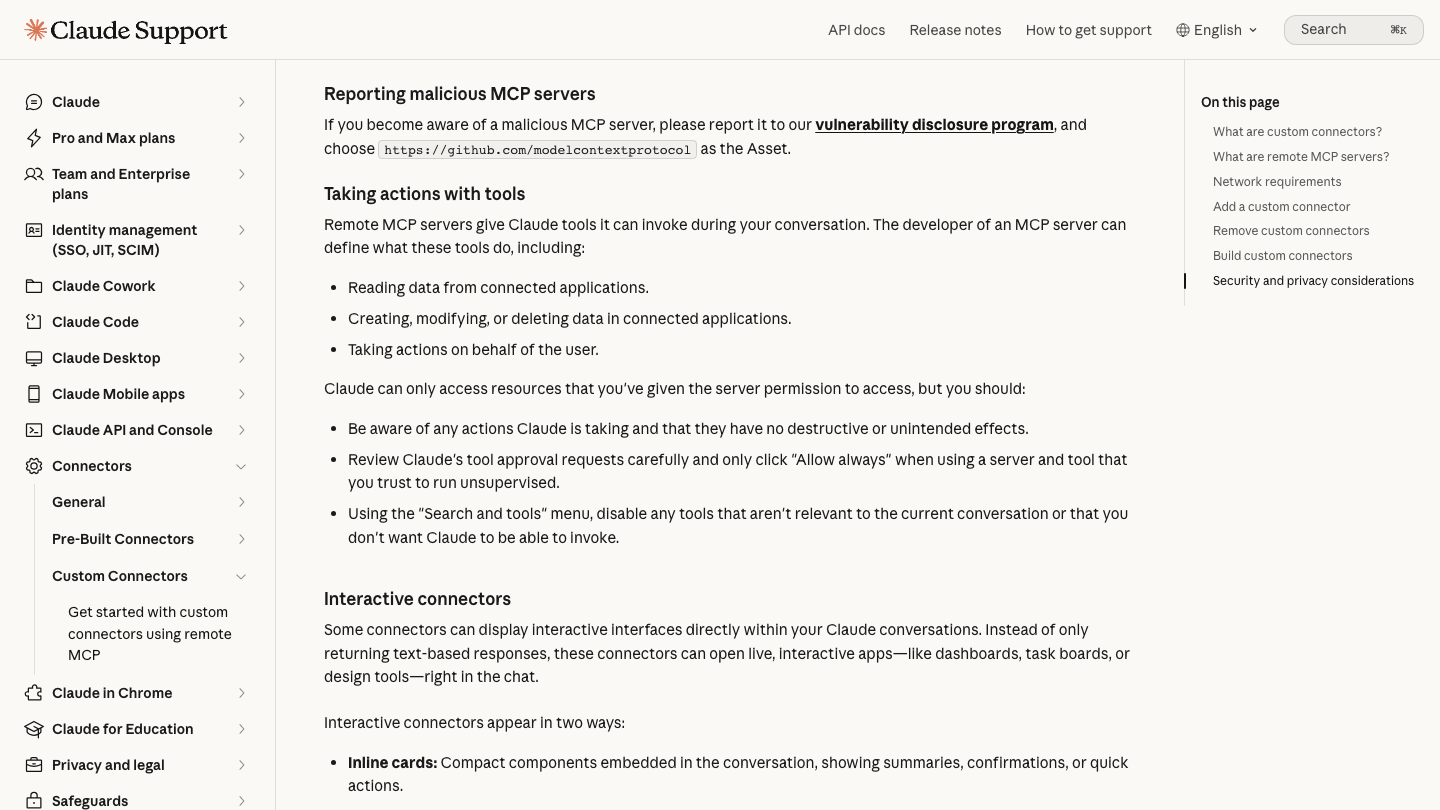
Anthropic's help center puts the main rule plainly: "only click 'Allow always' when using a server and tool that you trust to run unsupervised." It also warns that a malicious server can hide instructions in what it returns, so connect only servers you trust.
Skills deserve the same care. In July, someone on r/ClaudeAI read through the instruction file of a popular open-source Claude Code SEO skill, one with about 11,500 GitHub stars, and found a line telling the agent to add a promotional footer after 15 different commands, with links to the maintainer's paid community. Their PSA got 276 upvotes. The top reply, with 99 of its own, asked whether people had been sending clients deliverables without reading them. Open a skill's instruction file and search it for links before you install it. Our review of generative engine optimization GitHub resources covers what's worth installing.
Our answer to the one-connector test
We'd make the choice based on what happens after the research. A marketer who writes and publishes their own posts gets the most from data, so Search Console goes in the slot, with Ahrefs or Semrush on top for anyone already paying for one. Claude's built-in web search handles most of the competitor reading without a connector at all.
A team whose research already outruns its writing has the opposite problem. For them the slot should go to a server that acts, with a confirm step before anything goes live. That's the case we built RankControl's server for, since one connector covers planning, publishing and the citation history from six engines.
A weekly Claude SEO routine that fits in an hour
On Monday, spend 15 minutes asking Claude for the week's Search Console gaps. Pick the best three and turn them into briefs in the same chat, which takes about ten more. The drafts need the most time, around 20 minutes to add your own examples and make each title tag match its H1. Publishing a few pages through a server with a confirm step takes five, and the last ten go to checking which AI engines cited you this week.
Once the servers are connected, that's about an hour, and the writing is the part that stretches when the week gets busy. Every step works in Claude alone. RankControl can also run the plan, write, publish and track loop for you every month, while Claude stays the place where you ask questions and approve what goes live.

You're getting AI traffic. But do you know where it comes from?
RankControl credits every visit to the assistant that sent it: ChatGPT, Perplexity, Claude, Gemini, Copilot, or Grok. Full source attribution, next to your Google traffic.