
You've been told to "look into GEO," or you've seen the term in three LinkedIn posts this week and aren't sure what it asks of you. Search for a beginner's guide and most of what comes back is a vendor explaining why GEO is complicated enough to need their product.
It isn't that complicated to start. This guide covers what generative engine optimization is in plain terms, then lays out a ten-working-day plan that ends with one concrete thing to show for it: a one-page baseline of where you stand in AI answers today.
What GEO is, in plain terms
Generative engine optimization is the work of getting your brand named and your pages cited in the answers AI tools write, from ChatGPT and Perplexity to Google's AI Overviews. Most of these tools search the web before they answer, then cite some of the pages they read. GEO is about being one of those pages.
The term comes from a research paper. Pranjal Aggarwal and colleagues from Princeton, Georgia Tech, the Allen Institute for AI and IIT Delhi posted it in November 2023, and it was accepted to KDD 2024.
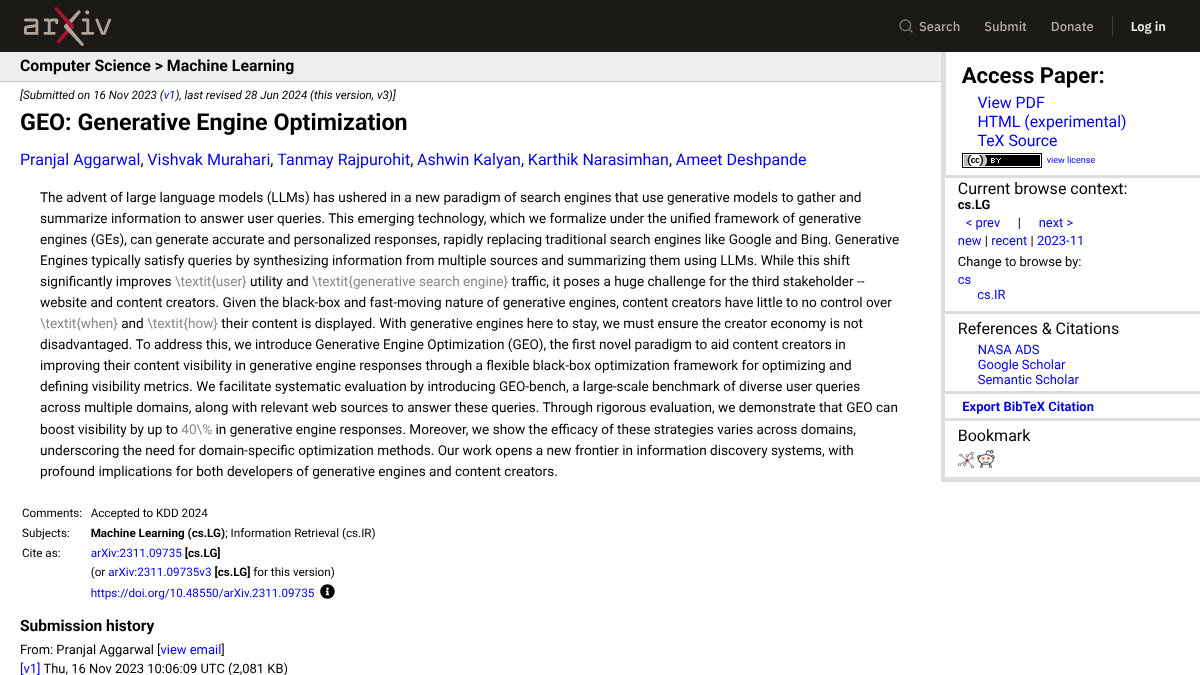
The paper's headline is that GEO "can boost visibility by up to 40% in generative engine responses." Beginners should know what that number measured, though. The team built its own answer engine for the test, not ChatGPT or Perplexity, and rewrote one source page at a time to see how much of the answer it earned. It's a useful research result, not a promise about the tools your buyers use.
If you've also run into AEO, LLM SEO and AIO, our guide to the terms explained sorts them out. They mostly describe the same work.
The good news for beginners is that GEO sits on top of ordinary SEO. Google says "there are no additional requirements to appear in AI Overviews or AI Mode, nor other special optimizations necessary." If your site is already crawlable and indexed, you're not starting from zero.
Your first ten working days
Here's the plan at a glance, then each step in more detail.
| Days | What you do | What you have at the end |
|---|---|---|
| 1 | Check that AI crawlers can read your site | A yes or no for each AI search crawler |
| 2 | Set up the free reports | Bing Webmaster Tools and Search Console connected |
| 3 and 4 | Write ten buyer questions | A list in the words buyers use |
| 5 to 7 | Ask each question in three AI tools | A simple log of who was named and cited |
| 8 and 9 | Read the results | Your gaps and your load-bearing pages |
| 10 | Write the baseline brief | One page you can share |
Day 1: make sure AI can read your site
This is the one hard requirement, so it comes first. OpenAI's crawler documentation says sites that opt out of its search crawler, OAI-SearchBot, "will not be shown in ChatGPT search answers." Open your robots.txt file at yoursite.com/robots.txt. Look for any rule that blocks the search crawlers by name (OAI-SearchBot, Claude-SearchBot, PerplexityBot and Bingbot) and for any rule that blocks all bots.
It's a more common mistake than you'd think. In our September 2026 check of the top 1,000 websites, 12.3% of those with a readable robots.txt blocked OpenAI's training crawler GPTBot by name. Another 4.3% blocked it with a rule covering every bot. Blocking the training crawler is a legitimate choice. Blocking the search crawlers by accident isn't. If your site sits behind a firewall or CDN with bot protection, ask whoever manages it whether AI crawlers are allowed there too.
Day 2: set up the free reports
Two free reports show some AI data without any tools. Verify your site in Bing Webmaster Tools and submit your sitemap. Its AI Performance report, launched February 10, 2026, counts how often your pages are cited in Microsoft Copilot and Bing's AI summaries.
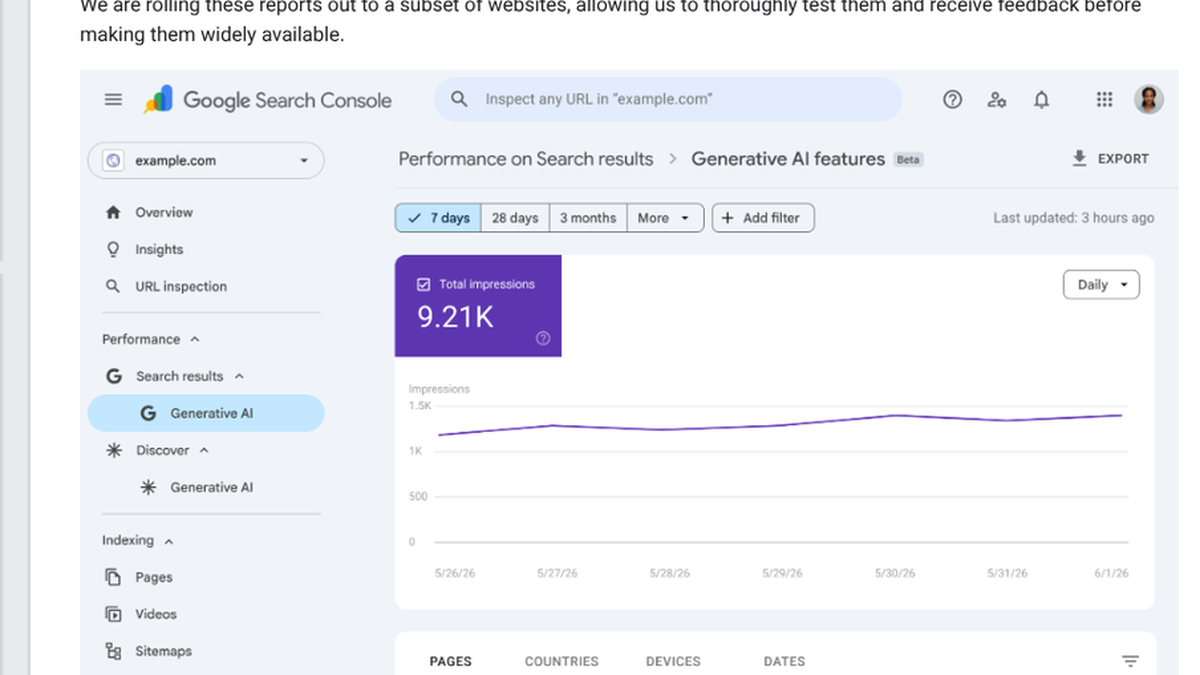
Then open Google Search Console's generative AI performance report, which Google rolled out to all websites as of August 31, 2026. It shows impressions from Google's AI features by page. It counts appearances, not whether you were named or recommended, so treat it as a trend line.
We'll show you exactly where your brand stands in AI search.
No commitment. $0 due today, cancel anytime. See how ChatGPT, Perplexity, Claude, Gemini, Grok, Google AI Mode, and Google AI Overviews talk about your brand today.
Days 3 and 4: write ten buyer questions
Ten is enough for a first pass. Write them the way a buyer would type them, not the way your marketing team talks. The best sources are sales call notes, support tickets and the questions prospects email you.
Mix three kinds:
- Four "best tool for my situation" questions, like "best invoicing software for a five-person agency"
- Three comparison or requirement questions, like "invoicing tools that integrate with QuickBooks under $30 a month"
- Three questions about your own product, like "does [your product] support recurring invoices"
Skip broad definitions like "what is invoicing software" for now. AI tools often answer those from memory without searching, which means no page gets cited. In our 90-day check of new SaaS blog posts, ChatGPT answered 6 of 10 target questions, mostly definitions, without any web search.
Days 5 to 7: ask each question in three AI tools
Ask every question in ChatGPT with search on, in Perplexity, and in Google, noting whether an AI Overview appears. Use a logged-out or fresh session so your own history doesn't color the answer. For each answer, write down four things: whether your brand was named, whether your site was cited, which of your pages was cited, and who was named first.
Ask your three most important questions twice more. Answers change between runs more than beginners expect. When we asked OpenAI's model for the best webinar platform for SaaS product demos five times, it picked one tool twice and a different one three times. Our guide to checking ChatGPT citations goes deeper on reading the Sources panel.
Days 8 and 9: read what you found
Two patterns usually jump out. The first is which kind of page each engine likes. When we asked 12 software buyer questions, ChatGPT's search cited 94 pages and only one was a roundup, while Perplexity leaned on best-of lists for most of its 130 sources. So your ChatGPT gaps usually mean a missing pricing, help or comparison page on your own site, and your Perplexity gaps usually mean missing coverage on other people's lists.
The second is your load-bearing pages: the pages of yours that get cited again and again. They're often not the ones you'd guess. A help article can do more work than your homepage, which makes it the first page to keep accurate.
Day 10: write the baseline brief
Put it all on one page. We call it the baseline brief, and it's the deliverable that makes the ten days worth it:
- Crawler access: allowed or blocked, for each AI search crawler.
- The ten questions, with named, cited and first-named results for each tool.
- Your load-bearing pages.
- Your three biggest gaps: questions where a competitor was cited and you weren't.
- The three pages you'll create or fix next, one for each gap.
That brief is what you bring to your manager, and it's the baseline every later check gets compared against.
Know exactly what AI says about your competitors.
RankControl's Recon Agent monitors competitor citations across ChatGPT, Perplexity, Claude, Gemini, Grok, Google AI Mode, and Google AI Overviews. See where they show up and you don't.

What to ignore in your first month
Beginners get pulled toward a few things that can wait.
Don't buy a GEO or AI visibility tool before you have a manual baseline. Without one, you can't tell whether the tool's numbers match reality or what they mean for you.
Don't hire a GEO agency in week one either. After ten days you'll know what you'd be paying for.
Don't create an llms.txt file because a checklist told you to. Google's guidance says you don't need "new machine readable files, AI text files, markup, or Markdown" to appear in its AI features, and no major AI search engine documents reading llms.txt. Our explainer on what an llms.txt file is covers when it does help.
And don't rewrite your whole site. Fix or create the three pages from your brief, then check whether they start getting cited.
People asking where to start on Reddit get the same advice. In an r/DigitalMarketing thread from someone returning to marketing after most of 2026 away, the most useful reply said to start with SEO fundamentals, learn how AI search retrieves and cites content, and skip the "secret hacks" content. In an r/PublicRelations thread, one practitioner described GEO as reverse-engineering a black box: ask the AI a question, look at the sources it cites and work from there.
How to tell if it's working
Rerun the same ten questions once a month, three times each for the important ones, and compare with your brief. You're looking for three things: new citations of your pages, especially the ones you fixed, your brand named on questions where it wasn't before, and your load-bearing pages staying cited.
Give it time. In the 90-day check, Perplexity picked up most new posts within one to three months and Google's AI Overviews cited a few. ChatGPT cited none of them, because it mostly cites pages for questions that make it search, like pricing and specific products. When you're ready to go further, our master guide to getting cited by AI search engines maps every engine in one place.
Doing it yourself or handing it off
The ten days above take about ten to fifteen hours, and the monthly check after that takes two or three. That's very doable by hand while you learn.
Or RankControl can take over the checking once you know what you're looking for. Our AI visibility tracking runs up to 50 buyer questions every week across seven AI engines, marks each answer as mentioned, cited or both, and records every source it used. Our content engine writes and publishes the pages your brief points to, each one written against the pages already ranking for its keyword.
26 content formats. Published on your domain. Matched to your brand.
Guides, comparisons, listicles, case studies, and more. RankControl generates content that gets cited by ChatGPT, Perplexity, Claude, Gemini, Grok, Google AI Mode, and Google AI Overviews.