
Most agencies sell content strategy as a deliverable. What actually keeps clients is the process behind it, the same steps every month, on the same days, with no surprises.
This guide lays out that process, from the inputs you collect on day one to the report you send at month end. It's built to run per client and repeat. Benchmarks come from AgencyAnalytics' 2026 survey of 494 agency professionals.
Why the process matters more than the plan
Clients rarely leave over one weak article. They leave over silence, missed dates and reports that don't connect to their business.
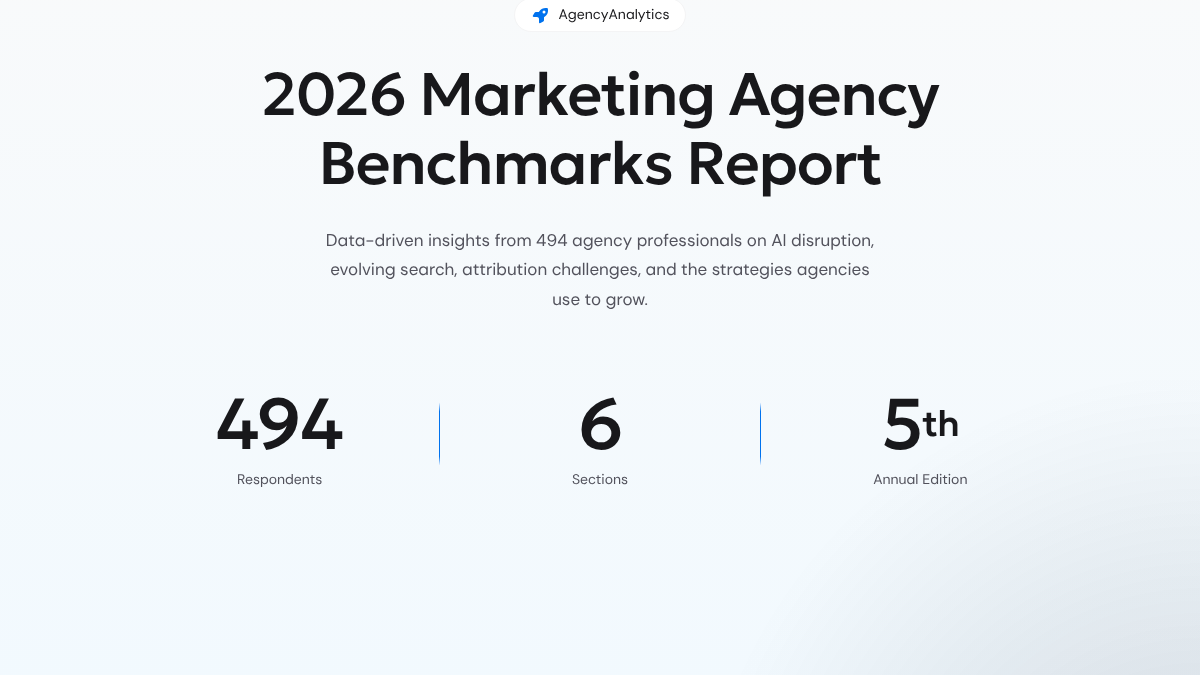
AgencyAnalytics' survey, fielded February to April 2026, found 80% of agencies named strong relationships as a top reason clients stay, and 69% cited effective communication. Campaign performance came in at 39%. In the same survey, 76% rated accurate reporting as "extremely important" for retention, up from 70% in 2025.
AgencyAnalytics sells client reporting software, so it has a stake in reporting looking important. Still, the pattern fits what most account leads see. A steady rhythm builds trust faster than any single result.
What agencies actually publish about their process
On October 19, 2026, we checked the public service and pricing pages of ten content agencies and content services. Seven loaded.
| Type | Pages checked | Itemized monthly deliverables |
|---|---|---|
| Full-service content agencies | 5 | None. All route to a custom quote or call |
| Content-as-a-service platforms | 2 | Partly. Word counts, edits and turnaround only |
None of the seven listed a strategy call, an approval deadline or a reporting schedule as a standard item. One agency's page said outright that it doesn't charge by the blog post.
That's fair for custom work. But it means there's no shared standard for what a month of content work looks like. Clients feel that gap. A written process closes it.
Month zero: onboarding inputs
Collect these once, before the first month starts. Everything later depends on them.
| Input | Why you need it |
|---|---|
| Products, services and prices | Articles need real facts, not guesses |
| Ideal customer and buyer roles | Decides who each article is for |
| Top sales and support questions | The best topics come straight from these |
| Competitors, by name | For comparison topics and gap checks |
| Search Console access | Shows what the site already ranks for |
| Analytics access | Ties content to leads and conversions |
| Brand voice examples | Three pieces the client loves, and one they hate |
| Approval contact and backup | One person who signs off, plus one more |
| Publishing access | So posts go live on schedule |
The approval contact matters more than it looks. Most stalled months trace back to an unclear sign-off.
Our guide to setting GEO and AEO expectations with clients covers what to promise at this stage.

Built by the team that got cited in 48 hours.
Content generation, backlink building, AI visibility tracking, and Google rankings. One platform, zero guesswork.
The monthly cycle
Here's the cycle, mapped to business days. Shift the dates to fit your team, but keep the order.
| Days | Step | Output |
|---|---|---|
| 1 to 2 | Review last month's data | Notes on what moved |
| 3 to 4 | Plan topics | Draft calendar |
| 5 | Send calendar for approval | Approval request with a deadline |
| 6 to 15 | Write and edit | Drafts |
| 10 to 18 | Client reviews drafts | Approved articles |
| 12 to 20 | Publish on schedule | Live posts |
| 19 to 20 | Build and send the report | Report and call |
Days 1 to 2: review last month
Start every month with the client's own data. In Search Console, look for queries with impressions but few clicks, pages sitting just off page one and new queries that appeared since last month.
Add what the client's sales and support teams heard. A question asked three times on sales calls is worth more than a keyword with big volume and no buyers. Our guide to organic keywords covers what Search Console shows and what it hides.
Days 3 to 4: plan topics
Mix three kinds of topics each month.
- New questions buyers are asking that the site doesn't answer yet.
- Near misses, pages ranking just off page one that need an update.
- Bottom-of-funnel pages, comparisons and pricing questions that lead to sales.
A good split for most clients is about half new questions, a quarter updates and a quarter bottom-of-funnel. Adjust once you see what converts.
Day 5: send the calendar with a deadline
Send the calendar with a clear date for feedback, usually three business days. Say what happens if feedback doesn't arrive.
We call this the approval clock. Every calendar and every draft gets a fixed number of days for client feedback. If the clock runs out, the piece slides to the next cycle and the next approved piece takes its slot. Nothing stalls, and nobody has to chase.
A thread on r/content_marketing about keeping a calendar steady landed on a similar idea. The poster ran a content calendar alone and kept losing weeks to urgent requests. The top replies suggested one buffer slot each cycle for urgent work, and letting a bumped piece slide a whole cycle instead of cramming it back in. One commenter wrote that the bumping isn't what costs you the week, the catching up is.
How do you keep a content calendar consistent when you're the only one running it?
I've been handling content solo for my company for about eight months now. I plan two weeks out, but something urgent from another department always bumps whatever I had scheduled, and catching back up eats the rest of the week. I've tried...
Days 6 to 15: write and edit
Set rules once and reuse them for every client.
- Two review rounds, then the piece is final.
- Facts come from the client. Prices, features and claims are checked against the onboarding sheet.
- Each article answers one question, with the answer near the top.
- Sources are cited, so claims can be checked.
Days 10 to 18: client review
Send drafts in batches, not one at a time. Each batch runs on the approval clock. Comments go in one place, so nobody has to ask which version is current.
Days 12 to 20: publish
Publish on a steady schedule rather than all at once at month end. Steady output is easier to track, and it shows the client work happening through the month.
See your first AI citation report in under 5 minutes.
No setup calls. No onboarding meetings. Connect your domain and see where AI mentions your brand right now.

The month-end report
Clients want outcomes. The AgencyAnalytics survey found conversions were the metric clients cared about most, at 44%, followed by leads at 22%, ROI at 12% and revenue at 11%. Only 6% named traffic.
The questions clients asked most were telling. According to the survey, 55% of agencies heard "Can you connect marketing performance to revenue?" and 52% heard "How is AI used in our campaigns?"
| Section | What goes in it |
|---|---|
| Outcomes | Leads or conversions from content, compared with last month |
| Visibility | Clicks, impressions and new queries from Search Console |
| AI search | Whether the client is named or cited for a fixed set of buyer questions |
| Work done | Articles published and updated, with links |
| Next month | The approved calendar and any decisions needed |
Keep the report short and walk through it on a call. In the survey, one-to-one meetings or calls tied with static reports as the delivery format clients preferred most, at 35% each. Live dashboards followed at 27%.
Monthly is the default. According to the survey, 69% of agencies report monthly, up from 65% the year before. Our guide to measuring SEO ROI covers tying content to revenue.
Adding AI search to the report
Clients are asking about it. AgencyAnalytics reported that 66% of agencies said clients wanted AEO and SEO for AI-driven search, making it the top new service request for 2026.
Keep the AI section simple. Pick a fixed list of buyer questions with the client during onboarding. Each month, report whether the client is named or cited in the answers, and which competitors are. Change the list only at the start of a quarter, so month-to-month changes mean something.
Be careful with promises here. AI citations move slowly and depend heavily on mentions from other sites. Our guide for agency owners starting with AI search visibility covers how to scope that service.
Mistakes that break the cycle
- No single approver. Two people giving conflicting notes stalls every month.
- Planning from keyword tools alone. The client's own data and sales questions are better sources.
- Publishing in one batch at month end. It looks rushed and is harder to track.
- Reporting traffic first. Clients care about leads and revenue.
- Changing the AI question list every month. You lose the ability to show a trend.
For pricing and staffing the work, our guide to content marketing for agencies covers the business side, and our AI content strategy guide covers how to split the work between people and AI.
Doing it yourself or handing it off
The process above is mostly coordination. The heaviest part is the middle of the month, writing and publishing enough articles for every client on time.
RankControl handles that part for each client site. Each site gets its own workspace, where we find the questions that client's buyers search, write articles from the client's brand facts and publish them to the client's site after approval. Our AI visibility tracking checks up to 50 buyer questions every week across seven AI engines, which gives you the AI section of the report. Expect traffic from Google first, with AI citations following more slowly as links and mentions build up.
Your competitors are building backlinks while you read this.
Organic outreach, social mentions, and citations from Editorial Circle member sites, with managed backlinks available as an add-on. Grow your domain authority without running the campaign yourself.