In May, a marketer posted in r/DigitalMarketing about six weeks of tracking their brand in ChatGPT and Perplexity by hand. They had a Google Sheet with 47 prompts, ran each one through both engines every Monday, used Ctrl+F to find the brand name and logged the result. It took four hours a week, and the same prompt gave different answers on Tuesday and Thursday.
how do you actually track llm visibility without losing your mind
been manually tracking whether our brand shows up in chatgpt and perplexity responses for 6 weeks and i think ive aged 3 years got a google sheet with 47 prompts i run through each llm weekly, ctrl+f our name, log if we got mentioned. takes...
That's free AI citation tracking in its most honest form. It works, up to a point. This guide covers the free methods worth using and how to set each one up. Then it covers the limits you'll hit, with numbers from our own repeated runs. Sources were checked on September 27, 2026.
The free methods and what each one misses
Five free methods cover most of what you'd want to know. None covers everything:
| Free method | What it shows | What it misses |
|---|---|---|
| Asking the engines yourself | Which brands and pages each answer names or cites | Time, and answers vary between runs |
| Search Console's generative AI report | Impressions in AI Overviews and AI Mode, by page | Queries, clicks and the split between the two features |
| Bing Webmaster Tools' AI Performance report | Citations in Copilot and Bing's AI answers, with grounding queries | Every engine outside Microsoft's |
| AI referral segments in GA4 | Visits and conversions from AI answers | Every answer that doesn't produce a click |
| Server or CDN logs | Which pages AI crawlers fetch | Whether a fetch turned into a citation |
For a quick first look before setting any of this up, RankControl's free AI visibility check shows who ChatGPT cites for three questions from your market.
Checking the engines by hand
Manual checks are the only free method that shows what the answers actually say, including which competitors appear. They also need the most care.
Start with a fixed list of 20 to 50 questions your buyers ask, written the way a buyer would type them. Keep the wording identical from week to week. In a July r/SEO thread, a commenter who runs these checks automatically described a page cited for one phrasing of a query and absent when a single word was added.
Use a private window or a logged-out session, so saved memory and custom instructions don't shape the answers. Search from the same country each time, and note the date.
For each answer, log four things: whether your brand is named, whether one of your pages is cited, which competitors appear and which sources are linked. One row per answer keeps the sheet easy to compare later:
| Column | Example entry |
|---|---|
| Date and engine | September 26, ChatGPT |
| Question and run | Best help desk for a small team, run 2 |
| Brand named | Yes |
| Your page cited | No |
| Competitors named | Freshdesk, Zoho Desk |
| Sources linked | A G2 category page and two vendor blogs |
Our guide on how to check your AI visibility walks through a full check with a worked example. Our comparison of mention tracking and citation tracking explains why the first two columns move separately.
Then run each question more than once. A single run is the biggest weakness of manual tracking.
You're getting AI traffic. But do you know where it comes from?
RankControl credits every visit to the assistant that sent it: ChatGPT, Perplexity, Claude, Gemini, Copilot, or Grok. Full source attribution, next to your Google traffic.
How much noise a small sample carries
On September 26 we asked OpenAI's API five help desk buying questions three times each and counted how often each of 13 brands was named. With five questions, one answer moves a brand's mention rate by 20 points. On average, a single run's mention rate sat 8.9 points away from the three-run average, and one brand's moved by far more:
| Brand | Run 1 | Run 2 | Run 3 |
|---|---|---|---|
| Help Scout | 80% | 80% | 80% |
| Freshdesk | 80% | 100% | 100% |
| HubSpot | 80% | 20% | 80% |
| Crisp | 60% | 20% | 40% |
A manual check done once on the second day would have reported HubSpot's visibility collapsing. Engines added their own gap. Zendesk was named in 80% to 100% of OpenAI's answers across the three runs, and in 40% of Perplexity's.
We call the minimum sample you need before a change means something the sample floor. The math is standard sampling statistics. For a brand named in about half of all answers, here's roughly how far the rate can drift by chance alone:
| Answers per check | Typical chance swing in one check | Change between two checks needed before it's likely real |
|---|---|---|
| 10 | About 16 points | About 44 points |
| 25 | About 10 points | About 28 points |
| 50 | About 7 points | About 20 points |
| 100 | About 5 points | About 14 points |
| 200 | About 3.5 points | About 10 points |
The typical swing is one standard error. Comparing two checks adds the noise of both, so the right-hand column uses the usual 95% threshold for a difference between them. So 25 questions checked once on one engine can't reliably show a 15-point drop. Checking 25 questions twice on two engines gives you 100 answers, which is enough to confirm a change of about 14 points.
That's also why the r/DigitalMarketing poster's Tuesday and Thursday answers disagreed. Nothing was broken. They were seeing the noise that any small sample carries.
Using the free platform reports
Two search engines now report AI visibility for free, and both are worth setting up before you run a single manual check.
Bing Webmaster Tools launched its AI Performance report in February. It shows how often your pages are cited as sources in Copilot and Bing's AI summaries:
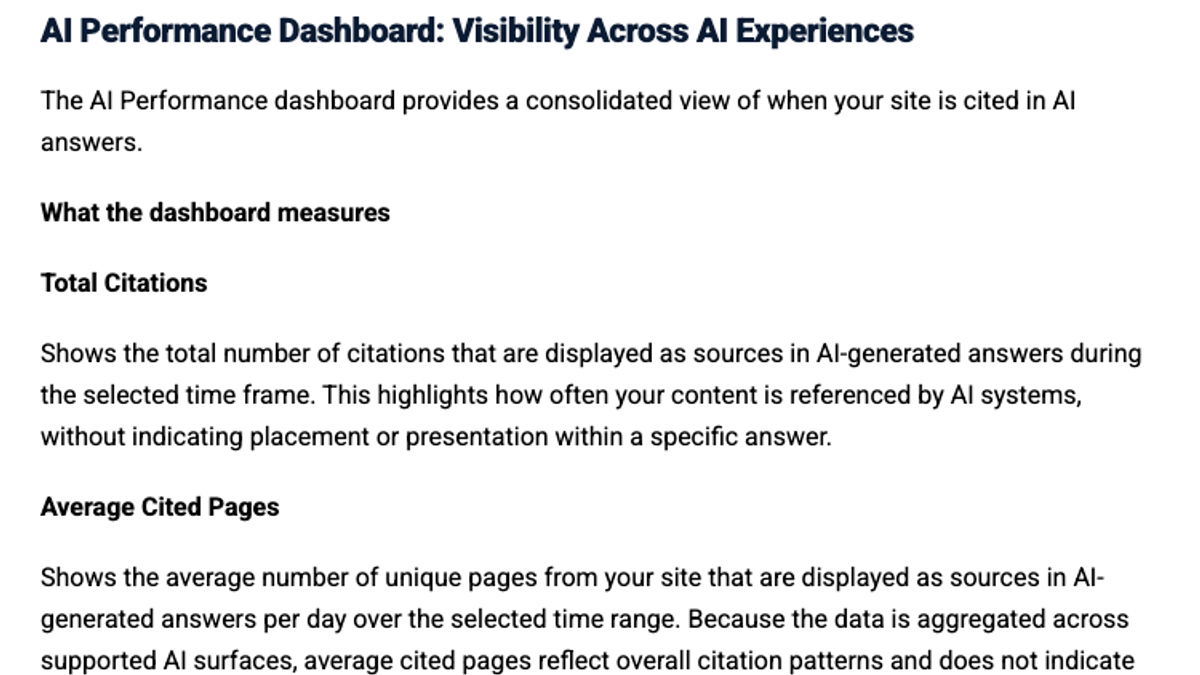
In June, Bing added intents, topics and citation share, which is your share of all citations for a given grounding query:
Big news from Bing. And you can compare changes over time. This is what @kmadhavan77 shared in April and now it's rolling out -> New AI Visibility Insights in Bing Webmaster Tools: Intents, Topics, Citation Share, Compare "AI-generated answers are dynamic, contextual, and often https://t.co/r3rU0acluY
 Glenn Gabe@glenngabeJun 16, 2026

Microsoft is clear that these numbers don't indicate ranking, and citation share doesn't show which competitors hold the rest. It's still the most direct free citation data a major engine offers.
Google Search Console's generative AI report reached all sites by August 31. It shows impressions from AI Overviews and AI Mode by page, country, device and date. It doesn't show the queries behind those impressions or any clicks, and it combines the two features. It's most useful for spotting which of your pages appear in Google's AI features at all, and whether that number is rising.
Add the two outcome sources. An AI referral segment in GA4 shows visits and conversions from AI answers, and our GA4 guide to AI referral tracking has the regex. Server or CDN logs show which pages AI crawlers fetch, which usually has to happen before a page can be cited. Our guide to tracking AI crawlers in server logs covers the setup.
We'll show you exactly where your brand stands in AI search.
No commitment. $0 due today, cancel anytime. See how ChatGPT, Perplexity, Claude, Gemini, Grok, Google AI Mode, and Google AI Overviews talk about your brand today.
Where free tracking runs out
Time is the first limit. The r/DigitalMarketing poster spent four hours a week on 47 prompts across two engines, before any analysis. Covering all seven major AI engines multiplies that work, and buyers don't all use the same one.
The competitive view is the second. Neither Search Console nor Bing shows who else gets cited for your questions, so manual checks are the only free way to see competitors, and they're the slowest method.
History is the third. Free reports keep limited history, and manual results live wherever you logged them. After a few months, a spreadsheet with one tab per week gets hard to compare. Decide the columns once and keep one row per answer.
Consistency is the last. Small changes in wording shift the answers, and so does being logged in. A manual process only works if every check runs the same way, which gets harder when the task rotates between people.
A free setup that holds up
If you're tracking for free, combine the methods so each covers another's gap:
| How often | What to do |
|---|---|
| Weekly | Check Bing's AI Performance report and Search Console's generative AI report |
| Monthly | Run 25 fixed questions twice each on two engines, for 100 answers |
| Monthly | Review AI referral visits in GA4 and AI crawler fetches in your logs |
| Quarterly | Review the question list, and add questions buyers have started asking |
Report totals across the whole question set and compare month to month. Our guide to an AI visibility dashboard shows how to lay those totals out for a monthly report.
Done by hand, checking 50 questions on seven engines takes about six hours a week, and publishing eight solid articles a month to close the gaps takes 16 to 24 hours more. Those are rough estimates.
RankControl's AI visibility tracking runs your 50 questions every week on seven engines, marks each one as mentioned, cited or both, and records which competitors and sources each engine used. The content engine writes each article against the pages already ranking for its keyword and publishes it on your own domain.
You can run everything in this guide with free reports and a spreadsheet. Or RankControl's agents can run the weekly checks while your team works on the questions where you're missing.
Know exactly what AI says about your competitors.
RankControl's Recon Agent monitors competitor citations across ChatGPT, Perplexity, Claude, Gemini, Grok, Google AI Mode, and Google AI Overviews. See where they show up and you don't.