
Most teams start tracking AI search the same way. Someone opens a spreadsheet, writes down ten questions their buyers might ask and pastes each one into ChatGPT. They note whether the company was mentioned, who else came up and which sites got cited. Then they do it again next week.
It's a good start. It's free, it's honest and you see the answers with your own eyes. The trouble starts when the list grows, the engines multiply and the answers keep changing every time you look.
This post compares doing AI search optimization in a spreadsheet with RankControl. It covers the real weekly hours, why AI answers vary so much, the places a spreadsheet log quietly breaks and what each approach does once you've found a gap.
Spreadsheet vs RankControl at a glance
| Spreadsheet | RankControl | |
|---|---|---|
| Price | Free, plus your time | $400/mo, or $4,000/yr |
| Questions | As many as you have time for | Up to 50 |
| Engines | Whichever you open | ChatGPT, Perplexity, Claude, Gemini, Grok, Google AI Mode, Google AI Overviews |
| Cadence | Whenever you get to it | Weekly |
| What's logged | Whatever you write down | Mentions, citations, competitors named and sources used |
| Alerts | None | Notification for each new citation |
| After the check | You decide what to do | Writes and publishes articles, drafts outreach |
| Weekly time | About 2 to 8 hours | Minutes to review |
The weekly hours, added up
Here's what one check takes when you do it by hand. Open a fresh chat, paste the question, read the answer, then log who was mentioned, whether your page was cited and which competitors and sources came up. Call it about a minute and a half per answer, if you're quick.
| Setup | Answers per week | Time per week |
|---|---|---|
| 10 questions, 2 engines | 20 | About 30 minutes |
| 20 questions, 4 engines | 80 | About 2 hours |
| 50 questions, 7 engines | 350 | About 8.75 hours |
| 50 questions, 7 engines, 3 runs each | 1,050 | About 26 hours |
We call this the spreadsheet tax. It starts small, and it grows with every question and engine you add. At the full 50 questions on seven engines, it's a full working day every week, before anyone does anything with the results.
The vendors who sell tracking tools say much the same, though they have a reason to. One AI visibility tool's guide calls manual checking "free but slow, taking hours each week." Another describes the typical manual setup as "ten to twenty prompts run by hand across two or three AI models once a month." When we looked at the top results for "manual ai visibility tracking" on October 19, 2026, two of the three we read framed it that way.
That last row in the table matters most, and it's the one most spreadsheets skip.
AI search traffic grew 835% this year. Is your content ready?
RankControl generates 26 content formats optimized for ChatGPT, Claude, and Perplexity. Published on your domain, matched to your brand.

Why one run per question isn't enough
AI answers aren't fixed. Ask the same question twice and you'll often get a different set of brands.
SparkToro's Rand Fishkin measured this in a study published January 28, 2026. "600 volunteers ran 12 different prompts through each of the 3 tools a combined 2,961 times," using ChatGPT, Claude and Google's AI Overviews. The finding was stark: "there's a <1 in 100 chance that ChatGPT or Google's AI, if asked 100X, will give you the same list of brands in any two responses."
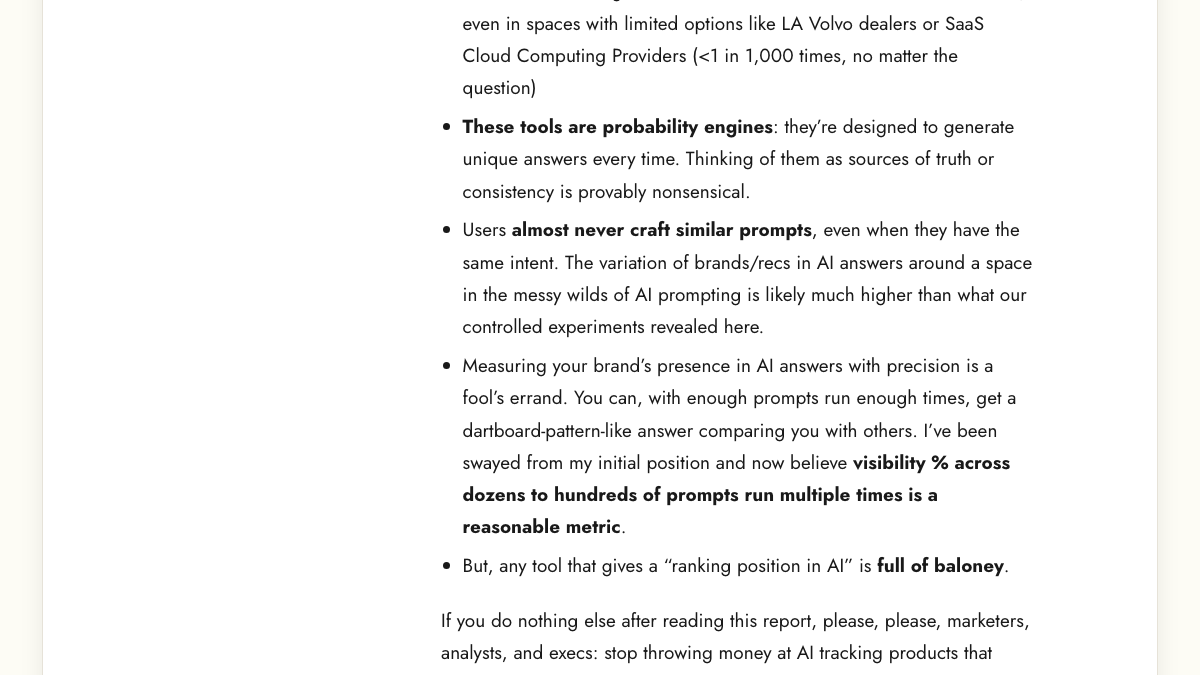
Getting the same brands in the same order was rarer still. Fishkin put that at "more like 1 in 1,000 runs."
So a spreadsheet with one run per question per week is logging a sample, not a fact. One week you're in the answer. The next week you're not, and nothing changed. Without several runs per question, it's hard to tell a real shift from noise. That's why the 22-hour row exists.
Where the spreadsheet quietly breaks
The variance above is just the starting point. The SparkToro study also points to a second problem, in a detail that's easy to miss.
The researchers didn't control for where people were or how they used the tools. In the study's own words, other than asking everyone to use the same model and prompt, "there was no request to...ensure that everyone was in the same country, or used their desktop vs. mobile device, had history turned on/off."
That means even the best-known variance number already has location, device and account history mixed in. A spreadsheet has the same issue, only worse. When you check from your own logged-in account, in your own city, on your own laptop, your answers reflect your history and your location. Your buyers' answers may not match.
Practitioners notice this. In a thread on r/aeo about how people track AI Overviews and LLM answers, one commenter said all the tools are ballpark. They described sitting next to a colleague, one on paid ChatGPT and one on free, running the same prompt and getting different citations because their histories and plans were different. Another commenter said even a simple spreadsheet where you log weekly results is better than nothing.
how are you tracking AI Overview, and LLM citations right now?
I'm trying to find a reliable ways to track brand mentions and citations across AI Overviews, ChatGPT, Perplexity and other AI search tools. are you using any dedicated tools, or are Semrush and SE Ranking enough? Also, are you tracking act...
Both points are fair. Here's where a spreadsheet log tends to slip.
- Your account shapes the answer. History, memory and plan type can change what you see.
- Your location shapes the answer. Local results and regional sources differ by city and country.
- The setup drifts. Different people check on different days, in different chats, with slightly different wording.
- Mentions and citations blur. Being named in the text and having your page linked as a source are different things, and they're easy to log in the same column. Our guide to mention tracking vs citation tracking explains why they move apart.
- Weeks get skipped. A missed week leaves a hole in the trend, and busy weeks are when it happens.
None of this makes a spreadsheet useless. It makes it a rough sketch.
Doing it by hand does have one real strength. You read every answer yourself, so you notice things a log never records, like a wrong price in ChatGPT's description of you, or a competitor being praised for something you also do. That's worth doing now and then, whatever else you use.
What RankControl tracks instead
RankControl's AI visibility tracking runs up to 50 buyer questions every week across seven engines: ChatGPT, Perplexity, Claude, Gemini, Grok, Google AI Mode and Google AI Overviews. It runs the same questions the same way each week, so the trend reflects the answers rather than who checked or when.
For each answer, it records whether you were mentioned, whether your page was cited, which competitors were named and which sources the engine used. A new citation sends you a notification. A lost one shows in the dashboard. The weekly check also adds your Google and Bing rankings, so AI answers and search positions sit side by side.
That's the tracking half. It replaces the hours in the table above with a few minutes of reading.
What happens after the check
This is the bigger difference. A spreadsheet tells you where you're missing. It doesn't do anything about it.
| After a gap shows up | Spreadsheet | RankControl |
|---|---|---|
| Plan the page | You decide | Title planned from the gap |
| Write it | You write it | Written against the pages already ranking, scored for how easily AI can quote it |
| Publish it | You publish it | Native post on your CMS, auto-publish off until you turn it on |
| Earn links | You find sites and write the emails | Prospects found for each article, outreach drafted from your mailbox |
| Check again | Next time you have an hour | Next weekly check |
A lot of manual tracking ends in a sheet full of gaps and no time left to close them. If the check takes a day a week, writing the articles it points to doesn't happen.
RankControl writes up to 100 pages a month and publishes each one as a native post on your site through WordPress, Webflow, Shopify, Ghost, Notion, Wix and others. Then it finds link prospects for each article and drafts personalized outreach from your own mailbox. Nothing publishes or sends without your approval.
RankControl doesn't promise citations. The articles earn traffic from Google and AI search first. Citations tend to follow more slowly, mostly as other sites link to and mention you.
What each one really costs
The spreadsheet is free in dollars. It isn't free in hours. Here's a rough comparison, using $50 an hour as the cost of someone's time.
| Setup | Hours a month | Cost of that time | RankControl |
|---|---|---|---|
| 20 questions, 4 engines, 1 run | About 9 | About $450 | $400, seven engines, plus articles and outreach |
| 50 questions, 7 engines, 1 run | About 38 | About $1,900 | $400 |
| 50 questions, 7 engines, 3 runs | About 114 | About $5,700 | $400 |
And that's tracking alone. Writing one article takes most people three hours or more, so eight articles a month adds another 24 hours or so to the spreadsheet column. Finding link prospects and writing outreach emails for those articles adds more on top, often a few hours per article.
Your own hourly cost may be higher or lower than $50. Swap in your number. The shape of the table stays the same.
A fair test before you decide
If you're not sure whether your spreadsheet is telling you the truth, test it. Pick ten questions from your sheet. Run each one five times, in fresh chats, logged out if the engine allows it, and count how often you're named. Then compare that with what your single weekly run has been saying.
If the two agree, your sheet is a decent sketch at that size. If one run said you were named and five runs say you show up once in five, the sheet has been reading noise. That's usually the moment the extra runs, and the hours that come with them, stop looking optional.

Built by the team that got cited in 48 hours.
Content generation, backlink building, AI visibility tracking, and Google rankings. One platform, zero guesswork.
Signs you've outgrown the spreadsheet
If you track five questions on two engines once a month, a spreadsheet is fine. You'll spend under an hour, and you'll learn how AI answers treat your category. Our guide to AI search visibility for one-person marketing teams has a starter kit for exactly that, and our 30-prompt audit gives you a ready-made list.
The signs you've outgrown it are clear enough.
- The weekly check takes more than an hour or two.
- You need more than two or three engines.
- You can't tell a real change from run-to-run noise.
- The sheet fills with gaps nobody has time to fix.
When two or more of those are true, the spreadsheet tax is costing more than the tool would.
RankControl vs a spreadsheet: which one?
For a first look at how AI engines treat your brand, start with a spreadsheet. It's free and you'll learn a lot.
For ongoing AI search optimization, the spreadsheet stops scaling. Fifty questions on seven engines is a working day a week, a single run per question is noise, and the log can't write the articles it points to. RankControl runs those checks every week, then writes and publishes the articles and drafts the outreach, all on one flat plan. For teams that want the work done after tracking, RankControl is the pick.
For more on reading the numbers either way, see our post on whether you can trust AI prompt volume data and our guide to monitoring AI citations and brand mentions.
See your first AI citation report in under 5 minutes.
No setup calls. No onboarding meetings. Connect your domain and see where AI mentions your brand right now.