Semrush's help center describes exactly three ways an article leaves ContentShake AI. You open the article, click Publish in the top-right corner, and choose WordPress, Google Docs or a read-only link. We looked for a fourth, some kind of export-everything button, and didn't find one.
That one door shapes this whole guide. If you want to switch from ContentShake AI without losing anything, the work is mostly patience: one article at a time, before you cancel, because Semrush doesn't say what happens to your Content Toolkit library afterward.
A note on the name first. ContentShake AI now lives inside Semrush Content Toolkit, and every old ContentShake address redirects there. Our RankControl vs ContentShake AI comparison covers what changed and how the two compare. Everything below was checked on Semrush's help center and legal pages on September 26, 2026.
Check your renewal date first
Before you export anything, open Semrush's Subscription Info page and note when Content Toolkit renews. If you're still on the 7-day trial, that date matters even more, because Semrush says a trial you don't cancel "will automatically convert to a paid subscription."
Everything in this guide has to fit before that date. Give yourself two working days of margin, since the cancellation needs an email you have to click and emails sometimes arrive late.
What you're actually moving
Start by splitting your library in two. Articles you already pushed to WordPress through Semrush's plugin are native posts on your site, and they stay exactly where they are when you cancel. You don't need to move them.
The rest lives only in Content Toolkit. Every article you generated shows up as a card on the Content Dashboard board, including drafts you never published, SEO briefs and repurposed social posts. That's the part at risk.
How to export your data from ContentShake AI
Semrush documents one route out, and it's the only one we found:
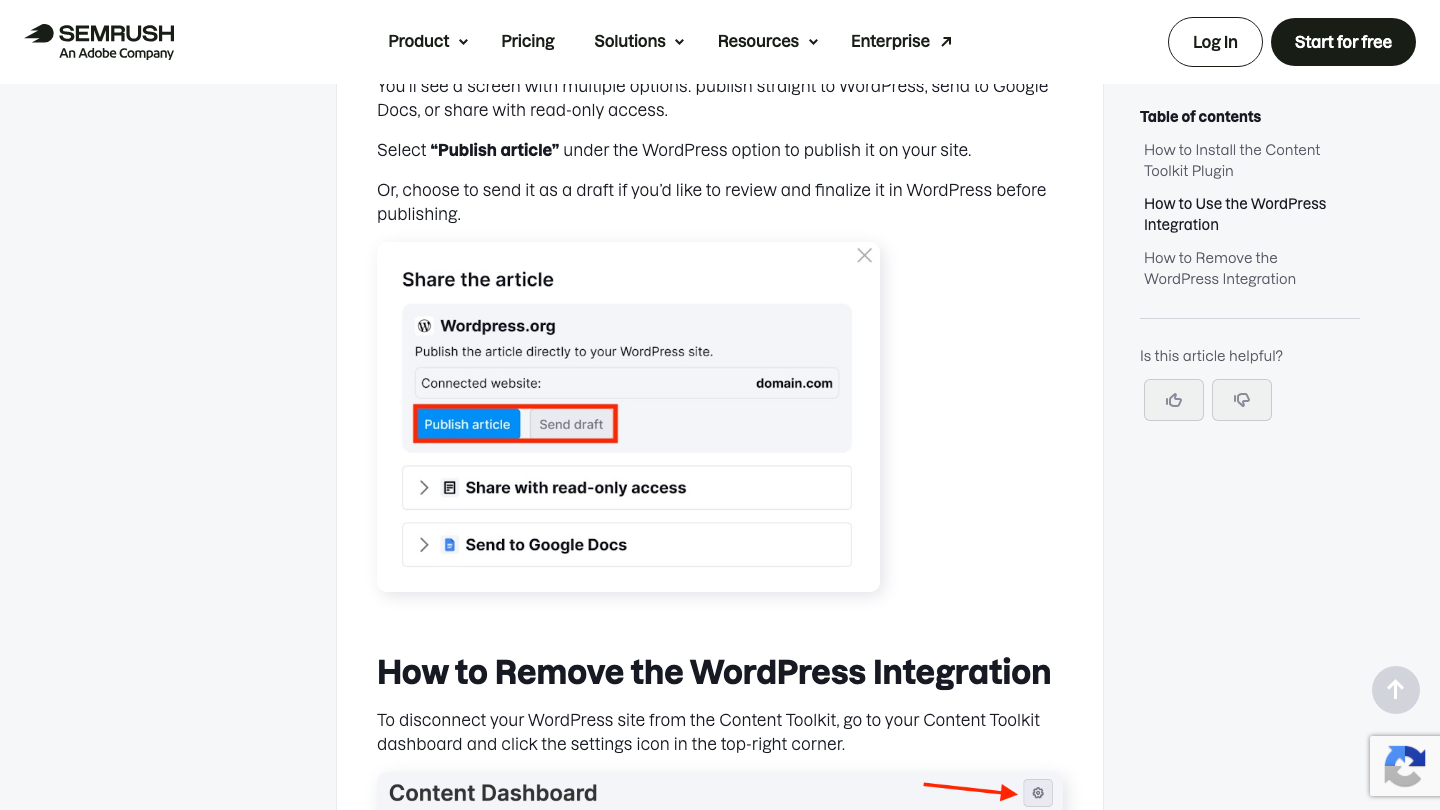
- Open the article card from the Content Dashboard.
- Click Publish in the top-right corner.
- Choose Send to Google Docs for anything you want to keep as a file.
- Repeat for every card.
We'd pick Google Docs over the read-only link. A shared link lives on Semrush's side and depends on an account you're about to downgrade, while a Google Doc is yours. If the article belongs on your site, send it to WordPress as a draft instead and finish it there.
Budget about two minutes per article. A library of 30 takes an hour, and it's worth doing in one sitting so nothing gets skipped. Semrush's help center doesn't mention any export for SEO briefs, so open each one you want and copy it into a document by hand.
Treat old drafts as notes, not posts
Most libraries have a pile of drafts that never went live, and it's tempting to republish them all on day one. We'd hold off. A draft generated months ago was written against the search results of that week, and prices, product names and the pages ranking for its keyword have probably moved since.
Read each exported draft before you decide. The ones with real substance, a customer example or a process only your team knows, are worth editing and publishing. The rest are better as source notes for new articles written against what ranks today, which is how RankControl writes every article anyway.
Save your brand voices another way
Content Toolkit builds a brand voice from a writing sample and keeps learning from your edits, with room for up to 50 voices. We found no way to export a voice in the help center.
The good news is that you still have what built it. Find the writing samples you uploaded, or the best articles written in each voice, and keep their URLs. RankControl takes up to three style reference articles, so your strongest ContentShake posts can carry your voice across.
How often does ChatGPT mention your brand?
Most founders have no idea. The answer might surprise you.

Cancel Content Toolkit, and only Content Toolkit
Semrush treats each toolkit as a standalone subscription, so you can cancel Content Toolkit without touching an SEO or AI Visibility plan on the same account. The process has two steps, and the second is the one people miss.
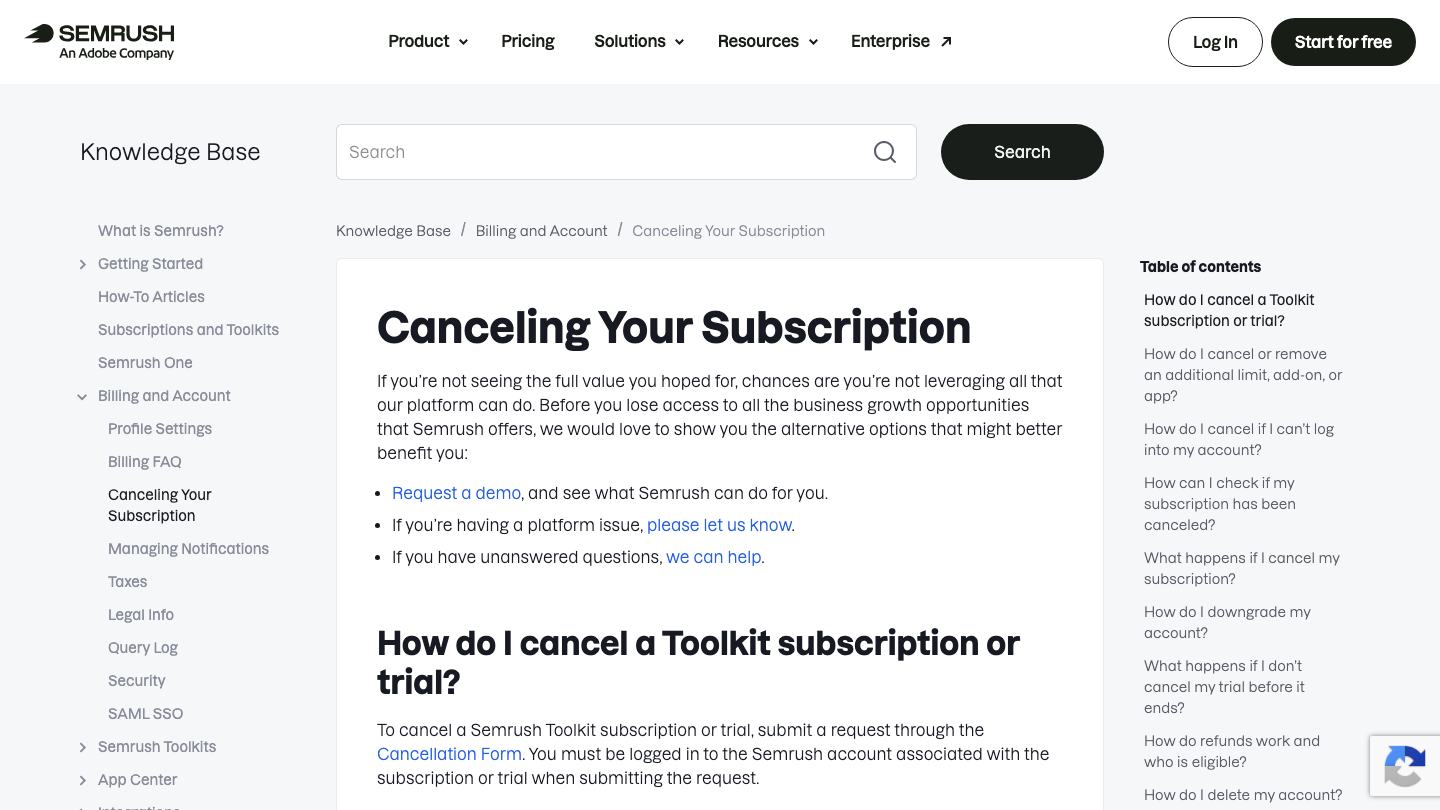
First, submit the Cancellation Form while logged in to the account that pays, and select Content Toolkit. Then open the confirmation email and click its link. It's valid for 24 hours, and Semrush's help center is blunt about the alternative: "If you do not confirm your cancellation within 24 hours, it will not be processed, and billing will continue."
Afterward, check the Subscription Info page. "Recurring: Inactive" means it worked. If the email hasn't arrived within the hour, contact Semrush support the same day rather than waiting.
That missing email is the most common complaint we found in Semrush billing threads this year. The highest-voted one, in r/SEO in August, came from an SEO specialist of eight years who started a trial to use Semrush for one day on a case study. By their count they were charged before the seven days were up, and the refund request was refused.
Semrush is a SCAM
tldr: Ranting and warning others on Semrush's SCAM and horrible customer service. Semrush is a scam. They make you sign up for a 7 day trial and charge you before the actual 7 DAYS are over. Then you cancel (within the 7 days) and they won'...
What the refund policy actually covers
Semrush's footer says "Try Semrush free for seven days. Cancel anytime." Both are true, and neither is a refund promise. The refund policy offers a one-time, 7-day money-back guarantee only on subscriptions with a commitment of 12 months or longer, or on a first add-on purchase.
Two exclusions catch Content Toolkit users. The policy says month-to-month subscriptions "are not eligible," and so are payments from a standalone product's trial that converts to paid. Content Toolkit is sold monthly at $60, so both apply.
Cancelling doesn't ask for a refund by itself, either. If you think you qualify, request it in writing within seven days; Semrush says it processes refunds within 30 calendar days of a written request. The practical move is to cancel a day or two before your renewal date, not after it.
What happens to your data
Once the cancellation goes through, Semrush says you keep access "on a free-level account." We couldn't find anything in the help center about what that means for Content Toolkit articles, briefs or brand voices. The retention rules it does publish cover a different product, the SEO toolkit's site monitoring.
So treat the renewal date as the last day you can reach your library. If you'd rather close the account entirely, Semrush's deletion request has its own confirmation link, valid for 72 hours, and the account is deleted within 30 days after that.
Where things land in RankControl
RankControl has no import tool, and most of what you exported becomes reference rather than something to load. Here's where each piece goes:
| From Content Toolkit | Into RankControl |
|---|---|
| Articles already on WordPress | Link targets for new articles, found by a sitemap scan |
| Google Docs exports | Your archive, and candidates to republish once you've edited them |
| Brand voice samples | Up to 3 style reference articles, plus guideline rules |
| Topic Finder and brief keywords | Tracked queries, up to 50, checked weekly on six AI engines |
| WordPress plugin | RankControl's WordPress plugin, or one of eight other destinations |
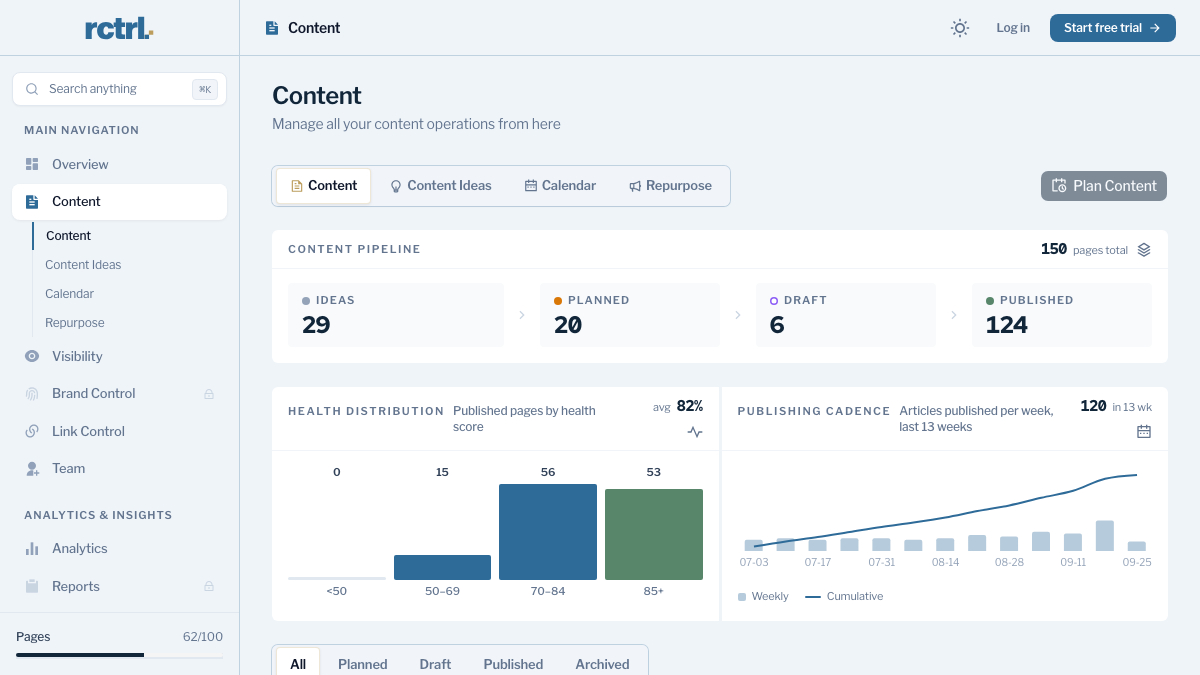
Brand Control reads your live site and drafts your voice, products, buyers and competitors, and you correct the draft against your saved samples. Then connect WordPress or another destination. Disconnect Semrush's plugin first, from the settings icon on the Content Dashboard under Integrations, so the two tools never push to the same site.
The keywords from your old briefs are worth a second look before you add them. AI visibility tracking works best on the full questions buyers type into ChatGPT, so rewrite "crm for dentists" as "What's the best CRM for a dental practice?" The content engine then plans articles from those questions, and auto-publish stays off until you turn it on.
15 hours a week manually. Or 15 minutes with RankControl.
Track citations, monitor competitors, and fix content gaps across every AI search engine. Automatically.

The switch from ContentShake AI, step by step
- Split your library into published posts and Content Toolkit-only cards: 15 minutes.
- Send every unpublished article to Google Docs, one at a time: about an hour for 30 articles.
- Copy SEO briefs and brand voice samples into documents: 20 minutes.
- Start RankControl and correct the brand draft, adding up to three style references: 45 minutes.
- Add tracked queries and competitors, disconnect Semrush's plugin and connect your CMS: 30 minutes.
- Cancel Content Toolkit through the form, click the email link within 24 hours, and check for "Recurring: Inactive": 10 minutes.
That's about three hours, and the cancellation takes the least time of any step. The order matters more than the speed, since exporting after the renewal date may mean paying another $60 for access to your own drafts.
You can keep doing this work by hand after the switch. Someone drafts each article, pastes it into the CMS, pitches it for links and checks ChatGPT every week to see if anything changed. Or RankControl can run that loop every month for $400, with a 7-day free trial, while your team spends its time on the parts only people can do.
AI search traffic grew 835% this year. Is your content ready?
RankControl generates 26 content formats optimized for ChatGPT, Claude, and Perplexity. Published on your domain, matched to your brand.