
Outrank writes about 30 articles a month for $99 and publishes them straight to your CMS, so a switch from Outrank is mostly clean. The posts are yours and they stay where they are. The part that needs care is what Outrank left inside those posts: links to other customers, a credit line on trial articles, and images that still load from its servers.
Outrank is Tibo Louis-Lucas's AI SEO autopilot, run by Outrank SAS in Paris and launched publicly in January 2025. It picks keywords, writes and publishes an article a day per site, rewrites older posts, and trades backlinks between customers through a credit-based exchange.
This guide covers what to pull out, what to clean up, how cancelling and refunds work, and where the work lands in RankControl. I read Outrank's pricing page, docs, API reference and terms on September 26, 2026.
Why teams look past Outrank
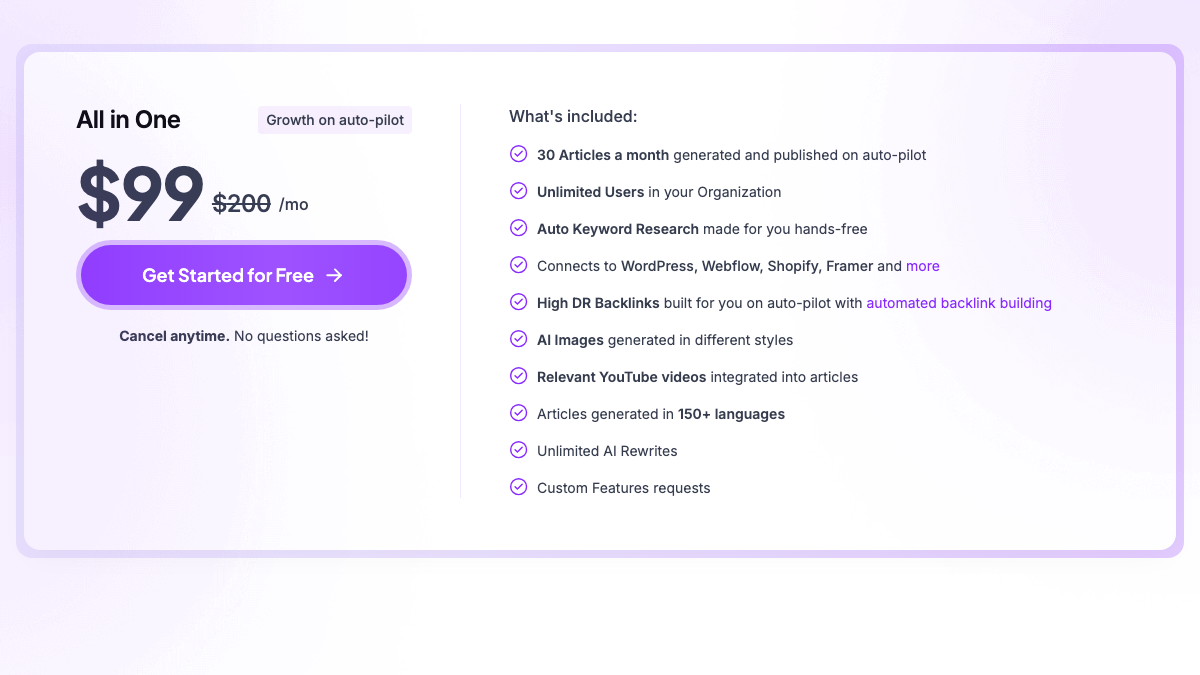
The plan is simple: $99 a month or $999 a year for 30 articles on one site, unlimited users and 150+ languages. Add-ons raise the output to 60 or 90 articles a month, and a human-edited service costs $1,399. What it doesn't include is AI search tracking. Its own FAQ tells you to keep whatever tracker you like to watch the citations arrive. If you're still choosing where to go, our list of Outrank alternatives compares seven options on price and tracking.
Volume without direction is the most common complaint. One founder posted in February that Outrank worked until it didn't: after a strong article, it ran out of ideas and published near-copies with the same topic, and Google stopped rewarding them. The same founder said later they still use the posts that performed.
Sadly had to part ways with @outrank_so - A simple case of 'it worked until it didn't' Major Google changes in December really hit this site hard in January. My understanding is it was simply too much volume over quality. i.e a blog called creative-brief was doing amazing but https://t.co/XlpbOjcrB4
 Alex 💪@awpthorpFeb 24, 2026
Another founder cancelled during the trial in March. Of the 30 article ideas Outrank planned, only six or seven were worth keeping, with duplicated titles and suggestions that didn't fit the product.
Cancelled @outrank_so during the trial. Based on the 30 blog ideas it generated for CursorClip, I do not get the hype. Only 6 or 7 ideas were worth keeping. The suggestions had duplicated titles, zero-volume suggestions, repetitive keyword metrics, and multiple ideas that were
 Shadab@ShadabshsMar 18, 2026
AI search traffic grew 835% this year. Is your content ready?
RankControl generates 26 content formats optimized for ChatGPT, Claude, and Perplexity. Published on your domain, matched to your brand.

What stays when you switch from Outrank
Outrank publishes native posts to the common CMSs, from WordPress and Webflow to Shopify and Framer. Those are ordinary posts on your site, with the internal links Outrank wrote into them, and nothing on Outrank's pages says they get removed when you cancel.
Two setups are different. The Next.js blog integration gives your site an API key that reads published articles from Outrank when the page renders, so those pages depend on Outrank being reachable. Free Tools are hosted on Outrank's servers under your subdomain or path, and its pricing copy offers hosting for $39 a month once you stop building new ones. Copy anything you want to keep from either before your plan ends.
Images are the quiet third case. Live posts from paying customers still load some in-article images from Outrank's image CDNs. Search your posts' HTML for "cdn.outrank.so" and "cdnimg.co", download those images and re-upload them to your own media library. Since version 1.0.7, Outrank's WordPress plugin downloads external images into your media library, so on WordPress the older posts are the ones to check.
The passenger links
Outrank's included backlink exchange works on credits. You earn them by letting Outrank place a link to another customer inside the articles it writes for you, and spend them on links to your site in other customers' articles. You switch it on once in the dashboard, and it can also add links to older posts when it improves them.
I call the links it placed in your posts the passenger links. They ride along in your articles after you leave, pointing at other Outrank customers, and Outrank doesn't give you a list of them. Its API lists the backlinks your site earned, but not the ones it placed on yours.
So crawl your own posts for outbound links and check each one. Keep the links that help a reader, and remove the rest. What happens to the links you received on other customers' sites after you cancel isn't documented, so note which ones matter to you while your account still works.
Trial articles carry one more link. Outrank's FAQ says trial articles include a watermark, and on live sites that's a line at the end of the article, such as "Article created using Outrank," linking to its homepage. Paid articles don't have it, but it stays in any trial post you published. Search your CMS for "outrank.so" and delete the line.
How to export your data from Outrank
Outrank doesn't document an export button in the dashboard. The documented routes are its REST API and a command-line tool. To get an API key, click your avatar and choose API Keys, which only organization admins can create.
| What | Where it lives | How to get it |
|---|---|---|
| Published articles | Your CMS | Already yours; run a normal CMS export |
| Article content | Outrank | API or CLI, as Markdown or HTML |
| Keyword list | Outrank | The keywords export in the API or CLI |
| Backlinks you earned | Outrank | The earned-backlinks list in the CLI |
| Links placed in your posts | Your posts | Crawl them yourself; no list is offered |
| Images on Outrank's CDN | Outrank's servers | Download and re-host |
A webhook can also send a copy of every article Outrank publishes to your own endpoint, with the Markdown, HTML and meta description. That only covers articles published after you set it up, so set it up early if you want it.
Freeze it before you cancel
Two features keep changing your site while the account is active. Article improvements can rewrite older posts and push the new versions to your CMS without review. The backlink exchange keeps placing links. Turn both off first, so your posts stop moving during the handover.
If you're on WordPress, update the Outrank plugin before you delete it. Its changelog for version 1.0.7 says the plugin no longer deletes your posts or media when you remove it, which suggests older versions did.
Cancel and refunds
Outrank's pricing card says "Cancel anytime. No questions asked!" Its site doesn't name a menu path for cancelling. The API documents a link to the Stripe billing portal, and [email protected] handles the rest.
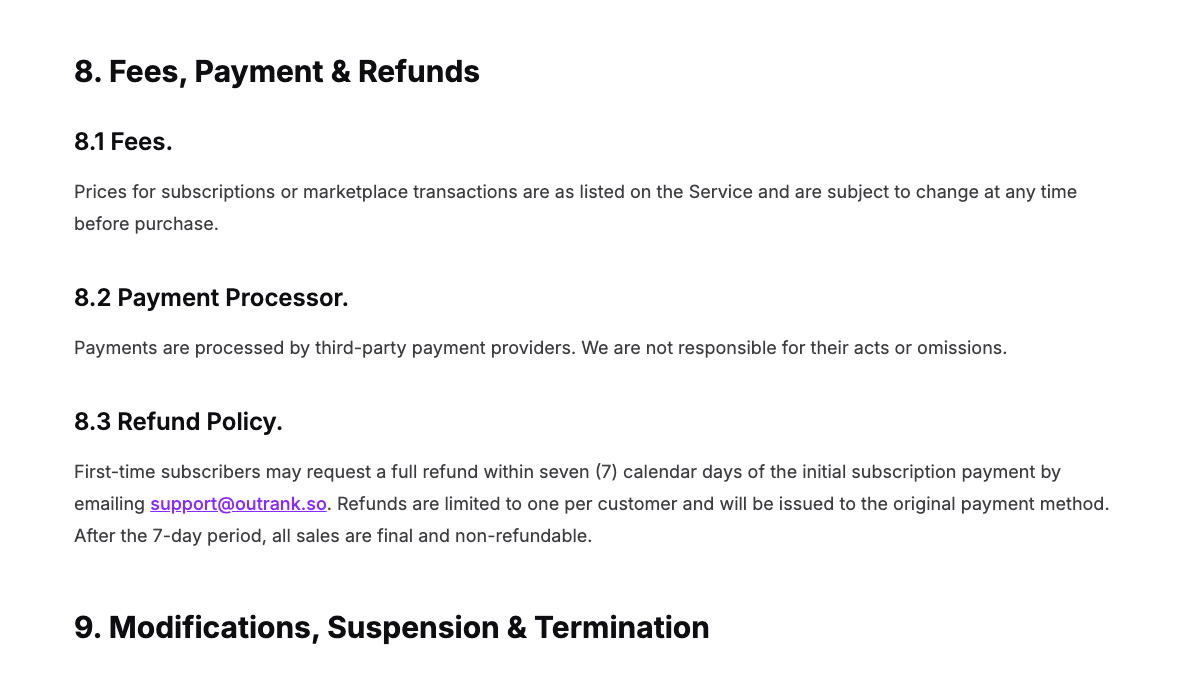
Refunds are narrower than that card suggests. Section 8.3 of the terms says first-time subscribers may request a full refund within seven days of the first payment by email, limited to one per customer, and that "after the 7-day period, all sales are final and non-refundable." The privacy policy doesn't state how long your data is kept after you leave.
Disconnect Outrank
Each integration connects a little differently. Delete the WordPress plugin after updating it, and revoke any application password or WordPress.com app connection. Revoke the site token in Webflow, delete Outrank's API key in Wix and Framer, and uninstall the custom app or Blog Publisher app in Shopify. In Ghost, delete the Outrank custom integration, and in Notion remove the connection.
If you connected Search Console, remove Outrank's access from your Google account too. For Free Tools on a subdomain, remove the DNS record or the Cloudflare route that points at Outrank.
Where things land in RankControl
RankControl has no import tool, so your Outrank material becomes the starting point while your posts stay put.
| From Outrank | Into RankControl |
|---|---|
| Published posts | Stay in your CMS as internal link targets |
| Keyword export | Reference while the planner builds your calendar |
| Your topics and products | Your brand profile in Brand Control |
| Backlinks you earned | A record to keep; new links come from outreach |
| No AI tracking | Up to 50 tracked questions, checked weekly on six engines |
The content engine plans titles from the questions you're losing and writes each article against the pages already ranking for it. It publishes native posts through one of nine destinations, and auto-publish stays off until you turn it on, so nothing goes live unread.
AI visibility tracking checks ChatGPT, Claude and four more engines every week and shows which sources each answer quoted. Link Control finds prospects for each article and sends the pitch from your own mailbox after you approve it, with follow-ups that stop when someone replies. Managed Backlinks adds five links a month from DR 25+ sites for $350.

Built by the team that got cited in 48 hours.
Content generation, backlink building, AI visibility tracking, and Google rankings. One platform, zero guesswork.
The switch from Outrank, step by step
- Turn off article improvements and the backlink exchange.
- Export keywords and article content through the API or CLI, and run a CMS export.
- Re-host any images that load from Outrank's CDN, and copy Next.js blog or Free Tools content.
- Search your posts for "outrank.so" and review the outbound links Outrank added.
- Start the RankControl trial, connect your CMS and add up to 50 tracked questions.
- Cancel Outrank, then remove its plugin, tokens and Search Console access.
The export is the quick part. The slower work is publishing pages that answer your buyers' questions and getting other sites to mention them. You can run that by hand after the switch, or RankControl's agents can run it every month for $400, with a 7-day free trial. Before you start, the free AI visibility check shows who ChatGPT cites for three questions from your market.
See your first AI citation report in under 5 minutes.
No setup calls. No onboarding meetings. Connect your domain and see where AI mentions your brand right now.