
We tried to read Brandwatch's instructions for exporting Consumer Research data while writing this guide, and couldn't. The help center for its flagship listening product opens only for logged-in customers, with a notice that its articles are "only available to logged-in Brandwatch Consumer Research users." The Social Media Management help center, on the other hand, is public and detailed. So this guide is exact where Brandwatch documents things in the open, and it tells you what to ask your account manager where it doesn't.
One more thing before the steps. Brandwatch does a lot that RankControl doesn't, starting with listening across the social web and running a social inbox. The reason to switch from Brandwatch to RankControl is narrower: you want the AI search part of your budget to produce pages and citations instead of another dashboard. If that's you, here's how to move without losing anything.
If you're still comparing the two, our RankControl vs Brandwatch breakdown covers features and pricing. Everything below was checked on Brandwatch's and Cision's own pages on September 26, 2026.
Start with your Order, not the website
Brandwatch contracts run on paper you signed, and the public terms don't tell you when you can leave. Brandwatch's legal page now points to Cision's master subscription agreement, last updated September 25, 2025. It says fees "are invoiced annually in advance, and are non-cancellable and non-refundable unless stated otherwise on an Order." The older Brandwatch-specific version from 2023 added "an annual price increase of 10%."
We searched both versions for renewal and notice language and found none. The agreement says your Order takes priority over the general terms, so the renewal date and any notice period live in that Order. Find it first. If your notice window is 60 days out, that sets your whole timeline.
How to export your data from Brandwatch
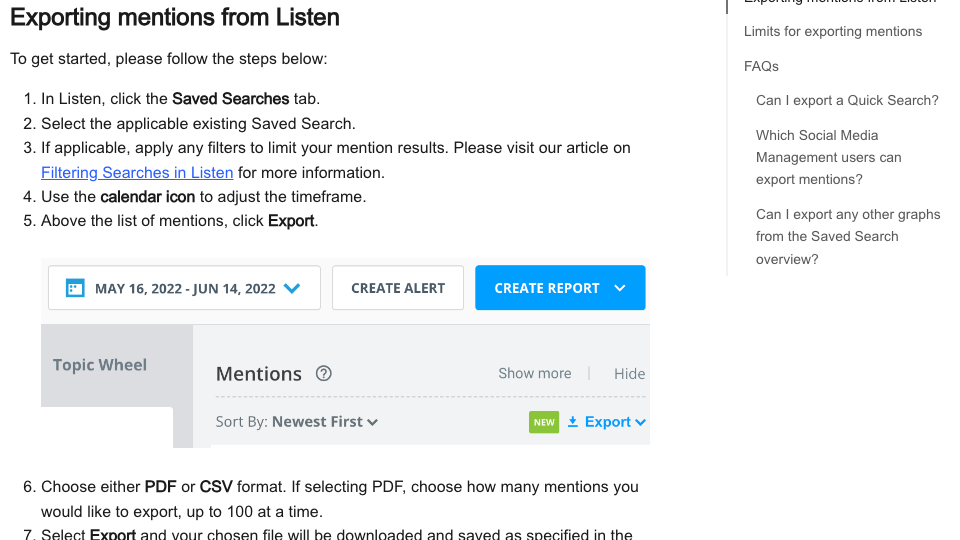
Here's what each product lets you take, based on Brandwatch's public help articles and developer docs.
| What | How | Format and limits |
|---|---|---|
| Listen mentions | Saved Search, then Export | CSV, or PDF up to 100 at a time; 5,000 mentions a day across the account |
| Listen insights | Export each dashboard component | PNG, JPG or CSV; combined PDF report |
| Measure dashboards | Export | ZIP of CSVs (up to 40 metrics a widget) or PDF |
| Benchmark dashboards | Export | CSV, PDF, or PowerPoint for 2 to 6 brands |
| Engage conversation history | Export feed (admins and team leads for full exports) | CSV, emailed link valid 14 days |
| Publish calendar | Export the visible month or week | CSV, XLS or XLSX |
| Audience | Export an audience | CSV, without LinkedIn data |
| Advertise KPIs | Export | XLSX, up to three months per file |
| Consumer Research mentions | Consumer Research API (listed as an add-on) | 5,000 per request; cursor paging for more |
Two rows need a plan. The Publish calendar exports only what's on screen, so a year of post history means twelve monthly exports. The Engage link dies after 14 days, so download the file the day the email arrives.
The limits that catch people
The Consumer Research API is the only documented bulk path for listening data. The default is 30 requests every 10 minutes per client, at up to 5,000 mentions a request, which works out to roughly 900,000 mentions an hour if every page comes back full. That's plenty, but it means a script and a developer's afternoon, not a button.
Then there's what the API leaves out. X mentions come back with their full text and most metadata stripped "due to data compliance," online news is capped at a 256-character snippet, and LinkedIn posts come with no text at all. If a client report depends on the words people wrote, ask your account manager what the interface exports include, and save those reports before the licence ends.
Search Intelligence and GenAI Monitoring, the Trajaan-powered product, has no public export documentation that we could find. Save its reports as PDFs or screenshots, and ask your account manager for the underlying prompt data in writing. The Content Pool media library has no bulk download either; it's API only.
How often does ChatGPT mention your brand?
Most founders have no idea. The answer might surprise you.

What happens to your data after the contract ends
The current agreement is short on this point: "At termination or expiration, all licenses granted by either party shall terminate, and each party will delete all data and content to which it no longer has a license." That deletion sentence is new in the 2025 version. The 2023 Brandwatch terms ended the licences without promising deletion.
Neither the agreement nor the data processing addendum gives a number of days. Brandwatch's privacy statement says it deletes personal data "as soon as it is reasonably practical" once you stop using the services, and deletion requests go to [email protected]. Access to the archive, the 1.7 trillion conversations going back to 2010, ends with the licence too. Treat your end date as the last day you can see anything.
Questions to put to your account manager in writing
Most of what the public pages leave out, your account manager can answer, and it's worth getting the answers by email rather than on a call. These are the gaps we hit while researching this guide:
- What is the renewal date on our Order, and how much notice does it require?
- Do Consumer Research exports from the interface include the full text of X and LinkedIn mentions, or only what the API returns?
- Can we get the Search Intelligence and GenAI Monitoring prompt results as a file, and in what format?
- If the Consumer Research API is an add-on we don't have, can we get temporary access for the export window?
- On what date will our data be deleted after the contract ends, and will you confirm it once it's done?
Ask early. If the answer to the API question is no, you'll want the extra weeks to save Consumer Research reports by hand, and a notice deadline doesn't move because an export took longer than planned.
Where things land in RankControl
RankControl has no import tool, and for most of this data you won't want one. Your Brandwatch exports become reference files. The AI search work is set up fresh, and most of it gets typed once.
| From Brandwatch | Into RankControl |
|---|---|
| GenAI monitoring prompts | Up to 50 tracked queries, checked weekly on six AI engines |
| Benchmark competitor list | Up to 10 competitors in your share of voice |
| Search Intelligence reports | Your before-picture for the first weekly check |
| Listening exports | Reference only; RankControl doesn't listen |
| Publish calendar and assets | Articles written and published to your site, each turned into drafts for 8 social platforms |
| Engage replies | Reddit and X threads worth a reply for each article, with drafted replies |
| Brand voice notes | Guideline rules and up to 3 style reference articles |
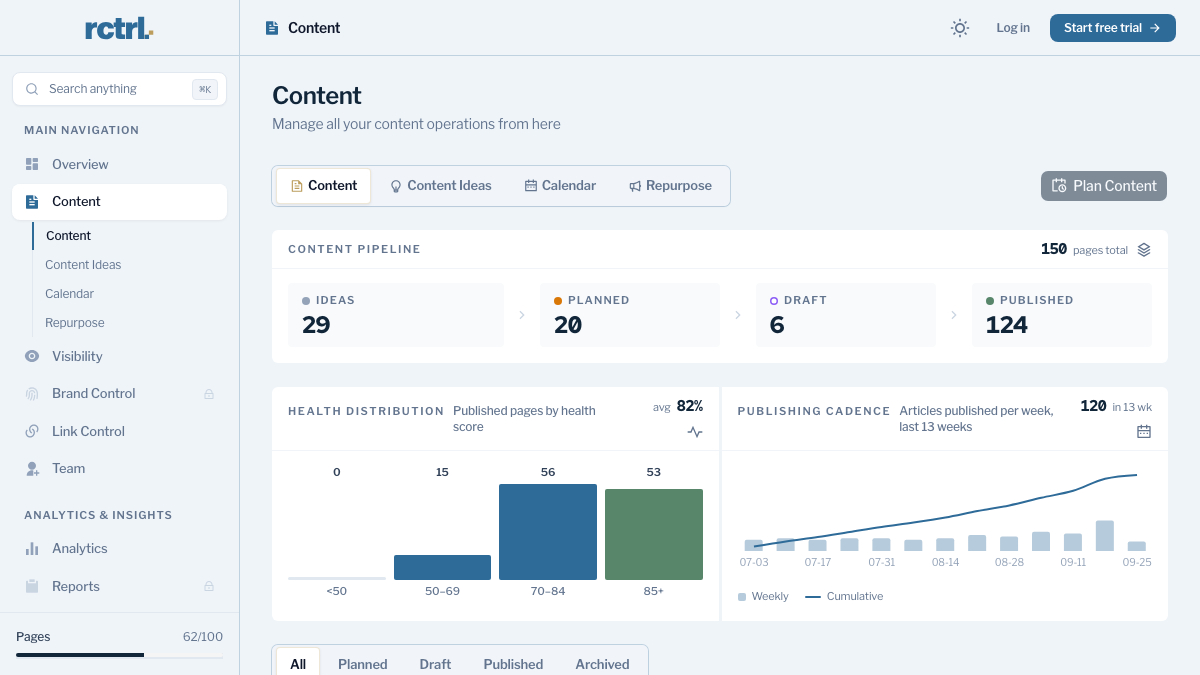
Start with the prompts. If Brandwatch was tracking questions in ChatGPT for you, copy the list into AI visibility tracking, rewriting any keyword-style entries as the full questions buyers ask. RankControl asks all of them every week across six engines and keeps a history per engine, so a month in you're reading a rate rather than one snapshot.
Brand Control reads your live site and drafts your voice, products, buyers and competitors, and you correct the draft. Then connect your CMS, and the content engine plans articles from your tracked queries and publishes them once you approve. Auto-publish is off by default.
The social side works differently from Brandwatch, and it's worth being plain about it. RankControl doesn't monitor conversation or run an inbox. Link Control looks at each article RankControl publishes, finds Reddit and X threads the article genuinely answers, checks the subreddit's rules and drafts a reply for you to post.
15 hours a week manually. Or 15 minutes with RankControl.
Track citations, monitor competitors, and fix content gaps across every AI search engine. Automatically.

The switch from Brandwatch, step by step
- Find your Order and note the renewal date and notice period: about 15 minutes.
- Export Listen mentions and insights, Measure and Benchmark dashboards: 45 to 60 minutes, spread across days if you hit the 5,000-a-day cap.
- Export Engage history and download it the same day, then the Publish calendar month by month: about 45 minutes.
- Save GenAI monitoring reports as PDFs and ask for the prompt data in writing: about 20 minutes.
- Start RankControl, let setup read your site, and correct the brand draft: 45 minutes.
- Add tracked queries and competitors, connect your CMS and scan your sitemap: about 40 minutes.
- Give notice under your Order, and email [email protected] if you want personal data deleted early.
That's about four hours of hands-on work, with the Brandwatch exports taking the most time. The rest of the calendar depends on your notice window.
You can do the ongoing AI search work by hand after the switch. Someone turns tracked prompts into briefs and articles, someone publishes and pitches, and someone re-reads 300 AI answers every week. Or RankControl's agents can do it every month while your team keeps doing the parts only people can do. It's $400 a month with a 7-day free trial, so you can start before your Brandwatch licence ends and compare the two side by side.
AI search traffic grew 835% this year. Is your content ready?
RankControl generates 26 content formats optimized for ChatGPT, Claude, and Perplexity. Published on your domain, matched to your brand.