
Submitting a sitemap takes about two minutes. Knowing whether it worked takes longer, and that's the part most guides skip. Google is clear that a sitemap is "merely a hint." It doesn't guarantee that Google will download it, let alone index the pages in it.
So this guide covers both halves. First, how to find your sitemap on the platform you use and submit it to Google and Bing. Then, how to read the reports in each tool so you can see what actually happened. If you're on WordPress, our WordPress sitemap guide covers Yoast, Rank Math and the core sitemap in detail.
Step 1: find your sitemap
On most platforms, the sitemap lives at the same address. Here's where each one puts it.
| Platform | Sitemap address | Notes |
|---|---|---|
| Shopify | yourstore.com/sitemap.xml | Created automatically, links to product, collection, blog and page sitemaps |
| Webflow | yoursite.com/sitemap.xml | Turn on Auto-generate sitemap in Site settings, then SEO |
| Wix | yoursite.com/sitemap.xml | A sitemap index pointing to page, blog and store sitemaps |
| Squarespace | yoursite.com/sitemap.xml | Fixed path, updates when you publish |
| Ghost | yoursite.com/sitemap.xml | An index pointing to child sitemaps like sitemap-posts.xml |
| WordPress | /wp-sitemap.xml or /sitemap_index.xml | Depends on your SEO plugin |
| Next.js | /sitemap.xml | Generated from an app/sitemap.ts file |
The quickest check is your robots.txt file. Open yourdomain.com/robots.txt and look for a line that starts with Sitemap:. Most platforms add it for you.
We checked a few live sites on October 19, 2026 and found two things worth knowing. On two of the three Shopify stores we looked at, the same Sitemap: line appeared three times in robots.txt. That's harmless, and probably means more than one app added it. And on two of the Shopify stores, the bare domain without www didn't load the store at all. One redirected to www, the other to an unrelated checkout address. So if yourdomain.com/sitemap.xml doesn't load, try www.yourdomain.com/sitemap.xml. Our platform guides, like the ones for Wix and Ghost, cover the rest of each setup.
Step 2: submit it to Google
Google's Sitemaps report help page describes the steps.
- Open Search Console and choose your property.
- Run your sitemap address through URL Inspection to check Google can reach it.
- Open Sitemaps from the left menu.
- Paste the address into Add a new sitemap and click Submit.
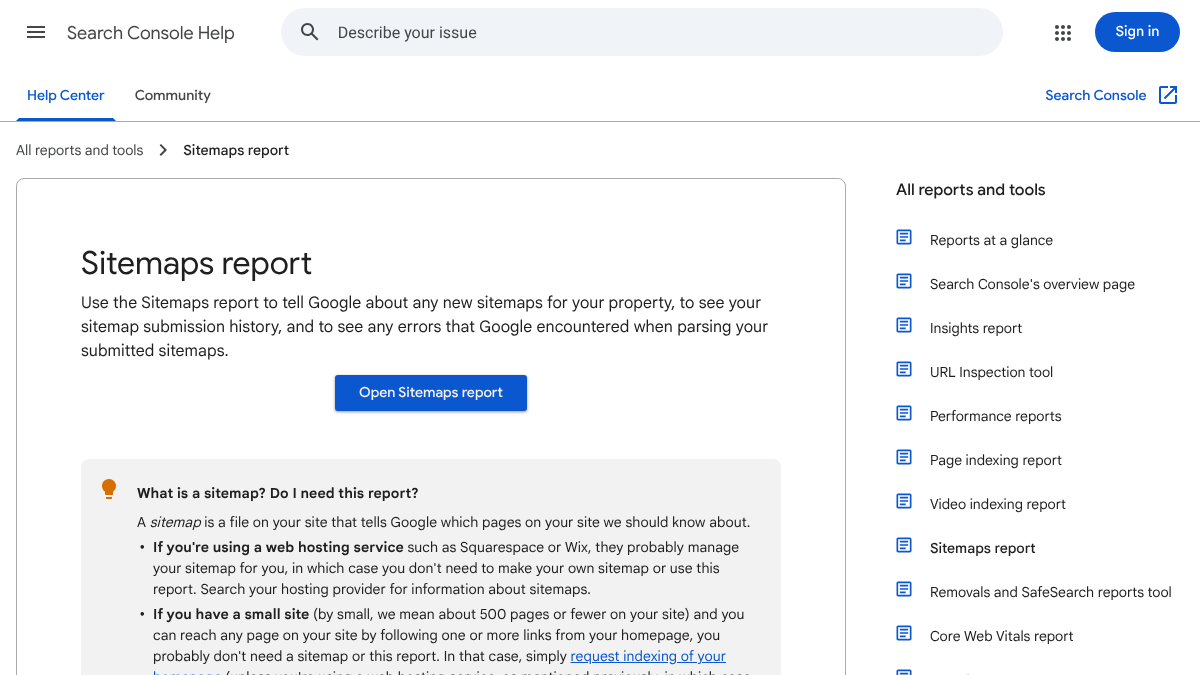
According to Google's help page, if you use a hosted platform such as Wix or Squarespace, the platform probably manages your sitemap for you. You may still want to submit it, so you can see the report.
There's also a second way. Google's sitemap guide says you can add a line like Sitemap: https://example.com/my_sitemap.xml to your robots.txt. "We will find it the next time we crawl your robots.txt file," Google says.
Submit the index if you have one, not each child sitemap. Google reads the index and follows it.
26 content formats. Published on your domain. Matched to your brand.
Guides, comparisons, listicles, case studies, and more. RankControl generates content that gets cited by ChatGPT, Perplexity, Claude, Gemini, Grok, Google AI Mode, and Google AI Overviews.

Step 3: submit it to Bing
Bing matters more than most people think, because its index feeds Microsoft Copilot. Our Bing and Copilot playbook covers that side. Bing's sitemaps help page calls sitemaps "an excellent way to tell Bing about URLs on your site" that its crawlers might miss.
Sign in to Bing Webmaster Tools, open Sitemaps and click Submit sitemaps at the top right. Paste the same address you gave Google. If your site is already verified in Search Console, Bing can import your sitemaps from there, which saves a step.
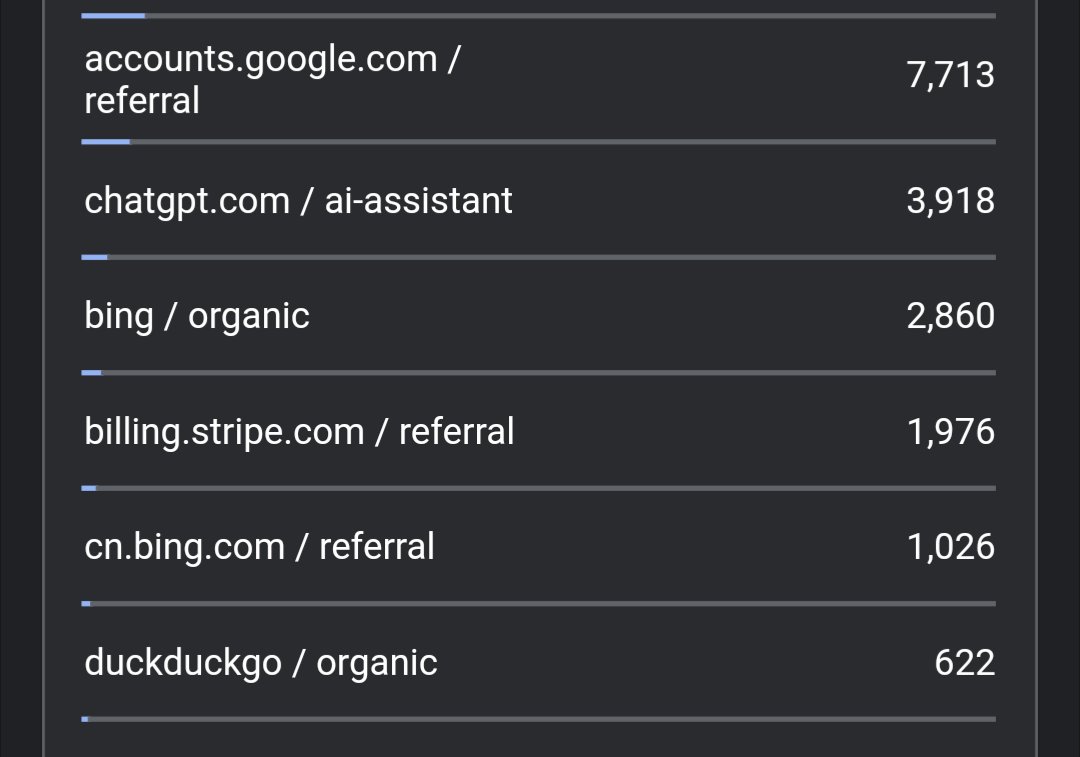
A solo builder on r/SideProject found out how much this can matter. They'd ignored Bing for a year. Once they connected Bing Webmaster Tools, Bing became their biggest traffic source, ahead of DuckDuckGo, ChatGPT and Google.
Friendly reminder to submit your sitemap to Bing. Google ended up as my 5th biggest traffic source last month
Learning this the hard way. The past year I've been working on improving organic search on my side projects, I have given Google most of the attention and thought of Bing as an afterthought. Looking at my traffic this month I'm shocked to s...
That's one site, so it won't be typical. But it's a cheap thing to set up.
Step 4: check it worked in Google
This is where most people stop too early. A submitted sitemap isn't the same as indexed pages. Check three things in Search Console.
The Sitemaps report status. Each sitemap shows one of three statuses.
| Status | What it means | What to do |
|---|---|---|
| Success | Google fetched and read it without errors | Nothing, check the page count next |
| Has errors | Fetched, but something inside is broken | Open it and fix the errors listed |
| Couldn't fetch | Google couldn't get the file at all | Check the address, redirects and your firewall |
If a fetch fails, according to Google, it keeps trying for a few days. If it succeeds, Google keeps re-reading the sitemap on its own schedule.
The Discovered URLs count. This is "the number of page URLs that were parsed from the sitemap," in Google's words. For a sitemap index, it's the total across all child sitemaps. If this number is far below the number of pages you expect, something is missing from the sitemap.
The Page indexing report. Discovered isn't indexed. Open the Page indexing report and filter by your sitemap to see which pages are in Google and which aren't, with a reason for each. A common reason is that the page is known but not yet crawled or indexed.
For a single page, use URL Inspection. Google's help page warns that the results shown are "from most recently indexed version of a page, not the live version on the web." So a page you've just fixed may still show the old result until Google recrawls it.

Your competitors are getting cited by AI. You're not.
Every day without citation tracking is a day your competitors pull ahead in ChatGPT, Perplexity, and Claude.
Step 5: check it worked in Bing
Bing's Sitemaps page shows every sitemap it knows about for your site. That includes ones you submitted, ones imported from Google and ones Bing found on its own.
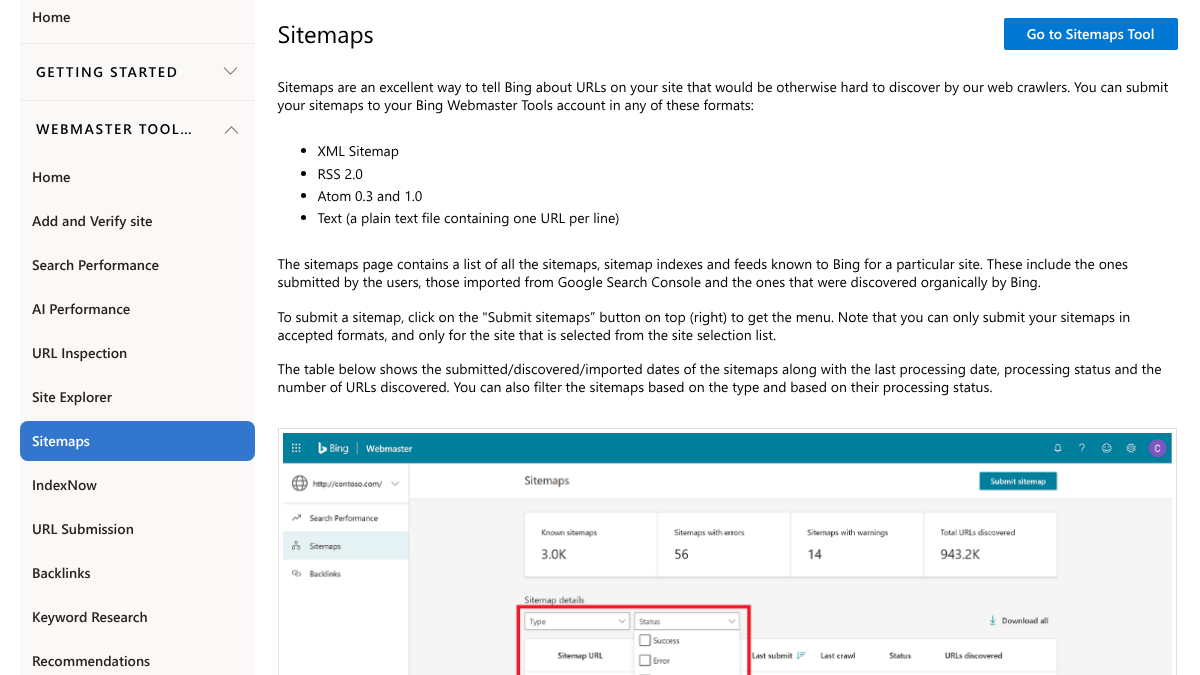
The report shows counts for known sitemaps, sitemaps with errors, sitemaps with warnings and total URLs discovered. Each row shows its submission date, last processing date, status and number of URLs found, with a button to resubmit. If the status shows errors, open the row to see what Bing couldn't read. Once pages are indexed, our guide to tracking Bing rankings next to Google shows how to watch where they land.
IndexNow: Bing's faster option
Bing also promotes IndexNow, a free protocol that lets your site tell search engines straight away when a page changes. In Bing's words, it notifies "multiple search engines of your content changes as soon as they happen," whether you're adding, updating or deleting content.
It doesn't replace a sitemap. A sitemap is a full list Bing reads on its schedule. IndexNow is a ping you send when something changes. Many platforms and plugins support it already, including Wix, Cloudflare, Yoast and Rank Math, so check your settings before building anything.
An indie builder on X with a large following put it bluntly in October, telling people to submit their sitemap to Bing Webmaster Tools and IndexNow.
Please submit your sitemap to bing webmaster and indexnow. You will thank me later https://t.co/QeWc3iOQz3
 Manoj Ahirwar@manoj_ahiOct 11, 2026
Common mistakes
A few habits waste time or send mixed signals.
- Pinging Google's old sitemap address. Google said in June 2023 that it was retiring its sitemap ping endpoint. Submitting in Search Console or listing the sitemap in robots.txt is the way now.
- Listing pages you don't want indexed. Redirects, noindex pages and thin tag archives in a sitemap make the report harder to read. Most platforms let you leave them out.
- Forgetting a site move. After switching domains or moving to https, submit the sitemap under the new property. The old one doesn't carry over by itself.
- Splitting too late. According to Google, one sitemap can hold up to 50,000 URLs or 50MB. Bigger sites need several sitemaps and an index.
When pages still don't get indexed
If the sitemap shows Success and pages still aren't indexed, the sitemap isn't the problem. Google's own guidance is that a sitemap is a hint, not a guarantee.
We call this the hint gap. The sitemap tells Google a page exists. Whether Google indexes it depends on the page. Thin pages, near-copies of other pages and pages nothing links to tend to sit in "not indexed" for a long time.
So the fixes are on the page side. Link to new pages from pages Google already visits. Make each page answer something no other page on your site does. Then request indexing once in URL Inspection and give it a week or two. While you're in Search Console, the Links report shows which pages already have links pointing at them, and our guide to seeing your backlinks in Search Console covers it.
Doing it yourself or handing it off
The setup here is a one-time job of about 30 minutes, covering finding the sitemap, submitting it to two tools and reading the reports. After that, a monthly look at the Sitemaps and Page indexing reports takes 15 minutes.
The ongoing work is the pages themselves. RankControl writes articles against the pages already ranking for each keyword and publishes them as native posts on your site, so they appear in your sitemap like any other page. Our AI visibility tracking then checks up to 50 buyer questions a week across seven AI engines. Expect traffic from Google and AI search first, with citations following more slowly as other sites link to and mention you.
200+ SaaS teams already track their AI citations.
They know exactly when ChatGPT mentions their brand, and when it stops. Do you?