
Every WordPress site already has a sitemap. WordPress 5.5 added one in 2020, at /wp-sitemap.xml, and most site owners never look at it. The trouble starts when a plugin adds a second one, and you're not sure which one Google is reading.
We checked 20 well-known WordPress sites on October 18, 2026 to see what they really serve. Eight of them redirected /wp-sitemap.xml somewhere else. One served a file at that address that its own XML said was made by a different plugin. So before you submit anything, it's worth knowing what your site actually has.
This guide covers how to create a WordPress sitemap, find the one your site serves, submit it to Google and Bing, and what gets new pages indexed faster.
What WordPress makes on its own
WordPress's announcement for version 5.5 said the site "will expose a sitemap index at /wp-sitemap.xml." That index points to smaller sitemaps for your public posts, pages, categories, tags and author archives, plus the homepage.
Each of those smaller sitemaps holds up to 2,000 URLs, and the index can hold up to 50,000 sitemaps. That's far more room than most sites will ever need. WordPress also adds the sitemap to the robots.txt file it serves, so search engines can find it without you doing anything.
So if you don't use an SEO plugin, you don't need to create a WordPress sitemap at all. You only need to check it works and submit it.
Find out which sitemap your site serves
This takes about five minutes. Open each of these in your browser.
yoursite.com/wp-sitemap.xmlyoursite.com/sitemap_index.xmlyoursite.com/robots.txt
If the first one loads a list of sitemaps, that's WordPress core. If it jumps to the second address, an SEO plugin has taken over. Your robots.txt should end with a Sitemap: line pointing to whichever one is live.
Our check of 20 sites found three things worth knowing. On Search Engine Journal, the redirect from /wp-sitemap.xml came with a response header naming Yoast SEO as the source. WPBeginner answered at /wp-sitemap.xml with a file whose own comment said All in One SEO Pro made it, not WordPress. And three sites with working sitemaps had no Sitemap: line in robots.txt at all.
Seven more sites blocked our request or returned "not found." That was most likely bot protection, since most of their robots.txt files pointed to working sitemaps. If a sitemap won't load for you, check your firewall before assuming it's missing.
We call this the two-sitemap trap. A plugin adds its sitemap, the core one stays live or gets answered by something else, and you submit whichever one you found first. Search engines then get mixed signals about which list is current.

Built by the team that got cited in 48 hours.
Content generation, backlink building, AI visibility tracking, and Google rankings. One platform, zero guesswork.
If you use Yoast SEO or Rank Math
Both plugins replace the core sitemap with their own at sitemap_index.xml. You don't need to turn anything off by hand, but it helps to know how each one behaves.
Yoast SEO. The setting lives under Yoast SEO, then Settings, then Site features, as an XML sitemaps toggle. Yoast's help page says turning it on "will automatically disable the default WordPress XML sitemap." It also warns that switching Yoast's sitemap off does not bring the core one back on its own.
Rank Math. Rank Math turns its sitemap on during setup and puts it at sitemap_index.xml, with separate sitemaps for posts, pages and products inside. The settings are under Rank Math SEO, then Sitemap Settings.
Rank Math's guide says that if you've connected it to Search Console, it "will automatically submit the sitemap" for you. Either way, check the Sitemaps report once to confirm it arrived.
Don't run two SEO plugins with sitemaps on. That's the fastest way into the two-sitemap trap.
Submit it to Google Search Console
Google's own steps in the Sitemaps report help page are short. Allow about 15 minutes the first time.
- Open Search Console and pick your property.
- Run your sitemap address through URL Inspection to check Google can reach it.
- Open Sitemaps from the left menu.
- Paste the address into "Add a new sitemap" and click Submit.
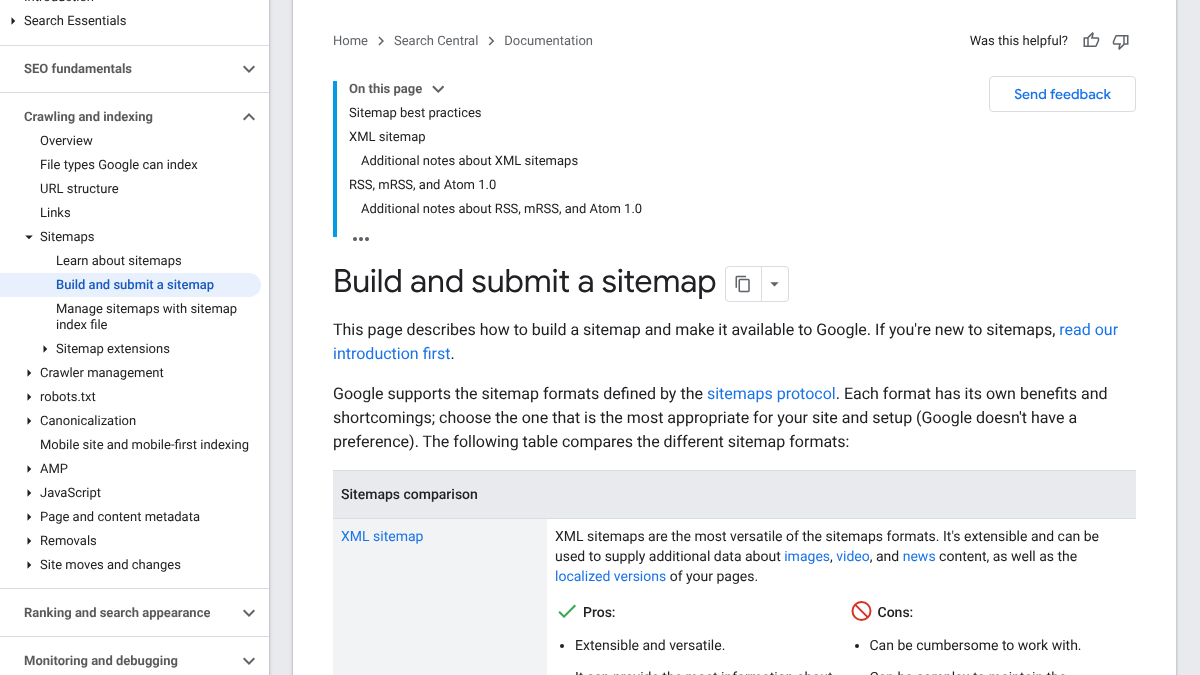
The report then shows one of three statuses. "Success" means Google fetched and read it. "Has errors" means it was fetched but something inside is broken. "Couldn't fetch" usually means a firewall, a redirect loop or a wrong address.
Submit the index, not each small sitemap. Google reads the index and follows it to the rest. Our guide to Search Console's AI performance report covers what else is worth checking there once you're set up.
Submit it to Bing Webmaster Tools
Bing matters more than its search share suggests, because Microsoft Copilot answers draw on Bing's index. Bing's sitemaps help page says sitemaps are "an excellent way to tell Bing about URLs" its crawlers might miss.
Sign in to Bing Webmaster Tools, open Sitemaps and click "Submit sitemaps" at the top right. Paste the same address you gave Google. If you already verified the site in Search Console, Bing lets you import it from there, which saves a step.
Bing also reads the Sitemap: line in robots.txt. WordPress and the big plugins add that line, but our check found sites without it, so it's worth checking yours.
Common sitemap problems and fixes
Most WordPress sitemap issues come down to a few causes. Here's what each status or symptom usually means.
| What you see | Likely cause | What to do |
|---|---|---|
| "Couldn't fetch" in Search Console | Firewall, security plugin or a wrong address | Load the sitemap in a private window, then check bot rules in your firewall or CDN |
| "Has errors" | A broken URL or bad XML inside one sitemap | Open the report, find the sitemap named, and check the plugin is up to date |
/wp-sitemap.xml shows 404 | Sitemaps turned off, or a plugin replaced it | Try /sitemap_index.xml, then check your SEO plugin's sitemap toggle |
| Pages in the sitemap but not indexed | Thin, duplicate or poorly linked pages | Improve the page and link to it from pages that are already indexed |
| Noindexed pages in the sitemap | A setting left on for tags or media | Exclude those types in the plugin's sitemap settings |
One more case catches people after a site move. If you changed domains or switched from http to https, submit the new sitemap under the new property. The old one won't carry over by itself.
If the sitemap is fine and pages still won't index, the problem is almost always the pages, not the file.
What a sitemap won't do
Google is blunt about this. Its sitemap guide, last updated July 8, 2026, calls a sitemap "merely a hint." The Search Console help page adds that there's no guarantee a URL in it "has been or will be crawled or indexed."
A thread on r/TechSEO shows how this plays out. A new WordPress site owner had their homepage indexed but nothing else, and kept requesting indexing by hand. The top reply said to stop, because repeated requests don't jump the queue. It also said Google doesn't need a sitemap to find pages on a site that small.
Need help: Homepage is indexed, but no other pages are getting indexed (WordPress + Hostinger)
Hi everyone, I'm dealing with a frustrating indexing issue on one of my client websites and would really appreciate your suggestions. Here's the situation: The website is built on WordPress and hosted on Hostinger. The homepage is indexed,...
There's a second trap a developer described on r/webdev. A sitemap can load fine in your browser while a firewall or Cloudflare rule still blocks Googlebot from the pages inside it. Seeing the file yourself doesn't prove Google can crawl what it lists.
How to get new pages indexed faster
A sitemap tells Google a page exists. What gets it indexed is a reason to care about it. These steps help most.
- Link to the new page from pages Google already visits. Your homepage and older popular posts get crawled often, so a link from them is found fast.
- Use URL Inspection once, not daily. Request indexing for a new or changed page, then leave it for a week or two.
- Fix the page before resubmitting. A thin page or a near-copy of another post often stays out of the index for a reason.
- Keep the sitemap clean. Leave out redirects, noindexed pages and thin tag archives, which most plugins let you exclude.
- Check your robots.txt. A stray rule can block a whole folder, and our robots.txt and AI crawler checklist covers what to look for.
For pages you update rather than create, our guide to re-indexing signals after a content refresh goes deeper.
See your first AI citation report in under 5 minutes.
No setup calls. No onboarding meetings. Connect your domain and see where AI mentions your brand right now.

Doing it yourself or handing it off
The setup is a one-time job of about 30 minutes, covering one check, one plugin setting, and a submission to each of Google and Bing. After that, the sitemap updates itself every time you publish. The ongoing work is the pages, which need internal links, real content and a reason to be indexed.
That part RankControl can take on. It writes articles against the pages already ranking for each keyword and publishes them as native WordPress posts, so they show up in your sitemap like any other post. Its AI visibility tracking then checks up to 50 buyer questions a week across seven AI engines. Expect traffic from Google and AI search first, with citations following more slowly as other sites link to you.
Your competitors are building backlinks while you read this.
Organic outreach, social mentions, and citations from Editorial Circle member sites, with managed backlinks available as an add-on. Grow your domain authority without running the campaign yourself.