
Your site is live. You can see it. Nobody else can find it.
That's normal for a brand-new domain. Search engines learn about sites from links, sitemaps and the tools you give them. Until one of those happens, the site sits in a blind spot. We call this the launch gap. It's the time between a site going live and any search engine knowing it exists.
This guide closes it. It covers Google first, then Bing and the AI search tools, in the order you'd do them on day one. The whole list takes about an hour.
Step 1: check if Google already knows your site
Google said in its SEO Starter Guide that "you usually don't need to do anything except publish your site on the web." Its crawlers find most sites on their own, through links.
So check first. Search Google for site:yourdomain.com. According to Google, "If you see results pointing to your site, you're in the index."
No results is common for a site that's a few days old. It doesn't mean something is broken. It means Google hasn't found you yet, and the next steps help it get there faster.
Step 2: add your site to Search Console
Go to Google Search Console and add a property. Google asks you to pick one of two types, and this is the step that trips most people up.
| Domain property | URL-prefix property | |
|---|---|---|
| What you enter | example.com | https://www.example.com |
| What it covers | Every subdomain, http and https | Only that exact address |
| How you verify | DNS record only | HTML file, meta tag, Analytics, Tag Manager or DNS |
| Best for | Most sites, if you can edit DNS | Sites where you can't touch DNS |
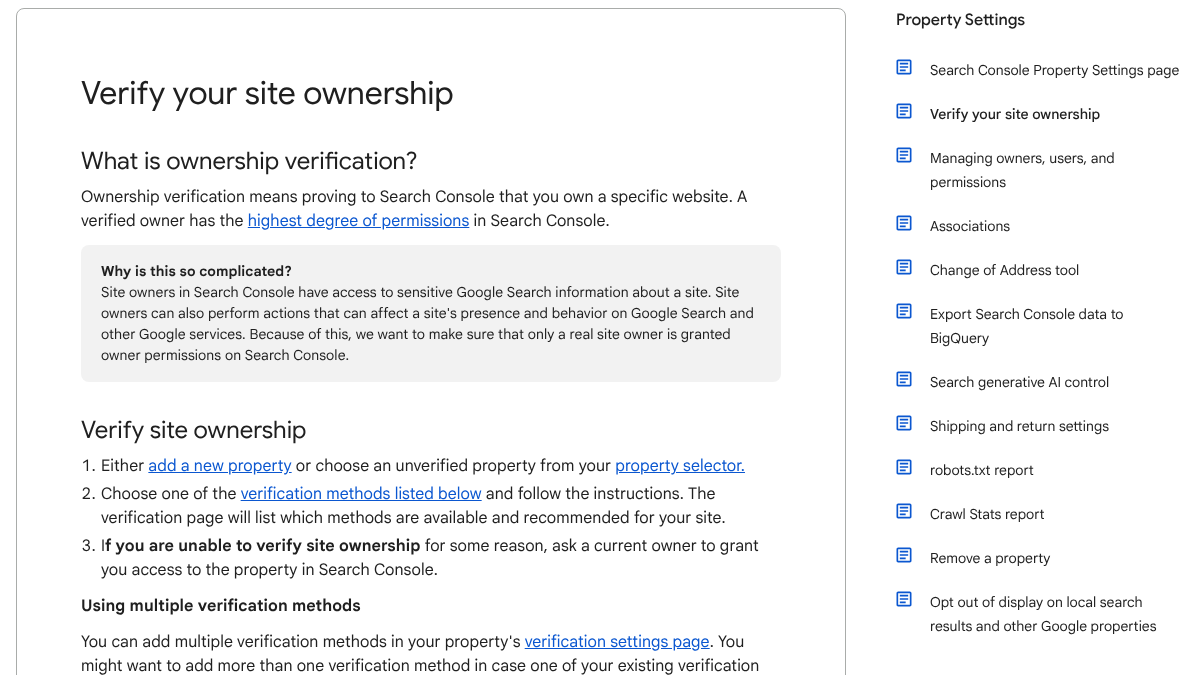
Google's help page is clear on the limits. It said "the only way to verify a Domain property is through DNS records." The other methods "can be used for URL-prefix properties, but not Domain properties."
Pick Domain if you can. It catches every version of your site in one place, so you won't miss data from www, a blog subdomain or an old http link. Your domain host's settings page will have a spot for TXT records. Paste in the code Google gives you, save, and click Verify. DNS changes can take a while to show up, so if it fails at first, wait and try again.
Pick URL-prefix if your site runs on a platform that doesn't let you edit DNS. The HTML tag method works on most site builders.
15 hours a week manually. Or 15 minutes with RankControl.
Track citations, monitor competitors, and fix content gaps across every AI search engine. Automatically.

Step 3: submit your sitemap
A sitemap is a file that lists the pages on your site. Most platforms make one for you, usually at /sitemap.xml.
In Search Console, open Sitemaps, paste the address and submit. Google said "the sitemap should be fetched immediately," but added that it "can take some time to crawl the URLs listed," and that not every URL may be crawled.
Our guide to submitting a sitemap to Google and Bing covers where to find the file on Shopify, Webflow, Wix and other platforms. On WordPress, see our WordPress sitemap guide.
Step 4: request indexing for your key pages
Open URL Inspection, paste your home page address and click Request Indexing. Do the same for your few most important pages.
Don't do it for every page. Google said "there is a daily limit to how many index requests you can submit." The sitemap handles the rest.
A developer on X asked the same question most site owners have.
How should I use Google Search Console? I mean, should I manually request indexing every time I publish a new blog post or story? Or should I resubmit my sitemap? I'm such a GSC noob. Please help 😂
 Jyri@jyrisoJul 28, 2026
You don't need to do either for every post. Submit the sitemap once. Use Request Indexing for new pages that matter or pages you've just fixed. Google is also honest about what the button does. "Submitting a request does not guarantee that the page will appear in the Google Index," according to its help page. It added that indexing "typically takes only a day or so, but can take much longer in some cases."
Our post on asking Google to crawl a page covers what to do when a page sits unindexed.
Step 5: make sure nothing is blocking you
A common reason a new site never shows up is a setting left on from building it.
Check for noindex. Many site builders have a "hide from search engines" or "discourage indexing" switch. It's often on while you build. Turn it off.
Check robots.txt. Open yourdomain.com/robots.txt in a browser. If you see Disallow: / under User-agent: *, you're blocking every crawler from every page.
One thing robots.txt doesn't do is keep a page out of Google. Google said a page that's disallowed "can still be indexed if linked to from other sites." To keep a page out, use noindex or a password.
Tamara Martinović, a developer who builds apps on the side, posted the same checklist for anyone who just shipped a landing page.
The part most vibe-coding tutorials skip: Deploying your landing page does not mean Google knows it exists. Before moving on to your next app: → Make sure noindex or robots.txt isn’t blocking Google → Use words your customers would actually search for → Create a sitemap.xml
 Tamara Martinović@CodeWithTamaraJul 25, 2026
The last item on that list matters most. Link to your site from somewhere Google already knows, like your social profiles, a directory listing or a launch post. Links are still how Google finds most new pages.
Step 6: set up a Business Profile if you're local
If customers visit your location, or you travel to them, you can create a Google Business Profile. That's what puts you on Maps and in the local results.
Google said that when you verify, "you gain ownership of your Business Profile" and can keep your details right. You don't get to choose the method. According to Google, it's "automatically determined by Google and can't be changed." It might be a phone call, a text, an email, a video call or a postcard. Google said "verification reviews take up to 5 business days."
Our post on Google Business Profile signals in AI answers covers which fields matter once you're set up.
AI search traffic grew 835% this year. Is your content ready?
RankControl generates 26 content formats optimized for ChatGPT, Claude, and Perplexity. Published on your domain, matched to your brand.

Step 7: add your site to Bing
Bing matters for more than Bing. Copilot uses it, and so do some other search tools.
Sign up for Bing Webmaster Tools. If you've already verified your site in Search Console, Bing can import it, which saves you the verify step. Then submit the same sitemap.
Bing also supports IndexNow, a way to ping search engines the moment a page changes, and many platforms and plugins can turn it on for you. Our post on whether ChatGPT search uses Bing covers how much Bing matters for AI answers.
Step 8: let AI search crawlers in
AI tools use their own crawlers, and your robots.txt decides whether they get in. Two settings get mixed up all the time.
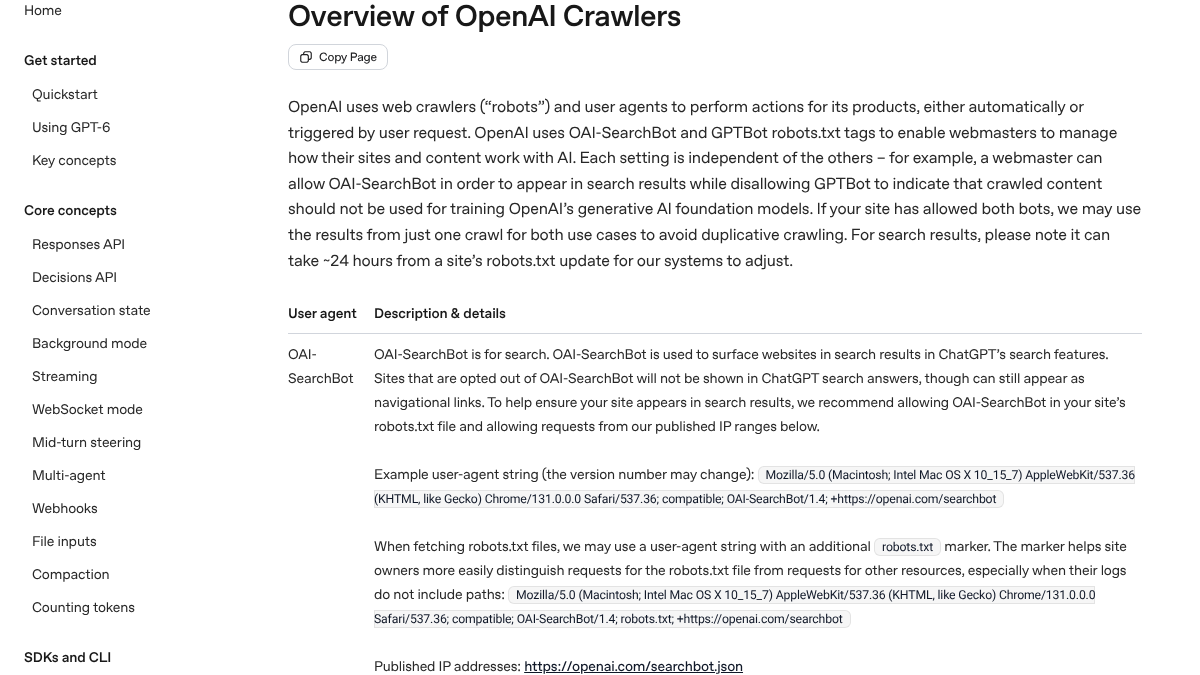
OAI-SearchBot is for ChatGPT search. OpenAI said sites that block it "will not be shown in ChatGPT search answers, though can still appear as navigational links." It also said changes take about 24 hours to kick in.
GPTBot is for training. Blocking it tells OpenAI not to use your pages to train its models. You can block GPTBot and still allow OAI-SearchBot.
Google-Extended is for Gemini training. Google said it "does not impact a site's inclusion in Google Search nor is it used as a ranking signal." Googlebot is the one that matters for Search.
If you have no rules for these bots and your robots.txt allows everything, you're fine. Our AI crawler list has the full set of names if you want to set rules for each one.
What we found on five new launches
We wanted to see how often new sites get this wrong. On October 19, 2026, we picked five small products that launched on Product Hunt that day and read each site's robots.txt.
| Site | AI crawler rules | Blocked any AI crawler? |
|---|---|---|
| clueso.io | Named about 20 AI bots, all allowed | No |
| creem.io | None, wildcard allows all | No |
| genpage.ai | None, wildcard allows all | No |
| mylens.ai | None, wildcard allows all | No |
| nitrostack.ai | None, wildcard allows all | No |
None of the five blocked an AI crawler. Only one had thought about them by name. The other four relied on a rule that lets every crawler in by default.
That's the good news. On a brand-new site, the default is usually open. The risk is a plugin, a security tool or a copied template that adds blocks later. Check your robots.txt again whenever you add one.
How long it actually takes
| Step | Time |
|---|---|
Check site: search | 1 minute |
| Add and verify Search Console | 10 to 30 minutes, plus DNS wait |
| Submit sitemap | 2 minutes |
| Request indexing for key pages | 5 minutes |
| Check noindex and robots.txt | 5 minutes |
| Business Profile, if local | 15 minutes, plus up to 5 business days |
| Bing Webmaster Tools | 10 minutes |
| AI crawler check | 5 minutes |
That's under an hour of work. The waiting is longer.
On r/WebsiteSEO, someone asked how long indexing takes for a new site. The top reply said some pages appear "within hours, while others take several days or longer."
How much takes a time to getting index on a new website.
Being indexed isn't the same as being found, though. On r/seogrowth, a site owner wrote that Google had indexed every page after two months, but impressions were still very low. Replies put the ramp-up for a new domain at several months. One commenter also noted that Google has publicly denied putting new sites in a "sandbox."
How long does it usually take for Google to trust a brand new site?
I launched a small niche site about 2 months ago, and Google has indexed everything, but impressions are still super low. I'm adding content regularly, doing light on-page SEO, and not building links yet. I'm wondering if this slow start is...
Indexing gets you in the door. Content and links are what bring people through it. Our guide to SEO for a brand-new website covers the first 90 days.
Doing it yourself or handing it off
The setup is a one-time hour. The hard part comes after, filling the site with pages that answer what your buyers search.
RankControl does that part. We find the questions your buyers ask, write articles that answer them and publish them as native posts on your own site, up to 100 pages a month once you approve them. Our AI visibility tracking checks your Google and Bing rankings, plus up to 50 buyer questions every week across seven AI engines. Expect traffic from Google first, with AI citations following more slowly as links and mentions build up.

Built by the team that got cited in 48 hours.
Content generation, backlink building, AI visibility tracking, and Google rankings. One platform, zero guesswork.