
Hit publish on a page, and the first instinct is to make Google notice. Search Console's Request Indexing button handles that part, and most people who've done SEO for more than a week already know it exists. Fewer stop to ask the second question: once Google can reach the page, can the AI crawlers reach it too?
The two aren't the same door. A page can sit wide open to Googlebot and completely blocked to ChatGPT's search crawler, or the reverse, and the difference usually comes down to a couple of lines in robots.txt plus whatever your CDN decided on its own. Both checks below take roughly five minutes, and you want to run them right after publishing anything that matters.
Check 1: ask Google to crawl the page
Start with the page you just published or fixed, and open Search Console's URL Inspection tool.
- Open Google Search Console and pick the right property.
- Paste the full page URL into the search bar at the top.
- Wait for the result. It shows whether the page is already on Google and, if not, why.
- Click Test live URL to check Google can fetch the page as it is now.
- Click Request Indexing.
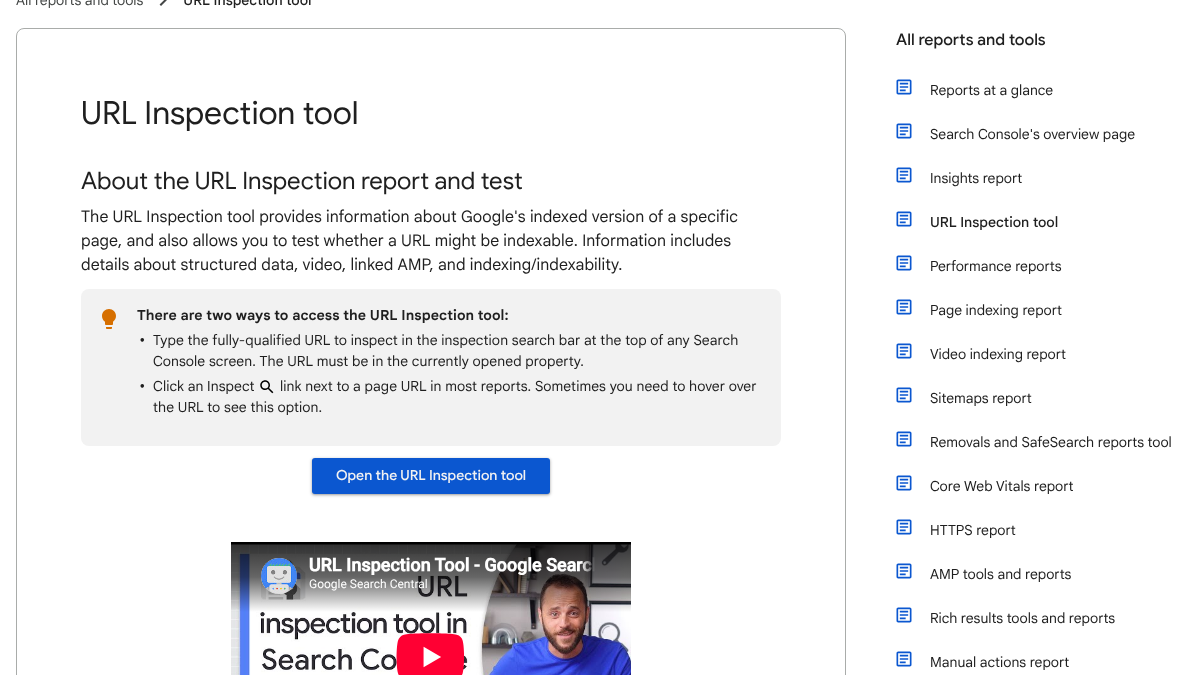
Google doesn't dress this up as instant. Its own help page says "indexing typically takes only a day or so, but can take much longer in some cases," and is careful to add that "submitting a request does not guarantee that the page will appear in the Google Index." A button, not a promise.
Three things shape how much that button actually does for you. There's a cap on how many requests you get: Google confirms "there is a daily limit to how many index requests you can submit" without saying what the number is, so save the manual click for pages that actually matter. The page also has to clear the live test first, since Google is blunt that "you cannot request indexing if the page is considered to be non-indexable in the live test." And once you're past a handful of pages, stop clicking one at a time. Google itself points you toward a sitemap "if you want many pages indexed," which our guide to submitting a sitemap to Google and Bing walks through.
One founder on X boiled the whole routine down to five plain moves: publish the page, copy the URL, open Search Console, run URL Inspection, click Request Indexing.
If you want to get your startup's website pages ranked quickly on Google: 1. Get your content on the page 2. Once you publish the page, grab the URL 3. Go to Google Search Console 4. Click on "URL inspection" 5. Select "Request indexing" to manually push the page into their https://t.co/jFgBioUmyo
 Natia Kurdadze@natiakourdadzeSep 3, 2024

200+ SaaS teams already track their AI citations.
They know exactly when ChatGPT mentions their brand, and when it stops. Do you?
When Google still won't index it
Give it a week or two. If the page still hasn't shown up, the problem is almost never the request itself.
| What it says | What it usually means |
|---|---|
| URL is not on Google: crawled, currently not indexed | Google saw it and decided not to index it yet |
| Discovered, currently not indexed | Google knows the URL but hasn't crawled it |
| Excluded by noindex tag | A tag on the page tells Google not to index it |
| Blocked by robots.txt | Your robots.txt stops Googlebot from crawling it |
Your server can be the quiet culprit too. Google's own crawl budget documentation ties crawling to how your server responds: fast, stable responses earn you more crawling, and errors make Google pull back.
A site under six months old showed exactly this on r/SEO, having submitted about 20 pages and watched only six get indexed. The replies pointed in two directions: request indexing for each page by hand, and go check how fast the server was actually responding, since a slow site often sits behind this exact complaint. Our guide to crawl timeouts and traffic drops covers that server-side half.
Don't forget Bing
Bing feeds more than its own results page, which makes it worth the extra minute. Open Bing Webmaster Tools, go to Submit URLs, paste the page URL and submit.
The ceiling here is generous. Bing's help page allows you to "submit up to 10,000 URLs per domain per day," resetting at midnight UTC, though it also warns that "repeated manual submissions do not accelerate indexing." Submit once and move on.
Bing's preferred path now is IndexNow, a protocol that pings several search engines at once the moment a page changes. It needs a small key file sitting on your domain, something most SEO plugins and CDNs will set up for you without much fuss.
Check 2: can the AI crawlers reach the page?
Door two. Pull up yourdomain.com/robots.txt and look for rules naming any of these by name.
| Crawler | Whose | What it does |
|---|---|---|
| GPTBot | OpenAI | Collects content for training models |
| OAI-SearchBot | OpenAI | Surfaces sites in ChatGPT's search answers |
| ChatGPT-User | OpenAI | Fetches a page when a user asks ChatGPT to |
| ClaudeBot | Anthropic | Collects content for training |
| Claude-SearchBot | Anthropic | Improves Claude's search results |
| Claude-User | Anthropic | Fetches pages when a Claude user asks |
| PerplexityBot | Perplexity | Surfaces and links sites in Perplexity answers |
| Google-Extended | Controls use for Gemini training and grounding |
Training crawlers and search crawlers do very different jobs, and mixing them up is where people get burned. Block GPTBot and, in OpenAI's words, your content "should not be used in training generative AI foundation models." OAI-SearchBot is a separate animal, "used to surface websites in search results in ChatGPT's search features," so blocking that one specifically pulls you out of ChatGPT's search answers rather than its training data.
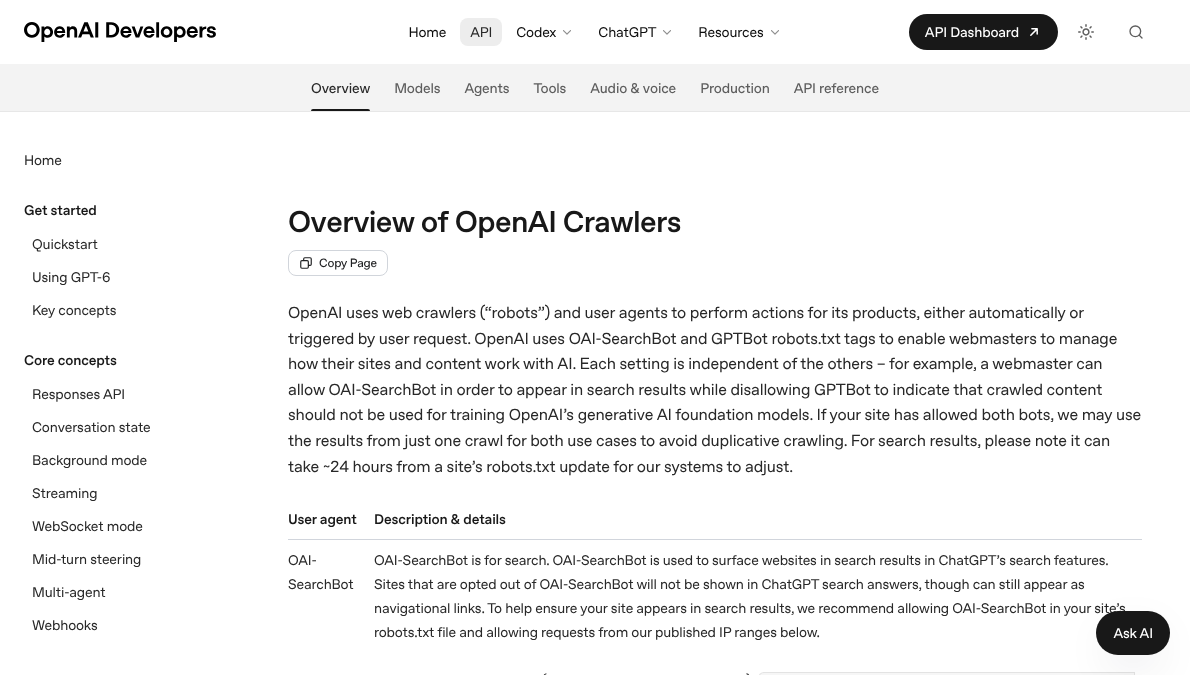
Change your mind and unblock one? OpenAI says that after a robots.txt change, "it can take ~24 hours" for its systems to catch up, so give it a day before you assume nothing happened.
Google-Extended is the one that generates the most anxiety, and Google answers it plainly: "Google-Extended does not impact a site's inclusion in Google Search nor is it used as a ranking signal in Google Search." Whatever you decide about it is a call about AI use, never an SEO risk.
How often does ChatGPT mention your brand?
Most founders have no idea. The answer might surprise you.

What we found on eight sites
We pulled the robots.txt files of eight sites on October 19, 2026: rctrl.com plus seven CMS platforms, WordPress.org, Webflow, Ghost, Notion, Wix, Shopify and Framer.
| Site | Names AI crawlers? |
|---|---|
| rctrl.com | Yes, allows each by name |
| wordpress.org | Yes, allows each by name |
| webflow.com | No, but uses Content-Signal settings |
| ghost.org, notion.so, wix.com, shopify.com, framer.com | No |
Six of the eight named no AI crawler at all. That typically means the crawlers are let through by the general rule for all bots, which is fine today and a quiet risk tomorrow, since one tweak to that general rule could shut them out without anyone noticing.
Webflow stood apart, using Cloudflare's newer Content-Signal line, which separately flags whether content can be used for training, for search or for AI answers. It's a newer way to state a preference, and not every crawler bothers to honor it yet.
Someone on r/SEO ran a version of this same check on much bigger platforms, pulling the robots.txt files for LinkedIn, Instagram and TikTok. Googlebot got long allow lists on each. AI bots mostly got blocked, and once a reply pushed back, the poster added that some platforms block the training crawler while quietly letting the search crawler through.
I checked the robots files: LinkedIn, Instagram and TikTok all hard block GPTBot and ClaudeBot while Googlebot gets an allow list
No links in this post, per rule 2. Fetch the robots file on each domain yourself and grep for GPTBot if you want to verify any of it. What I found today: Flat Disallow for GPTBot, ClaudeBot, anthropic-ai, PerplexityBot, CCBot and Google-Ext...
Check by crawler name every time. "AI bots," as a single category, isn't specific enough to act on.
Two more places AI crawlers get blocked
robots.txt is the obvious door, but it's not the only one.
- Your CDN or firewall. Bot protection settings, like Cloudflare's, can block AI crawlers even when robots.txt allows them. Check your bot settings for AI crawler rules.
- JavaScript. If your page only shows its content after JavaScript runs, some AI crawlers may see an empty page. Check that the main text is in the page's HTML.
The only way to know for sure is to look at your own server logs for each crawler's user-agent name. Our guide to auditing AI crawlers in server logs shows exactly how.
Should you block any of them?
That's a policy question, not a technical one. Block the training crawlers and your content stays out of model training. Block the search crawlers and you lose a shot at showing up in AI answers. Our guide to whether to block AI crawlers covers that trade-off in depth, and our complete AI crawler list has the exact names for every major engine.
The five-minute routine
Run through this every time you publish or meaningfully update a page.
- Run it through URL Inspection and click Request Indexing.
- Submit it in Bing Webmaster Tools, or confirm your IndexNow setup.
- Open robots.txt and check the AI crawlers you care about by name.
- Check your CDN's bot settings once, so you know they match.
- A week later, check URL Inspection again.
For the exact syntax behind each rule, see our robots.txt directive reference.
Doing it yourself or handing it off
Two doors, five minutes each, for one page. Do it for fifty pages a month and the minutes add up fast, and even then all it tells you is that a page can be reached, not that anyone found it worth reading.
RankControl picks up from where crawling leaves off. We write and publish articles as native posts on your own site, through your own CMS, but we leave the crawl requests and IndexNow pings to you or your SEO plugin, since not every CMS can host the key file IndexNow needs. From there, our AI visibility tracking checks up to 50 buyer questions every week across seven AI engines, so you know when a page starts actually showing up. Expect the Google traffic first, with AI citations following more slowly as links and mentions build.
15 hours a week manually. Or 15 minutes with RankControl.
Track citations, monitor competitors, and fix content gaps across every AI search engine. Automatically.