If you search "how to find backlinks in google," you'll mostly land on old forum threads. When we pulled Google's top results on October 18, 2026, three of the top eight were Google community threads from 2019 and 2021. Google's own help page for the Links report wasn't on page one at all.
So here's the current version. This guide covers how to see your backlinks in Google Search Console, what each table shows, how to export the data, and what the report leaves out. It's free, it takes about 15 minutes the first time, and it's the only backlink data that comes from Google itself.
Where the Links report lives
Open Search Console, pick your property, and click Links in the left menu. That's the whole route. Google's help center describes it as a report that "shows which sites link to yours, what the link text is, and internal link targets within your own site."
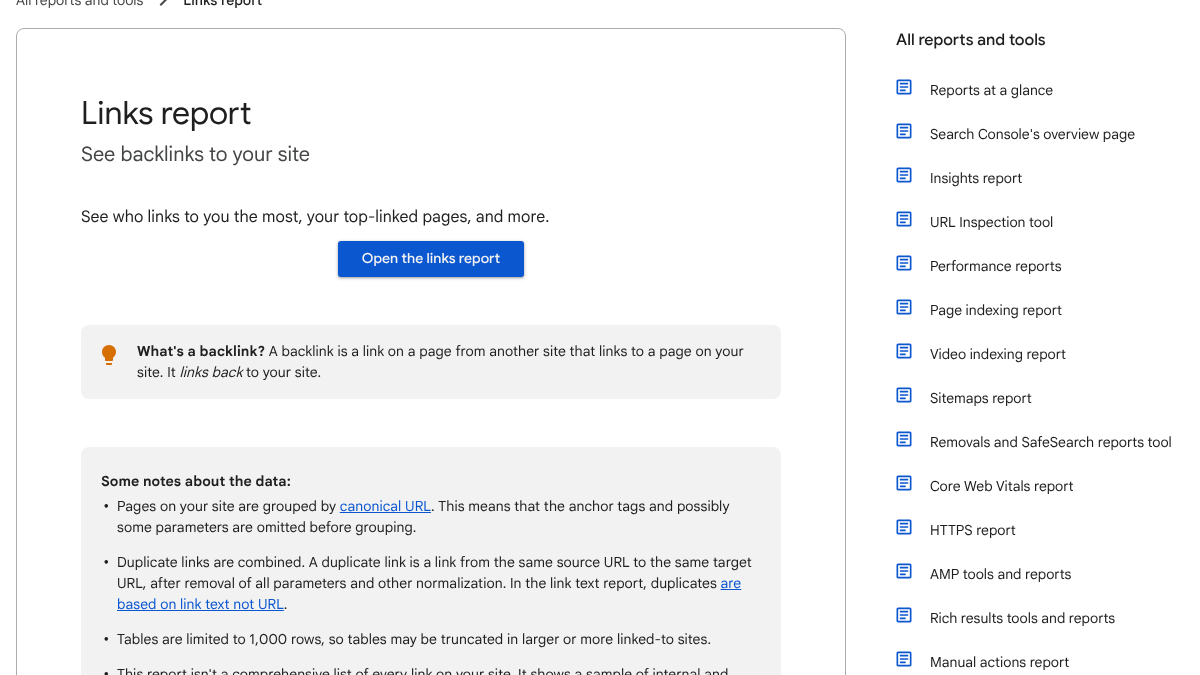
The page splits into two halves. External links are links from other sites to yours, which is what most people mean by backlinks. Internal links are links between pages on your own site. Google's Links report help page defines a backlink plainly. It's "a link on a page from another site that links to a page on your site."
The three external-link tables
Each table shows a short list on the main page. Click More under any of them to see the full table.
Top linked pages. These are your pages with the most links from other sites. According to Google, it's there to "confirm that your most linked pages are the ones that you expect." Click any URL to see which sites link to that page.
Top linking sites. These are the sites with the most links to you, sorted by link count. Sites show by root domain, so www.example.com appears as example.com. According to Google, you should check that you recognize them. If you see unknown, spammy sites, you can ask for removal or, as a last resort, disavow them.
Top linking text. This is the anchor text other sites use when they link to you. Matching ignores case, so "Hello world" and "HELLO WORLD" count as the same text. Image links with no text show up as "(empty)."
Most sites learn something quickly from these three tables. Your most-linked page is often your homepage or an old post you forgot about. Your anchor text is mostly your brand name. And a few linking sites you've never heard of usually turn up.
Your competitors are building backlinks while you read this.
Organic outreach, social mentions, and citations from Editorial Circle member sites, with managed backlinks available as an add-on. Grow your domain authority without running the campaign yourself.
How to export your backlinks
The tables on screen stop at 1,000 rows, which isn't enough for a site with many links. The export goes much further. Our guide to checking your backlinks covers sorting the export once you have it.
On the main Links page, click Export in the top right. You can save to a CSV file or a Google Sheet. Google offers two slices.
- Latest links. "The most recently discovered links to your site (up to 100,000 rows), sorted by discovery date."
- More sample links. A sample of up to 100,000 links "extracted from the full set of links known to Google." It's useful when you have far more links than the first export can hold.
On a drilled-down table, like the sites linking to one page, the download button exports that table, up to 1,000 rows. Sorting the table on screen doesn't change what you download.
For a first audit, export Latest links to a Google Sheet. Sort by the linking page, then skim for anything that looks off.
The internal links table
The second half of the report is easy to skip, but it's worth a look. Google's help page said the Internal links section shows the top linked pages within your own site, and which of your pages link to a given page.
This is the quickest way to spot important pages that your own site barely links to. If a page you want to rank sits near the bottom of the list, add links to it from related posts and from pages that already get traffic. It costs nothing, takes minutes, and helps both readers and crawlers find it.
It also works the other way. A page with hundreds of internal links that nobody visits may be linked from a menu or footer, which is fine. A thin tag page with that many links is usually worth tidying up.
What the report leaves out
The Links report is useful, but Google is upfront about its limits. Most of the confusion people run into comes from these.
It's a sample. In Google's words, "This report isn't a comprehensive list of every link on your site." Some links are left out, for example from pages Google hasn't indexed.
It includes old links. The report "includes links that Google has found over time." Some of those links may have been removed since, or the page may no longer exist.
It doesn't flag nofollow. According to Google, the report "doesn't specify if a link is marked as nofollow." You can't tell from Search Console which links pass ranking credit.
It groups by root domain. The www., m. and https versions of a site all collapse into one. Different country domains, like .com and .de, stay separate.
It only covers your own sites. You can only see links to properties you've verified. There's no way to look at a competitor's links here.
It updates on its own schedule. Barry Schwartz of Search Engine Roundtable keeps a log of when the Links report refreshes. In September 2026, Schwartz flagged that it hadn't been updated for a month.
Google Search Console link report not updated for a month - Aug 8th https://t.co/gcigCROYu7 https://t.co/4uQOGc8sRN
 Barry Schwartz@rustybrickSep 8, 2026
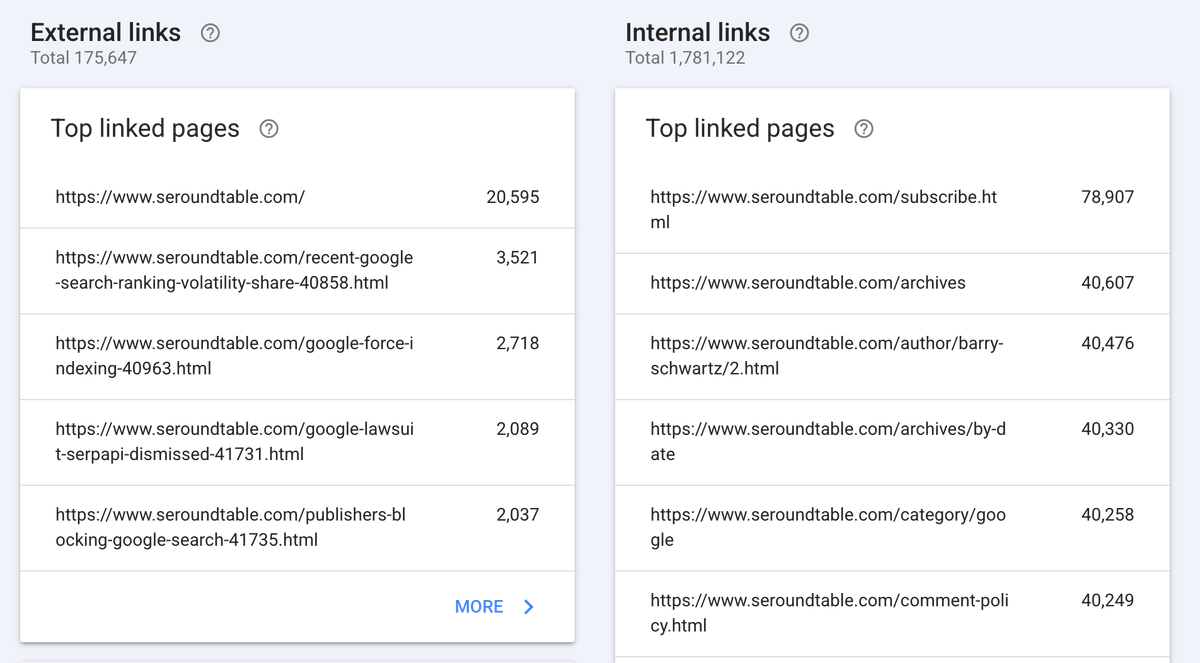
Schwartz later logged that the update took more than seven weeks to arrive. So if a new link doesn't show up, it may just be waiting for the next refresh.
Search Console vs third-party backlink tools
You'll almost never see the same backlink count in Search Console as in Ahrefs or Semrush. That's normal, because they measure different things.
| Search Console | Third-party tools | |
|---|---|---|
| Source of data | Links Google knows about | Their own crawlers and index |
| Completeness | A sample, by Google's own account | Their own index, also partial |
| Nofollow flag | No | Usually yes |
| Authority scores | No | Usually yes |
| New and lost link alerts | No | Usually yes |
| Competitor sites | No, your properties only | Yes |
| Price | Free | Paid plans |
Use Search Console to see what Google itself has found, and to spot spammy domains. Use a paid tool if you need to research competitors or watch for lost links. Our comparison of backlink monitoring tools covers the options and prices.
One founder on X wrote about doing exactly that on the same day, as part of a public 30-day SEO experiment. They pulled their domain rating and referring sites from a third-party tool, spotted some suspicious links, then checked Search Console for manual actions and found none.
Day 2 of my 30 day SaaS SEO experiment Yesterday I discovered: → DR: 15 → 1.1K backlinks → 603 referring websites → Quite a few suspicious links Checked Google Search Console today. No manual actions detected Next I'm learning keyword research so I can attract founders
 Emaan@emaann28Oct 15, 2026
What to do with what you find
Looking at your backlinks is only useful if it changes what you do. We call this first pass the link inventory. You're not chasing new links yet, only making the ones you already have count. Here's what we'd check, about 30 minutes for a small site.
- Find your most-linked pages. If one is an old post, update it and add links from it to the pages you most want to rank. Those links pass along the credit it has earned.
- Check for links to pages that no longer exist. If a linked page now returns a 404, redirect it to the closest live page so the link still counts.
- Note the sites that already link to you. They know you. They're the easiest people to ask for a second link when you publish something new.
- Look at your anchor text. Mostly brand names and plain phrases is healthy. A lot of exact-match keyword anchors you didn't ask for can be a sign of spammy links.
- Leave the disavow tool alone unless you need it. According to Google, most sites don't need it. Use it only for clearly manipulative links, or if you've had a manual action.
If you're wondering whether these links still matter, our look at whether backlinks are still important in 2026 covers what Google has said. For AI search specifically, our 20-site test of backlinks and AI citations and our post on brand mentions vs backlinks cover the other side.
You're getting AI traffic. But do you know where it comes from?
RankControl credits every visit to the assistant that sent it: ChatGPT, Perplexity, Claude, Gemini, Copilot, or Grok. Full source attribution, next to your Google traffic.
Doing it yourself or handing it off
A monthly check of the Links report takes about 30 minutes, and it's free. Earning new links is the slow part, often 10 hours or more a month of outreach and content.
RankControl helps with that side. Our outreach finds prospects for each article we publish, finds the right contact and drafts a personalized email from your own mailbox. Our AI visibility tracking checks up to 50 buyer questions a week across seven AI engines, so you can see which pages get mentioned or cited as your links grow. Expect traffic from Google first, with AI citations following more slowly as other sites link to and mention you.
We'll show you exactly where your brand stands in AI search.
No commitment. $0 due today, cancel anytime. See how ChatGPT, Perplexity, Claude, Gemini, Grok, Google AI Mode, and Google AI Overviews talk about your brand today.