
Ahrefs' help center has a line that settles half the MCP vs API debate for SEO teams. API calls, its MCP server and its other integrations all "consume from the same API & Integrations limit," which on the Lite plan is 200,000 units a month. The data behind both doors is the same, and so is the meter.
What changes is who's asking. With an API, your code asks, the same way every time. With MCP, an AI assistant asks, choosing which tools to call from a question you typed. This comparison covers where each one wins for SEO work, what a task really costs on each, how to keep write actions safe, and a table for choosing. Vendor docs were checked on September 26, 2026.
MCP vs API: the short answer
Use the API for anything you run on a schedule or need in exactly the same shape every time: weekly rank pulls, Search Console exports, dashboards and client reports. Use MCP for questions you haven't asked before and for jobs that chain several tools, especially if nobody on the team writes code.
Most SEO teams end up using both. The API feeds the dashboards, and MCP answers the questions the dashboards raise. If you're new to MCP itself, our plain guide to what an SEO MCP server is covers the basics first.
Side by side
| API | MCP | |
|---|---|---|
| Who calls it | Your code | An AI assistant such as Claude, ChatGPT or Cursor |
| Output | Structured data, the same shape every time | A written answer built from tool results, which can vary |
| Setup | API key, code and somewhere to run it | Paste a URL or run one command, then sign in |
| Cost per task | Vendor units | Vendor units plus the model's tokens |
| Best at | Scheduled pulls, bulk exports, dashboards | One-off questions, chaining tools, quick actions |
| Main risk | A bug in your script | A misread instruction, so write actions need confirmation |
| Who can use it | A developer or technical marketer | Anyone who can type a question |

Built by the team that got cited in 48 hours.
Content generation, backlink building, AI visibility tracking, and Google rankings. One platform, zero guesswork.
Where the API wins
The API wins on volume. Google's Search Console interface shows up to 1,000 rows in its reports, while the Search Analytics API returns up to 25,000 rows per request and, per Google's Search Central blog, up to 50,000 rows a day per site for each search type. For a site with thousands of ranking pages, that difference decides whether you can see the long tail at all.
The API also wins on repeatability. A script that pulls the same report every Monday returns the same fields every Monday, which is what a client report or a Looker Studio dashboard needs. An assistant summarizing the same data might phrase it differently each week, or quietly round a number.
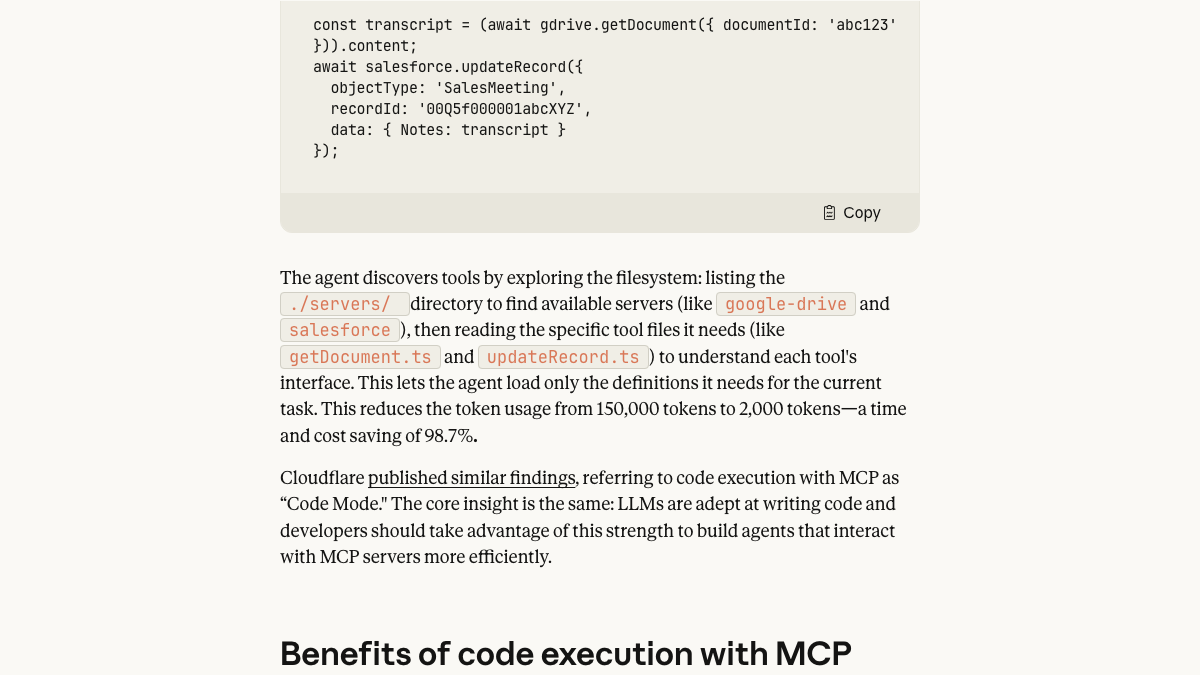
Cost is the third reason. Every MCP call passes through a language model, and the model pays in tokens to read tool descriptions and results. Anthropic's engineering team wrote about this in November 2025: loading every tool definition up front and passing every intermediate result back through the model can overload the context window. In their example, letting the agent write code to call tools instead cut one workflow from 150,000 tokens to 2,000, a saving of 98.7%.
A developer who benchmarked Slack's official MCP server against a command-line tool they'd built found the same pattern on a small scale. Both got all 35 runs of each task right, but the MCP route returned more than twice as much text per task and cost about half as much again.
Benchmarked Slack's official MCP server against my Slack CLI in Claude Code. 7 read-only tasks, 35 runs each, Sonnet 5. cost/task: cli $0.033 · mcp $0.050 tool output: cli 4.1k chars · mcp 10.5k chars correct: 35/35 · 35/35 The CLI started out worse at $0.057. I read the
 Allen@alleneubankSep 25, 2026
Two caveats are worth keeping in mind. The benchmark's author built the CLI they were comparing, and they noted it started out more expensive than the MCP server until they read the transcripts and fixed it. The gap came from design, and a well-built MCP server can close most of it.
Where MCP wins
MCP wins on reach. Most marketing teams don't have a developer free to write and maintain scripts, and an MCP server turns the same data into something anyone can query: "Which pages lost the most clicks in Search Console this month, and what do Ahrefs' keyword numbers say about them?" That question needs two tools and a join, and an assistant does it in one conversation.
It also wins when the questions change every week. A script answers the question it was written for. An assistant with a few servers connected can take a new question on Tuesday and a different one on Thursday, without anyone writing code in between.
The best MCP servers aren't thin copies of an API. In a thread in r/AI_Agents this August, a developer asked why anyone would use MCP now that agents can call APIs directly. The top answer, from someone who had built several servers, argued that MCP servers shouldn't just wrap an API, and the thread's own summary put it as "an MCP is another frontend, built for models instead of humans."
Why use MCP when Agents can use APIs directly?
[Sorry in advance if this a duplicate of another post, but feels like the response to this question can vary every month] Agentic workflows and LLMs are now powerful enough to call and discover APIs and CLIs directly, so MCP feels more and...
Call it the task-level test. An API offers endpoints, such as "get keywords for a domain." A good MCP server offers tasks, such as "find the questions where a competitor gets cited and I don't." When a server passes that test, the model spends fewer tokens working out which endpoint to call and in what order.
MCP also handles access more simply for non-developers. Remote servers usually connect through a sign-in screen, so nobody pastes an API key into a chat window, and the server decides which tools the assistant can see at all.
The same job, done both ways
Take a common weekly job: pull the top keywords for five competitors and flag new entries.
With the API, someone writes a script once. It runs every Monday, costs the vendor's units for each request, and drops a spreadsheet into a shared folder. After the first week, it costs no one's time until the vendor changes its API.
With MCP, someone asks Claude on Monday morning. It costs the same vendor units plus the model's tokens, and it takes a few minutes of that person's time each week. In return, the person can ask a follow-up right away, such as which of those new keywords match pages they already have.
| Tool | API | MCP | Metered by |
|---|---|---|---|
| Ahrefs | From the Lite plan | From the Lite plan | One shared unit pool, 200,000 units a month on Lite |
| DataForSEO | Pay as you go | Pay as you go | Credit, $50 minimum top-up |
| Semrush | Available with API units | On certain plans with API units | API units |
| Google Search Console | Free official API | Community servers, run locally | Google's API quotas |
| RankControl | Included | Included | Plan limits and per-route caps |
Neither route is cheaper in every case. A script is cheaper per run once it exists, and MCP is cheaper when the alternative is paying someone to write a script for a question you'll ask once.
The third option: a command line your agent can use
Between writing scripts and chatting through MCP sits a middle route that's become common in coding agents: a command-line tool the agent runs itself. Claude Code and Codex can both run terminal commands, so an agent that knows a CLI can call it like a person would, read the output, and write a short script around it when a job repeats.
This is close to what Anthropic's post recommends. Instead of loading every tool into the model's context, the agent discovers the commands it needs and writes code that calls them, which keeps large results out of the conversation. It suits technical marketers who already work in a terminal, and it gives you a script you can keep once the agent has worked out the steps.
RankControl's CLI and MCP server ship in one npm package, and an agent skill teaches skills-compatible agents how to use the CLI. The same scoped key and dry-run rules apply whichever way the agent calls RankControl, so a publish from the terminal waits for confirmation just like a publish from Claude's chat window.
For a single SEO team, the practical pattern is simple. Schedule the reports you read every week through the API or a CLI script, and keep an MCP server connected for the questions those reports raise. When you ask the same question twice, have an agent turn it into a script.
Keeping write actions safe
Reading data is low risk on either route. Writing is different, whether that's publishing a post or sending an outreach email. A script does exactly what it was coded to do, bugs included. An assistant does what it understood you to mean, which is usually right and occasionally not.
The fix is the same on both sides: make anything with a visible effect a two-step action. RankControl's REST API, which is the same HTTP API behind the CLI and MCP server, builds that in. Publishing, social pushes, outreach sends and team invites return a preview by default, and only run when the same request comes back with a confirmation.
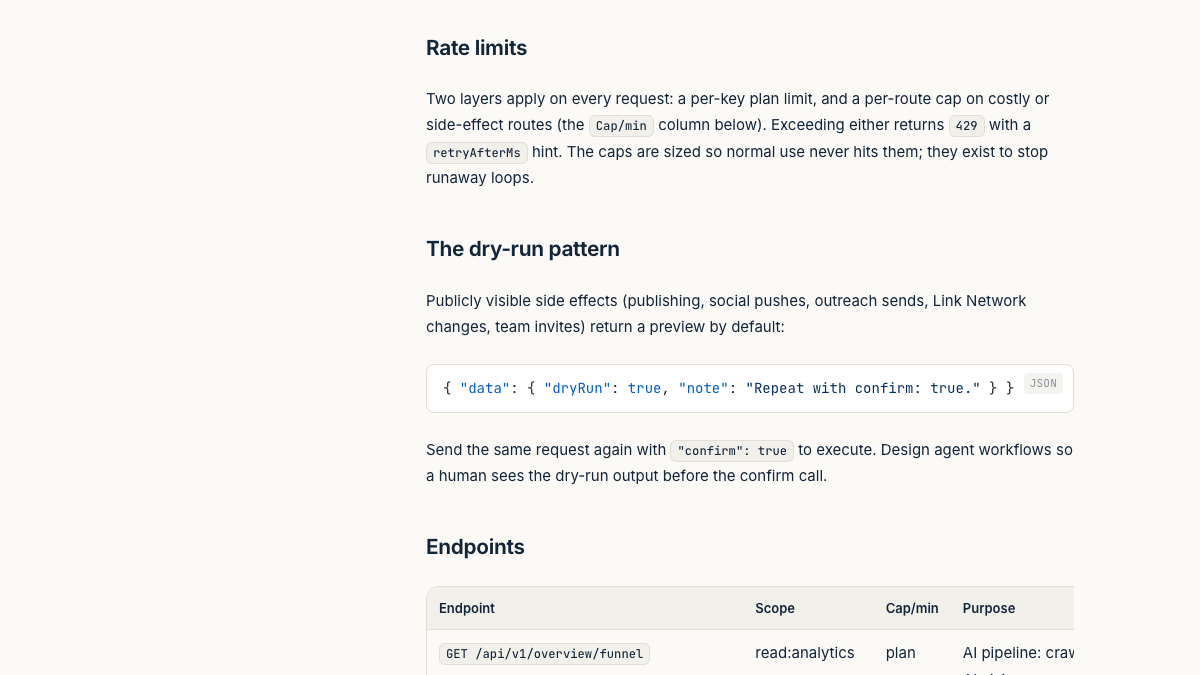
Keys are scoped too. The docs list nine scopes, from reading citations to publishing, so a reporting script can get a read-only key while an agent that plans content gets write access to content and nothing else. Two layers of rate limits sit on top: a per-key plan limit and a per-route cap on costly or side-effect routes.
See your first AI citation report in under 5 minutes.
No setup calls. No onboarding meetings. Connect your domain and see where AI mentions your brand right now.

How RankControl handles both
RankControl's work is available through the dashboard, the REST API, the CLI and the MCP server alike, with the same plan limits in each. There's an OpenAPI spec for anyone building against the API. The MCP server has 80+ tools and connects to Claude, ChatGPT, Cursor or Codex with a sign-in, or runs locally from the npm package in Claude Code or CI.
The work behind those interfaces is the same either way. AI visibility tracking checks 50 of your buyer questions weekly on seven engines, and the content engine plans, writes and publishes articles on your site. You can ask for any of it from a script or from a chat.
Which should your team use?
| If you... | Use |
|---|---|
| Pull the same report every week into a dashboard | The API |
| Ask new questions across several tools | MCP |
| Have no developer on the team | MCP |
| Need exact figures for a client report | The API, or MCP with a spot check against the tool |
| Want an agent to take actions for you | MCP, with dry runs and a confirmation step |
| Export more rows than a tool's interface shows | The API |
For more on the servers themselves, our roundup of the best MCP servers for SEO covers setup and pricing for each.
What neither one does
An API and an MCP server are both ways of asking for data. Neither writes the page that answers a buyer's question, and neither publishes it. That work is where most of an SEO month goes: 20 researched, linked and published articles take 40 to 60 hours, and checking 50 questions across seven AI engines by hand takes about six hours a week. Those are rough estimates.
You can connect the servers, write the scripts and do the rest yourself. Or RankControl's agents can run the whole month, and you can check on them from a dashboard, a script or a chat with Claude.
Your competitors are building backlinks while you read this.
Organic outreach, social mentions, and citations from Editorial Circle member sites, with managed backlinks available as an add-on. Grow your domain authority without running the campaign yourself.