
Someone on the team asks ChatGPT which tool to buy, sees your product at the top and drops a screenshot in Slack. A week later a colleague asks the same thing and you're nowhere. Neither screenshot is wrong. Each one is a single run of an answer that changes every time it's asked.
LLM visibility monitoring is how you get past the screenshots. It's a fixed set of buyer questions, run on a schedule across AI engines, logged the same way every time, with rules for which changes matter. This guide sets it up as a one-page spec you can fill in and hand to whoever runs it, sized with numbers from the checks we ran in September 2026.
What LLM visibility monitoring is
A check tells you where you stand today, and our guide on how to check your AI visibility covers that part. Monitoring repeats the check with enough runs, and enough consistency, that a change in the numbers means something changed in the world.
Consistency is the hard part. When we asked OpenAI's model, with web search on, for the best webinar platform for SaaS product demos five times on the same day, it picked Demio twice and Livestorm three times. Nothing had changed between those runs. A monitor that logged one run a week would have reported a win, a loss and another win, and all three reports would have been noise.
Founders run into this as soon as AI starts showing up in their pipeline. One r/SaaS founder asked how anyone tracks it after a few inbound leads said ChatGPT had shown them the product. The top reply came from a founder who'd started tracking six months earlier: AI now came up in roughly 5 to 7% of their demos, and attribution was the hard part, since buyers rarely say it on the form.
How to track AI visibility? I need more than just traffic from GA.
We’ve had a few inbound leads recently and some of them are saying chatgpt showed our product when they were researching tools. It’s still a small number, but it’s happening often enough that I’m not sure we should ignore it anymore. Curiou...
The spec below has five parts, starting with the questions and ending with the rules for when to act.
Part 1: the question set
Twenty questions is plenty for a first version. Semrush's AI Visibility Toolkit tracks 25 prompts on its $99 a month plan, and Ahrefs prices Brand Radar's custom prompts from $50 a month, so even the big vendors treat the question count as the thing you pay for. Split yours across four kinds of question.
| Kind | How many | Example for a project management tool |
|---|---|---|
| Unbranded "best" questions | 5 | What's the best project management tool for a 20-person remote team? |
| Constraint questions | 5 | Which project management tools integrate with HubSpot and cost under $15 a seat? |
| How-to questions | 5 | How do you set up task dependencies in a Gantt chart? |
| Branded questions | 5 | Is [your product] worth it in 2026? |
Run the unbranded questions from a signed-out or brand-new session, and never let your own name into them. One agency founder on r/b2bmarketing showed why. They made a fresh ChatGPT account to test their visibility, and a slightly reworded question left the agency out entirely. When they asked why, the next answer put the agency back on top. Replies in the thread named the cause: once your brand is in the chat, the answer bends toward it.
Keep the branded questions out of any share-of-voice number for the same reason. An engine almost always mentions the brand a question names, so mixing the two kinds makes your unbranded picture look better than it is.
200+ SaaS teams already track their AI citations.
They know exactly when ChatGPT mentions their brand, and when it stops. Do you?
Part 2: engines, runs and cadence
Give every engine its own row, and never blend them into one score. For six "what's the best X for Y" questions, ChatGPT and Perplexity agreed on the top pick once. They also read different shelves: OpenAI's model mostly cited vendors' own pricing, help and product pages, while Perplexity leaned on "best of" lists. Our post on why AI search cites fewer listicles has the page-by-page breakdown. A blended number would hide which engine needs the work.
Three runs per question per engine is the floor, and five is better for the questions you care about most. The webinar question above is the reason: with three runs you'd have seen that the pick was split, and with one you'd have picked a side by accident.
A workable first cadence looks like this:
| Engine or source | Questions | Runs | How often |
|---|---|---|---|
| ChatGPT, search on | All 20 | 3 each | Weekly |
| Perplexity | All 20 | 3 each | Weekly |
| Google AI Overviews and AI Mode | The 10 unbranded and constraint questions | 1 each | Weekly |
| Claude and Gemini | All 20 | 3 each | Monthly |
| Search Console and Bing Webmaster Tools | No questions needed | None | Weekly pull |
Google gets fewer runs because you also get its impression data for free (more on that in Part 4). Claude and Gemini go monthly only to keep the first version small. Move them to weekly once the routine sticks.
Also rerun the full set whenever a major model update ships, instead of waiting for the next scheduled week. A new default model can change which pages get cited, so a baseline from before the update stops being a like-for-like comparison.
Part 3: what to log for every run
The log is where most monitoring falls apart, because people record "we showed up" and nothing else. Log four things per run:
- Whether the answer named your brand.
- Whether it cited your site, and the exact URL.
- Whether the engine searched the web at all, or answered from memory with no sources.
- Which brand it put first.
The first two stay separate on purpose. Naming and citing drift apart, and our post on mention tracking vs citation tracking explains what each one tells you.
The third column saves a lot of false alarms. In our check of 10 new posts from well-known SaaS blogs, ChatGPT answered 6 of the 10 target questions from memory without searching at all, so no page could have been cited. Logging "no search" as its own state stops those questions from counting as misses.
For the URL column, strip query parameters before you compare. Through OpenAI's API, about half the cited URLs in our test carried an added ?utm_source=openai tag, and the same page appeared with and without it across runs.
The exact URL also reveals the page doing the work. For Livestorm's pricing question, a help article on attendee-based pricing was cited in all five runs, while the main pricing page showed up once. We call a page like that load-bearing. Our guide to checking ChatGPT citations goes deeper on finding those pages.
How often does ChatGPT mention your brand?
Most founders have no idea. The answer might surprise you.

Part 4: the free platform data
Three platforms now report some AI data for free, and each covers a different piece.
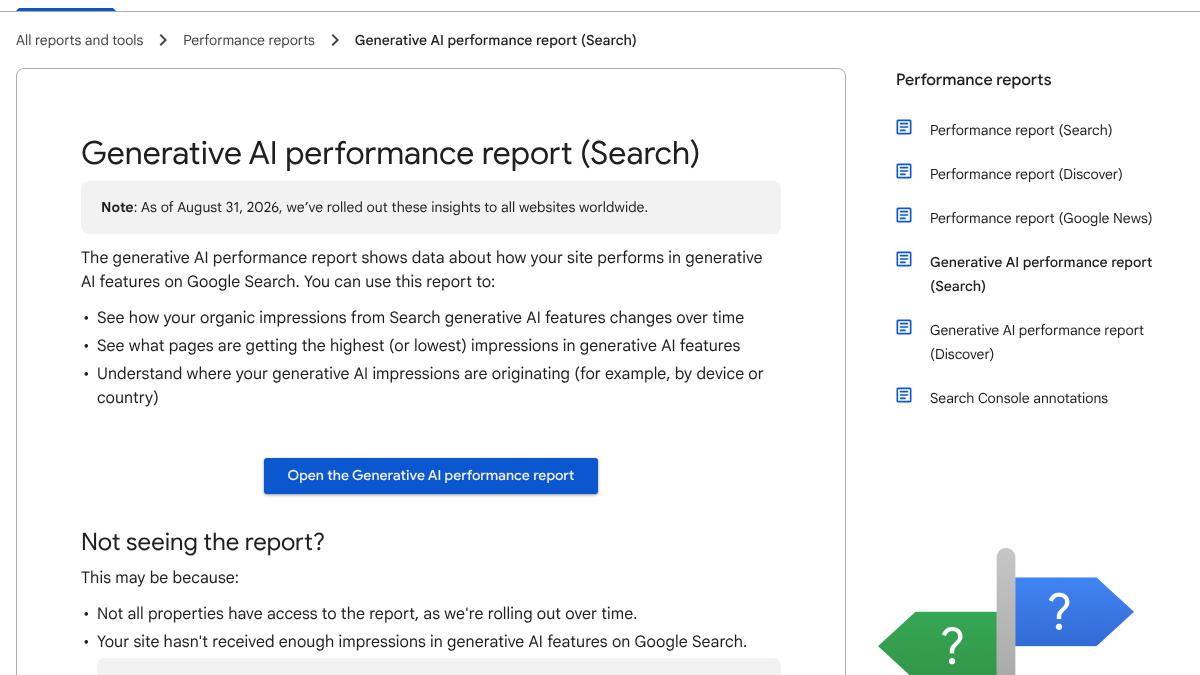
Google Search Console's generative AI performance report shows impressions from Google's AI features, broken down by page, country and device. Google's help page says it rolled out to all websites worldwide as of August 31, 2026. It has impressions and no clicks, so it tells you a page appeared, not whether anyone visited.
Bing Webmaster Tools went further. Its AI Performance report, launched in public preview on February 10, 2026, counts citations across Copilot and Bing's AI summaries and shows which URLs were cited. It also lists grounding queries: the phrases the AI searched when it pulled your page. It's the only free report we know of that shows the search behind a citation.
For clicks, GA4 added an AI Assistant channel on May 13, 2026, which Google's channel documentation says covers visits from chatbots like ChatGPT, Gemini and Claude. OpenAI's publishers FAQ also says ChatGPT adds utm_source=chatgpt.com to its referral links. Perplexity's crawler documentation covers access and says nothing about referral tagging, so check its visits by referrer in your own analytics. Our GA4 AI referral guide walks through the setup.
Search Console sees impressions without clicks, and GA4 sees clicks without impressions. Neither one tells you what ChatGPT or Perplexity said, which is why Parts 1 to 3 exist.
Part 5: alert rules and the quiet-week baseline
A spec without alert rules turns every dip into a debate. Before you set any rule, take what we call a quiet-week baseline. Run the full spec twice in one week when you haven't published or changed anything. Everything that moves between those two runs is noise, and your alert rules should only fire on changes bigger than that.
With a baseline in hand, four rules cover most of what matters:
- A load-bearing page that was cited in every run for four weeks drops to zero of three. Check that it still loads and isn't blocked in robots.txt or your firewall, then look at what replaced it.
- A competitor takes the top pick in all three runs for two weeks running on a question you used to lead. Read what they've published recently.
- A question comes back as "no search" for three weeks straight. That's a memory question, so the fix is a future model and your wider footprint, not a new page this month.
- A single run misses. Do nothing. That's what the baseline showed you to expect.
Give the spec one owner who runs the weekly pull, plus a monthly review where the owner reads the trend with the team. Put that person's name at the top of the spec, next to the date of the last quiet-week baseline.
Running it yourself or handing it off
By hand, this spec is about 120 answers a week: 20 questions, three runs each, on ChatGPT and Perplexity. At a minute or so per answer to run and log, that's around two and a half hours a week with the Google spot-check, plus about two more once a month for Claude and Gemini. Those are rough estimates.
You can run it with a spreadsheet and a calendar reminder. Or RankControl can run the monitoring for you. Our AI visibility tracking checks up to 50 buyer questions every week across seven AI engines, marks each answer as mentioned, cited or both, and records every source each answer used. A new citation shows up as a notification. Our analytics log AI crawler visits and AI-referred visits for each page. For a quick first look, run the free AI visibility check.
15 hours a week manually. Or 15 minutes with RankControl.
Track citations, monitor competitors, and fix content gaps across every AI search engine. Automatically.