
Google doesn't give you an off switch for AI Overviews. We ran three everyday US searches on September 27, 2026, one of them for getting a wine stain out of carpet, and every one opened with a paragraph of AI-written advice above the first website.
You can still get a plain list of links, though. There are three workarounds we'd trust: a filter you click on each search, a browser setting that makes the change stick, and an extension. We think of them as a ladder that runs from least effort to most permanent, and this guide climbs it one rung at a time.
Can you turn off Google AI Overviews?
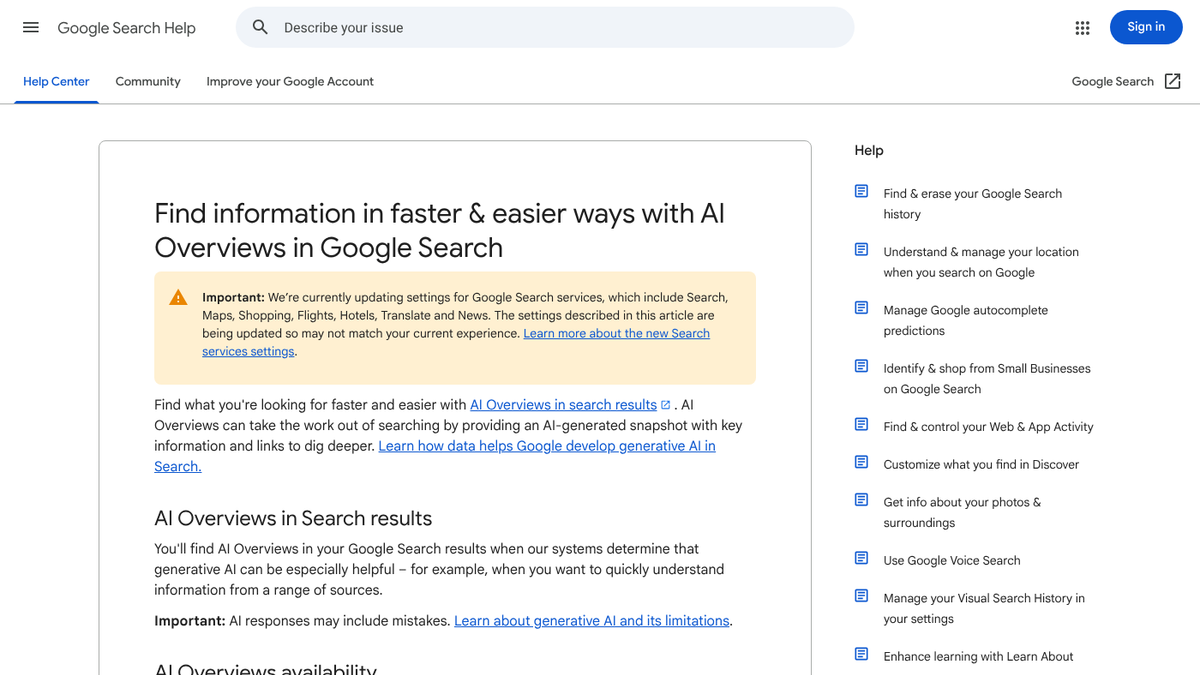
No, and Google says so plainly. Its help page reads: "AI Overviews are a core Google Search feature, like knowledge panels. Features cannot be turned off." The useful part is that the same page goes on to name the workaround itself: "you can select the Web filter after you perform a search. This filter displays only text-based links without features like AI Overviews."
Here's how the three workarounds compare before we get into each one:
| Method | Effort | Where it works | Lasts |
|---|---|---|---|
| Click the Web filter | One click per search | Any browser, phone or computer | One search |
| Make udm=14 your default search | Five minutes, once | Chrome and other browsers that allow custom search engines | Until you change it |
| Install a hiding extension | Two minutes, once | Chrome and Chromium browsers | While the extension works |
Rung one: the Web filter
Start here, because it works in any browser and needs nothing installed. Run your search, then look at the row of options under the search box (All, Images, News and so on) and click Web. On a phone it can be tucked under More or sit further along the row.
The page redraws as a plain list of text links. The AI Overview goes, and image and video blocks go with it, since the filter only shows text-based links.
The filter has been around since May 2024. Danny Sullivan, Google's Search Liaison at the time, announced it would show "only text-based links, just like you might filter to show other types of results, such as images or videos." Sullivan moved to a different role at Google in 2025 and that account is no longer active, but the filter is still there and still documented.
Google's reasoning back then is worth a look. In a follow-up post in the same thread, it said some people simply prefer plain links: they're after longer documents, they're searching on a device with limited internet access, or they like text results kept apart from search features.
We’ve launched a new “Web” filter that shows only text-based links, just like you might filter to show other types of results, such as images or videos. The filter appears on the top of the results page alongside other filters or as part of the “More” option, rolling out today https://t.co/tIUy9LNCy5
 Google SearchLiaison@searchliaisonMay 14, 2024

Our one complaint is that it doesn't stick. The next search puts you back on the default results, AI Overview and all.
Rung two: make the Web filter your default with udm=14
This is the rung we'd point most people to, because you set it once and stop thinking about it. Clicking Web adds a small piece to the page address, udm=14, and any Google search address ending in &udm=14 opens straight into the text-only view. That means your browser can search that way every time.
In Chrome the setup takes about five minutes:
- Open Chrome's Settings, go to Search engine, and then to Manage search engines and site search.
- Click Add next to Site search.
- Name it something like "Google Web" and give it a short shortcut like "gw".
- In the address field, enter
https://www.google.com/search?q=%s&udm=14. Chrome swaps%sfor whatever you type. - Save it, open the three-dot menu beside it, and choose Make default.
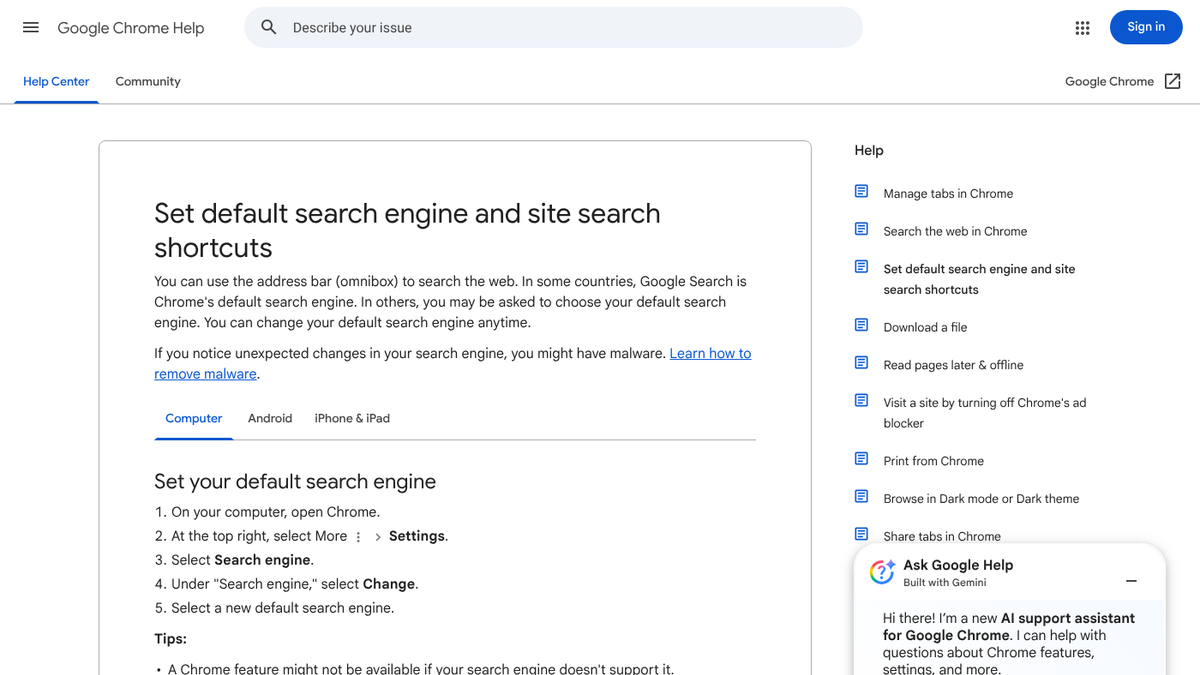
After that, every search from the address bar lands on the Web view.
You might want the plain view only some of the time. In that case, skip step five and keep normal Google as your default. Type the shortcut and a space whenever you want plain links, so "gw wine stain carpet" searches the Web view and nothing else changes. On a regional Google domain, use {google:baseURL}search?q=%s&udm=14 instead, which follows whichever Google domain Chrome already uses.
Plenty of people have worked this out for themselves. A post on r/TechSEO that walks through these exact Chrome steps drew 66 upvotes. In August 2026 an ordinary X user posted a reminder about &udm=14. It passed 15,000 likes.
udm=14 - How to get "Old School" Google back by default in Chrome
I just discovered "udm=14".By adding it to the end of a Google search request it just shows the top 10 results with no clutter no ai nonsense. For example: https://www.google.com/search?q=best+seo+tips+for+2026&udm=14 I then asked Gemini if...
reminder that if you still wanna use google without the ai overview this works &udm=14 makes it so that google only displays website links, nothing else https://t.co/iZW91COojM
 vera!! 🪶@hisuiyumiAug 25, 2026

Outside Chrome it depends on the browser. Edge and other Chromium-based browsers generally let you add a custom search engine with a %s address the same way. Firefox and Safari handle custom search engines differently, and their options have changed between versions, so on those we'd use the Web filter or an extension.
Your competitors are building backlinks while you read this.
Organic outreach, social mentions, and citations from Editorial Circle member sites, with managed backlinks available as an add-on. Grow your domain authority without running the campaign yourself.

Rung three: an extension
We'd only reach for an extension if you want Google's normal results page with just the AI Overview taken off the top. That's the whole job: hide the one section and leave everything else where it was.
Hide Google AI Overviews was the most used one we found in the Chrome Web Store. When we checked in September 2026, it had about 600,000 users. Its rating was 4.1 stars. Its code is open source on GitHub, so anyone can see what it does, and its listing says it collects no data. Bye Bye, Google AI has about 100,000 users; it hides AI Overviews too and can also hide Discussions and ads.
Two things would make us careful. Any extension like this needs permission to read and change Google's results pages, since that's how it hides things, so be wary of one that wants more. One smaller extension we looked at says in its store listing that it handles personally identifiable information, and it asks users to enter a "secure token," which is more than hiding a page section should need.
Extensions also lean on Google's page layout. When Google changes its HTML, a hiding extension can break until the developer updates it, and that's why we'd still pick udm=14 if you want something that just keeps working.
On your phone
The phone is where this gets clumsy. We couldn't find a separate AI Overviews setting in the Google app, and Google's help page reads the same on Android, so the practical fix is the Web filter in the row under the search box.
In a mobile browser you can also add &udm=14 to the end of the address once you've searched. It's clunkier than the desktop setup, but it works.
People clearly still want a real switch. In a September 2026 thread on r/google, a frustrated user asked if there was any way to remove AI Overviews at all, and said Google didn't even answer their questions anymore. The thread drew 40 comments.
Removing AI overview
Please for fuck sake can I remove the AI overview and suggestions. I want to at least swap search engine cause Google doesn't even answer my questions at this point, it is actively harmful data wise and information wise.
What doesn't turn off AI Overviews
Some settings look like they should help, and they don't. The one to watch for is the Search Labs toggle called "AI in Search." It controls whether you're enrolled in new experimental AI features, which Google describes as a "testbed for innovation," and switching it off leaves the standard AI Overviews exactly where they were.
AI Mode is a separate product, the chat-style search tab, and unlike AI Overviews it does have its own switch in Search Labs. Sign in to your Google account on a computer and open a new tab. Click Search Labs at the top of the page, then Manage, and turn AI Mode off. That does nothing to the AI Overview at the top of normal results.
We also went looking for evidence that query tricks, like adding "-ai" or other words to a search, still hide AI Overviews in 2026. We couldn't find a reliable source either way, so we'd stick with the three rungs above.

You're getting AI traffic. But do you know where it comes from?
RankControl credits every visit to the assistant that sent it: ChatGPT, Perplexity, Claude, Gemini, Copilot, or Grok. Full source attribution, next to your Google traffic.
If you're a marketer, don't opt out of watching
Hiding AI Overviews for your own searching is fine. Losing sight of them for your business is a mistake, because all three everyday searches we checked showed an AI Overview first, and on many searches your buyers will see one before they see your listing.
A first-page ranking is worth less with an Overview sitting above it. If that Overview cites a competitor, a buyer may get the answer before they ever scroll down to you. Our look at how AI Overviews are affecting website traffic has the click data, and our guide to ranking in AI Overviews covers what the cited pages have in common. If an Overview says something wrong about your company, our guide to correcting false information in AI Overviews covers what you can do.
So keep one browser profile with normal Google results for work, and check your main keywords there the way buyers see them.
Doing it yourself or handing it off
For your own searching, the fix is five minutes of setup: udm=14 in Chrome, and you're done.
For your company it's a recurring job. You'd search your main keywords every week in a normal profile and note whether an AI Overview appeared and which sites it cited. With 30 keywords that's about an hour a week, and it's the kind of task that slips.
RankControl does this as part of the weekly Google ranking checks. For each keyword, we record whether an AI Overview appeared and whether it cited your page. Our AI visibility tracking also checks up to 50 buyer questions across seven AI engines, Google AI Mode among them, and records every source each answer used. Our content engine writes the pages that give AI Overviews something of yours to cite.
We'll show you exactly where your brand stands in AI search.
No commitment. $0 due today, cancel anytime. See how ChatGPT, Perplexity, Claude, Gemini, Grok, Google AI Mode, and Google AI Overviews talk about your brand today.