
You open Rytr to pull out a year of drafts and find the export works one document at a time. There's a three-dot menu on each document, two download formats, and no button for everything at once. If you've got 40 documents, that's a coffee. If you've got 400, it's an afternoon.
That's the only fiddly part of moving from Rytr to RankControl, and it's worth doing properly before you cancel. This guide covers what you can take with you, how to export it, what happens to your custom voice, and how Rytr's cancellation and refund rules work. Every Rytr detail below was checked on its site and help center on September 26, 2026.
Why people make this switch
Rytr is a cheap, capable AI writer. Its Unlimited plan costs $9 a month, or $7.50 billed yearly, and Premium is $29, or $24.16 billed yearly. For bios, ad copy and emails, it's hard to beat on price, and RankControl isn't built for that kind of one-off short copy.
The switch happens when the job changes. You stop needing drafts and start needing articles that live on your site, rank on Google and get quoted by ChatGPT and Perplexity. Rytr ends at the draft: its product pages list no keyword research and no publishing to a CMS, and nothing that checks whether AI answers cite you. We compared the two side by side in RankControl vs Rytr, so this post sticks to the move itself.
The draft has also become the cheap part: Graphite's May 2026 study of 55,400 web pages found AI-written articles at rough parity with human ones, a share that has barely moved since early 2025.
What comes with you, and what stays behind
Here's the inventory, based on Rytr's own help center.
| In Rytr | Can you export it? | Where it goes in RankControl |
|---|---|---|
| Documents | Yes, one at a time, as .docx or .html | Reference material; published ones become link targets |
| My Voice tones | No export path documented | Your saved writing sample becomes a style reference |
| Custom use cases | No export path documented | No equivalent; RankControl writes 26 content formats |
| Plagiarism check history | No export path documented | Not needed |
| Chrome extension snippets | Nothing stored to export | Not needed |
The two rows that matter are documents and voice. Everything else was either a tool you used in the moment or a setting you'll rebuild in minutes.

Built by the team that got cited in 48 hours.
Content generation, backlink building, AI visibility tracking, and Google rankings. One platform, zero guesswork.
How to export your data from Rytr
Rytr's "Create & Edit Documents" help article, last updated August 28, 2025, gives the only export path. Here are the steps as it describes them:
- Open the document from your documents list.
- Click the three dots in the top right corner of the document.
- Choose Download (.docx) for a Word file or Download (.html) for a web page.
- Repeat for every document you want to keep.
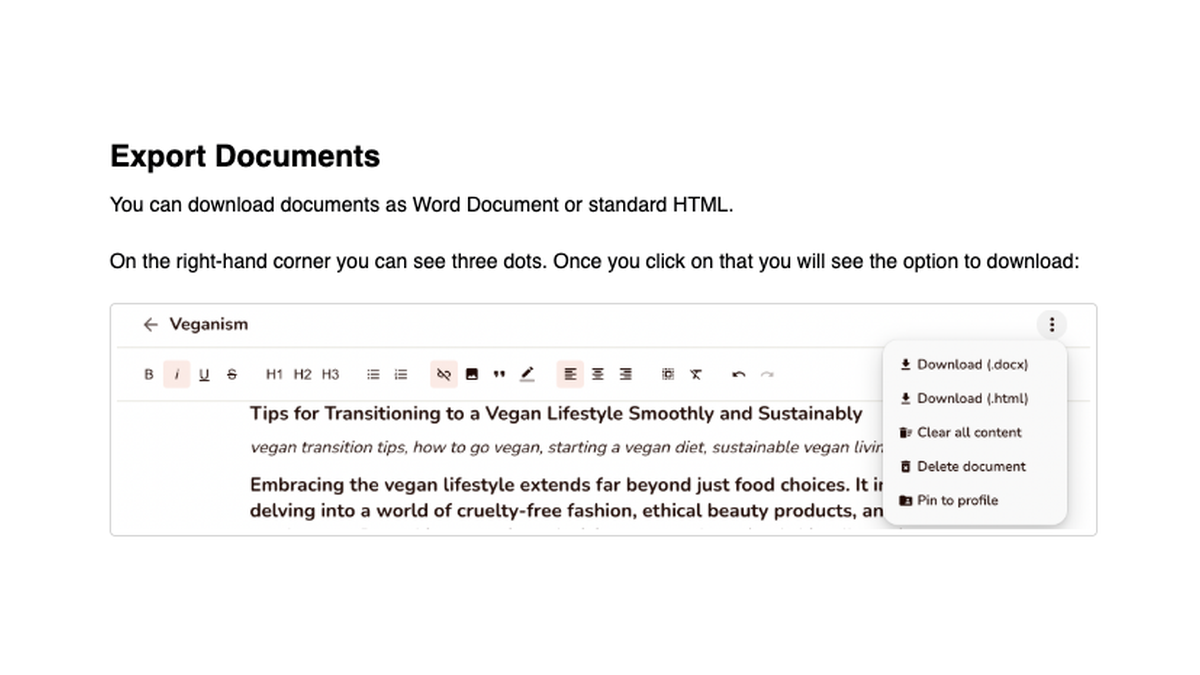
Pick .docx if you'll edit the text again, and .html if you want headings and links preserved for a CMS. The help center documents no bulk export, no PDF and no Markdown, so budget about a minute per document.
Before you start clicking, sort. Most Rytr accounts hold a long tail of throwaway drafts, and you only need the ones you published or plan to reuse. Anything already live on your site is safe there, since RankControl reads your published pages directly.
The My Voice problem
This is the part people lose by accident. Rytr's My Voice feature learns your tone from a writing sample, and Premium lets you keep five of them. We couldn't find any documented way to export those tones, and Rytr's help center doesn't mention one.
The fix is simple: find the sample text you originally gave My Voice and save it in a document. That sample, or two or three of your best finished articles, is exactly what RankControl can use as a style reference later.
Cancel last, and expect no refund
Cancel only after the exports are done. In Rytr, go to Settings, then the Plan tab, and click Cancel Subscription, then confirm the prompt. Rytr's Terms of Use still describe cancelling by email to [email protected], so use that address if the button isn't there for you.
A few rules to know before you click:
- Monthly plans keep working until the end of the month you've paid for.
- Annual plans are a 12-month commitment, so cancelling stops the renewal and nothing else.
- Rytr's refund article says subscriptions are non-refundable, and the Terms allow exceptions only case by case, at Rytr's discretion.
Deleting your account is a separate step with no button in the app. The help center says to email [email protected] from your registered address and ask for it. Rytr doesn't document how long it keeps your documents after you cancel or delete, so treat the day you email support as the day your drafts are gone.
Take a baseline before you switch
Spend 45 minutes on this before you cancel, because it's the only way to know later whether the move worked.
Start with the Rytr drafts that are live on your site. In Google Search Console, open the Performance report, set the range to the last three months, and use the Export button to save queries and pages as a CSV or Google Sheet. That file tells you which of those posts already earn impressions.
Then take your ten most important buyer questions and ask them in ChatGPT and Perplexity while signed out. Note who gets cited and whether you appear at all. Save the answers with the date, since they change from week to week.
That's your before-picture. RankControl's first weekly check across six engines becomes the second data point, and each week after that adds another.
Where everything lands in RankControl
There's no import tool, and you won't need one, because Rytr never held the things RankControl runs on: tracked questions, a publishing connection and a brand profile.
Start with Brand Control. It reads your live site and drafts your voice, products, buyers and competitors, and your job is to correct what it got wrong. Add guideline rules there, and upload up to three of your best articles as style references. Your saved My Voice sample goes in here.
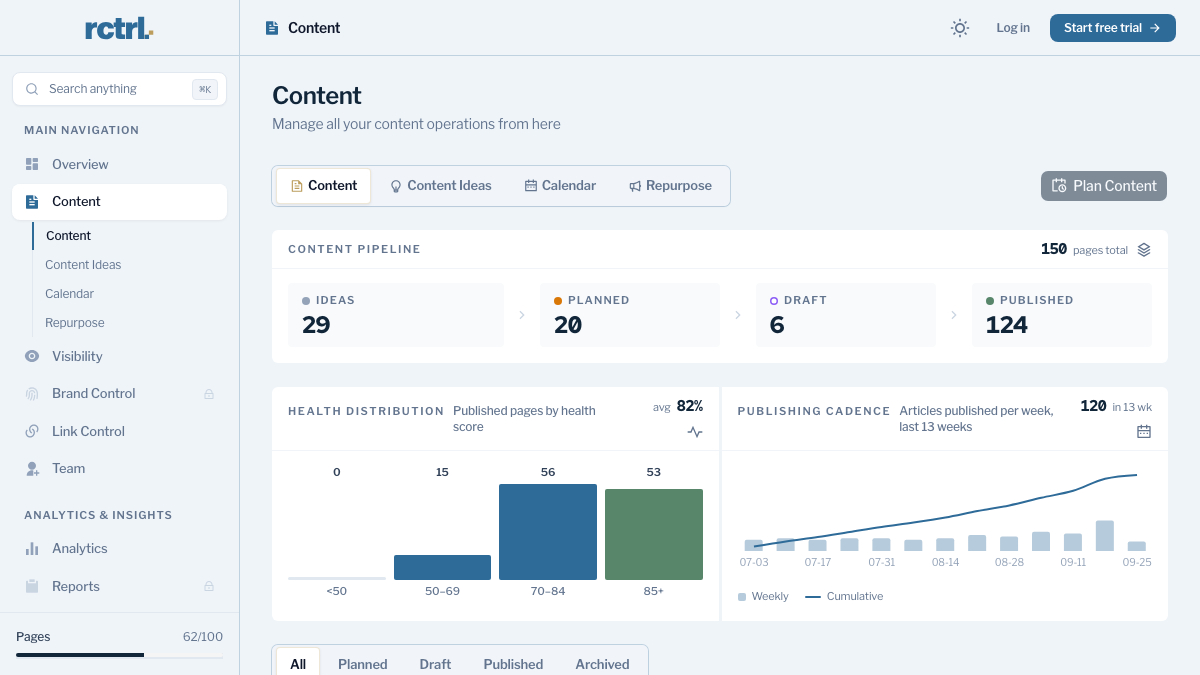
Next, pick the questions you want to be the answer to. Rytr never tracked anything, so this list starts fresh: up to 50 queries, written the way buyers ask them, which AI visibility tracking checks every week across six AI engines. Add up to 10 competitors while you're there, so you can see who gets cited instead of you.
Then connect your CMS through a publishing destination. WordPress, Webflow and Shopify are among the nine it supports, and a sitemap scan finds your existing pages so new articles can link to them.
From there, the content engine plans titles onto a calendar and writes each article against the pages already ranking for its keyword. Auto-publish is off by default, so every article waits for your approval until you decide otherwise. Link Control drafts backlink outreach for each published article from your own mailbox.
See your first AI citation report in under 5 minutes.
No setup calls. No onboarding meetings. Connect your domain and see where AI mentions your brand right now.

The switch from Rytr, step by step
- Sort your Rytr documents and export the keepers as .docx or .html: about a minute each.
- Copy your My Voice writing sample into a document: 10 minutes.
- Start RankControl's 7-day free trial and let setup read your site: about 15 minutes.
- Correct the brand draft, add guideline rules and upload two or three style references: 30 to 45 minutes.
- Add up to 50 tracked queries and up to 10 competitors: about 30 minutes.
- Connect your CMS and run the sitemap scan: about 20 minutes.
- Review and approve the first planned titles: 20 to 30 minutes.
- Cancel Rytr from Settings, then Plan, and email [email protected] if you want the account deleted.
That's three to four hours of setup, done once, plus your export time. Judge the move over months rather than days, since specific queries tend to earn citations within weeks and broader ones take longer.
What your week looks like afterwards
With Rytr, the week was prompts. You picked a template, fed it a topic, edited the output, and pasted it somewhere. The writing got faster, but links, publishing and checking results stayed on you.
After the switch, the week is approvals. Planned titles show up on the calendar, drafts arrive in your brand's voice, and you approve, edit or reject them. Once a week you see which of your tracked questions each engine answered with your pages, and a notification arrives when a new citation lands. A lost citation shows in the dashboard's citation history, so the next time you look you'll see it.
One plan covers it: $400 a month, or $4,000 a year, with five seats and 100 pages a month. That's a lot more than $9, and it buys a different job. You can keep doing it by hand: draft in Rytr, then edit, publish and pitch each piece yourself and reread the AI answers every week. Or RankControl's agents can do all of it, every month, while you get back to your product.
Not sure yet whether AI engines mention you at all? Run a free check of your brand in AI answers before you start the trial.
Your competitors are building backlinks while you read this.
Organic outreach, social mentions, and link exchanges, with managed backlinks available as an add-on. Grow your domain authority without running the campaign yourself.