
Load a Google results page in 2026 and you'll likely scroll past a dozen things before you hit a plain blue link. An AI Overview, a box of related questions, a map with three businesses pinned on it, a row of images. Each one is a SERP feature, and each one quietly decides who actually gets the click.
This guide covers the features that matter right now: what each one is, which ones Google actually documents, and what changed this year. We also ran a small live check of our own. On October 18, 2026 we pulled Google's results for four searches with different intents to see which features showed up for each.
What we saw in a live check
| Search | Features on the page |
|---|---|
| what is the capital of australia | AI Overview, People Also Ask, related searches |
| best coffee maker 2026 | AI Overview, People Also Ask, related searches |
| symptoms of the flu | AI Overview, People Also Ask, image pack, related searches |
| plumber near me | Local pack with three businesses, People Also Ask, no AI Overview |
It's a small sample, so read the pattern, not the exact numbers. People Also Ask appeared on all four searches. AI Overviews showed on three, skipping only the local search, where Google ran a map pack instead. The image pack appeared once, on the health question, where a picture clearly helps.
The AI Overviews varied in how much they linked out, too. The capital-of-Australia overview ran four blocks of text but linked only two sources. The flu overview ran five blocks and linked three. Even where an AI Overview appears, only a handful of pages get a link out of it.
AI Overviews
Google's guide to AI features frames these summaries as something meant to "help people get to the gist of a complicated topic or question more quickly, and provide a jumping off point to explore links."
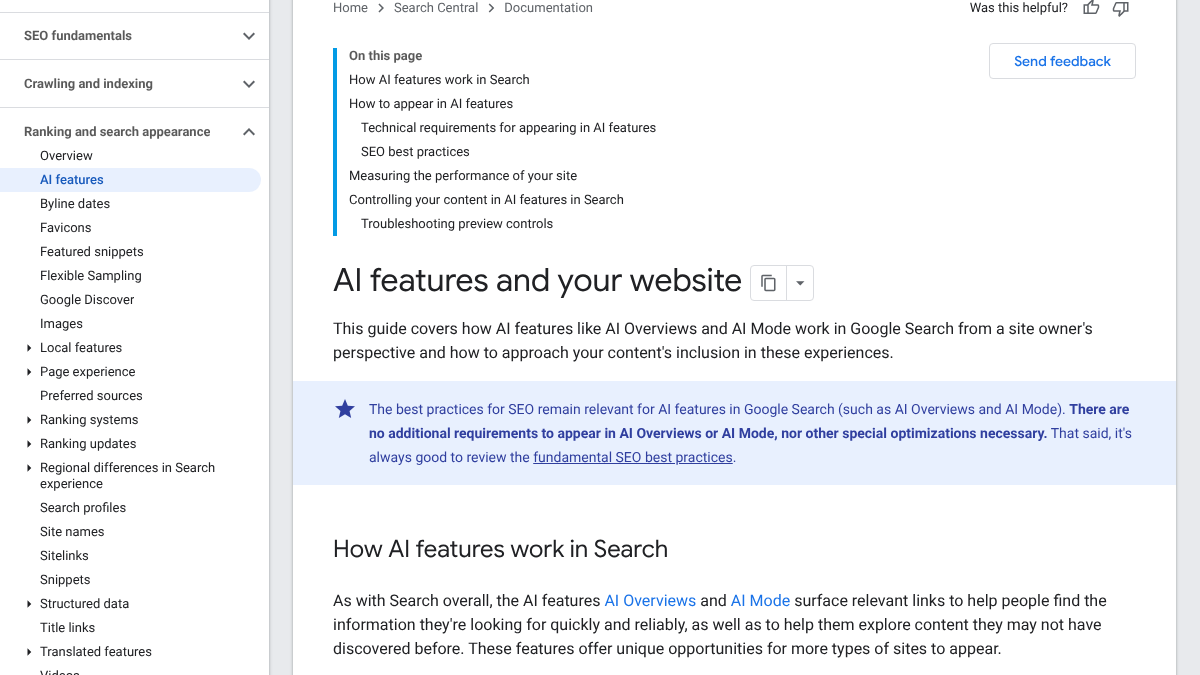
The single most useful line in that guide concerns eligibility, not optimization. "There are no additional requirements to appear in AI Overviews or AI Mode, nor other special optimizations necessary," it says. A page just needs to be indexed and already eligible to show in Search with a normal snippet. That's the whole bar.
Google also notes that both features can run "query fan-out," firing off several related searches behind the scenes before assembling an answer. That explains why an AI Overview sometimes cites a page that doesn't even rank for the exact phrase you typed. Our guide to how to rank in AI Overviews, with examples goes further into that mechanic.
AI Mode
AI Mode is Google's separate, chat-style search experience. Google describes it as "particularly helpful for queries where further exploration, reasoning, or complex comparisons are needed," and says it surfaces "a wider and more diverse set of helpful links" than a standard search does.
It shares the same eligibility rules as AI Overviews. The real difference is depth. An Overview hands you the gist above the usual results and moves on. AI Mode keeps the conversation open as long as you want to keep asking.
Barry Schwartz of Search Engine Roundtable pointed out in October 2026 that Google keeps tweaking how links render inside both features, and that Search Console still shows no click data for either one, a gap he keeps pushing Google to close.
Google updates links in AI Mode and AI Overviews again, but Google continues to refuse to show us click data in Search Console - show us the data 🖱️ https://t.co/N6rpObEjLf
 Barry Schwartz@rustybrickOct 15, 2026
If you'd rather measure these apart from your normal rankings, our guide to tracking AI Overviews separately from organic rankings covers how.
Know exactly what AI says about your competitors.
RankControl's Recon Agent monitors competitor citations across ChatGPT, Perplexity, Claude, Gemini, Grok, Google AI Mode, and Google AI Overviews. See where they show up and you don't.

Featured snippets
A featured snippet is the box near the top that quotes one page directly. Google's featured snippets doc calls them "special boxes where the format of a regular search result is reversed, showing the descriptive snippet first."
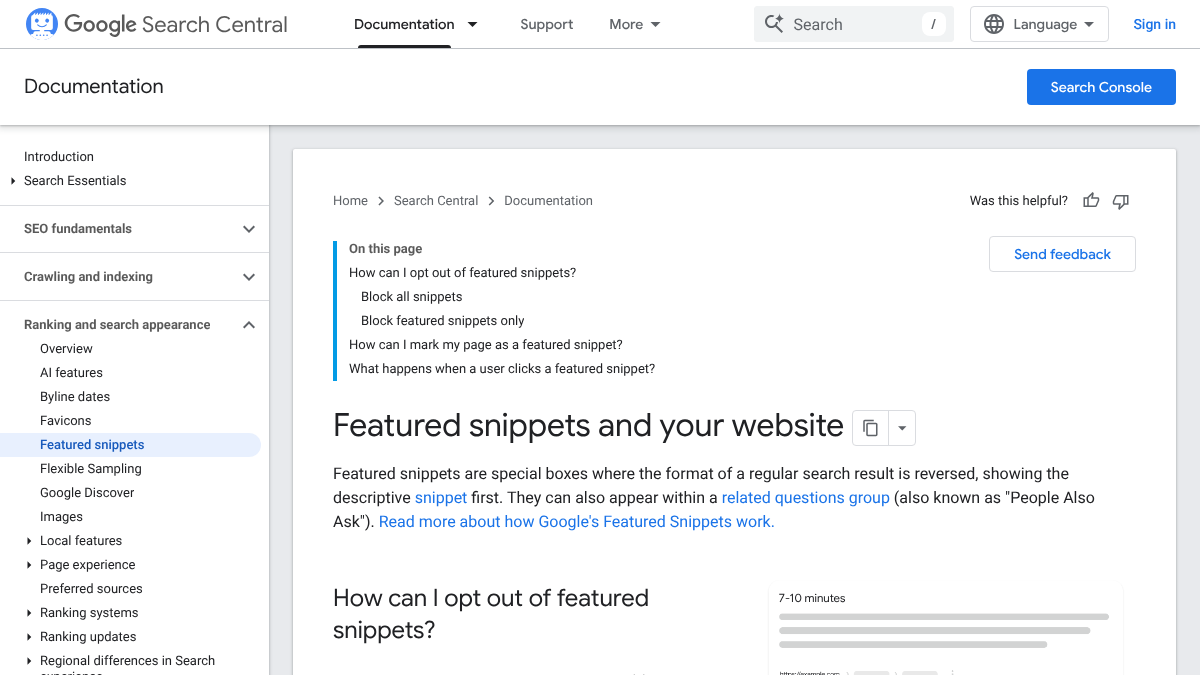
You can't ask for one. The doc's answer to "How can I mark my page as a featured snippet?" is just two words: "You can't." Google's systems decide that on their own, though you can opt out with the nosnippet rule, and clicking a snippet takes a reader straight into the quoted section of the source page.
People mix these up with AI answers constantly. Someone on r/google blamed AI Mode for a wrong answer that showed up in plain regular search, and the top reply set the record straight: that was a featured snippet, a feature that predates AI Overviews and AI Mode by years.
AI mode has officially poisoned Google's regular search. This traditional search result, now gives the same authoritative answer that AI mode did... because a university created a PDF poking fun at the original AI mode response...
The distinction has real stakes beyond the semantics. In one case shared on X, a Google AI Overview got the UK government's state pension guidance for people living abroad wrong. The featured snippet for that exact same search, quoting the source page directly, had it right.
Important correction: Google’s AI results has misrepresented the official @GOVUK guidance on State Pension payments abroad for expats. An elderly relative living abroad saw this and feared their pension would be cut off. It was infuriating to watch them so distressed by such https://t.co/lydv4u4tSc
 Mr Jonathan Jones 🇹🇼🇬🇧@Jonny_J_Apr 25, 2025

People Also Ask
People Also Ask is the box of related questions that expands when you click one, and it showed up in every single search in our check.
Oddly, Google gives it no documentation page of its own. The only official mention sits inside the featured snippets doc, which calls it a "related questions group (also known as 'People Also Ask')." There's no markup or setting built around it at all. Pages that answer a common question plainly, right near a heading phrased as that question, are the ones that tend to earn a spot in it.
It doubles as a cheap research tool, too. The questions it shows are real follow-ups people are already typing, which makes them good raw material for headings and FAQ items alike.
The local pack
For a search with local intent, something like "plumber near me," Google shows a map with a short list of businesses attached. Our check showed three of them, each carrying a rating, a review count and a booking link, with no AI Overview anywhere on the page.
The local pack runs mostly on your Google Business Profile, your reviews and your distance from the searcher. Google also documents a related feature called the Top Places List, which can surface curated "top places" roundups that mention your business, as long as those lists are genuine, independent and not sponsored. Google is explicit that this one "is only for businesses with a physical location."
Image and video packs
Image packs show a row of pictures, and video packs a row of videos, usually pulled from YouTube. In our check the image pack appeared only on the flu symptoms search, where a picture clearly earns its place.
Google documents both under its image and video guidelines. Clear file names, descriptive alt text, and a page that's genuinely about the image all help on the image side. For video, a page where the video itself is the main content tends to outperform one where the video is buried somewhere below the fold.
Top Stories and Preferred Sources
Top Stories is the carousel of news articles that shows up for newsworthy searches, and it's mostly built for news publishers. It's also where Google's Preferred Sources setting lives. Readers can star sites they want to see more often, and since May 2026 that same choice can mark links inside AI Overviews and AI Mode too. Our guide to Google Preferred Sources covers how the mechanic actually works.
26 content formats. Published on your domain. Matched to your brand.
Guides, comparisons, listicles, case studies, and more. RankControl generates content that gets cited by ChatGPT, Perplexity, Claude, Gemini, Grok, Google AI Mode, and Google AI Overviews.

Sitelinks, rich results and the rest
A few more features show up often enough that it's worth knowing what they are.
- Sitelinks are the extra links that appear under a site's main result, usually for brand searches, and Google picks them automatically with no input from you.
- Rich results come from structured data: product prices, recipe ratings, event dates, job listings. Each has its own Google doc and its own markup.
- Knowledge panels are the boxes about people, places and companies, and Google manages those through a separate help center entirely, not through Search Central.
What Google removed
A couple of features have quietly gone away, and plenty of old guides still recommend them anyway.
- FAQ rich results. Google stopped showing these on May 7, 2026 and pulled the documentation on June 15. The markup itself still does no harm sitting on a page, it just no longer builds the expandable result it used to. Our post on FAQ pages for AEO covers what FAQs still do for you regardless.
- The sitelinks search box. Google removed this one earlier, back in November 2024.
If a guide tells you to bolt on FAQ schema to win extra space in results, you're reading something out of date.
How to show up in more of them
You can't choose which features Google decides to show. A handful of habits do make your pages eligible for more of them, though.
- Answer the main question near the top, in a short paragraph. That's exactly what both featured snippets and AI Overviews lift from a page.
- Use the questions people actually ask as your headings. People Also Ask is a free list of them, sitting right there for the taking.
- Keep your Business Profile complete if you run a physical location.
- Use clear images with real alt text on pages where a picture genuinely helps the reader.
- Add structured data wherever it applies, whether that's products, events or recipes.
- Check your own results regularly. The features differ search by search, so look at the ones that actually matter to you.
Most people don't even know Google offers a plain "Web" tab with no AI Overview at all. A thread on r/mildlyinfuriating pulling almost a thousand upvotes showed just how few people have ever noticed it exists. Most of us simply use whatever loads first.
I'm sorry but isn't this supposed to GET RID of the ai overview?
Call it the first-screen rule. Whatever shows up before the first scroll is what most searchers actually use, so that's the real estate worth planning around.
Doing it yourself or handing it off
Checking the features for your own important searches takes about an hour. Write down which ones show up and who's winning them, then repeat the exercise every month or two, since the mix changes.
RankControl handles the content side of this. We write each article against the pages already ranking for its keyword, with a clear answer placed near the top, and score it for how easily AI engines can quote it, fix list included. Our AI visibility tracking then checks up to 50 buyer questions every week across seven AI engines, Google AI Mode and Google AI Overviews among them. Expect traffic from Google and AI search first, with citations following more slowly as other sites link to you and mention you on their own.
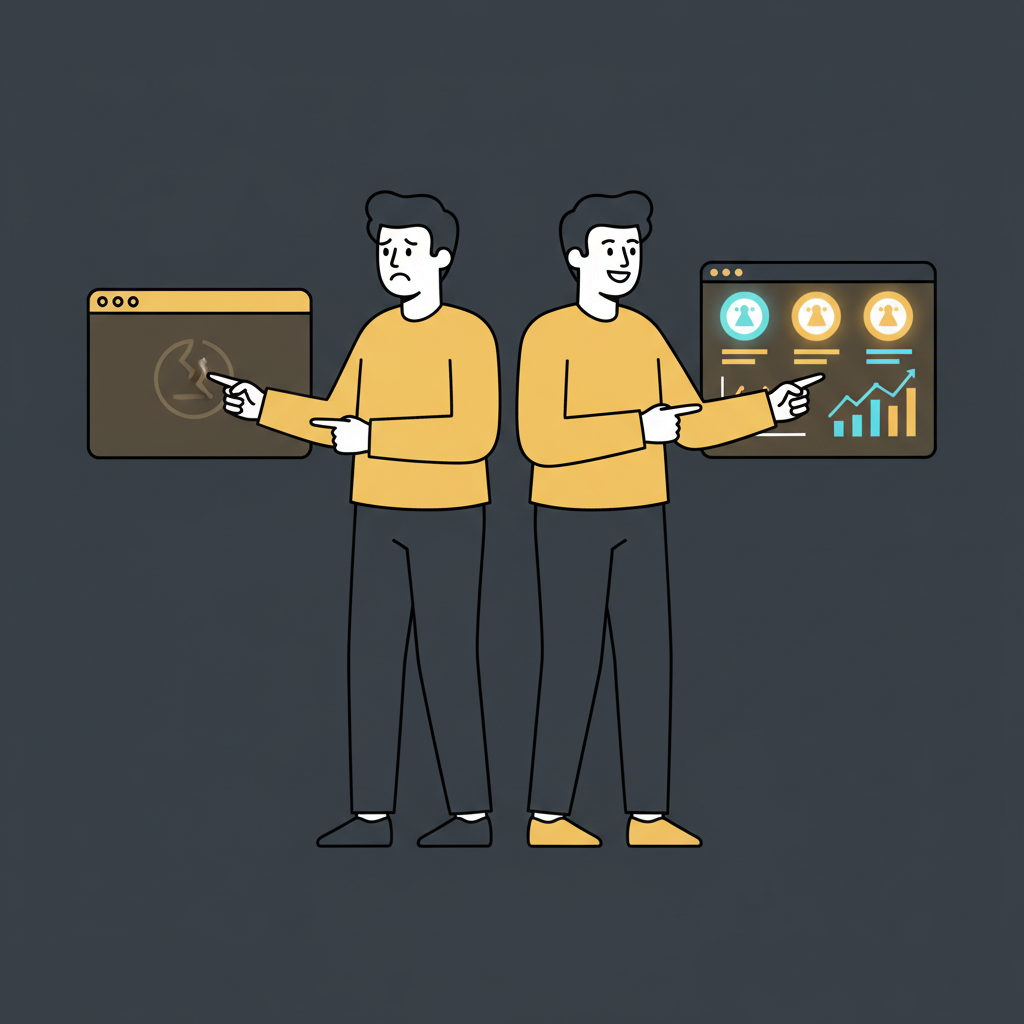
Your competitors are getting cited by AI. You're not.
Every day without citation tracking is a day your competitors pull ahead in ChatGPT, Perplexity, and Claude.