
A SaaS founder posted on r/SaaS recently that asking Claude to do an SEO pass on their site doubled their impressions. The thread took off, and two replies told the rest of the story. The top one asked "What about GEO?" Another pointed out that the before and after windows didn't line up, and that fixing crawl errors probably did most of the work.
That's roughly where running SEO from Claude Code and Cursor stands in 2026. It works, people are doing it, and the results depend on what you connect and how carefully you check the output. This guide covers the setup for both tools, the prompts that earn their keep, and the guardrails that stop an agent from publishing something you haven't seen. The Claude Code and Cursor details come from their official docs, checked on September 26, 2026.
Asking Claude to do a SEO pass on my site doubled my impressions
Someone on one of these SaaS subs was offering to look at people's sites and review SEO. I put up my site for review and got straight embarassed lol. I was missing canonical tag, H1, social tags, had bad landing page structure/schema, had s...
What MCP adds to SEO work
MCP, the Model Context Protocol, is the standard way to plug outside tools into an AI agent. Once a server is connected, you can ask Claude or Cursor a question in plain English, and the agent calls the right tool to answer it.
For SEO you usually want two kinds of server. A data server answers questions about keywords, backlinks and rankings, and Ahrefs and Semrush both run official ones on their paid plans. An action server does the work: plan content, write it, publish it, and check whether AI engines cite it. RankControl's MCP server is the action side, with 80+ tools behind one connection.
Working SEOs are split on whether this beats a plain API. In a recent r/TechSEO thread, one camp wanted APIs because the data is deterministic. The most balanced reply called MCP a lower-friction interface for people already working inside Claude, and said having both is best.
Are you more tempted by a service that has an MCP and an API?
I have a domain data service and was wondering if people were more swayed by a service that has an MCP available? I have always interacted with APIs and don't see how an MCP would be better than a user pointing their AI at the API docs inst...
We agree with that reply. If you already live in a terminal or an editor, MCP means one less tab. We compared the main servers in our roundup of MCP servers for SEO, so this post sticks to setup and use.
Step 1: Connect Claude Code
First, get a key. The easy way is npx rankcontrol login, which opens your RankControl dashboard in the browser, shows a confirmation code, and stores a key on your machine once you approve. For a server or CI job, create a key under Settings, then API instead.
Then add the server to Claude Code, using the syntax from Claude Code's MCP docs:
claude mcp add rankcontrol --env RANKCONTROL_API_KEY=rctrl_pk_... -- npx rankcontrol mcp
The -- separates Claude Code's own flags from the command that starts the server. By default the server lives in local scope, meaning this project and only you. Add --scope project to write it into a .mcp.json file at the project root, so teammates get it through version control, with Claude Code asking each of them to approve it on first use. Use --scope user to make it available across all your projects.
Check the connection with claude mcp list, which marks each server as connected, needing authentication or failed. Inside a session, the /mcp command opens a panel that shows how many tools each server exposes and lets you switch servers on and off without deleting them.

One limit worth knowing: Claude Code warns when a single tool result passes 10,000 tokens and caps it at 25,000 by default. If a big report gets cut off, raise the cap with MAX_MCP_OUTPUT_TOKENS, or ask for a narrower slice, such as one engine or the last 30 days.
If you'd rather skip the terminal, claude.ai takes the hosted server directly. Go to Customize, then Connectors, click the plus button, choose Add custom connector and paste https://api.rctrl.com/mcp, then sign in and approve.
Step 2: Connect Cursor
Cursor reads MCP servers from a file called mcp.json. Its docs give two places for it: .cursor/mcp.json inside a project for project-specific tools, and ~/.cursor/mcp.json in your home folder for tools you want everywhere.
{
  "mcpServers": {
    "rankcontrol": {
      "command": "npx",
      "args": ["rankcontrol", "mcp"],
      "env": { "RANKCONTROL_API_KEY": "${env:RANKCONTROL_API_KEY}" }
    }
  }
}
The ${env:...} syntax pulls the key from your shell environment, which keeps it out of a file you might commit. Cursor asks for approval before it runs an MCP tool by default, and it's worth leaving that on for anything that writes or publishes.
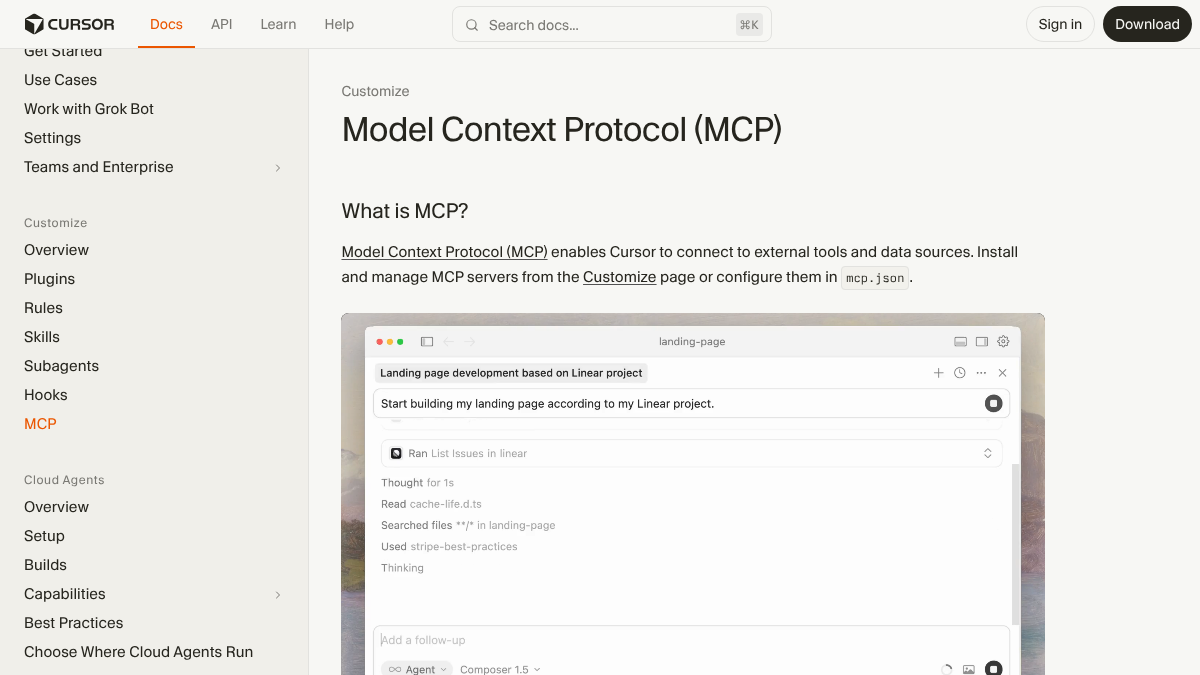
Cursor has a history with tool counts. For a long time it warned users that the limit was 40 tools and that some tools might not reach the agent. In January 2026 it shipped dynamic context discovery, which loads tool details only when the agent needs them, and its current docs don't state a number. Some users report running 80+ tools without the warning, and others still see it. So keep only the servers you need switched on for a given task.
Codex works the same way, with a TOML file instead of JSON: add a [mcp_servers.rankcontrol] table to ~/.codex/config.toml with the same command, arguments and key.

Built by the team that got cited in 48 hours.
Content generation, backlink building, AI visibility tracking, and Google rankings. One platform, zero guesswork.
Step 3: Add a data server if you have one
RankControl covers your own visibility, content and links. For keyword and backlink research across the whole web, add the data server you already pay for.
Semrush's official server is remote and signs in with OAuth: claude mcp add semrush https://mcp.semrush.com/v2/mcp -t http. Ahrefs runs a remote server too, included from its Lite plan at $129 a month. Search Console has no official MCP server from Google, so that route goes through community projects you run and authorize yourself.
Two servers is plenty. Every extra server adds tools for the agent to choose from, and the r/mcp crowd makes a fair point about risk: a server's tool descriptions are instructions the agent reads, and an update can change them after you approved the server. Read the tool list a server actually exposes before you connect it.
Prompts that earn their keep
Once connected, you work in plain English. These are the prompts we'd start with, and the RankControl tools each one uses:
| What you want | Prompt | Tools the agent calls |
|---|---|---|
| A weekly read | "How did our AI visibility change this month, by engine?" | get_visibility_trend, list_citations |
| Who's winning | "Which competitors get cited on our tracked queries, and from which sources?" | get_share_of_voice, get_citation_sources |
| Weak pages | "Which of our published articles are hardest for AI engines to quote, and what should we fix?" | get_citability_report |
| New titles | "Plan 10 titles under the pillar 'onboarding', skip anything above difficulty 40" | get_planning_capacity, plan_content |
| An article | "Write the planned article on onboarding checklists" | generate_article (dry run first) |
| Publishing | "Publish it" | publish_content (dry run, then confirm) |
| Social | "Draft LinkedIn and X posts from last week's article" | generate_repurpose_drafts |
By our estimate, a weekly review that used to mean opening a dashboard, a rank tracker and a spreadsheet of AI answers, roughly two hours, becomes three or four prompts and about 20 minutes of reading. The time you save only counts if the data behind the tools is real. That's the other half of the r/SaaS thread: numbers still need a sanity check, even when an agent hands them to you.
Guardrails that keep the agent honest
The biggest worry with an agent that can publish is that it publishes something you haven't read. RankControl's MCP server is built around two-step actions for exactly that reason:
plan_contentonly proposes titles, andcommit_planned_titlesputs the ones you approve on the calendar.generate_articleandpublish_contentrun as dry runs by default. The agent shows you what would happen, and it only acts when it gets an explicit confirm.- Outreach emails go from your own mailbox, so
queue_outreach_emailalso waits for a confirm. - Auto-publish is off by default, whichever client you use.
Keys matter too. CLI login keys are owner-only, and you can revoke them in Settings at any time. For CI or a teammate's script, mint a scoped or read-only key there, since read-only keys still work for every get_ and list_ tool.
See your first AI citation report in under 5 minutes.
No setup calls. No onboarding meetings. Connect your domain and see where AI mentions your brand right now.

What runs behind the prompts
The MCP server is a remote control, and the work behind it is the same RankControl pipeline the dashboard runs. The content engine writes each article against the pages already ranking and publishes it through the CMS destination you connect. AI visibility tracking checks 50 queries every week across six AI engines, and repurposing turns each article into drafts for eight social platforms.
You can build all of this yourself: a data server, a writing prompt, a publishing script, and a spreadsheet of AI answers you refresh every week. Or you can connect RankControl once and let its agents do it every month, with your agent of choice as the steering wheel. The CLI and MCP server are included in the plan at $400 a month, with a 7-day free trial.
Want to see where you stand first? Run a free check of your brand in AI answers, then ask your agent the same question next week.
Your competitors are building backlinks while you read this.
Organic outreach, social mentions, and link exchanges, with managed backlinks available as an add-on. Grow your domain authority without running the campaign yourself.