
Webflow is where a lot of B2B marketing sites live, because it lets marketers publish without waiting on engineering. The blog usually sits in a CMS collection, and each post gets written, filled in and published from the Editor. Most teams set that collection up once, years ago, and haven't looked at it since.
That setup now decides how well Google and AI answers can read every post you publish. This guide covers what "AI-optimized" means on a Webflow site, how to set up the collection so every post inherits the right settings, the manual and automated ways to publish, and how to check the result.
What AI-optimized means on a Webflow site
Webflow starts you in a good place. Its CMS pages are rendered on the server, which matters because most AI crawlers don't run JavaScript. What they read is the HTML Webflow sends.
We checked one recent blog post each on five sites built on Webflow on September 27, 2026:
| Site | Article text in raw HTML | Meta description | Article or BlogPosting schema | Blocks AI search crawlers |
|---|---|---|---|---|
| Webflow blog | Yes | Yes | Yes | No |
| Lattice | Yes | Yes | Yes | No |
| Clay | Yes | Yes | No, site-level only | No |
| Greenhouse | Yes | Yes | Yes, plus FAQ schema | No |
| Vanta | Yes | Yes | Yes | No |
The text and meta descriptions were there every time, because the CMS makes them hard to skip. Schema is where they split. Clay's post had only site-level schema, which shows how easy that step is to miss even on a well-run site.
Site owners are asking the same question. On r/webflow in June, one asked the community what was working for AI search on Webflow, including schema beyond standard SEO and whether anyone had run into limits specific to the platform.
How are you optimizing Webflow sites for AI search (ChatGPT, Gemini, Perplexity) in 2026?
Traditional SEO is something most of us understand well at this point. But AI search is changing how people discover websites. I'm curious what strategies Webflow developers, agencies, and marketers are using to improve visibility in tools...
So on Webflow, AI-optimized mostly means getting three things right: the collection's fields and patterns, schema, and the site-level files crawlers look at. The writing itself matters most, but that's the same on any platform.
Set up the collection once
Everything you configure on a Collection template applies to every post in it. We call this the template multiplier: one good setting fixes every article, and one missing setting breaks every article. It's the most useful hour you'll spend on a Webflow blog.
Start with the fields. A blog collection needs the basics: a title, a slug and a rich text body. Then add a short summary field to feed the meta description, a main image and a published date. Add an author reference if you show bylines.
Then set up the patterns in the Collection page settings. Webflow lets you build the SEO title and meta description from fields, so each post gets unique values automatically. Its help center says "you can define a pattern that all pages in a Collection will automatically use." Do the same for Open Graph, choosing the image from an image field. Webflow notes that "all Open Graph images in a Collection must share the same dimensions," so size your main images consistently.
Two smaller settings are worth a minute. You can put the collection under a parent folder, so posts live at a path like /blog/post-name. And each collection can publish its own RSS feed, built from its fields, which is easy to overlook.
Use the native schema field
Webflow added a dedicated Schema markup field to page settings, including Collection pages, so you no longer need custom code for JSON-LD.
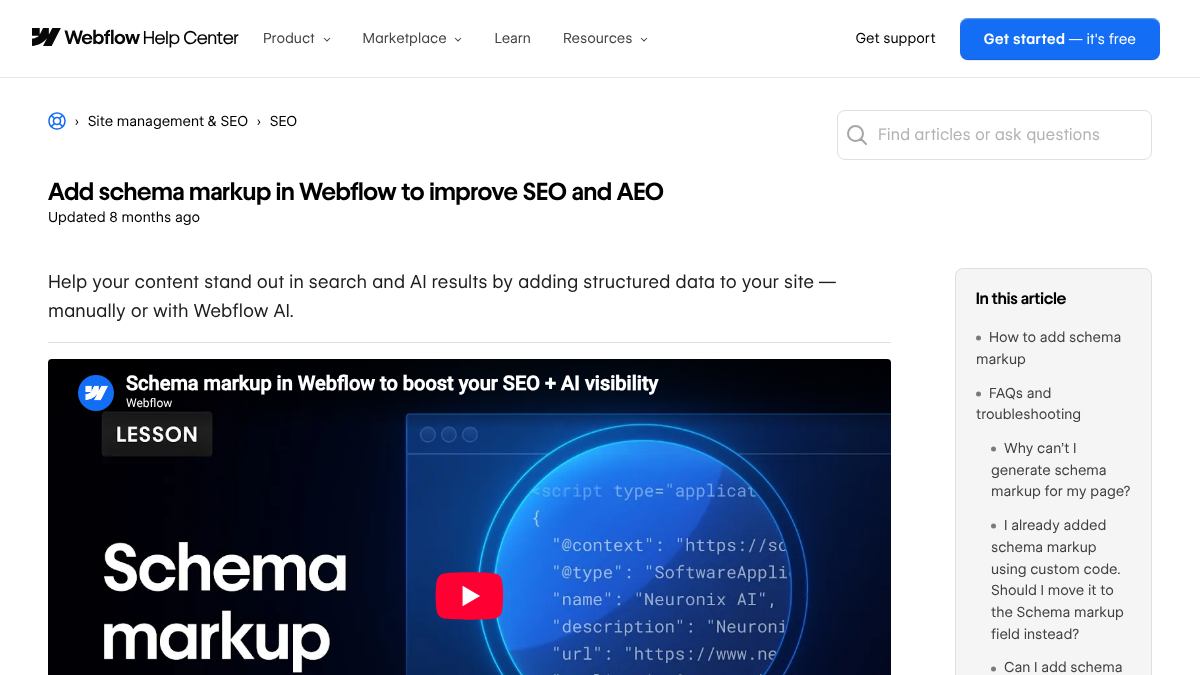
You can generate schema with Webflow AI, which pulls in relevant Collection fields, or write it yourself and bind fields so each post gets its own values. Two limits matter. Reference, Multi-reference and Multi-image fields can't be bound to schema, so an author stored as a reference won't flow into the markup automatically. And Webflow says not to duplicate schema in both the field and custom code, so if you added JSON-LD by hand years ago, move it or remove it.
Schema generation with Webflow AI requires a paid site or workspace plan. Writing it by hand works the same way on the Collection template, and the template multiplier applies here too.
15 hours a week manually. Or 15 minutes with RankControl.
Track citations, monitor competitors, and fix content gaps across every AI search engine. Automatically.

Sitemap, robots.txt and llms.txt
Turn on Webflow's auto-generated sitemap in Site settings. It rebuilds on every publish, and each URL now carries a last-modified date, which helps crawlers spot updated posts. Webflow also adds the sitemap to robots.txt for you.
Check robots.txt in the same settings panel and make sure it doesn't block the AI search crawlers, such as OAI-SearchBot and PerplexityBot. Webflow also offers a newer Content-Signal line that states whether your content may be used for AI training, search or AI answers. Webflow is careful to say it's "based on a proposed extension to RFC 9309 and is not yet an accepted standard," so treat it as a statement of intent, not a control.
Webflow supports llms.txt too. You upload the file in Site settings, it has to be under 100 KB, and it's only served on your custom domain. Webflow's own help page is cautious about it, calling the format "still experimental and not widely adopted." Our explainer on what an llms.txt file is covers when it's worth the effort.
The manual way: from draft to live
Most Webflow blogs are published by hand in the Editor. A few habits make each post easier for AI answers to use.
Write in the rich text field with real headings. Use H2 and H3 for sections, since the post title is already the H1. Put the main answer in the first paragraph under each heading, and add alt text to every image through the image toolbar.
Fill in every field the patterns depend on. An empty summary means an empty meta description on that post, however good the pattern is.
Then publish, and know what you're publishing. A CMS item goes live when you publish it or the site. Staging is less flexible than some teams expect. On r/webflow, one new user of a content-heavy site asked why there was no way to publish a CMS item to the staging domain only, for an outside reviewer. Every draft they staged went to production instead.
Publishing CMS collection content to staging server
Hi I recently switched jobs and the new company I am with uses Webflow (which they are newer to as well, they switched to it a little before I came on board) which I am a little unfamiliar with so forgive me if this question is dumb. We are...
Plan reviews around drafts, not the staging domain.
The automated way: the Data API
If you publish more than a few posts a month, or write them somewhere else, Webflow's Data API can create and publish CMS items for you.
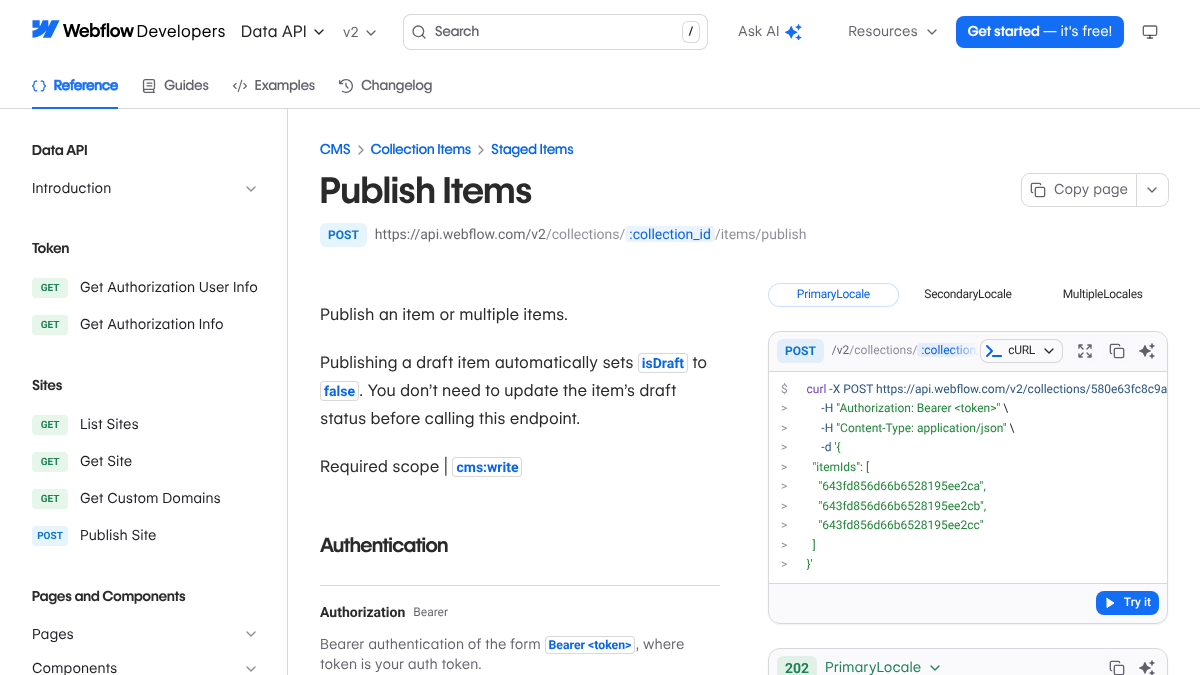
The flow has two steps. First you create the item with its field data. Webflow's docs are specific about drafts: "Items are created as drafts (isDraft: true) by default," and setting it to false only queues the item for the next site publish. Then you call the publish items endpoint with the item's ID, which takes it live. You need a token with the cms:write scope.
Watch the rate limit if you script this yourself. Webflow's pricing page lists content management API limits of 60 requests a minute on the free Starter plan and 120 on the paid plan built for content-heavy sites. Also make sure the site has been published at least once, because Webflow won't publish items to a site that's never been published.
If you'd rather publish by asking an AI assistant, our guide to publishing to Webflow from Claude covers the MCP route.
AI search traffic grew 835% this year. Is your content ready?
RankControl generates 26 content formats optimized for ChatGPT, Claude, and Perplexity. Published on your domain, matched to your brand.

How RankControl publishes to Webflow
RankControl uses the same Data API, so you don't need to write any code. You paste a Webflow API token with CMS read and write access and Sites read access, pick your site, and pick the blog collection. Then you choose how articles arrive: as a published post, or as a draft for someone to review.
Each article fills your collection's title, slug and body fields. If the collection has a summary field and a main image field, those get filled too, matched by name. If you update an article later, RankControl updates the same Webflow item instead of creating a duplicate. Articles appear in your blog with your own design, as native posts at your own URLs.
Two things we don't set: a separate SEO title override, and schema markup. That's where the Collection template does the work. Set your SEO title pattern and schema field once, and every article RankControl publishes inherits them. The full list of destinations is on our destinations page.
Check the result after you publish
Three quick checks catch most problems. Open the live post and view its source, then search for the first sentence of the article to confirm the text is in the HTML. Run the URL through Google's Rich Results Test to confirm your schema is valid. And use Search Console's URL Inspection tool to request indexing and see how Google renders the page.
Do it for the first few posts after any change to the Collection template. Because of the template multiplier, a mistake there shows up on every post at once.
Doing it yourself or handing it off
Setting up the collection takes an hour or two, and after that each post takes 15 to 30 minutes to format, fill in and check by hand. For a few posts a month, that's manageable.
RankControl can take over the rest. Our content engine writes each article against the pages already ranking for its keyword and publishes it straight into your Webflow collection. Our AI visibility tracking then checks up to 50 buyer questions every week across seven AI engines and records which of your pages each answer cited.

Built by the team that got cited in 48 hours.
Content generation, backlink building, AI visibility tracking, and Google rankings. One platform, zero guesswork.