You open GA4 on a Monday, click through every menu under Reports, and look for the line that says you rank fourth for your main keyword. It isn't there. If you searched for a Google Analytics rank tracker, this post gives you the short answer first, then what to use instead.
Can Google Analytics track keyword rankings?
No, not on its own. GA4 counts visits and what people do on your site. It never looks at Google's results pages, so it can't know where a page ranks. The one ranking number you'll find in GA4 comes from Search Console once you link the two, and it's an average across real searches.
That number is useful, but it has limits that trip people up. It covers organic Google results only and goes back 16 months. It also can't show you one keyword's spot in one city on one day.
The old keyword report is gone too. Google moved searches to encrypted connections years ago, so the organic keyword field in Analytics mostly reads "(not provided)". Search Console is where the query data went.
Where GA4 shows average position
To get the number, link the two tools. In GA4, go to Admin, then Product links, then Search Console links, and pick the property and web stream. If the reports don't appear in the menu, publish the Search Console collection from the Library.
The report you want is Google Organic Search Queries. Each row is a query, with clicks, impressions, click rate and a metric called Organic Google search average position. Google's Queries report help page defines it as "the average ranking of your website URLs for the query."
Two limits come with the link. The Search Console linking page says the data covers the last 16 months and lands about 48 hours after Search Console collects it. So yesterday's numbers won't be there yet.
I call this the borrowed number. GA4 computes nothing here, so when you compare GA4's position with Search Console's for the same query and dates, you're comparing a number with itself. If they differ, look at the date range or the 48-hour lag first.
Clicks and sessions are another story. Google's own guide to using Search Console and Analytics together explains that Analytics counts visits from code on your page, while Search Console counts from Google's side. Expect those two to disagree.
The 14-month setting that has nothing to do with rankings
A common mix-up is about retention. GA4 has a data retention setting of 2 or 14 months, and people assume it caps their Search Console history. It doesn't. The data retention page says the setting covers Explorations and funnel reports, and "does not affect standard aggregated reports." The Search Console reports are standard reports, so you keep 16 months either way.
Google explains the two numbers on two different help pages. That's why it's easy to half-remember one and apply it to the other.
Thresholds are the other thing that can blank out rows. GA4 can hold back "search query information when insufficient total users exist," per the data thresholds page, to protect user privacy. You can't switch it off. A wider date range can help, though it won't always clear it.
AI search traffic grew 835% this year. Is your content ready?
RankControl generates 26 content formats optimized for ChatGPT, Claude, and Perplexity. Published on your domain, matched to your brand.

What Search Console's average position really measures
Search Console's own definition is short. Average position is "the topmost position occupied by a link to your property or page in search results, averaged across all queries," per the help page on impressions, position and clicks.
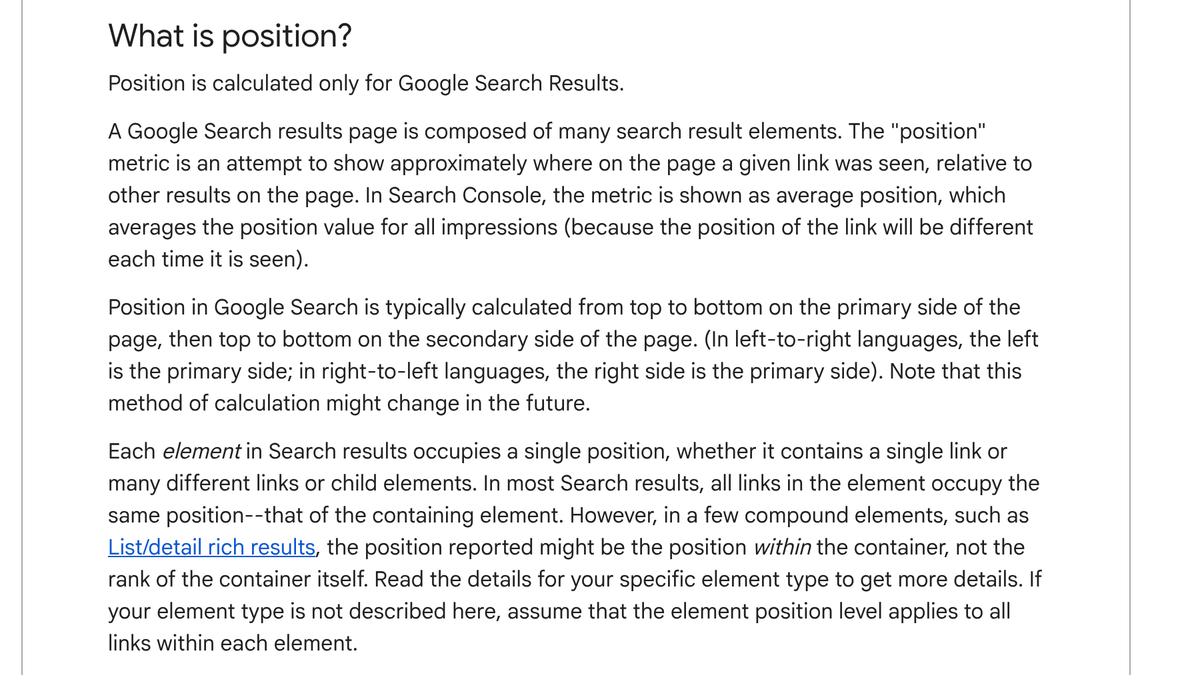
Three details on that page change how you should read it.
- Only your top link counts per search. Google's example has a site at spots 2, 4 and 6 for one query, and that search counts as 2.
- A position needs an impression. If you sit on page 3 and the searcher stops at page 1, nothing is recorded for that search. Rows deep in the results can look better than they are.
- Some blocks take one spot for every link inside them. A knowledge panel or an AI Overview counts as one position, and every link in it gets that number.
So treat it as a blended figure across places and devices. One practitioner on r/DoSEO summed up the trade well. A tracker's rank is one made-up search from one place on one day, while Search Console's is what Google showed real people, more honest but noisier to read.
Where AI Overview and AI Mode clicks end up
They land in your normal Web numbers. The same Google help page says "Clicking a link to an external page in the AI Overview counts as a click," and that an AI Overview takes a single position, shared by all its links. AI Mode follows "the same methodology as a Google Search results page," and each follow-up question counts as a new query.
That means GA4's Queries report borrows those clicks along with everything else. You can't split AI Overview clicks out of the main report, in GA4 or in Search Console. Our guide to tracking AI Overviews apart from organic rankings covers how to do it anyway.
Google does have one report for its AI features. The Generative AI performance report page carries a note dated August 31, 2026 saying it rolled out to all websites worldwide. It says the report "includes impressions for the following generative AI capabilities on Google Search," then lists AI Overviews and AI Mode.
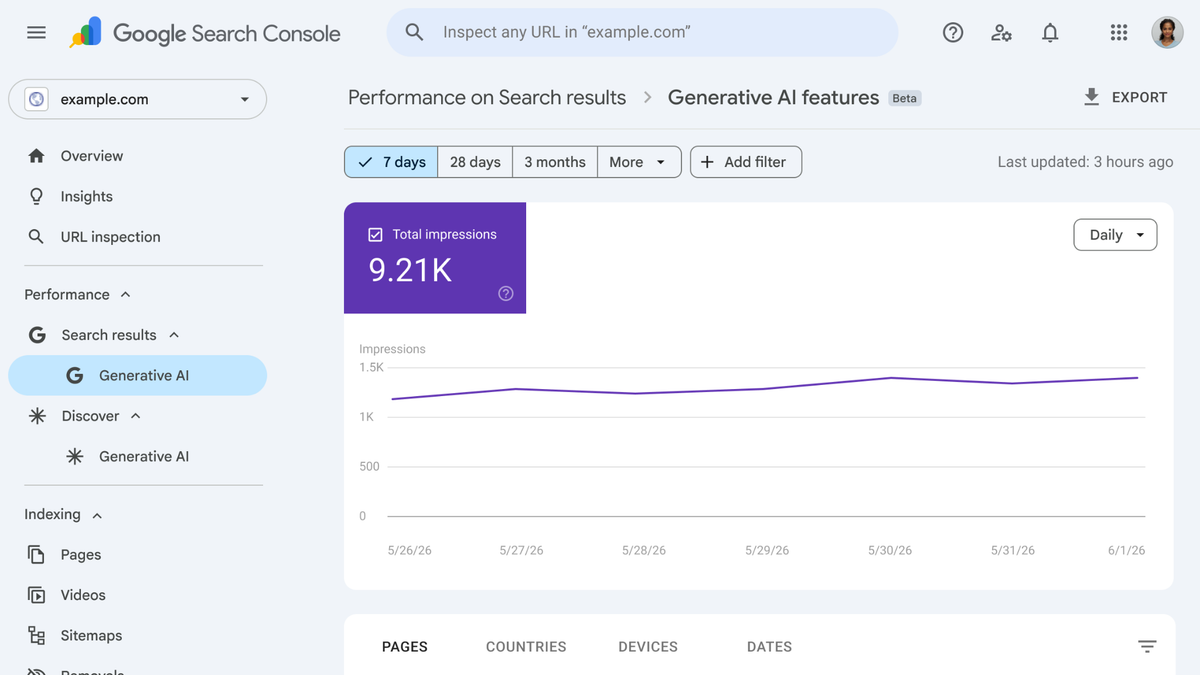
Impressions are all you get. The tabs are pages, countries, devices and dates, with no queries tab and no clicks. Search Engine Roundtable, a trade news site, made the same point in an October 12, 2026 report. Search Console gives you no click or query data for AI Overviews and AI Mode. Our walkthrough of the Search Console AI performance report goes deeper.
When you need a real rank tracker
Say a client wants one keyword's position, in one city, every day, on a chart. Neither GA4 nor Search Console does that, which is what rank trackers are for. Here are three common ones, from each vendor's pricing page, checked on October 19, 2026.
| Tool | Plan checked | Monthly price | Keywords in plan | Worth knowing |
|---|---|---|---|---|
| SE Ranking | Core | $129 ($103.20 billed yearly) | 2,000, checked daily | A full SEO suite, with rank tracking as one part |
| AccuRanker | Professional | $224 | 2,000 (slider up to 5,000) | AI answer tracking (AccuLLM) is a separate subscription |
| Nightwatch | Starter | €79 (€948 billed yearly) | 500, checked daily | Includes 50 AI prompts in the plan |
Pick by what you report. If you need many keywords checked daily, SE Ranking gives you the most per dollar of these three. If you mainly want a small set plus a taste of AI prompt tracking, Nightwatch's Starter plan is the cheapest way in.
Trackers have had a rough autumn, though. That same Search Engine Roundtable report said Google has been blocking the tools that scrape its results, and in some cases feeding them wrong results. It quoted Derek Perkins of Nozzle, another rank tracker, saying this began in September 2026. SE Ranking posted that it was "missing positions for some keywords," though it said most of the issue was fixed.
Practitioners on r/SEO describe the same thing. In a thread on that article, the top comment said a bunch of sites fell off a cliff in Ahrefs while their Search Console average position didn't move. Another person said they now check every tracker drop against Search Console before it goes in a client report.
That's a habit worth copying. Call it the two-source rule, where a tracker drop only counts as real when Search Console shows the same move for that query.

Built by the team that got cited in 48 hours.
Content generation, backlink building, AI visibility tracking, and Google rankings. One platform, zero guesswork.
The part neither GA4 nor Search Console shows
Neither tool tells you whether ChatGPT, Perplexity, Claude or Gemini names your brand or cites your pages. GA4 sees a visit only after someone clicks a link in an AI answer, which our GA4 AI referral tracking guide covers. The Search Console report covers Google's AI features only, and only as impressions.
How to find out Queries we are ranking on (AI visibility)? GSC only gives impressions data and Semrush AI booster is expensive.
Someone on r/SEO asked exactly this, since Search Console only gives impressions. The top reply was two words, "You can't." A more useful one said to write the questions your buyers would ask, run them on AI assistants on a schedule, and track whether your brand shows up and who shows up instead.
That's the method, whether you do it by hand or with a tool. Our post on SEO platforms vs AI visibility trackers explains how the two kinds of tools differ.
RankControl is one option for that job. Our AI visibility tracking checks up to 50 of your questions every week on seven engines (ChatGPT, Perplexity, Claude, Gemini, Grok, Google AI Mode and Google AI Overviews), and shows whether each answer names or cites you and which rivals appear. We also track your Google and Bing rankings. We offer one flat plan at $400/mo with a 7-day free trial. The trackers above do a different job, daily keyword positions, and do it well.
A setup that covers all three
This setup covers Google rankings and AI answers without much overlap.
- Link Search Console to GA4 and publish the reports. That takes about ten minutes.
- Each week, read average position in Search Console for your top 20 queries, with the same date range every time.
- If you report daily positions, add a rank tracker, and run the two-source rule before you report a drop.
- Keep a fixed list of 25 to 50 buyer questions and check them on the AI engines once a week. Our piece on daily vs weekly AI checks compares the two schedules.
The last step is the slow one. My rough math says 30 questions on seven engines is 210 answers a week, so at about a minute each, plan on three and a half hours.
You can run all of this yourself with Search Console, a spreadsheet and those three hours. Or RankControl can run the weekly AI checks and the ranking and traffic tracking for you, and our agents can write and publish the articles that earn the traffic in the first place.
See your first AI citation report in under 5 minutes.
No setup calls. No onboarding meetings. Connect your domain and see where AI mentions your brand right now.