Shopify's own guide to Google Analytics 4 runs four steps, and the one that matters sends you somewhere else entirely. Step three says to install the Google & YouTube app, then go read a separate Google Ads help article. I read both pages on October 19, 2026, and this post puts them in one place.
Installing the app is the easy half of adding Google Analytics to Shopify. Trusting what it reports depends on consent settings, checkout tracking now that checkout.liquid is gone, double counts and AI referrals. All four decide whether GA4's numbers mean anything at all.
Before you start
You'll need a Google account, a GA4 property and a web data stream living inside it. Shopify's GA4 setup page tells you to note the Tag ID from that stream, which starts with "G-". Keep it handy, since you'll use it later to confirm the app grabbed the right property.
Run two checks first. If your store still has a password page up, turn it off, since Shopify says GA4 can't track events while private mode is on. Then search your theme for "gtag" and "dataLayer". Either one inside theme.liquid means an old tag is running, and you'll double count once the app goes live.
How to add Google Analytics to Shopify with the Google & YouTube app
The Google & YouTube app is the path both Shopify and Google point you toward. It's built by Google LLC, free to install, and had 5,548 ratings at 4.5 stars at the time I checked the listing.
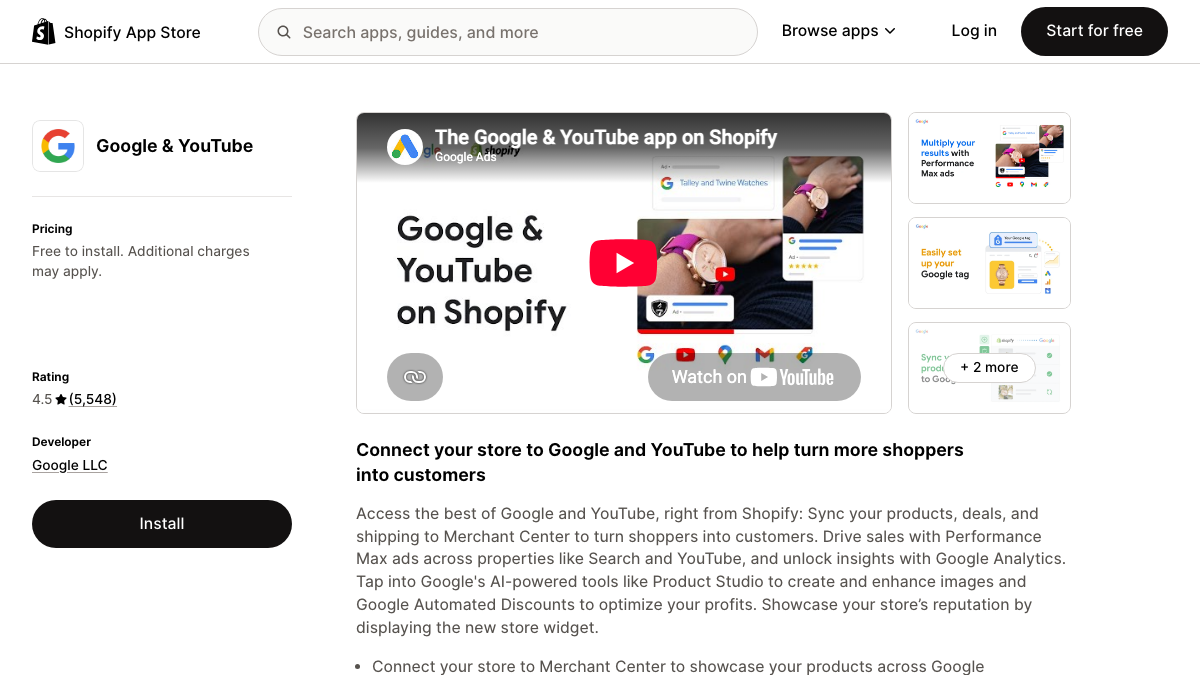
Here's the sequence, based on Google's Shopify tag setup article for tags starting with "G-":
- In your Shopify admin, search for "Google and YouTube" and install the app from the Shopify App Store.
- Connect the Google account that owns your GA4 property.
- On the app's Overview page, find the "Just want to set up Google Analytics 4" section and click Get started.
- Pick your GA4 property under "Your Google Account", then click Connect and Confirm.
- Open GA4's Realtime report, browse your store in another window, and add something to the cart. Your visit and the add_to_cart event should both show up there.
You don't need to connect Merchant Center to finish this, per Shopify's own page. For more than one GA4 property, Google has a manual route under Settings, then Google tags, but it calls the connected-property route "strongly preferred," so save manual setup for when you genuinely need it.
Newer versions of the app send more events than older guides mention. Google's article lists four new ones (view_item_list, remove_from_cart, view_cart and add_shipping_info), plus extra data tacked onto five events it already sent. If any of that clutters your reports, Google says you can filter it out using the shopify_event_name parameter.
Your competitors are building backlinks while you read this.
Organic outreach, social mentions, and citations from Editorial Circle member sites, with managed backlinks available as an add-on. Grow your domain authority without running the campaign yourself.

Check consent settings before you trust the numbers
Not one of the three top-ranking guides for this keyword even mentions consent. Shopify runs GA4 as a pixel, and pixels answer to Shopify's own privacy settings no matter what you've configured on the Google side.
Shopify's pixels overview says that in markets set to require consent, usually the EEA and the UK, a pixel only runs once the visitor has granted the permissions it needs. New pixels want both Marketing and Analytics permission by default, so a visitor who clicks "decline" never reaches GA4 at all.
Pixels flagged as data sale face a separate gate too. They won't fire for anyone who opted out of data sales or sharing, unless that pixel supports limited data use. A store with a sizable UK audience can lose a real chunk of its GA4 sessions this way while Shopify still records every order.
That gap is normal, not a bug. In an r/GoogleAnalytics thread about purchases that never line up, one analyst said their GA4 revenue usually sits within about 10% of backend sales, and only with a tuned consent banner plus server-side tracking. If your banner comes from a third-party app, confirm it syncs with Shopify's Customer Privacy API, which is what Shopify's migration guide credits for keeping consent problems away.
Checkout and purchase tracking after checkout.liquid
Older tutorials tell you to paste tracking code into checkout.liquid or the "Additional scripts" box. Neither one does anything anymore.
Shopify's developer docs say checkout.liquid stopped being supported for the information, shipping and payment steps, and it was sunset for the Thank you and Order status pages on August 28, 2025. The Additional scripts box went view-only that same day.
Non-Plus stores got a second deadline too. Shopify's Thank you page upgrade guide says August 26, 2026 was the last day to upgrade those pages by hand, and any store that hadn't was moved over automatically. Whatever purchase snippet still lived there simply stopped firing that day.
Shopify's customer events system replaced all of it. Pixels, whether app pixels like Google's or custom ones you write, load on the storefront, checkout, Thank you page and Order status page. The Google & YouTube app already sends ecommerce events, purchases included, so most stores never touch any of this directly. An upgrade notice under Settings, then Checkout, means you're still on old pages.
Why Shopify sales get counted twice in GA4
Double counting almost always comes down to two tags doing the same one job. Google's own article ends with a check for exactly this, telling Shopify stores to look for duplicate tags across the app, the storefront and any custom pixel, then remove the legacy ones.
A handful of Shopify-specific causes explain most of it:
- An old gtag or Google Tag Manager snippet still sitting in theme.liquid, running right alongside the app.
- A tag left over from the old Preferences page. Shopify's migration guide says that as of February 2025, those tags became custom pixels automatically, so they kept running after you installed the app.
- A custom pixel built for GA4, with the app installed on top of it later.
- A custom pixel that fires "purchase" on every page load, which inflates orders every time someone reopens the Order status page.
For that last one, subscribe to Shopify's checkout_completed event instead. Shopify's event reference says it fires exactly once per checkout and never again from the Thank you page. In one r/DigitalMarketing thread about reload duplicates, a commenter said removing duplicate purchase events took a client's revenue from about 40% too high down to within 2% of Shopify's own numbers.
The swap order matters. Shopify says to connect the new pixel before removing the old one if missing events worries you more, and to remove the old one first if duplicates worry you more. I'd remove first, since a day of missing data beats a month of doubled revenue.
Why GA4 and Shopify sessions never match
Even a perfectly clean setup won't match Shopify's own reports, because the two are counting different things entirely. Shopify counts sessions on the store domain, while GA4 counts wherever its own tag happens to fire.
Huge gap between Shopify traffic and Google Analytics — what’s going on?
Hey everyone, I’m on the basic Shopify plan, and my SEO freelancer said that’s why my numbers don’t match—but this seems like a huge gap. Last 28 days: Google Analytics: ~10,000 visitors Shopify: ~700 sessions That feels way off to me. Has...
A store owner on the Basic plan saw roughly 10,000 GA4 visitors against only about 700 Shopify sessions over 28 days. Their freelancer blamed the plan itself. One reply who'd hit the same gap had found GA firing on a blog subdomain and a few landing pages Shopify never saw, and pointed to bots as the other usual culprit.
Call it the two-ledger rule. Shopify is your ledger for orders and revenue, GA4 is your ledger for where visits came from. Compare trends inside each tool on its own terms, and only compare raw totals when the gap between them suddenly shifts.
So the plan was never really the problem. Check which hostnames are sending data into your GA4 property, and compare like with like. Bots cut both ways here too; Shopify's migration guide notes that some bots skip its pixel sandbox entirely, so a small dip of a few percent after switching to pixels is expected and not a red flag.
You're getting AI traffic. But do you know where it comes from?
RankControl credits every visit to the assistant that sent it: ChatGPT, Perplexity, Claude, Gemini, Copilot, or Grok. Full source attribution, next to your Google traffic.
Track AI referrals from your Shopify store in GA4
Once the base setup is actually clean, AI traffic becomes the part worth watching closely. Shero Commerce, an ecommerce agency that calls itself a Shopify Platinum partner, published a study on September 28, 2026 covering 73 stores and about 96 million sessions. AI visits held close to 900 a day year over year, yet orders coming from those same visits climbed from 5.9 to 16.1 a day.
Shero sells ecommerce work, so treat this as one agency's dataset, not a neutral census. Even so, it found AI visitors converted better than Google organic visitors in 41 of the 61 stores with at least 200 AI visits, and half of all AI visits started on a product page.
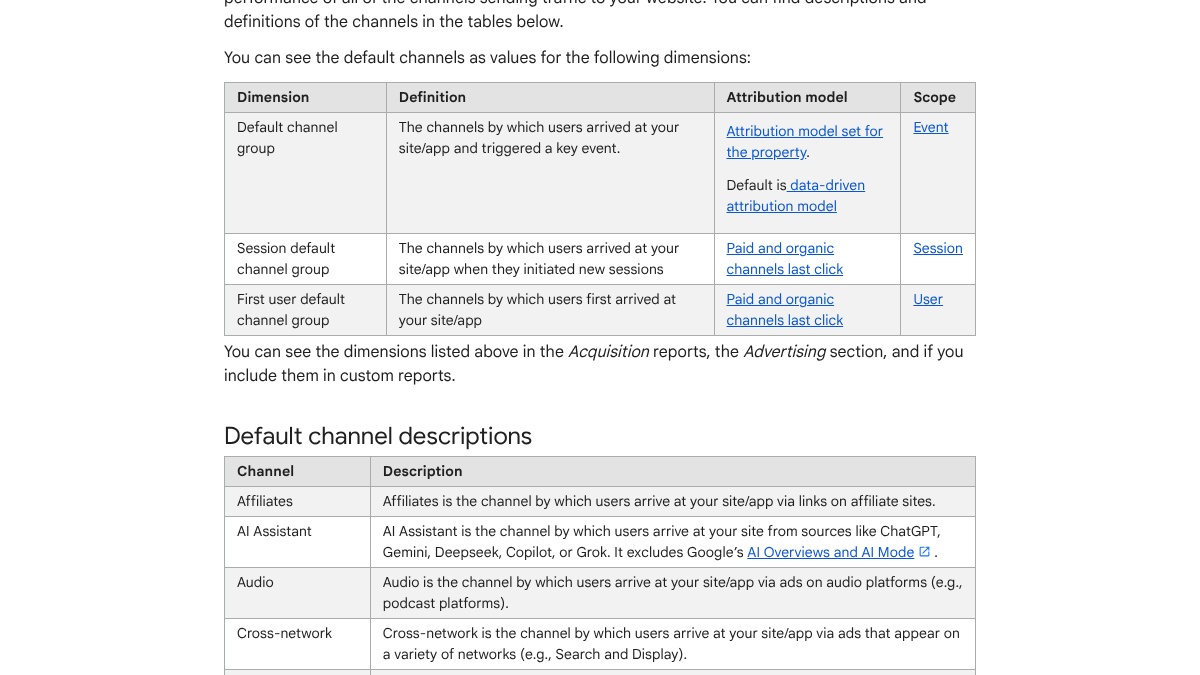
GA4 already sorts some of this out. Google's default channel group page describes an AI Assistant channel covering visits from sources like ChatGPT, Gemini, DeepSeek, Copilot or Grok. It leaves out AI Overviews and AI Mode, since those still count as organic search.
Search Engine Land reported on the new channel back in May.
#GA4 now has an "AI Assistant" channel. That means visits from supported tools like ChatGPT, Gemini, and Claude can be grouped in standard reports (no custom filters required). Here's what changed and what marketers can track now: https://t.co/4ypb6zuNI5 https://t.co/6LttqWrIXD
 Search Engine Land@senginelandMay 14, 2026

Notice what's missing from that list. Perplexity never gets named, so there's no telling whether its visits land in that channel. That's why I'd still build a custom channel group on top of it.
- In GA4, go to Admin, then Data display, then Channel groups.
- Create a new channel group and add a channel called "AI referrals".
- Set the rule to session source matches regex, using a pattern like
chatgpt.*|perplexity.*|claude.*|gemini.google.*|copilot.*. - Save, then reorder the list so "AI referrals" sits above Referral. GA4 applies the first rule that matches, so a channel sitting lower loses those visits to Referral first.
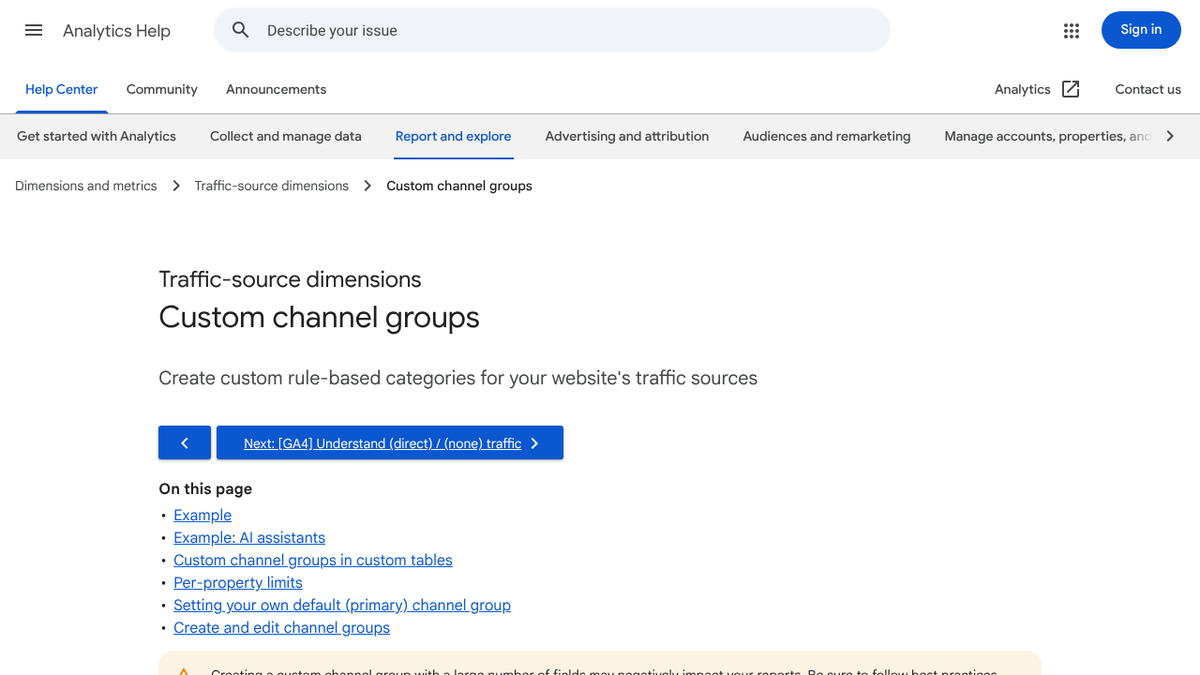
Google's custom channel groups page has its own AI example, but its pattern starts with ^.*ai. GA4 matches against the whole source name, so that fragment alone catches anything ending in "ai," including every .ai domain that happens to link to you. Stick with the tighter pattern above instead. Our AI referral tracking guide for GA4 covers the regex rules in more depth and how to fix a channel that stubbornly stays empty.
Shero's caveats apply to every store here. GA4 only sees visits that arrive with a referrer, and mobile app clicks often arrive with none, landing in Direct by default. Our piece on why AI traffic is a trickle that converts explains why these small numbers still matter.
How long this takes, and what to do next
Here's my rough estimate for doing all of it by hand. App setup takes under an hour. The consent check plus hunting old tags eats an afternoon, and the AI channel group takes another hour. After that, budget an hour a month to confirm new AI tools still land in the right channel.
Tracking AI visits only pays off if there's actual content for those AI tools to send people toward. Our guide to getting Shopify products into ChatGPT answers covers that side of it, and the Shopify SEO checklist covers the Google side.
RankControl writes the articles and publishes them to your store, with Shopify among the publishing destinations. Our analytics show AI-referred visits by source, and we run weekly checks on seven AI engines to show whether they mention you. There's one plan at $400 a month with a 7-day free trial.
You can run every step in this guide yourself. Or RankControl's agents can handle the publishing and the weekly tracking while you run the store itself.
We'll show you exactly where your brand stands in AI search.
No commitment. $0 due today, cancel anytime. See how ChatGPT, Perplexity, Claude, Gemini, Grok, Google AI Mode, and Google AI Overviews talk about your brand today.