Open any SaaS roadmap and you'll find a list of reasonable requests. A big customer wants custom fields. Sales wants an integration to close a deal. Support wants a setting so one account stops filing tickets. Each one makes sense on its own, and each one ships.
A few years later, the product can do almost anything, and new users can't find the thing they signed up for. So can too many features make a SaaS product worse? The evidence says yes, often, though not for the simple reason people usually give. This guide goes through what the data shows, which famous statistic to stop quoting, and what to do instead of adding the next feature.
Most features barely get used
The best single dataset on this comes from Pendo, a product analytics company, which studied real usage across 615 of its customers' software products for its 2019 Feature Adoption Report.
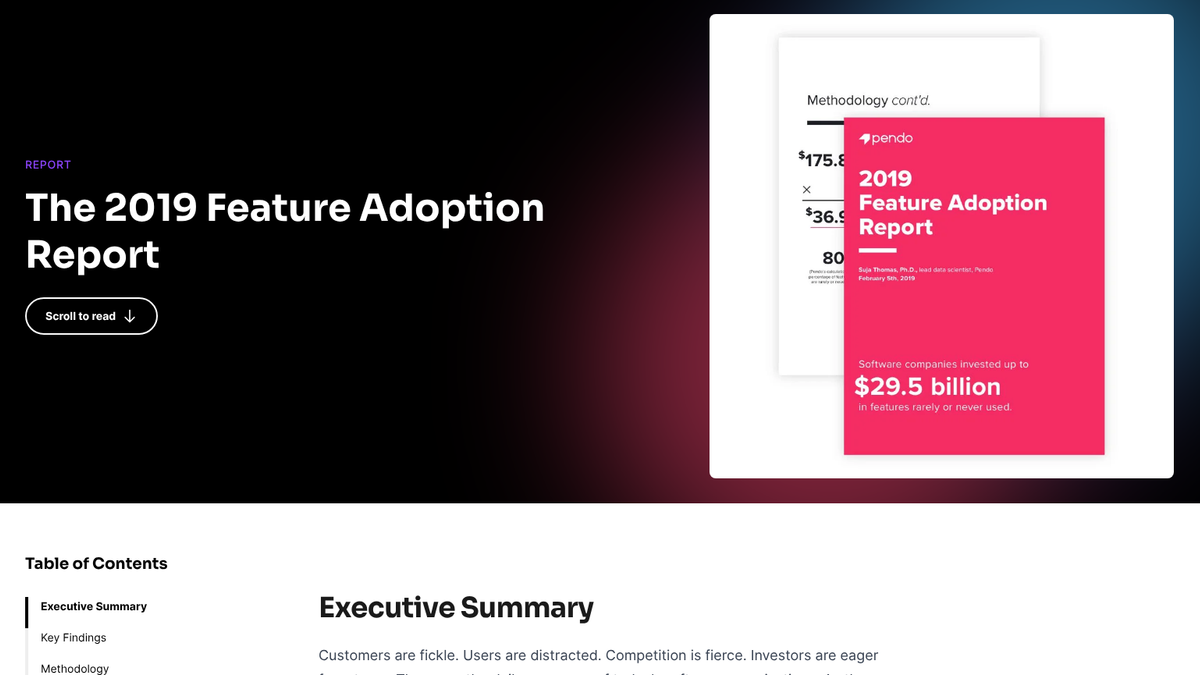
Its headline finding: "80 percent of features in the average software product are rarely or never used." The flip side is just as useful. Pendo found that 12% of features generate 80% of average daily usage.
We call that small group the working core. It's the handful of features people open the product for, every day. Everything outside it isn't necessarily waste, since some features are used rarely but matter a lot when they are. But the pattern says most products carry far more than their users touch.
Keep in mind who published this. Pendo sells tools to measure and improve feature adoption, so the finding supports its business. It's still real usage data rather than a survey, and it's the most widely cited number in this debate for a reason.
Stop quoting the famous 64% figure
You've probably seen a sharper version: 45% of features are never used and 19% rarely, attributed to the Standish Group. It shows up on slides and blogs constantly.
It shouldn't. The agile author Mike Cohn traced that figure back to a presentation Standish's chairman gave at a software conference in 2002. When Cohn checked with the Standish Group, it turned out the figure came from a study of four internal applications. "Yes, four applications," Cohn wrote. The advice was blunt: if you're using the number to suggest every product is mostly unused features, "please stop."
That's worth knowing because the Pendo data makes the same point with far better footing. There's no need to lean on a number that doesn't hold up.
Why more features can make a product worse
There are two separate problems, and they're easy to mix up.
The first is feature fatigue. A 2005 study in the Journal of Marketing Research by Debora Thompson, Rebecca Hamilton and Roland Rust gave the problem its name. Their finding, as the research is widely summarized, is that people rate products with more capabilities higher before they buy, then find them harder to use once they live with them. The features that win the demo can be the ones that make daily use harder.
The second is choice overload, and here the evidence is messier than its fans admit. The famous version is a 2000 study by Sheena Iyengar and Mark Lepper at a California supermarket. A display of 24 jams drew more shoppers to stop than a display of 6. But nearly 30% of the shoppers who saw 6 jams bought one, against 3% of those who saw 24.
Then a 2010 meta-analysis by Benjamin Scheibehenne and colleagues pooled 50 experiments with more than 5,000 participants. It found "a mean effect size of virtually zero but considerable variance between studies." In other words, too much choice sometimes hurts and often doesn't.
So the accurate version is conditional. More features don't hurt by count alone. They hurt when they add decisions a user has to make without adding something the user needs, which is exactly what happens when a settings page grows one reasonable request at a time.
We'll show you exactly where your brand stands in AI search.
No commitment. $0 due today, cancel anytime. See how ChatGPT, Perplexity, Claude, Gemini, Grok, Google AI Mode, and Google AI Overviews talk about your brand today.

What feature growth looks like from the outside
To see how much products grow, we compared the public pricing pages of three well-known work tools in the Internet Archive, from early 2020 and early 2026.
| Product | 2020 | 2026 |
|---|---|---|
| monday.com | 1 product, 4 plans, about 34 listed features | 4 separate products, 5 plans each, plus a new AI layer across paid tiers |
| Asana | 4 plans, 3 feature categories, about 31 features | 5 plans, 10 feature categories, roughly 130 listed features |
| Slack | 4 plans, 7 categories, about 28 features | 4 plans, 7 categories, about 59 features, including a new AI category of 13 |
Asana and Slack roughly doubled or more the features they list, monday.com split into four separate products, and all three added an AI layer that didn't exist six years earlier. That's not proof it hurt them. All three are large, growing businesses, and a pricing page isn't a usage report. But it shows how fast a product's surface area can grow in a few years.
How to tell it's happening in your product
Four signs show up before customers complain about it directly.
Usage gets more concentrated. Pull your own feature usage data and see what share of daily activity comes from your top few features. If it looks like Pendo's 12% and 80%, the long tail of features is costing you maintenance and interface space without much return.
New users stall. If activation drops as you add features, the path to the working core has probably gotten longer. Count the clicks between signup and the first time a user does the thing your product is for.
Support tickets change shape. More "where is" and "how do I turn off" questions usually mean the interface is carrying more than people can find their way through.
And the product gets harder to explain. On r/startups, a solo founder described building a feature-rich AI productivity app, then finding that the people who signed up only wanted a simple task list. The founder asked whether to strip out most of what they'd built. Several replies described doing the same with their own products, narrowing them after extra features buried the value.
Has anyone actually grown by removing features instead of adding them? (I will not promote)
I built a productivity tool called Focus Pocus. Got super excited about how quickly you can build with claude and absolutely let it rip. It has all the bells and whistles that I've wanted from productivity apps and it has the ~AI~. Launched...
If the problem shows up in sales calls before it shows up in usage data, our post on signs your product is getting harder to sell covers the go-to-market side.
What to do instead of adding more
Adding features is easy to justify one at a time. Holding the line takes a process. Four approaches work, roughly in order of how much they cost.
Say no by default. Basecamp's book on building software, Getting Real, puts it plainly: "Your first response should be a no." Its advice on handling feature requests is to "just read them and then throw them away."
Hide what most people don't need. The Nielsen Norman Group calls this progressive disclosure. Jakob Nielsen wrote that hiding advanced settings "helps novice users avoid mistakes and saves them the time they would have spent contemplating features that they don't need," while experts can still reach them.
Move specialist features to higher tiers. If a feature serves a small group of power users, putting it on a higher plan keeps it out of everyone else's way and gives it a price.
Retire features carefully. HubSpot's product team described retiring a legacy social media tool by running the old and new versions side by side and tracking the opt-out rate every week before removing the old one. It also admitted an earlier, rushed removal caused enough backlash that the team had to press "the big 'undo' button" three days later. Google took the same view at larger scale in 2012, retiring dozens of features so it could "focus better" on the products people use every day.
Where AI search fits in
There's one more cost of a sprawling product that's newer. When buyers ask ChatGPT or Google's AI Overviews what your product does, the answer is built from your own pages and what others write about you. A product with 60 features described equally gives those answers nothing to lead with.
That's a positioning problem more than a product one, and it's fixable without removing anything. State what your product is best at, plainly, on your homepage, pricing page and comparison pages, and keep those claims consistent. Our guide to updating what ChatGPT says about your company covers what to change when the answers get it wrong.
Know exactly what AI says about your competitors.
RankControl's Recon Agent monitors competitor citations across ChatGPT, Perplexity, Claude, Gemini, Grok, Google AI Mode, and Google AI Overviews. See where they show up and you don't.

Doing it yourself or handing it off
A feature audit is a product job: an afternoon with your usage data, a week of conversations with support and sales, and a decision about what to hide, tier or retire. No tool should make those calls for you.
The AI search side is easier to keep an eye on. RankControl's AI visibility tracking checks up to 50 buyer questions every week across seven AI engines and records what each answer says and which pages it cites, so you can see whether AI answers describe your working core or get lost in the rest. Our content engine writes the pages that explain it and publishes them on your own site.
26 content formats. Published on your domain. Matched to your brand.
Guides, comparisons, listicles, case studies, and more. RankControl generates content that gets cited by ChatGPT, Perplexity, Claude, Gemini, Grok, Google AI Mode, and Google AI Overviews.