You publish a long article, share the link on LinkedIn once, collect a dozen likes and move on. Two weeks later the article is still good, and nobody on LinkedIn has seen it since. A LinkedIn content calendar built around that one article fixes this by spreading it over four weeks and seven posts, each in a format the feed treats as native.
This guide gives you that calendar as a table, with the 2026 data behind each format. It also flags the spots where real users say the data is wrong. Sources were checked on October 19, 2026.
What a LinkedIn content calendar for one article looks like
It's a four-week plan that turns one published piece into about seven native posts. Each post pulls a different angle from the article, like its main claim or its steps, and uses the format that suits that angle. None of them is a pasted link with a title.
The calendar itself is small. Track the date and the format for each post. Add the angle and a link to the draft, and keep a status column so you know what's live. A plain sheet works. If you're also planning what to publish next, our guide to building a content calendar covers that side, and this one starts once the article is live.
I call this the one-article month. You aren't hunting for a fresh idea every Monday, because the article already did the thinking. Your job is to cut it into pieces that each make sense alone in the feed.
The four-week LinkedIn content calendar
Here's the plan. Swap the days to fit your week, but keep the order, since each week uses the replies the last one got.
| Week | Day | Format | Angle pulled from the article | Why this format |
|---|---|---|---|---|
| 1 | Tue | Text post | The main claim or most surprising number, in your words | Cheap to make, and it shows which angle people care about |
| 1 | Thu | Comment-led post | One hard question the article raises, asked straight | The replies tell you what later posts should cover |
| 2 | Tue | Document (carousel) post | The steps, one per slide, as a PDF | Top engagement rate in Socialinsider's 2026 data, 6.40% |
| 2 | Thu | Poll | The choice the article argues about, with four options | Polls sit at 3.60%, a hair above text, and take minutes |
| 3 | Tue | Short video | You talking through one section in under a minute | Video sits at 5.25%, ahead of images and text |
| 3 | Thu | Text post | A mistake or counterpoint the article covers, plus the poll result | A new angle for people who missed week 1 |
| 4 | Tue | Newsletter edition | The full article, rewritten with what the replies taught you | Goes to subscribers, and it's the one post with the link |
Seven posts in four weeks is under two a week, so there's room for anything else you post. The link to the article lives in the newsletter, plus a reply under your own posts if you want. Buffer's guide to the algorithm, updated December 19, 2025, says posts with links get less reach but aren't penalized, so one linked post a month costs you little.
26 content formats. Published on your domain. Matched to your brand.
Guides, comparisons, listicles, case studies, and more. RankControl generates content that gets cited by ChatGPT, Perplexity, Claude, Gemini, Grok, Google AI Mode, and Google AI Overviews.

Why the document post sits in week 2
Documents still get the most engagement on LinkedIn, but their lead is shrinking. Socialinsider's LinkedIn benchmarks, published March 16, 2026 and drawn from 1.3 million posts by 16,645 business pages, put native documents at 6.40% in Q3 2026. Text posts sat at 3.50%, and link posts trailed at 2.50%.
That gap is why the steps from your article become slides. The trend is the catch. The same report had documents at 7.00% in 2025, so they're still on top, only closer to the pack than they were.
Real users feel the drop more sharply. In an r/linkedin thread on carousels in 2026, one creator said their carousels used to pull 20,000 to 30,000 impressions and now do worse than their text posts. Another said carousel reach has fallen every year since 2024. An average engagement rate and one account's reach measure different things, so both can be true at once.
Buffer's LinkedIn algorithm guide treats carousels as the baseline and puts text-only posts at about six times less engagement. Buffer says little about its method beyond "1M+ posts", and it sells a scheduler. So treat the document post as your best bet, then check it against your week 1 text post before you trust it.
Build the document post to LinkedIn's limits
LinkedIn's help page on documents sets the rules your slides must fit. A file can be up to 100MB and 300 pages, and PowerPoint, Word and PDF files all work.
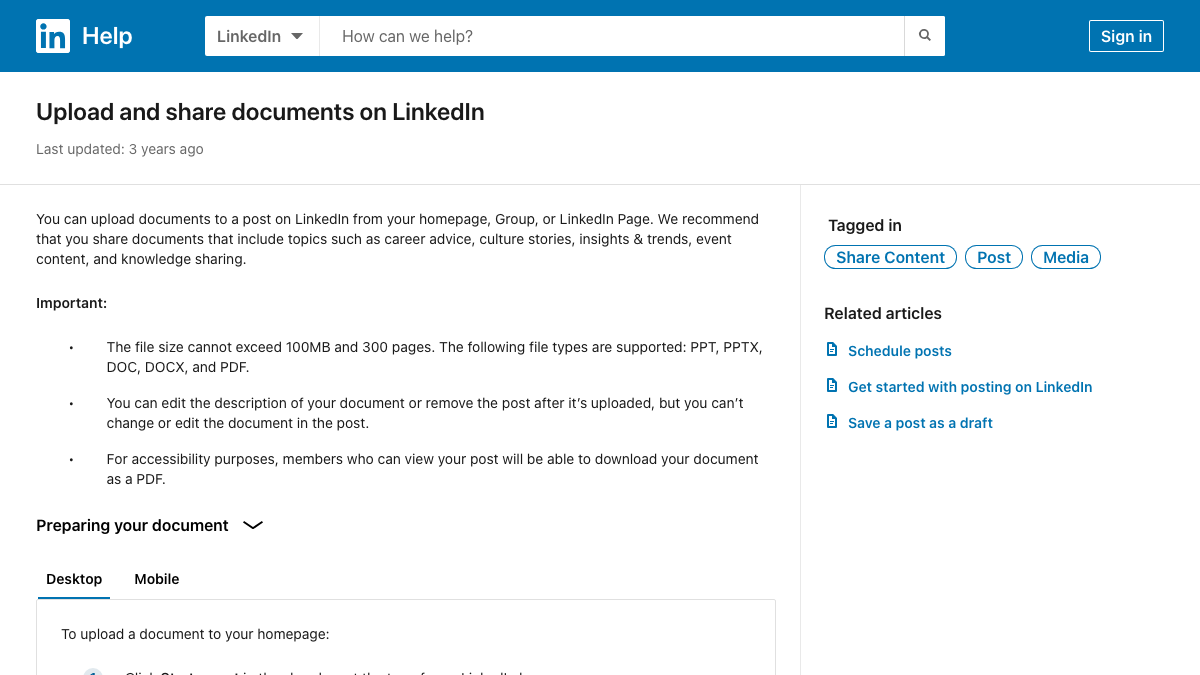
You can edit the description after you post, but you can't change the file. Proof the slides before you upload them. The page also says anyone who can see the post can download it as a PDF, which makes a closing checklist slide worth adding.
Most articles give you five to ten slides, plus a cover that states the result. LinkedIn's help docs say video and animation inside a document show up as still images, so build plain static slides and save the motion for week 3.
How many LinkedIn posts one article should get
Nobody agrees, and the spread is useful. In r/LinkedInTips, one commenter said to turn each blog into three to five LinkedIn posts. In another thread, a user said two or three is plenty and five to ten is overkill. A repurposing list posted on X in August lands on five.
This calendar uses seven because two of them, the poll and the comment-led post, take minutes and lean on your audience. If your article is thin, drop week 3 and stop at five. If you post beyond LinkedIn, our guide to a social media strategy built from your blog posts covers the other platforms.
The cadence data backs the spacing. Socialinsider's algorithm guide, updated September 30, 2026, says two or three posts a week, in the morning or just before lunch, does best.
Buffer's range is wider, at two to five posts a week. It names 3pm to 8pm on weekdays as the best window, which clashes with Socialinsider's mornings. With the sources split on time of day, use the first month to test, then move your slots to whatever your own analytics show.

Your competitors are getting cited by AI. You're not.
Every day without citation tracking is a day your competitors pull ahead in ChatGPT, Perplexity, and Claude.
What the algorithm rewards between posts
Hootsuite's guide to the LinkedIn algorithm, published July 14, 2026, gives you a reason to build posts people keep.
It reports that a save drives about five times the reach of a like and about twice the reach of a comment. That's why the document post ends on a checklist and the week 3 text post carries the poll result, since both give people something to keep.
The guide also quotes an expert who calls documents and carousels the most valuable posts for reach, which fits the week 2 slot. Hootsuite sells scheduling software, like Buffer, so both have a stake in you posting more. Their advice still points the same way as Socialinsider's, which sells analytics rather than scheduling.
Keep seven posts from sounding like AI slop
The biggest risk here is that seven posts from one article start to sound machine-made. The top thread in our Reddit search, "Every post on linkedin is Ai" in r/linkedin, had 117 upvotes and 72 comments. It's mostly people mocking broetry, humble-brags, em dashes and the "it's not X, it's Y" line.
A few habits help. Write each first line yourself, as a plain claim from the article, and keep one idea per post. In week 1, ask a real question in the comment-led post, then spend the next hour answering replies. If AI drafts your text, edit it until you'd say it out loud.
There's a search angle too, since LinkedIn posts now turn up as sources in AI answers. Our framework for LinkedIn posts that get cited by ChatGPT covers how to write for that.
The newsletter week needs followers first
The week 4 newsletter pays off slowest. LinkedIn's best-practice page for newsletters asks for a clear theme and name, a 300 by 300 pixel logo, 1920 by 1080 cover images and a steady cadence. One edition a month, built from that month's article, covers the cadence for free.
Don't count on it to find new readers. One r/Newsletters user complained that LinkedIn has no real discovery for newsletters, only invites from people you know to newsletters you've never heard of. Most subscribers come from your existing followers, so the edition rewards the three weeks of posts before it.
Write the edition as an update on the article. Open with what the replies and the poll taught you, then give the key section and a link to the full piece.
Schedule natively and skip browser extensions
LinkedIn's own scheduler covers this whole calendar. Its "Schedule posts" help page, updated in October 2026, says you can schedule from a personal profile as well as a Page. Events and job posts are the only exceptions.
Third-party tools carry real risk. In an r/LinkedInTips thread from someone who'd tried nine schedulers over two years, the poster warned that Chrome-extension schedulers break LinkedIn's terms and can get you banned. Another user said their tool kept losing its LinkedIn connection, which made it useless for scheduling.
If you'd rather use a tool, pick one that connects through LinkedIn's official API, such as Postiz or Buffer. Our guide to publishing content to Postiz walks through that setup.
Where RankControl fits in the calendar
The text posts are the part most teams fall behind on, and they're the piece RankControl drafts for you. Our repurposing turns each published article into drafts for eight platforms, and for LinkedIn that's a text post, plus a quote-card image you can use if you like.
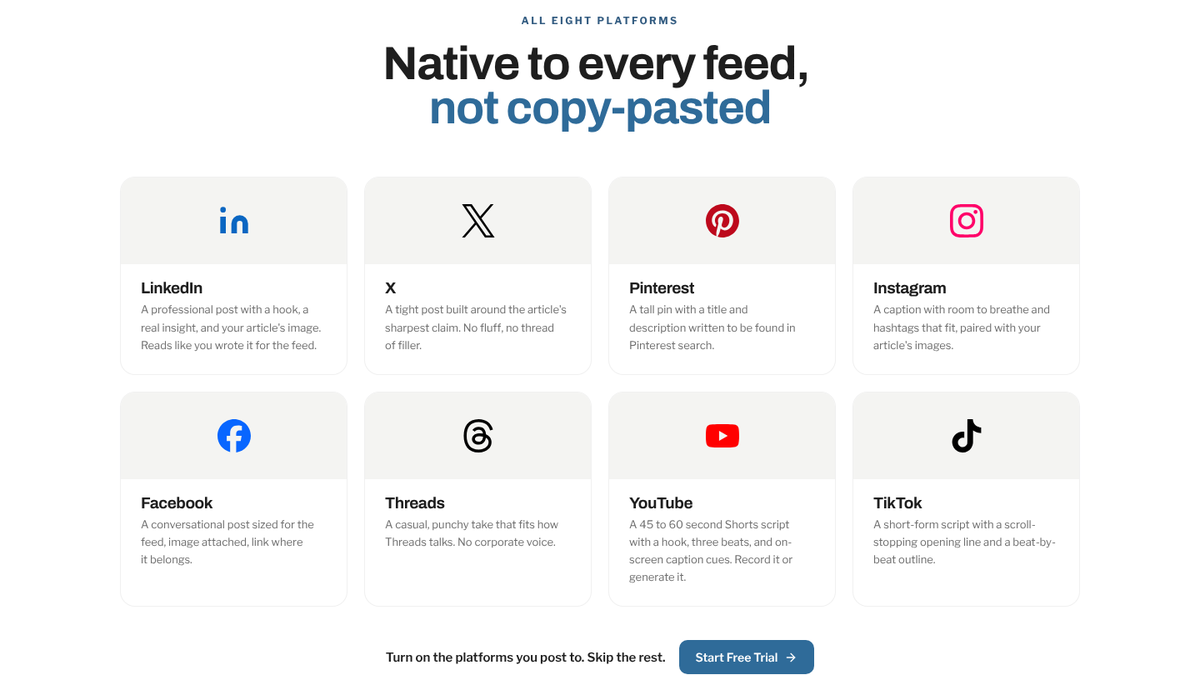
You edit the draft, then copy it into LinkedIn or send it to your own connected Postiz or Buffer account as a scheduled post or a draft. Nothing posts on its own. RankControl doesn't make carousels, LinkedIn video scripts or newsletter editions, so weeks 2 through 4 are still mostly yours to make.
By hand, a rough estimate per article is an hour for the two text posts, two or three hours for the slides, an hour for the video and one or two for the newsletter. That's five to seven hours a month per article before you answer a single reply.
RankControl is one flat plan at $400/mo with a 7-day free trial, and the same plan's content engine writes the articles that feed the calendar.
You can run this calendar by hand with a sheet and LinkedIn's own scheduler. Or RankControl can write each article and, with one click once it's live, draft its LinkedIn post, so your hours go into the slides and the replies.
200+ SaaS teams already track their AI citations.
They know exactly when ChatGPT mentions their brand, and when it stops. Do you?