

RankControl publishes articles to your store blog as native posts. You connect the store with a small custom app that you create yourself in Shopify. The app is private to your store, needs no review, and can only read and write blog content. Nothing else in your store is touched.
You need the store owner account, or a staff account with the app development permission.
1. Open the Dev Dashboard
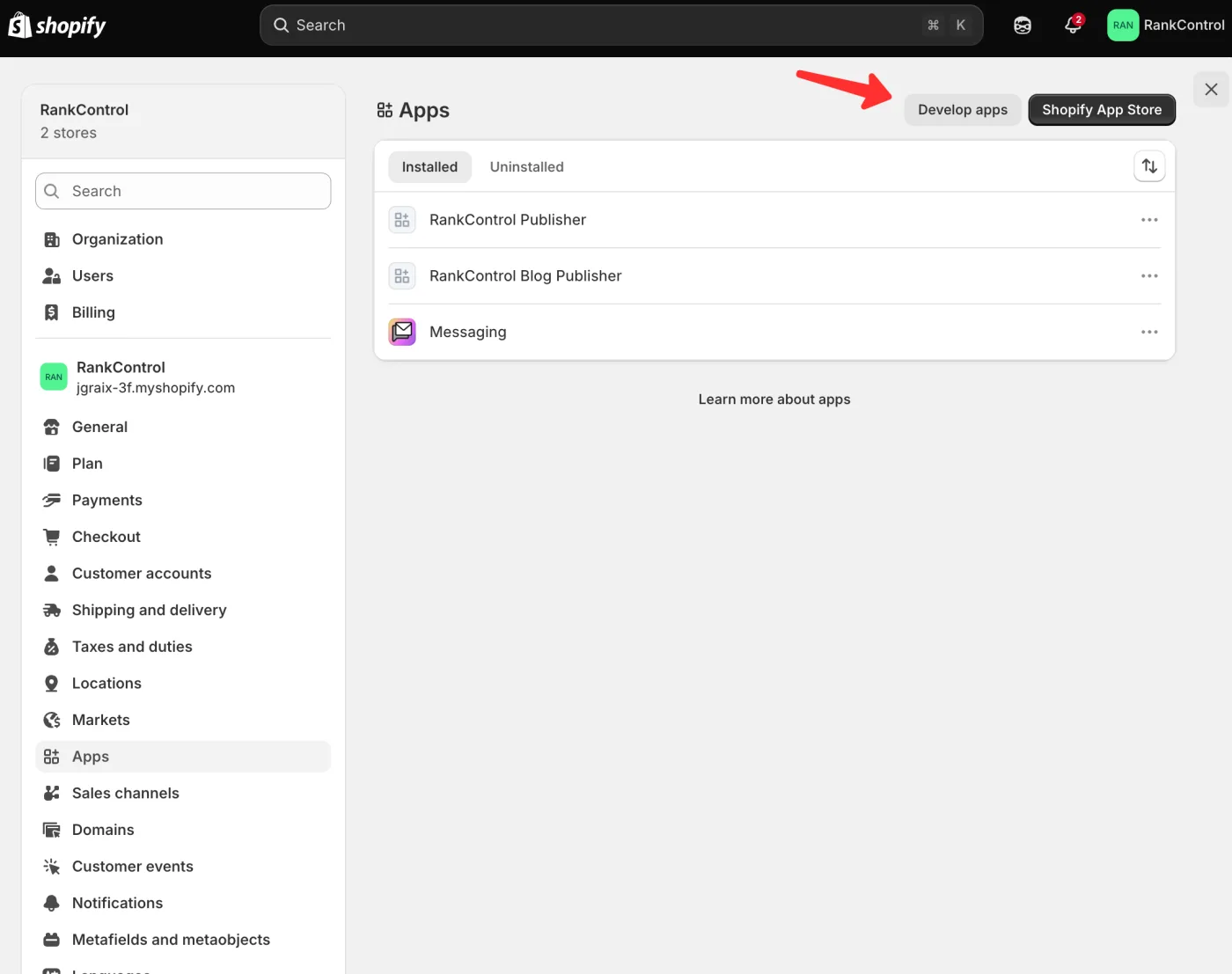
In your Shopify admin, go to Settings → Apps, then click Develop apps and Build apps in Dev Dashboard.
2. Create the app
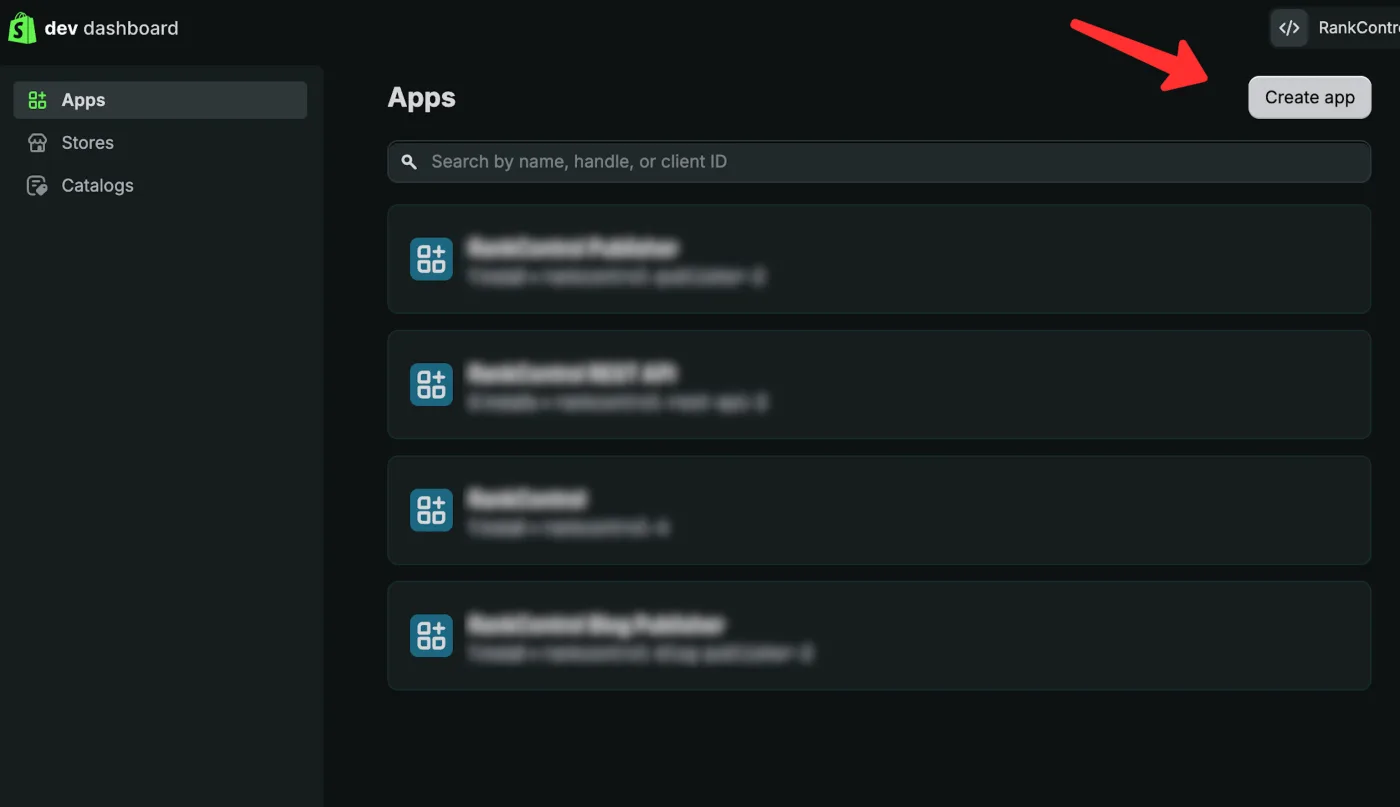
In the Dev Dashboard, click Create app. Name it anything you like, for
example RankControl Publisher.
3. Add the two scopes
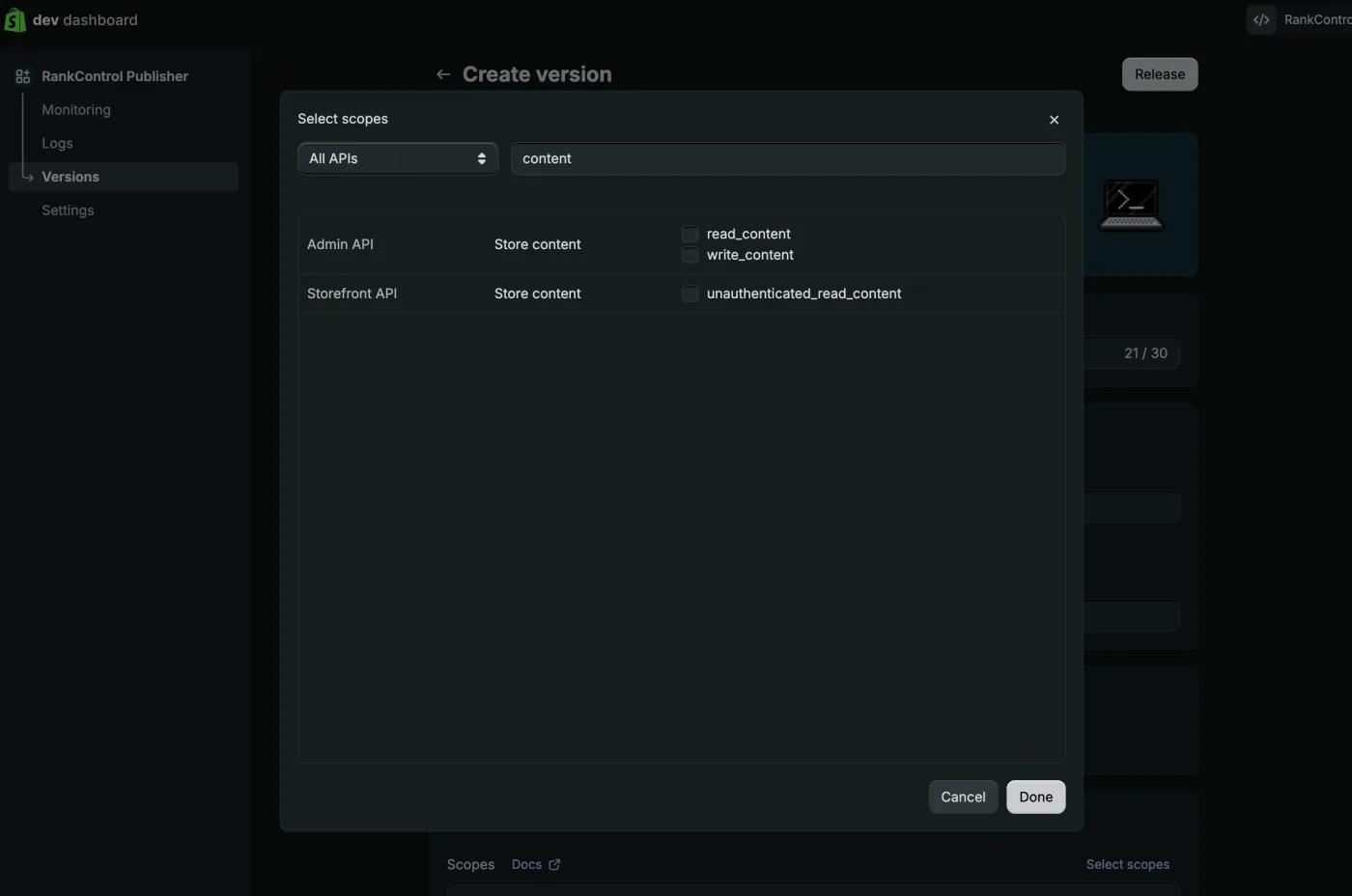
In the app version, open the Access section and click Select scopes.
Search for content and tick exactly two Admin API scopes:
read_contentwrite_content
Click Done, then Release the version.
4. Install the app on your store
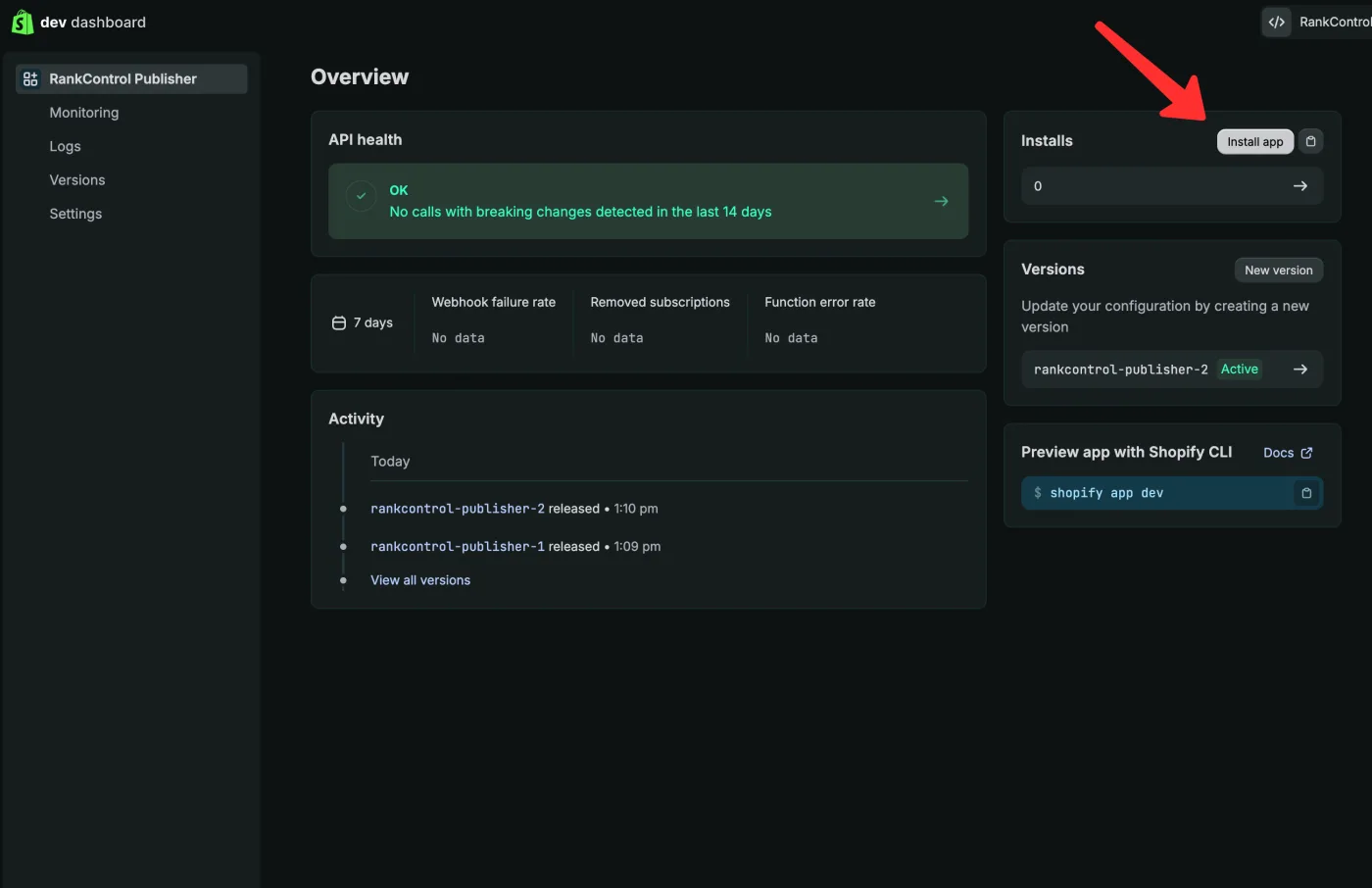
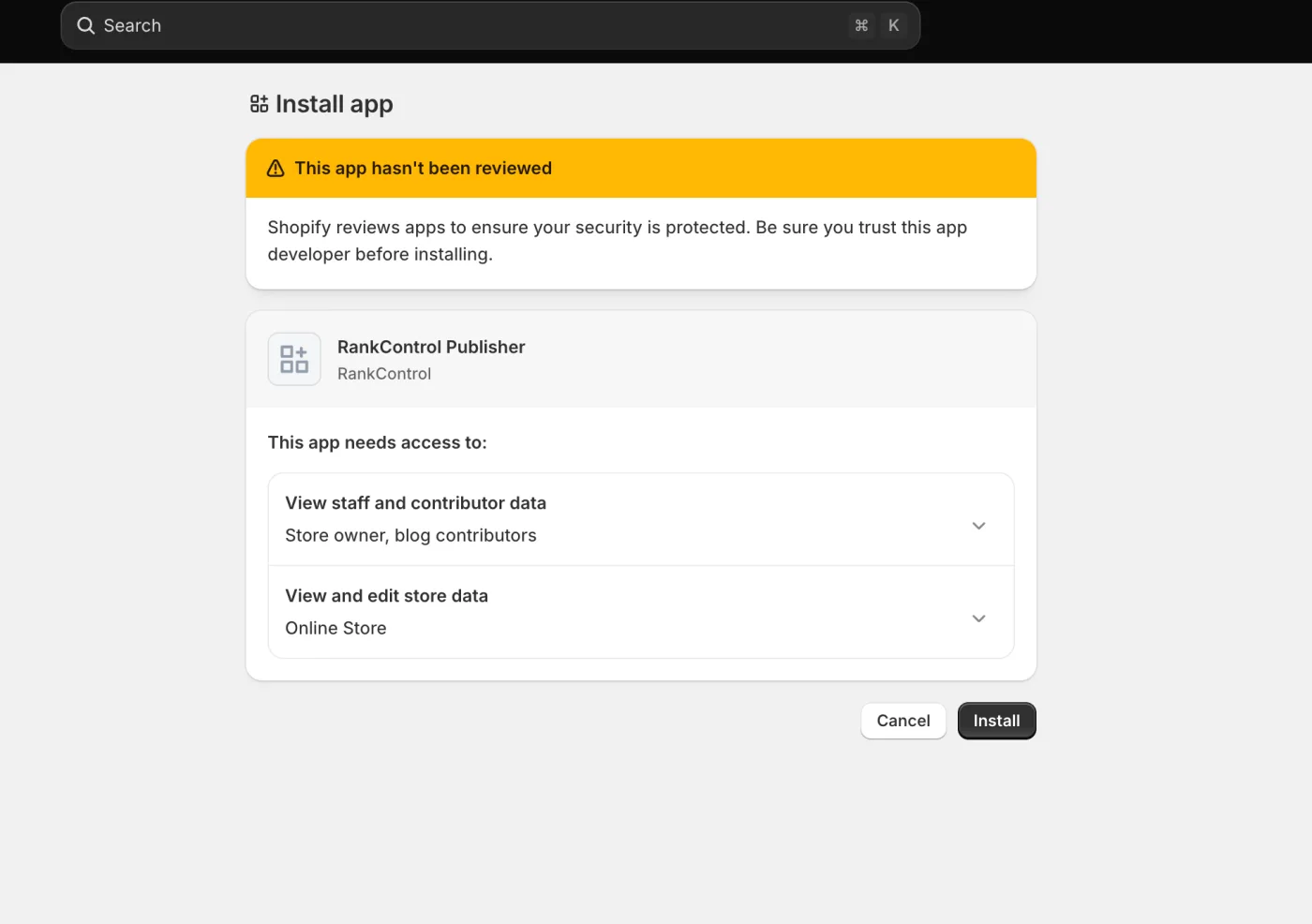
On the app’s overview page, find the Installs panel and click Install app. Pick your store.
Shopify shows a yellow banner that says the app has not been reviewed. That is expected. Review only applies to public App Store apps, and this app is your own, visible to nobody else. Confirm with Install.
5. Copy the credentials into RankControl
Open the app’s Settings in the Dev Dashboard and copy the Client ID and Client Secret.
In RankControl, go to Brand Control → Publishing, choose Shopify, and enter your store domain plus both values. Click Test connection, pick the blog to publish into, and save.
Done. Articles now publish to your store blog on schedule, and updates to an article revise the same post.
Troubleshooting
“Shopify rejected the Client ID or Client Secret.” Check both values against the app’s settings in the Dev Dashboard, and confirm the app is installed on the store (step 4). A released version alone is not an install.
“No blogs found on this store.” Create one first under Online Store → Blog posts in your Shopify admin, then test again.
The store domain is not accepted. Use the .myshopify.com domain from
your Shopify admin URL. Your public domain works too, and RankControl resolves
it to the right store.